Python에서 PDF에서 송장 데이터를 추출하는 방법
This article will discuss how you can extract text data from invoice PDF files using the IronPDF library for Python.
How to Extract Invoice Data from PDF in Python
- Install the Python library for extracting data from PDF invoices.
- Utilize the
PdfDocument.FromFilemethod to open a PDF file. - Extract all the data from the invoice using the
ExtractAllTextmethod. - Use the
printmethod to print all the extracted data from the invoice. - Extract specific data from invoice data.
1. IronPDF
IronPDF for Python is a robust library using Python that serves as a bridge between Python applications and PDF documents. This versatile tool provides developers with the means to effortlessly create, manipulate, and interact with PDF files within their Python projects. Here are some of the standout features that make IronPDF a valuable asset:
- PDF Generation: IronPDF enables the dynamic generation of PDF files from scratch, allowing developers to programmatically create PDFs with custom content, styling, and layout.
- HTML to PDF Conversion: It can convert HTML content, including web pages, to high-quality PDFs, preserving the layout and styling of the original HTML, which is especially useful for generating reports and documentation.
- PDF Editing: Developers can easily edit existing PDFs by adding, modifying, or removing text, images, and interactive elements, making it a powerful tool for document manipulation.
- PDF Merging and Splitting: IronPDF allows you to merge multiple PDF documents into a single file or split a PDF into multiple files, providing flexibility in managing large sets of PDFs.
- PDF Forms: It supports the creation and filling of interactive PDF forms, making it ideal for applications that require user input and data collection.
- Digital Signatures: You can add digital signatures to PDF documents, ensuring the integrity and authenticity of your files, which is vital for legal and security purposes.
- PDF Data Extraction: IronPDF provides extraction capabilities to protect information within PDFs.
2. Setting Up the Environment
Setting up the environment for IronPDF in Python involves a few steps to ensure that you can start using the library effectively. Here's a step-by-step guide:
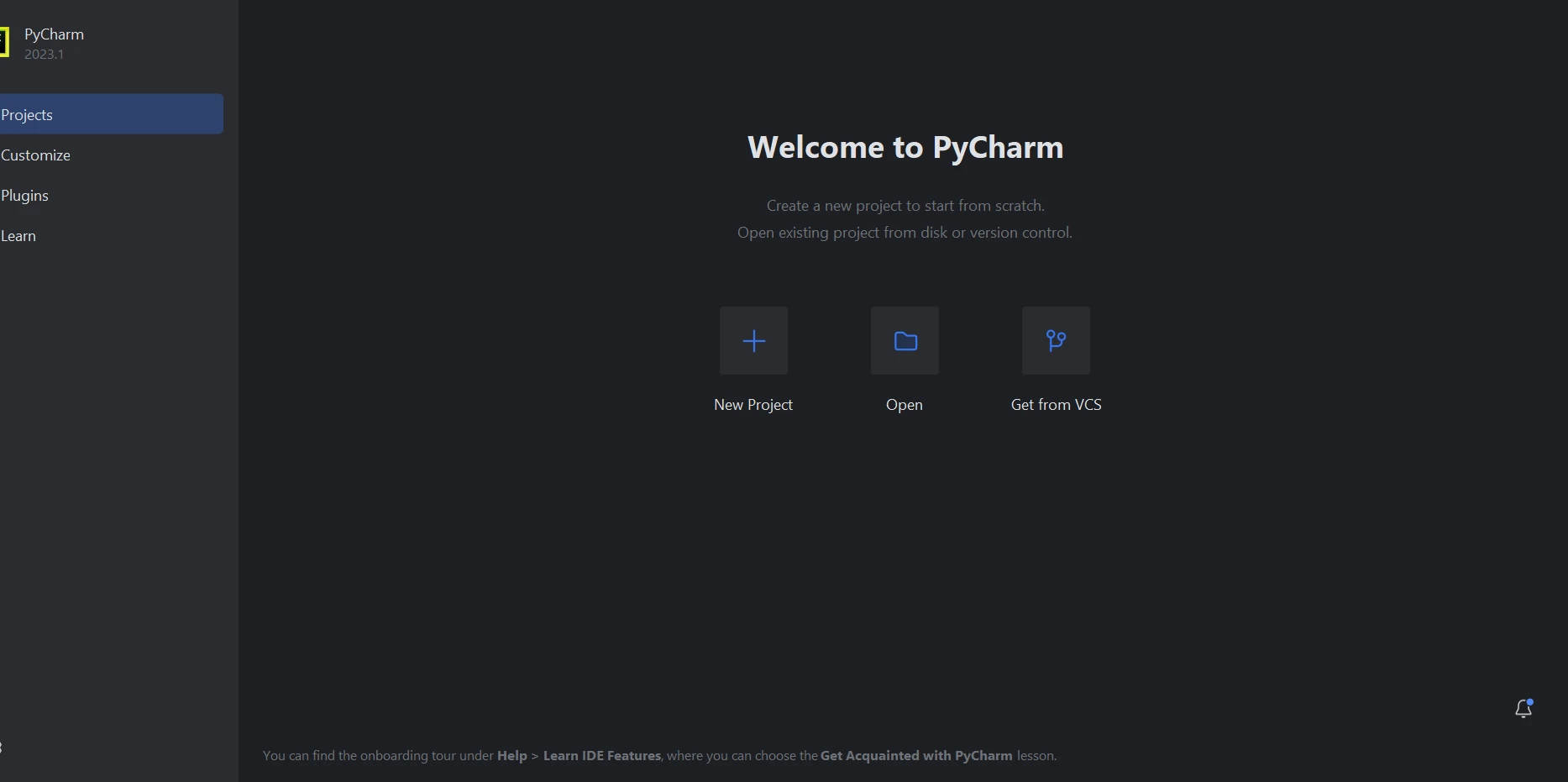
- Create a new Python project in PyCharm and create a virtual environment or use an existing Interpreter.
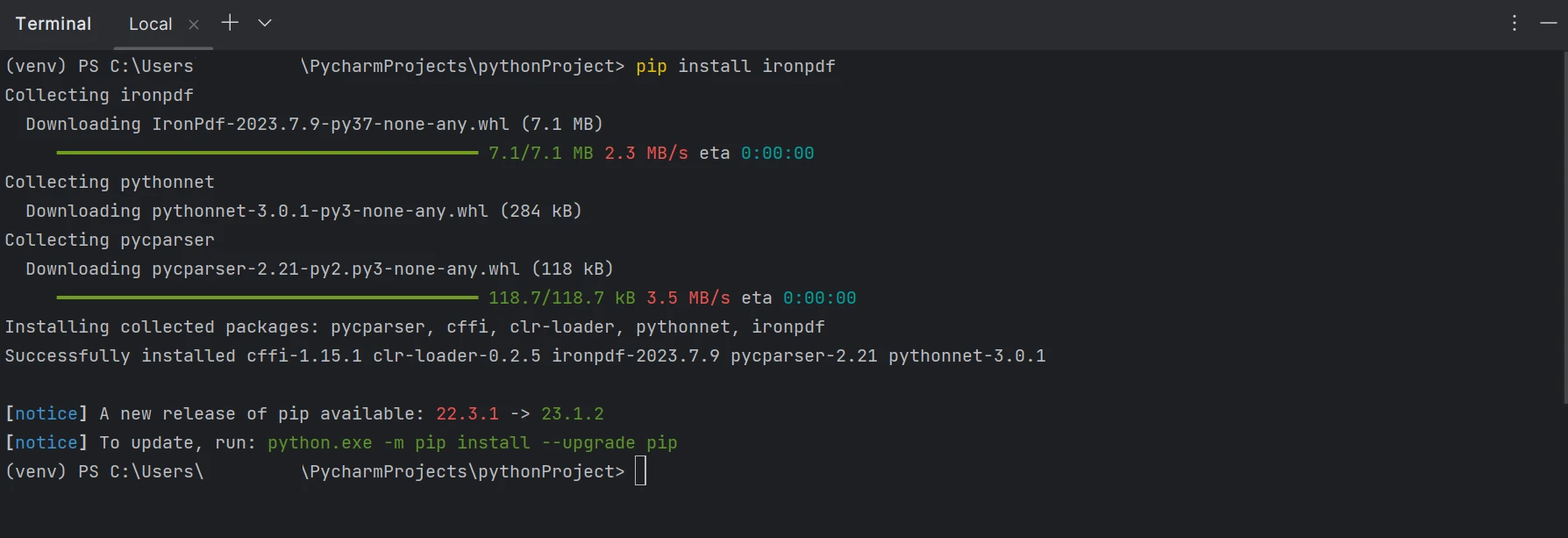
- Install IronPDF using the command-line terminal by running the following command in the terminal:
pip install ironpdf
IronPDF being installed from the command line
3. Extract Data from Invoice Using IronPDF
This section will see how to extract data from the invoice format and output format using the Python library IronPDF. The below code will extract all the data from the invoice and print it in the console.
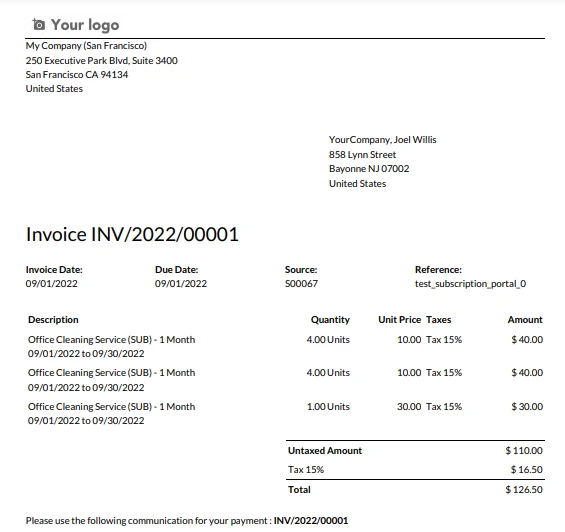
Example Invoice
The sample invoice
from ironpdf import PdfDocument
# Load the PDF using the PdfDocument.FromFile method
pdf = PdfDocument.FromFile("INV_2022_00001.pdf")
# Extract all text from the PDF
all_text = pdf.ExtractAllText()
# Print the extracted text
print(all_text)from ironpdf import PdfDocument
# Load the PDF using the PdfDocument.FromFile method
pdf = PdfDocument.FromFile("INV_2022_00001.pdf")
# Extract all text from the PDF
all_text = pdf.ExtractAllText()
# Print the extracted text
print(all_text)The above code loads a specific PDF file named "INV_2022_00001.pdf" using the PdfDocument.FromFile method. Subsequently, it extracts all the text content from the loaded PDF document and stores it in the variable all_text. Finally, the extracted text is printed to the console using the print function. Essentially, this code automates the process of extracting structured and unstructured text data from a PDF file, making it accessible for further processing or analysis in a Python environment.
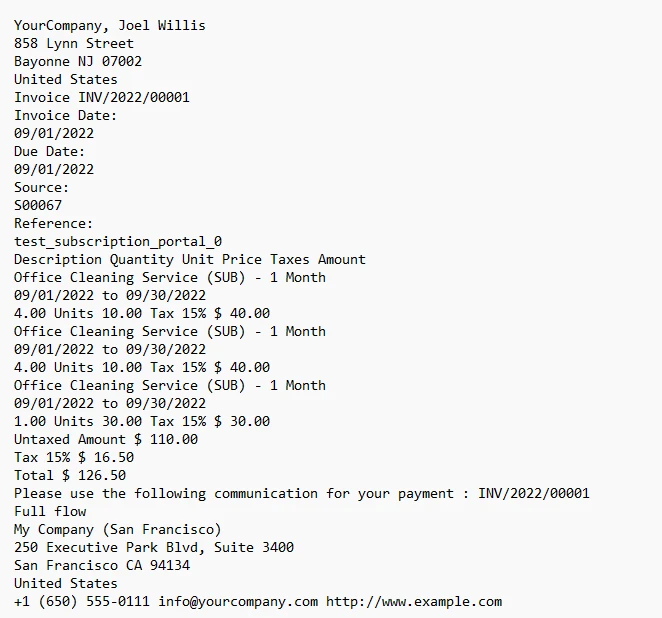
3.1. Output
The text from the invoice output to the console
4. Extract Specific Data from Invoice
Using IronPDF to extract invoice data is quite an easy process. Extracting data such as Invoice Number and amount from the PDF invoice data can be a tricky process, but using IronPDF in conjunction with the Python Open-Source library re, it can be achieved. The below code will extract specific data from PDF invoices and print them in the console.
from ironpdf import PdfDocument
import re
# Define regex patterns to find invoice number and amount
invoice_number_pattern = r"Invoice\s+(INV/\d{4}/\d{5})"
amount_pattern = r"Total\s+\$\s*([\d,.]+(?:\.\d{2})?)"
# Load the PDF using the PdfDocument.FromFile method
pdf = PdfDocument.FromFile("INV_2022_00001.pdf")
# Extract all text from the PDF
all_text = pdf.ExtractAllText()
# Search for the invoice number and amount in text
invoice_number_match = re.search(invoice_number_pattern, all_text)
amount_match = re.search(amount_pattern, all_text)
# Extract the matching groups if matches are found
invoice_number = invoice_number_match.group(1) if invoice_number_match else "Not found"
amount = amount_match.group(1) if amount_match else "Not found"
# Print the extracted data
print('Invoice Number: ' + invoice_number + '\nAmount: $' + amount)from ironpdf import PdfDocument
import re
# Define regex patterns to find invoice number and amount
invoice_number_pattern = r"Invoice\s+(INV/\d{4}/\d{5})"
amount_pattern = r"Total\s+\$\s*([\d,.]+(?:\.\d{2})?)"
# Load the PDF using the PdfDocument.FromFile method
pdf = PdfDocument.FromFile("INV_2022_00001.pdf")
# Extract all text from the PDF
all_text = pdf.ExtractAllText()
# Search for the invoice number and amount in text
invoice_number_match = re.search(invoice_number_pattern, all_text)
amount_match = re.search(amount_pattern, all_text)
# Extract the matching groups if matches are found
invoice_number = invoice_number_match.group(1) if invoice_number_match else "Not found"
amount = amount_match.group(1) if amount_match else "Not found"
# Print the extracted data
print('Invoice Number: ' + invoice_number + '\nAmount: $' + amount)This code snippet utilizes Python and the IronPDF library to perform data extraction from a PDF document. It starts by importing the necessary libraries and defining regular expression patterns for identifying an invoice number and a total amount within the PDF's text content. The code then loads the target PDF, extracts all of its text, and proceeds to search for matches of the defined patterns.
If successful matches are found, it stores the corresponding values for the invoice number and amount; otherwise, it assigns "Not found". Finally, the script prints the extracted invoice number and amount to the console, providing a streamlined way to automate the extraction of specific data from PDF documents, a task commonly encountered in various data processing and accounting applications.
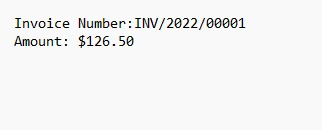
4.1. Output
The output text
5. Conclusion
In today's fast-paced business landscape, Python stands as a formidable ally for organizations seeking to streamline their financial operations by automating the extraction of crucial data from PDF invoices. Leveraging Python's capabilities and the IronPDF library, businesses can significantly reduce manual data entry, mitigate errors, save time, and enhance overall productivity in the accounting process of managing invoices. IronPDF, with its versatile features, such as PDF generation, HTML to PDF conversion, PDF editing, merging, splitting, form handling, digital signatures, and accurate data extraction, emerges as a powerful tool for these tasks.
By following simple setup procedures, Python developers can swiftly integrate IronPDF into their projects, revolutionizing their invoice processing workflows and making data extraction from invoices a seamless and efficient process. The code example of data extraction using IronPDF can be found from the detailed code sample. The complete tutorial on data extraction using IronPDF for Python is available on the following Python tutorial, and for Invoice Extraction using C#, visit IronOCR tutorial.
자주 묻는 질문
Python을 사용하여 PDF 인보이스에서 텍스트를 추출하려면 어떻게 해야 하나요?
IronPDF의 PdfDocument.FromFile 메서드를 사용하여 PDF를 로드하고 ExtractAllText 메서드를 사용하여 문서에서 모든 텍스트 콘텐츠를 검색할 수 있습니다.
Python용 IronPDF는 어떻게 설치하나요?
Python 패키지 관리자 pip를 사용하여 pip install ironpdf 명령으로 IronPDF를 설치합니다.
Python으로 PDF에서 송장 번호와 같은 특정 데이터를 추출할 수 있나요?
예, IronPDF를 Python의 re 라이브러리와 함께 사용하면 정규식 패턴을 정의하여 PDF 송장에서 송장 번호 및 금액과 같은 특정 데이터를 추출할 수 있습니다.
Python용 IronPDF의 기능은 무엇인가요?
IronPDF는 PDF 생성, HTML을 PDF로 변환, PDF 편집, 병합, 분할, 양식 처리, 디지털 서명 및 데이터 추출과 같은 기능을 제공합니다.
IronPDF는 Python에서 HTML을 PDF로 변환할 수 있나요?
예, IronPDF는 웹 페이지를 포함한 HTML 콘텐츠를 원본 HTML의 레이아웃과 스타일을 유지하면서 고품질 PDF로 변환할 수 있습니다.
IronPDF는 송장 데이터 추출에서 생산성을 어떻게 향상시키나요?
IronPDF는 PDF 인보이스에서 데이터 추출을 자동화하여 수동 입력과 오류를 줄여 시간을 절약하고 재무 운영의 생산성을 향상시킵니다.
Python에서 IronPDF를 사용하여 PDF 문서를 편집할 수 있나요?
예, IronPDF를 사용하면 개발자가 텍스트, 이미지 및 대화형 요소를 추가, 수정 또는 제거하여 기존 PDF를 편집할 수 있습니다.
IronPDF는 Python에서 PDF 문서를 병합하거나 분할할 수 있나요?
예, IronPDF는 여러 PDF 문서를 단일 파일로 병합하거나 PDF를 여러 파일로 분할하는 기능을 제공합니다.
IronPDF는 Python에서 PDF에 디지털 서명을 추가하는 기능을 지원하나요?
예, IronPDF를 사용하면 PDF 문서에 디지털 서명을 추가하여 파일의 무결성과 신뢰성을 보장할 수 있습니다.
IronPDF가 Python 개발자를 위한 강력한 도구로 간주되는 이유는 무엇인가요?
IronPDF는 개발자에게 필수적인 생성, 변환, 편집, 데이터 추출 등 다양한 PDF 작업을 처리할 수 있는 포괄적인 기능을 갖추고 있어 강력한 도구로 평가받고 있습니다.