


Dotnetopenauth .NET Core(對於開發者的運行原理)

DotNetOpenAuth .NET Core 是原始 DotNetOpenAuth 程式庫的版本,適用於 .NET Core,提供穩健的公共API。 這個程式庫幫助您將 OAuth2 和 OpenID 認證新增到您的 .NET 應用程式中。 IronPDF 是一個用於在 .NET 中建立、閱讀和編輯 PDF 檔案的程式庫。 它對於直接從您的 .NET 應用程式生成報告和發票等文件非常有用。
您可以在各種型別的專案中使用 DotNetOpenAuth .NET Core 和 IronPDF,例如網頁和桌面應用程式,以利用共享程式碼並實現新功能。 它們對於希望在其軟體中處理認證和PDF文件管理的開發者來說是必不可少的。
使用 DotNetOpenAuth .NET Core 入門
在 .NET 專案中設定 DotNetOpenAuth .NET Core
要在您的 .NET 專案中開始使用 DotNetOpenAuth .NET Core,並由 Microsoft 技術支持,請按照以下步驟進行:
- 在 Visual Studio 中打開您的專案。
- 前往方案總管。
- 右鍵點選您的專案名稱。
- 選擇
Manage NuGet Packages。 - 在 NuGet 套件管理器中,搜尋
DotNetOpenAuth.NetCore和其他 NuGet 套件。 - 點選
Install將其新增到您的專案中。
這將把 DotNetOpenAuth .NET Core 程式庫新增到您的專案中,提供整合認證功能的支持。
使用 DotNetOpenAuth .NET Core 的基本程式碼範例
以下是一個簡單的範例,展示如何使用 DotNetOpenAuth .NET Core 在您的應用程式中設置 OAuth2 認證:
using DotNetOpenAuth.OAuth2;

// Initialize the OAuth2 client with the authorization server details
var client = new WebServerClient(new AuthorizationServerDescription
{
    TokenEndpoint = new Uri("https://your-auth-server.com/token"),
    AuthorizationEndpoint = new Uri("https://your-auth-server.com/authorize")
}, "your-client-id", "your-client-secret");

// Start the authentication process and get the authorization state
IAuthorizationState state = client.ProcessUserAuthorization();
if (state != null && state.IsAuthorized)
{
    // Authorized successfully, now you can access protected resources
}
using DotNetOpenAuth.OAuth2;
// Initialize the OAuth2 client with the authorization server details
var client = new WebServerClient(new AuthorizationServerDescription
{
TokenEndpoint = new Uri("https://your-auth-server.com/token"),
AuthorizationEndpoint = new Uri("https://your-auth-server.com/authorize")
}, "your-client-id", "your-client-secret");
// Start the authentication process and get the authorization state
IAuthorizationState state = client.ProcessUserAuthorization();
if (state != null && state.IsAuthorized)
{
// Authorized successfully, now you can access protected resources
}Imports DotNetOpenAuth.OAuth2
' Initialize the OAuth2 client with the authorization server details
Private client = New WebServerClient(New AuthorizationServerDescription With {
.TokenEndpoint = New Uri("https://your-auth-server.com/token"),
.AuthorizationEndpoint = New Uri("https://your-auth-server.com/authorize")
}, "your-client-id", "your-client-secret")
' Start the authentication process and get the authorization state
Private state As IAuthorizationState = client.ProcessUserAuthorization()
If state IsNot Nothing AndAlso state.IsAuthorized Then
' Authorized successfully, now you can access protected resources
End If此程式碼片段設置了一個使用 DotNetOpenAuth .NET Core 的 OAuth2 使用者端,連接到授權伺服器,並處理使用者的授權。
實現 DotNetOpenAuth .NET Core 的功能
整合 OpenID Connect
要使用 DotNetOpenAuth .NET Core 整合 OpenID Connect,您可以按照此基本方法進行:
using DotNetOpenAuth.OAuth2;

// Configure the OpenID Connect client with authority details
var openIdClient = new WebServerClient(new AuthorizationServerDescription
{
    TokenEndpoint = new Uri("https://your-openid-provider.com/token"),
    AuthorizationEndpoint = new Uri("https://your-openid-provider.com/authorize")
}, "your-client-id");

// Redirect user for authentication
Uri authUri = openIdClient.GetAuthorizationRequestUri("openid email profile");
Response.Redirect(authUri.AbsoluteUri);
using DotNetOpenAuth.OAuth2;
// Configure the OpenID Connect client with authority details
var openIdClient = new WebServerClient(new AuthorizationServerDescription
{
TokenEndpoint = new Uri("https://your-openid-provider.com/token"),
AuthorizationEndpoint = new Uri("https://your-openid-provider.com/authorize")
}, "your-client-id");
// Redirect user for authentication
Uri authUri = openIdClient.GetAuthorizationRequestUri("openid email profile");
Response.Redirect(authUri.AbsoluteUri);Imports DotNetOpenAuth.OAuth2
' Configure the OpenID Connect client with authority details
Private openIdClient = New WebServerClient(New AuthorizationServerDescription With {
.TokenEndpoint = New Uri("https://your-openid-provider.com/token"),
.AuthorizationEndpoint = New Uri("https://your-openid-provider.com/authorize")
}, "your-client-id")
' Redirect user for authentication
Private authUri As Uri = openIdClient.GetAuthorizationRequestUri("openid email profile")
Response.Redirect(authUri.AbsoluteUri)此程式碼配置了一個 OpenID Connect 使用者端,並將使用者重定向到 OpenID 提供者的認證頁面。
處理存取令牌
以下是您如何使用 DotNetOpenAuth .NET Core 處理存取令牌:
// After the user is authenticated, process the authorization response to retrieve the token
IAuthorizationState authState = openIdClient.ProcessUserAuthorization();
if (authState != null && authState.IsAuthorized)
{
    // Access token is available, and you can use it to make authenticated requests
    string accessToken = authState.AccessToken;
}
// After the user is authenticated, process the authorization response to retrieve the token
IAuthorizationState authState = openIdClient.ProcessUserAuthorization();
if (authState != null && authState.IsAuthorized)
{
// Access token is available, and you can use it to make authenticated requests
string accessToken = authState.AccessToken;
}' After the user is authenticated, process the authorization response to retrieve the token
Dim authState As IAuthorizationState = openIdClient.ProcessUserAuthorization()
If authState IsNot Nothing AndAlso authState.IsAuthorized Then
' Access token is available, and you can use it to make authenticated requests
Dim accessToken As String = authState.AccessToken
End If此程式碼片段處理使用者授權響應以檢索和使用存取令牌。
刷新令牌
要在令牌過期時刷新它們,請使用以下程式碼:
// Check if the access token is expired and refresh it
if (authState.AccessTokenExpirationUtc <= DateTime.UtcNow)
{
    if (openIdClient.RefreshAuthorization(authState))
    {
        // Token refreshed successfully
    }
}
// Check if the access token is expired and refresh it
if (authState.AccessTokenExpirationUtc <= DateTime.UtcNow)
{
if (openIdClient.RefreshAuthorization(authState))
{
// Token refreshed successfully
}
}' Check if the access token is expired and refresh it
If authState.AccessTokenExpirationUtc <= DateTime.UtcNow Then
If openIdClient.RefreshAuthorization(authState) Then
' Token refreshed successfully
End If
End If此程式碼檢查當前令牌是否過期並嘗試刷新它。
撤銷令牌
如果您需要撤銷令牌,請按照下面的顯示進行實施:
// Revoke the access token
bool success = openIdClient.RevokeAuthorization(authState);
if (success)
{
    // Token revoked successfully
}
// Revoke the access token
bool success = openIdClient.RevokeAuthorization(authState);
if (success)
{
// Token revoked successfully
}' Revoke the access token
Dim success As Boolean = openIdClient.RevokeAuthorization(authState)
If success Then
' Token revoked successfully
End If此程式碼片段撤銷授權,有效地使存取令牌失效。
自訂令牌請求
要為特定需求自訂令牌請求,例如加入額外參數:
// Customize the token request with additional parameters
var additionalParams = new Dictionary<string, string>
{
    {"custom_parameter", "value"}
};
IAuthorizationState customizedState = openIdClient.ProcessUserAuthorization(additionalParams);
if (customizedState != null && customizedState.IsAuthorized)
{
    // Token request customized and processed successfully
}
// Customize the token request with additional parameters
var additionalParams = new Dictionary<string, string>
{
{"custom_parameter", "value"}
};
IAuthorizationState customizedState = openIdClient.ProcessUserAuthorization(additionalParams);
if (customizedState != null && customizedState.IsAuthorized)
{
// Token request customized and processed successfully
}' Customize the token request with additional parameters
Dim additionalParams = New Dictionary(Of String, String) From {
{"custom_parameter", "value"}
}
Dim customizedState As IAuthorizationState = openIdClient.ProcessUserAuthorization(additionalParams)
If customizedState IsNot Nothing AndAlso customizedState.IsAuthorized Then
' Token request customized and processed successfully
End If此程式碼向令牌請求中新增了自訂參數,這對處理授權伺服器的特定需求很有用。
DotNetOpenAuth .NET Core with IronPDF
IronPDF 是一個全面的程式庫,允許開發人員在 .NET 環境中建立、閱讀和操作 PDF 檔案。 它特別適用於從 HTML 或直接從 URL 生成 PDF,這對於報告、生成發票或只是將網頁儲存為靜態格式非常有用。 當與 DotNetOpenAuth .NET Core 整合後,它確保這些功能僅對經過身份驗證的使用者安全且可存取。
將 IronPDF 與 DotNetOpenAuth .NET Core 合併的使用案例
將 IronPDF 與 DotNetOpenAuth .NET Core 合併的一個實際使用案例是在網頁應用程式中,經過身份驗證的使用者需要生成和下載個性化報告。 例如,想像一下場景,使用者登錄您的應用程式並以PDF格式存取他們的財務報告。 DotNetOpenAuth 確保使用者得到正確的身份驗證和授權以存取其文件,而 IronPDF 則負責建立和傳遞這些個性化的PDF檔。
使用案例的程式碼範例
讓我們看看一個完整的程式碼範例,展示如何執行此操作。 我們將在 .NET Core 中建立一個簡單的 Web API,認證使用者然後使用 IronPDF 生成 PDF 報告:
using IronPdf;
using Microsoft.AspNetCore.Mvc;
using Microsoft.AspNetCore.Authorization;

[Route("api/[controller]")]
[ApiController]
public class ReportController : ControllerBase
{
    [Authorize]
    [HttpGet("download-pdf")]
    public IActionResult DownloadPdfReport()
    {
        // Authentication is handled by DotNetOpenAuth .NET Core
        var currentUser = HttpContext.User.Identity.Name;

        // Generate PDF content using IronPDF
        var Renderer = new ChromePdfRenderer();
        var PDF = Renderer.RenderHtmlAsPdf($"<h1>Report for {currentUser}</h1><p>This is your personalized financial report.</p>");

        // Set file name and content type for the PDF
        var outputFileName = $"Report-{currentUser}.pdf";
        Response.Headers.Add("Content-Disposition", $"attachment; filename={outputFileName}");
        Response.ContentType = "application/pdf";

        // Return the generated PDF file
        return File(PDF.Stream.ToArray(), "application/pdf");
    }
}
using IronPdf;
using Microsoft.AspNetCore.Mvc;
using Microsoft.AspNetCore.Authorization;
[Route("api/[controller]")]
[ApiController]
public class ReportController : ControllerBase
{
[Authorize]
[HttpGet("download-pdf")]
public IActionResult DownloadPdfReport()
{
// Authentication is handled by DotNetOpenAuth .NET Core
var currentUser = HttpContext.User.Identity.Name;
// Generate PDF content using IronPDF
var Renderer = new ChromePdfRenderer();
var PDF = Renderer.RenderHtmlAsPdf($"<h1>Report for {currentUser}</h1><p>This is your personalized financial report.</p>");
// Set file name and content type for the PDF
var outputFileName = $"Report-{currentUser}.pdf";
Response.Headers.Add("Content-Disposition", $"attachment; filename={outputFileName}");
Response.ContentType = "application/pdf";
// Return the generated PDF file
return File(PDF.Stream.ToArray(), "application/pdf");
}
}Imports IronPdf
Imports Microsoft.AspNetCore.Mvc
Imports Microsoft.AspNetCore.Authorization
<Route("api/[controller]")>
<ApiController>
Public Class ReportController
Inherits ControllerBase
<Authorize>
<HttpGet("download-pdf")>
Public Function DownloadPdfReport() As IActionResult
' Authentication is handled by DotNetOpenAuth .NET Core
Dim currentUser = HttpContext.User.Identity.Name
' Generate PDF content using IronPDF
Dim Renderer = New ChromePdfRenderer()
Dim PDF = Renderer.RenderHtmlAsPdf($"<h1>Report for {currentUser}</h1><p>This is your personalized financial report.</p>")
' Set file name and content type for the PDF
Dim outputFileName = $"Report-{currentUser}.pdf"
Response.Headers.Add("Content-Disposition", $"attachment; filename={outputFileName}")
Response.ContentType = "application/pdf"
' Return the generated PDF file
Return File(PDF.Stream.ToArray(), "application/pdf")
End Function
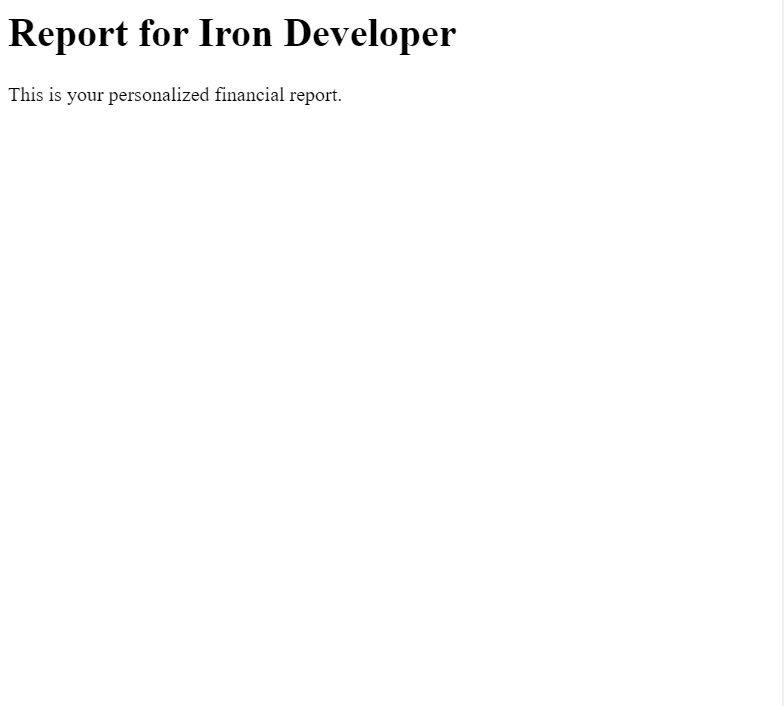
End Class在這個例子中,我們使用 [Authorize] 屬性來確保只有經過身份驗證的使用者可以存取 PDF 生成端點。 IronPDF 中的 ChromePdfRenderer 類用來生成 HTML 內容的 PDF,在這個例子中,使用者的姓名會以動態個性化的方式展現在內容中。
結論
將 DotNetOpenAuth .NET Core 與 IronPDF 整合可提供強大的解決方案,以增強您 .NET 應用程式的安全性和功能。 通過利用這些技術,您可以有效保護敏感資料,並通過動態PDF生成提供個性化的使用者體驗。
IronPDF 不僅多才多藝,而且對開發者友好,提供建立和管理 .NET 應用程式中的 PDF 檔案的簡單方法。 如果您正在考慮將 IronPDF 加入您的專案,建議探索 IronPDF 官方網站 以獲取免費試用和授權選項。
常見問題
DotNetOpenAuth .NET Core 的用途是什麼?
DotNetOpenAuth .NET Core 用於將 OAuth2 和 OpenID 身份驗證功能整合到 .NET 應用程式中,實現網頁和桌面環境中的安全身份驗證過程。
如何將 OAuth2 身份驗證新增到我的 .NET 應用程式中?
若要新增 OAuth2 身份驗證,請使用 DotNetOpenAuth .NET Core 初始化 WebServerClient 並提供授權伺服器詳細資訊,然後引導使用者通過身份驗證過程並處理他們的授權回應。
是否可以在具有身份驗證的 .NET 應用程式中建立 PDF?
是的,通過整合 DotNetOpenAuth .NET Core 用於身份驗證和 IronPDF 用於 PDF 生成,您可以建立安全的經過身份驗證的 PDF 文件,例如個性化報告和發票。
.NET 應用程式中如何管理存取權杖?
DotNetOpenAuth .NET Core 管理存取權杖是通過處理授權回應,使您可以檢索和利用存取權杖進行安全、經身份驗證的請求。
如何在 .NET Core 中刷新存取權杖?
在 .NET Core 中刷新存取權杖時,檢查權杖是否過期並使用 `RefreshAuthorization` 方法獲取新權杖,以確保持續安全存取。
整合 DotNetOpenAuth 與 PDF 生成的好處是什麼?
整合 DotNetOpenAuth 與 PDF 生成可對敏感文件進行安全存取,允許經身份驗證的使用者生成和下載個性化的 PDF,例如報告和發票。
.NET 應用程式中如何撤銷權杖?
由於 DotNetOpenAuth .NET Core 中實施 `RevokeAuthorization` 方法可撤銷權杖,令存取權杖無效,從而防止進一步未授權的請求。
.NET 身份驗證中的權杖請求如何自訂?
您可以通過將附加參數新增到處理權杖的程式碼中來自訂權杖請求,以滿足授權伺服器的特定要求。
在 .NET 項目中設置 OpenID Connect 涉及哪些步驟?
要設置 OpenID Connect,配置具有所需授權詳細資訊的 OpenID Connect 客戶端,引導使用者通過 OpenID 提供者進行身份驗證,並與 DotNetOpenAuth .NET Core 整合以實現無縫身份驗證。










 免費開始
免費開始 免費開始
免費開始 預訂免費直播演示
















