using IronPdf;

// Disable local disk access or cross-origin requests
Installation.EnableWebSecurity = true;

// Instantiate Renderer
var renderer = new ChromePdfRenderer();

// Create a PDF from a HTML string using C#
var pdf = renderer.RenderHtmlAsPdf("<h1>Hello World</h1>");

// Export to a file or Stream
pdf.SaveAs("output.pdf");

// Advanced Example with HTML Assets
// Load external html assets: Images, CSS and JavaScript.
// An optional BasePath 'C:\site\assets\' is set as the file location to load assets from
var myAdvancedPdf = renderer.RenderHtmlAsPdf("<img src='icons/iron.png'>", @"C:\site\assets\");
myAdvancedPdf.SaveAs("html-with-assets.pdf");
using IronPdf;// Disable local disk access or cross-origin requestsInstallation.EnableWebSecurity = true;// Instantiate Renderervar renderer = new ChromePdfRenderer();// Create a PDF from a HTML string using C#var pdf = renderer.RenderHtmlAsPdf("<h1>Hello World</h1>");// Export to a file or Streampdf.SaveAs("output.pdf");// Advanced Example with HTML Assets// Load external html assets: Images, CSS and JavaScript.// An optional BasePath 'C:\site\assets\' is set as the file location to load assets fromvar myAdvancedPdf = renderer.RenderHtmlAsPdf("<img src='icons/iron.png'>", @"C:\site\assets\");myAdvancedPdf.SaveAs("html-with-assets.pdf");
iText是Java iText库的.NET移植版,通过其文档类和低级PDF内容操作提供程序化的PDF创建。 虽然功能强大,但使用iText需要了解PDF文档结构、处理文档对象,并手动使用坐标和页面大小规格定位元素。 该 API 因功能需要而较为冗长——该库完整呈现了 PDF 规范的复杂性,这意味着在生成精美的输出结果之前,需要掌握大量知识。
IronPDF 则采取了不同的方法,专注于利用 Chrome 渲染引擎实现 HTML 转 PDF。开发者可以使用熟悉的 HTML 和 CSS 生成 PDF 文件,使 PDF 的创建变得像设计网页一样简单。 IronPDF 在后台处理 PDF 生成逻辑,使您能够生成具有现代样式且支持 JavaScript 的文档。 由于渲染管道基于 Chromium 构建,任何在现代浏览器中有效的布局都将忠实呈现于 PDF 输出中——包括 flexbox、网格布局、Web 字体以及 JavaScript 生成的内容。
这种架构差异的实际结果是,iText奖励那些希望对PDF文件中的每个字节进行细粒度坐标控制的开发人员,而IronPDF则是为那些希望快速生成视觉效果良好的文档且使用已有技能的开发人员提供奖励。 对于大多数 Web 应用场景——如发票、报告、订单确认和数据导出——采用 HTML 方案构建速度更快,维护也更简单。
安装完成后,只需添加一行 using 语句,即可开始使用 IronPDF。 基本 PDF 生成无需额外配置。 有关高级场景(例如设置许可证密钥、配置渲染选项或在云环境中生成 PDF)的详细信息,请参阅 IronPDF 文档。 IronPDF 支持 Linux、macOS 和 Windows 部署,包括在 Docker 或 Kubernetes 中运行的容器化环境,这使其非常适合现代云原生 ASP.NET 应用程序。
如何使用每个库创建基本的 PDF 文档?
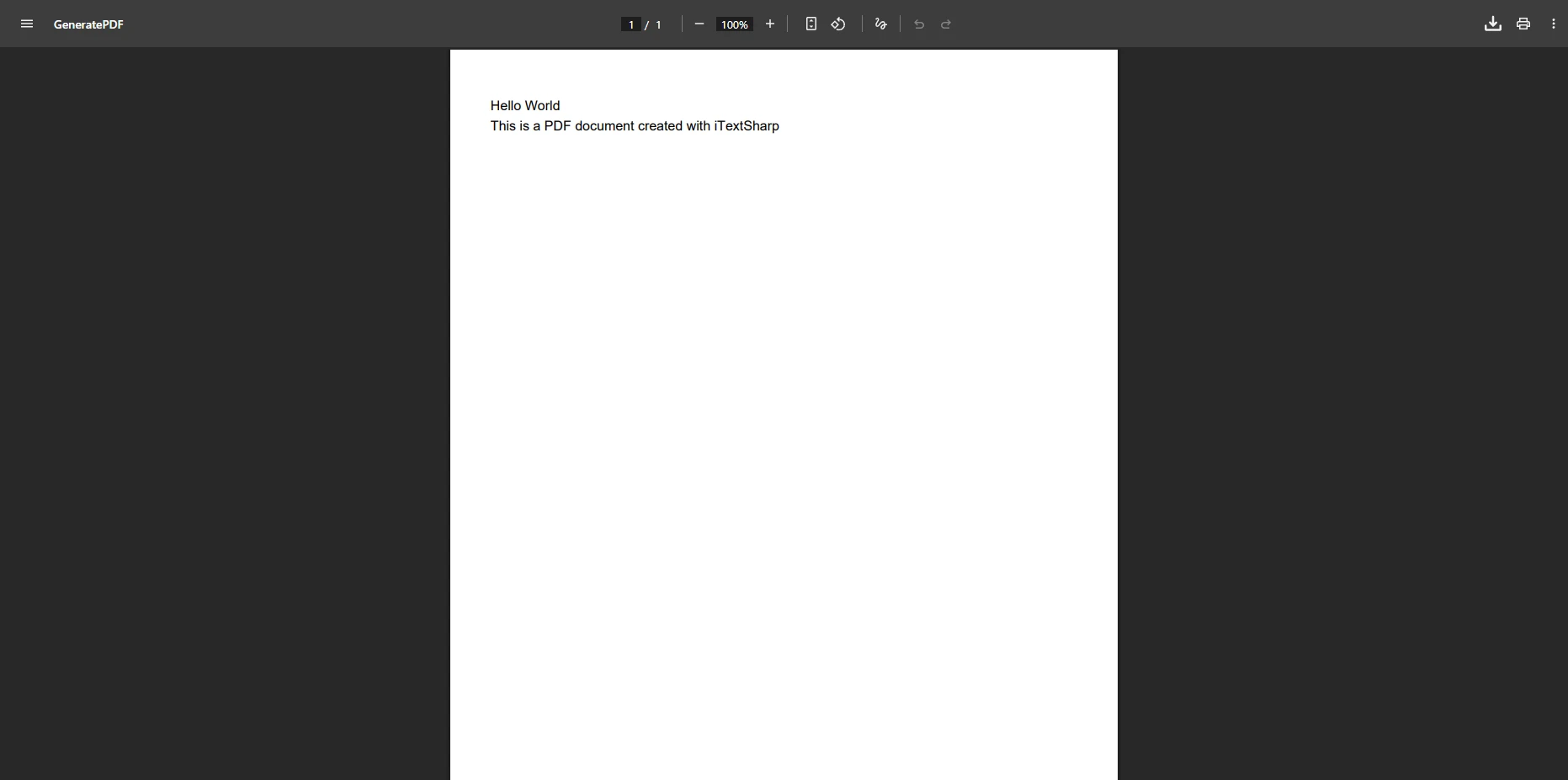
理解这两款库 API 差异最直观的方式,是使用它们并行创建一份简单的"Hello World"PDF 文件。
使用iText生成PDF
使用iText,您直接处理PdfWriter:
using iTextSharp.text;using iTextSharp.text.pdf;var memoryStream = new MemoryStream();Document pdfDoc = new Document(PageSize.A4, 25, 25, 25, 15);PdfWriter writer = PdfWriter.GetInstance(pdfDoc, memoryStream);pdfDoc.Open();var paragraph = new Paragraph("Hello World - PDF Document");paragraph.Font = FontFactory.GetFont(FontFactory.HELVETICA, 16);pdfDoc.Add(paragraph);pdfDoc.Add(new Paragraph("Creating PDF documents with iTextSharp"));pdfDoc.Close();// Return as a downloadable filevar pdfBytes = memoryStream.ToArray();
using iTextSharp.text;
using iTextSharp.text.pdf;

var memoryStream = new MemoryStream();
Document pdfDoc = new Document(PageSize.A4, 25, 25, 25, 15);
PdfWriter writer = PdfWriter.GetInstance(pdfDoc, memoryStream);
pdfDoc.Open();

var paragraph = new Paragraph("Hello World - PDF Document");
paragraph.Font = FontFactory.GetFont(FontFactory.HELVETICA, 16);
pdfDoc.Add(paragraph);
pdfDoc.Add(new Paragraph("Creating PDF documents with iTextSharp"));

pdfDoc.Close();

// Return as a downloadable file
var pdfBytes = memoryStream.ToArray();
Imports iTextSharp.textImports iTextSharp.text.pdfDim memoryStream As New MemoryStream()Dim pdfDoc As New Document(PageSize.A4, 25, 25, 25, 15)Dim writer AsPdfWriter = PdfWriter.GetInstance(pdfDoc, memoryStream)pdfDoc.Open()Dim paragraph As New Paragraph("Hello World - PDF Document")paragraph.Font = FontFactory.GetFont(FontFactory.HELVETICA, 16)pdfDoc.Add(paragraph)pdfDoc.Add(New Paragraph("Creating PDF documents with iTextSharp"))pdfDoc.Close()' Return as a downloadable fileDim pdfBytes AsByte() = memoryStream.ToArray()
Imports iTextSharp.text
Imports iTextSharp.text.pdf

Dim memoryStream As New MemoryStream()
Dim pdfDoc As New Document(PageSize.A4, 25, 25, 25, 15)
Dim writer As PdfWriter = PdfWriter.GetInstance(pdfDoc, memoryStream)
pdfDoc.Open()

Dim paragraph As New Paragraph("Hello World - PDF Document")
paragraph.Font = FontFactory.GetFont(FontFactory.HELVETICA, 16)
pdfDoc.Add(paragraph)
pdfDoc.Add(New Paragraph("Creating PDF documents with iTextSharp"))

pdfDoc.Close()

' Return as a downloadable file
Dim pdfBytes As Byte() = memoryStream.ToArray()
using IronPdf;var renderer = new ChromePdfRenderer();var pdf = renderer.RenderHtmlAsPdf(@" <h1>Hello World - PDF Document</h1> <p>Creating PDFs with IronPDF is straightforward!</p>");var pdfBytes = pdf.BinaryData;
using IronPdf;

var renderer = new ChromePdfRenderer();
var pdf = renderer.RenderHtmlAsPdf(@"
    <h1>Hello World - PDF Document</h1>
    <p>Creating PDFs with IronPDF is straightforward!</p>
");

var pdfBytes = pdf.BinaryData;
ImportsIronPdfDim renderer As New ChromePdfRenderer()Dim pdf = renderer.RenderHtmlAsPdf(" <h1>Hello World - PDF Document</h1> <p>Creating PDFs with IronPDF is straightforward!</p>")Dim pdfBytes = pdf.BinaryData
Imports IronPdf

Dim renderer As New ChromePdfRenderer()
Dim pdf = renderer.RenderHtmlAsPdf("
    <h1>Hello World - PDF Document</h1>
    <p>Creating PDFs with IronPDF is straightforward!</p>
")

Dim pdfBytes = pdf.BinaryData
IronPDF 的方法允许您直接编写 HTML,从而无需处理底层的 PDF 元素。 ChromePdfRenderer 类通过基于 Chromium 的引擎在内部处理所有渲染工作,确保输出结果像素级精确。
using iTextSharp.text;using iTextSharp.text.pdf;var output = new MemoryStream();var document = new Document(PageSize.A4);PdfWriter.GetInstance(document, output);document.Open();// Header -- manual font and color setupvar titleFont = FontFactory.GetFont(FontFactory.HELVETICA_BOLD, 20, new BaseColor(255, 255, 255));var headerParagraph = new Paragraph("Invoice #2024-001", titleFont);document.Add(headerParagraph);// Table -- each cell must be created individuallyPdfPTable table = new PdfPTable(4);table.WidthPercentage = 100;string[] headers = { "Item", "Quantity", "Unit Price", "Total" };foreach (var h in headers){ var cell = new PdfPCell(new Phrase(h,FontFactory.GetFont(FontFactory.HELVETICA_BOLD, 10))); cell.BackgroundColor = new BaseColor(242, 242, 242); table.AddCell(cell);}table.AddCell("PDF License");table.AddCell("1");table.AddCell("$599");table.AddCell("$599");document.Add(table);var totalFont = FontFactory.GetFont(FontFactory.HELVETICA_BOLD, 14);document.Add(new Paragraph("Grand Total: $798", totalFont));document.Close();
using iTextSharp.text;
using iTextSharp.text.pdf;

var output = new MemoryStream();
var document = new Document(PageSize.A4);
PdfWriter.GetInstance(document, output);
document.Open();

// Header -- manual font and color setup
var titleFont = FontFactory.GetFont(FontFactory.HELVETICA_BOLD, 20,
    new BaseColor(255, 255, 255));
var headerParagraph = new Paragraph("Invoice #2024-001", titleFont);
document.Add(headerParagraph);

// Table -- each cell must be created individually
PdfPTable table = new PdfPTable(4);
table.WidthPercentage = 100;

string[] headers = { "Item", "Quantity", "Unit Price", "Total" };
foreach (var h in headers)
{
    var cell = new PdfPCell(new Phrase(h,
        FontFactory.GetFont(FontFactory.HELVETICA_BOLD, 10)));
    cell.BackgroundColor = new BaseColor(242, 242, 242);
    table.AddCell(cell);
}

table.AddCell("PDF License");
table.AddCell("1");
table.AddCell("$599");
table.AddCell("$599");
document.Add(table);

var totalFont = FontFactory.GetFont(FontFactory.HELVETICA_BOLD, 14);
document.Add(new Paragraph("Grand Total: $798", totalFont));
document.Close();
Imports iTextSharp.textImports iTextSharp.text.pdfDim output As New MemoryStream()Dim document As New Document(PageSize.A4)PdfWriter.GetInstance(document, output)document.Open()' Header -- manual font and color setupDim titleFont AsFont = FontFactory.GetFont(FontFactory.HELVETICA_BOLD, 20, New BaseColor(255, 255, 255))Dim headerParagraph As New Paragraph("Invoice #2024-001", titleFont)document.Add(headerParagraph)' Table -- each cell must be created individuallyDim table As New PdfPTable(4)table.WidthPercentage = 100Dim headers AsString() = {"Item", "Quantity", "Unit Price", "Total"}For Each h AsStringIn headers Dim cell As New PdfPCell(New Phrase(h, FontFactory.GetFont(FontFactory.HELVETICA_BOLD, 10))) cell.BackgroundColor = New BaseColor(242, 242, 242) table.AddCell(cell)Nexttable.AddCell("PDF License")table.AddCell("1")table.AddCell("$599")table.AddCell("$599")document.Add(table)Dim totalFont AsFont = FontFactory.GetFont(FontFactory.HELVETICA_BOLD, 14)document.Add(New Paragraph("Grand Total: $798", totalFont))document.Close()
Imports iTextSharp.text
Imports iTextSharp.text.pdf

Dim output As New MemoryStream()
Dim document As New Document(PageSize.A4)
PdfWriter.GetInstance(document, output)
document.Open()

' Header -- manual font and color setup
Dim titleFont As Font = FontFactory.GetFont(FontFactory.HELVETICA_BOLD, 20, New BaseColor(255, 255, 255))
Dim headerParagraph As New Paragraph("Invoice #2024-001", titleFont)
document.Add(headerParagraph)

' Table -- each cell must be created individually
Dim table As New PdfPTable(4)
table.WidthPercentage = 100

Dim headers As String() = {"Item", "Quantity", "Unit Price", "Total"}
For Each h As String In headers
    Dim cell As New PdfPCell(New Phrase(h, FontFactory.GetFont(FontFactory.HELVETICA_BOLD, 10)))
    cell.BackgroundColor = New BaseColor(242, 242, 242)
    table.AddCell(cell)
Next

table.AddCell("PDF License")
table.AddCell("1")
table.AddCell("$599")
table.AddCell("$599")
document.Add(table)

Dim totalFont As Font = FontFactory.GetFont(FontFactory.HELVETICA_BOLD, 14)
document.Add(New Paragraph("Grand Total: $798", totalFont))
document.Close()
这两个库均支持为 ASP.NET 应用程序生成服务器端 PDF。 无论使用哪个库生成数据流,将 PDF 作为可下载文件响应返回的模式都是相似的。 在实际生产环境中,关键的考虑因素包括内存管理、线程安全以及响应配置。 这两个库均使用内存流,因此请确保不要将大型 PDF 文件在内存中保留超过必要的时间。 IronPDF的ChromePdfRenderer是为每次请求进行实例化设计,因此无须担心并发请求之间的共享状态。
使用 IronPDF 的 ASP.NET Core 控制器操作
using IronPdf;using Microsoft.AspNetCore.Mvc;[ApiController][Route("api/[controller]")]public class PdfController : ControllerBase{ [HttpGet("invoice/{id}")] public IActionResultGenerateInvoice(int id) { var html = BuildInvoiceHtml(id); // your HTML template var renderer = new ChromePdfRenderer(); renderer.RenderingOptions.PaperSize = IronPdf.Rendering.PdfPaperSize.A4; renderer.RenderingOptions.MarginTop = 20; renderer.RenderingOptions.MarginBottom = 20; var pdf = renderer.RenderHtmlAsPdf(html); returnFile(pdf.BinaryData, "application/pdf", $"invoice-{id}.pdf"); } private static stringBuildInvoiceHtml(int id) { return $"<h1>Invoice #{id}</h1><p>Generated on {DateTime.UtcNow:yyyy-MM-dd}</p>"; }}
using IronPdf;
using Microsoft.AspNetCore.Mvc;

[ApiController]
[Route("api/[controller]")]
public class PdfController : ControllerBase
{
    [HttpGet("invoice/{id}")]
    public IActionResult GenerateInvoice(int id)
    {
        var html = BuildInvoiceHtml(id); // your HTML template

        var renderer = new ChromePdfRenderer();
        renderer.RenderingOptions.PaperSize = IronPdf.Rendering.PdfPaperSize.A4;
        renderer.RenderingOptions.MarginTop = 20;
        renderer.RenderingOptions.MarginBottom = 20;

        var pdf = renderer.RenderHtmlAsPdf(html);

        return File(pdf.BinaryData, "application/pdf", $"invoice-{id}.pdf");
    }

    private static string BuildInvoiceHtml(int id)
    {
        return $"<h1>Invoice #{id}</h1><p>Generated on {DateTime.UtcNow:yyyy-MM-dd}</p>";
    }
}
ImportsIronPdfImportsMicrosoft.AspNetCore.Mvc<ApiController><Route("api/[controller]")>Public Class PdfControllerInheritsControllerBase <HttpGet("invoice/{id}")> Public Function GenerateInvoice(id AsInteger) AsIActionResult Dim html AsString = BuildInvoiceHtml(id) ' your HTML template Dim renderer As New ChromePdfRenderer() renderer.RenderingOptions.PaperSize = IronPdf.Rendering.PdfPaperSize.A4 renderer.RenderingOptions.MarginTop = 20 renderer.RenderingOptions.MarginBottom = 20 Dim pdf = renderer.RenderHtmlAsPdf(html) ReturnFile(pdf.BinaryData, "application/pdf", $"invoice-{id}.pdf") End Function PrivateShared Function BuildInvoiceHtml(id AsInteger) AsString Return $"<h1>Invoice #{id}</h1><p>Generated on {DateTime.UtcNow:yyyy-MM-dd}</p>" End FunctionEnd Class
Imports IronPdf
Imports Microsoft.AspNetCore.Mvc

<ApiController>
<Route("api/[controller]")>
Public Class PdfController
    Inherits ControllerBase

    <HttpGet("invoice/{id}")>
    Public Function GenerateInvoice(id As Integer) As IActionResult
        Dim html As String = BuildInvoiceHtml(id) ' your HTML template

        Dim renderer As New ChromePdfRenderer()
        renderer.RenderingOptions.PaperSize = IronPdf.Rendering.PdfPaperSize.A4
        renderer.RenderingOptions.MarginTop = 20
        renderer.RenderingOptions.MarginBottom = 20

        Dim pdf = renderer.RenderHtmlAsPdf(html)

        Return File(pdf.BinaryData, "application/pdf", $"invoice-{id}.pdf")
    End Function

    Private Shared Function BuildInvoiceHtml(id As Integer) As String
        Return $"<h1>Invoice #{id}</h1><p>Generated on {DateTime.UtcNow:yyyy-MM-dd}</p>"
    End Function
End Class
对于ASP.NET MVC(非Core)项目,以相同方式返回FileResult。 IronPDF 还支持通过 URL 生成 PDF,这在转换现有网页而非构建 HTML 字符串时非常有用。