


MSTest C#(开发人员如何使用)

MSTest 是 .NET 生态系统的一个基本单元测试框架。 集成在 Visual Studio 中,它简化了为 .NET 应用程序创建和运行单元测试的过程。 该框架对于开发人员确保代码的功能和可靠性至关重要。 在本教程中,我们将了解 MSTest 是什么,并查看一些如何使用 IronPDF Library for PDF Processing 库进行 MSTest 的场景。
了解 MSTest 的基础
什么是单元测试?
单元测试对于验证软件的个别组件至关重要。 它们是小而独立的测试,评估代码库的特定部分。 在 MSTest 中,这些测试易于创建和执行,能够立即反馈代码的完整性。
MSTest 的关键组件
测试类和测试方法: MSTest 的核心元素。TestClass 是一个或多个 TestMethod 的容器。 每个测试方法代表一个独特的单元测试,对代码执行断言以验证预期结果。
在 Visual Studio 中设置 MSTest
在 Visual Studio IDE 中创建测试类和方法
1. 创建测试类
在Visual Studio IDE 中,您可以轻松创建一个用于 MSTest 的测试类。该类用 TestClass 属性标记,告知 MSTest 该类包含测试方法。 以下是定义测试类的示例:
using Microsoft.VisualStudio.TestTools.UnitTesting;
[TestClass]
public class MyTestClass
{
// Test methods will go here
}using Microsoft.VisualStudio.TestTools.UnitTesting;
[TestClass]
public class MyTestClass
{
// Test methods will go here
}Imports Microsoft.VisualStudio.TestTools.UnitTesting
<TestClass>
Public Class MyTestClass
' Test methods will go here
End Class2. 编写测试方法
在测试类中,将定义测试方法。 每个单元测试方法都用 TestMethod 属性注释,指定其为一个单元测试。这些方法应该包含测试您代码中特定部分的逻辑。 以下是定义简单测试方法的示例:
[TestClass]
public class MyTestClass
{
[TestMethod]
public void TestMethod1()
{
// Arrange: Set up any necessary variables, objects, or conditions.
// Act: Perform the operation that you want to test.
// Assert: Verify that the operation produced the expected results.
}
}[TestClass]
public class MyTestClass
{
[TestMethod]
public void TestMethod1()
{
// Arrange: Set up any necessary variables, objects, or conditions.
// Act: Perform the operation that you want to test.
// Assert: Verify that the operation produced the expected results.
}
}<TestClass>
Public Class MyTestClass
<TestMethod>
Public Sub TestMethod1()
' Arrange: Set up any necessary variables, objects, or conditions.
' Act: Perform the operation that you want to test.
' Assert: Verify that the operation produced the expected results.
End Sub
End Class在本部分中,定义了测试类 MyTestClass,并在其中声明了测试方法 TestMethod1。 在典型的单元测试中,您将按照TestMethod1中显示的Arrange-Act-Assert模式进行操作。 这种模式有助于组织测试逻辑,使您的测试更清晰且更易于维护。
在 .NET 项目中集成 MSTest 框架
将 MSTest 框架集成到 .NET 项目中涉及几个简单的步骤。 这些步骤确保您具备编写和运行使用 MSTest 的单元测试所需的所有工具和设置。
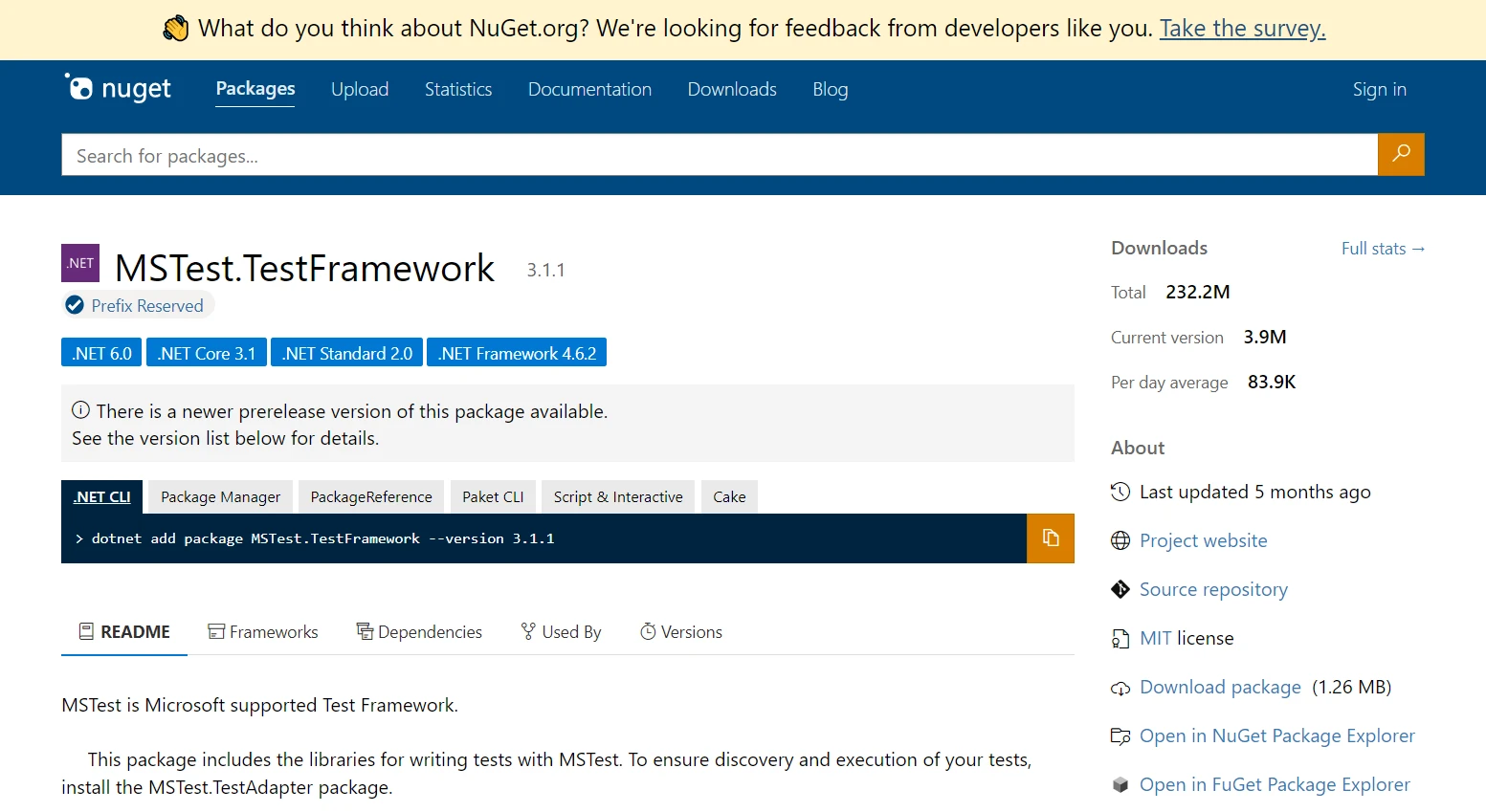
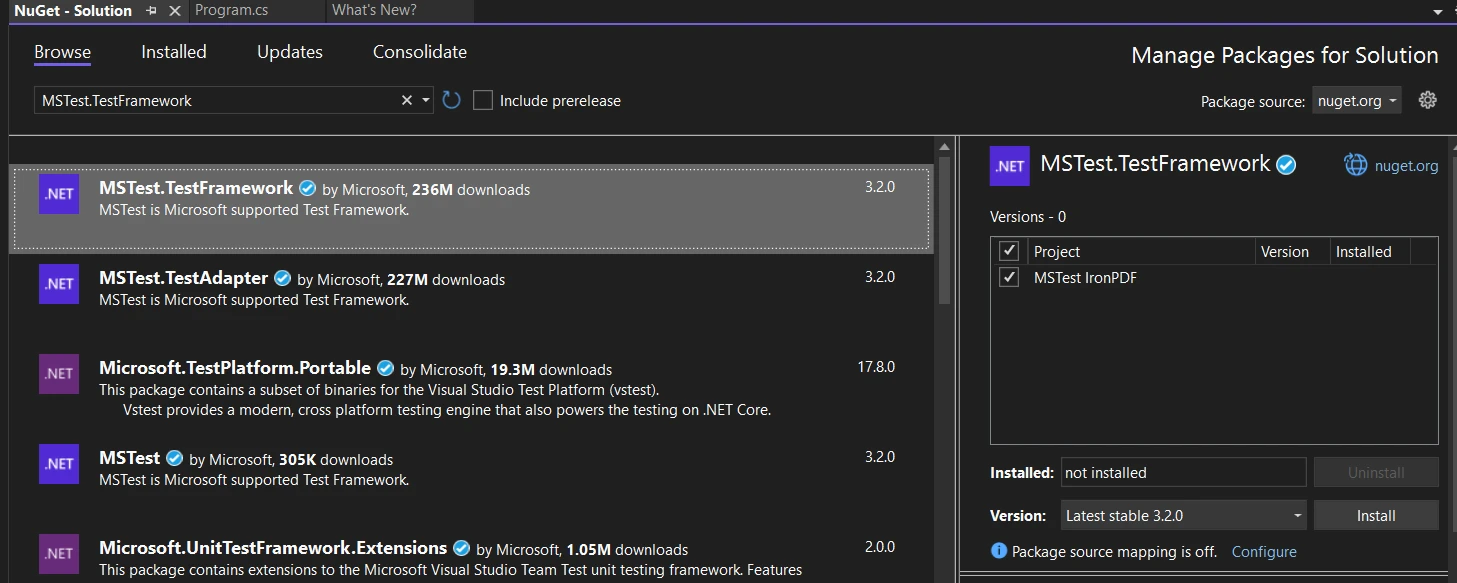
使用 NuGet:在 Visual Studio 中打开您的 .NET 项目。 右键单击解决方案资源管理器中的项目,并选择"管理NuGet包"。在NuGet包管理器的浏览选项卡中搜索"MSTest.TestFramework"并安装它。 此软件包包含编写 MSTest 单元测试所需的一切。
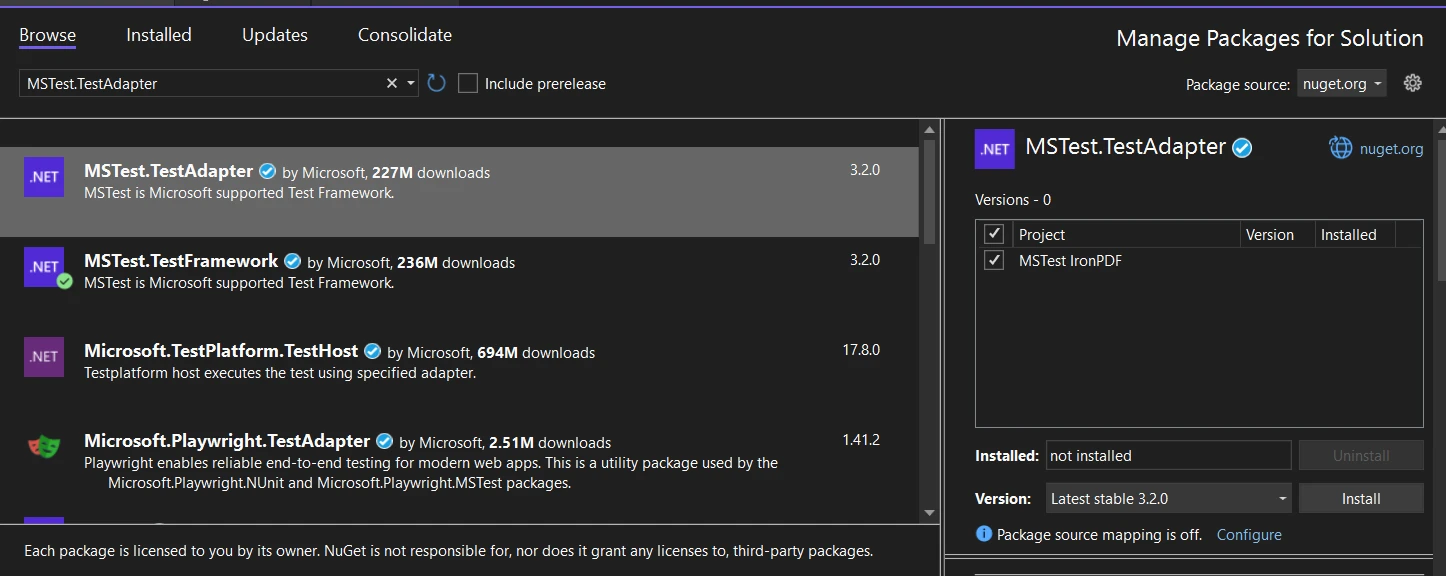
测试适配器安装:除了 MSTest 框架之外,您还需要安装 MSTest 测试适配器,该适配器使 Visual Studio 能够发现并运行您的测试。 在 NuGet 包管理器的浏览选项卡中搜索"MSTest.TestAdapter"并安装。
启用 MSTest 运行器: 安装两个库后,打开项目解决方案文件(.csproj)并在<PropertyGroup>内添加如下行:
<EnableMSTestRunner>true</EnableMSTestRunner><EnableMSTestRunner>true</EnableMSTestRunner>并将.exe。 可以这样做:
<OutputType>exe</OutputType><OutputType>exe</OutputType>MSTest 的高级功能
MSTest 中的生命周期管理
了解和管理测试执行生命周期在 MSTest 中至关重要,因为它允许开发人员在单元测试执行前后设置和清理条件。 它提供了全面的生命周期管理,包含[TestInitialize]等属性及其相应的清理对等体。 这些方法允许在不同范围(程序集、类或测试级别)进行设置和清理操作。
MSTest V2:增强功能和跨平台支持
MSTest V2 中的增强功能
MSTest V2 引入了改进的功能,如并行测试执行,允许测试同时运行,以及广泛的应用测试跨平台支持。
管理多个测试程序集
通过 MSTest V2,管理多个测试程序集变得更加容易,从而促进更大型和更复杂的测试场景。
集成 IronPDF 和 MSTest 以进行高级测试场景
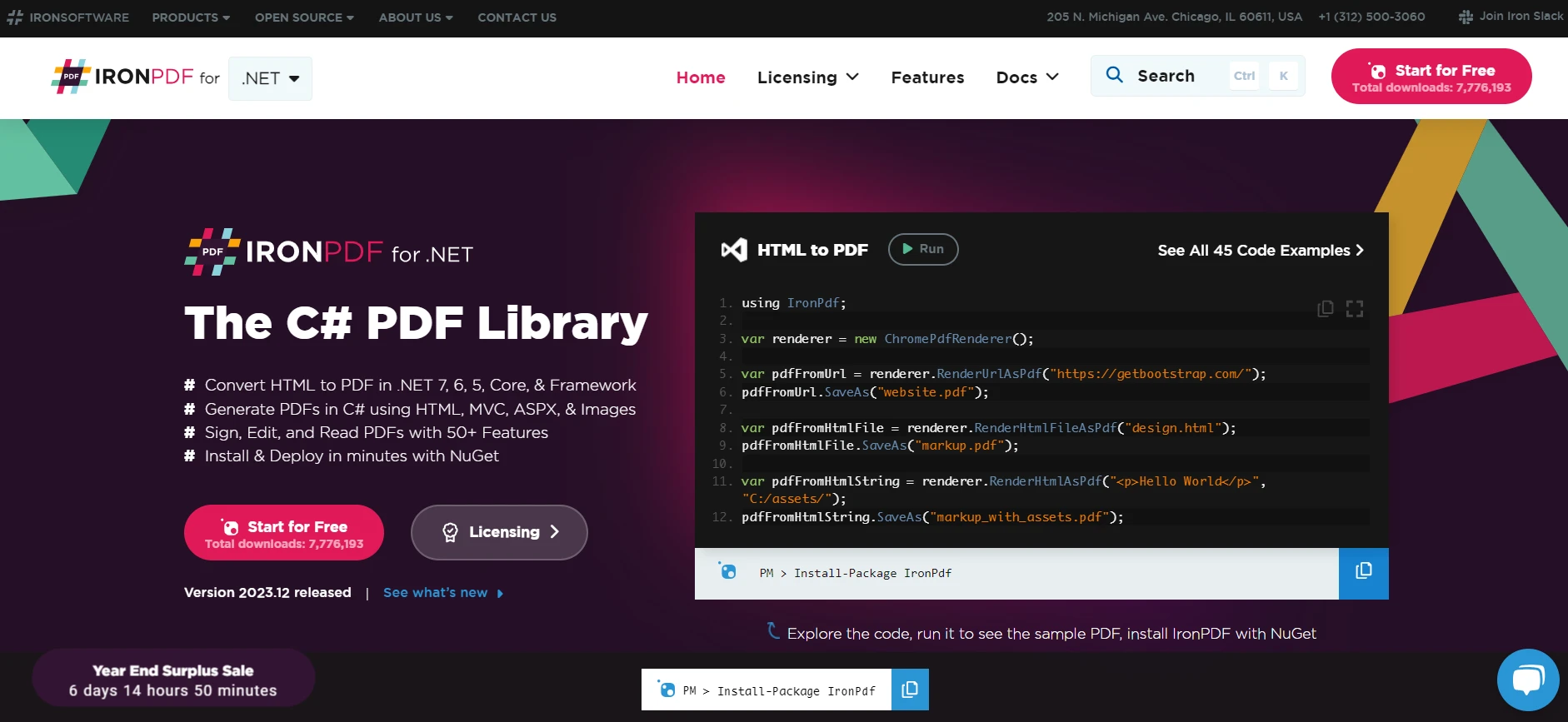
第三方库如 IronPDF 适用于 .NET 与 MSTest 的集成可以显著增强在 .NET 上处理PDF 生成和操作时的测试能力。 IronPDF 是一个综合性的库,提供在 .NET 中创建、读取和编辑 PDF 文件的功能。 将其包括在您的 MSTest 项目中,您可以创建单元测试以确保应用程序的 PDF 功能按预期工作。
想要将网页保存为 PDF 吗? IronPDF 让这一切变得简单! 此工具允许您将 HTML、URL 和整个网页转换为与原始内容一样的干净准确的 PDF。 需要将 HTML 转换为 PDF 吗? IronPDF可以满足您的需求。
using IronPdf;
class Program
{
static void Main(string[] args)
{
// Create an instance of ChromePdfRenderer from IronPDF library
var renderer = new ChromePdfRenderer();
// 1. Convert HTML String to PDF
var htmlContent = "<h1>Hello, IronPDF!</h1><p>This is a PDF from an HTML string.</p>";
var pdfFromHtmlString = renderer.RenderHtmlAsPdf(htmlContent);
pdfFromHtmlString.SaveAs("HTMLStringToPDF.pdf");
// 2. Convert HTML File to PDF
var htmlFilePath = "path_to_your_html_file.html"; // Specify the path to your HTML file
var pdfFromHtmlFile = renderer.RenderHtmlFileAsPdf(htmlFilePath);
pdfFromHtmlFile.SaveAs("HTMLFileToPDF.pdf");
// 3. Convert URL to PDF
var url = "http://ironpdf.com"; // Specify the URL
var pdfFromUrl = renderer.RenderUrlAsPdf(url);
pdfFromUrl.SaveAs("URLToPDF.pdf");
}
}using IronPdf;
class Program
{
static void Main(string[] args)
{
// Create an instance of ChromePdfRenderer from IronPDF library
var renderer = new ChromePdfRenderer();
// 1. Convert HTML String to PDF
var htmlContent = "<h1>Hello, IronPDF!</h1><p>This is a PDF from an HTML string.</p>";
var pdfFromHtmlString = renderer.RenderHtmlAsPdf(htmlContent);
pdfFromHtmlString.SaveAs("HTMLStringToPDF.pdf");
// 2. Convert HTML File to PDF
var htmlFilePath = "path_to_your_html_file.html"; // Specify the path to your HTML file
var pdfFromHtmlFile = renderer.RenderHtmlFileAsPdf(htmlFilePath);
pdfFromHtmlFile.SaveAs("HTMLFileToPDF.pdf");
// 3. Convert URL to PDF
var url = "http://ironpdf.com"; // Specify the URL
var pdfFromUrl = renderer.RenderUrlAsPdf(url);
pdfFromUrl.SaveAs("URLToPDF.pdf");
}
}Imports IronPdf
Friend Class Program
Shared Sub Main(ByVal args() As String)
' Create an instance of ChromePdfRenderer from IronPDF library
Dim renderer = New ChromePdfRenderer()
' 1. Convert HTML String to PDF
Dim htmlContent = "<h1>Hello, IronPDF!</h1><p>This is a PDF from an HTML string.</p>"
Dim pdfFromHtmlString = renderer.RenderHtmlAsPdf(htmlContent)
pdfFromHtmlString.SaveAs("HTMLStringToPDF.pdf")
' 2. Convert HTML File to PDF
Dim htmlFilePath = "path_to_your_html_file.html" ' Specify the path to your HTML file
Dim pdfFromHtmlFile = renderer.RenderHtmlFileAsPdf(htmlFilePath)
pdfFromHtmlFile.SaveAs("HTMLFileToPDF.pdf")
' 3. Convert URL to PDF
Dim url = "http://ironpdf.com" ' Specify the URL
Dim pdfFromUrl = renderer.RenderUrlAsPdf(url)
pdfFromUrl.SaveAs("URLToPDF.pdf")
End Sub
End Class步骤 1:在您的 .NET 项目中安装 IronPDF
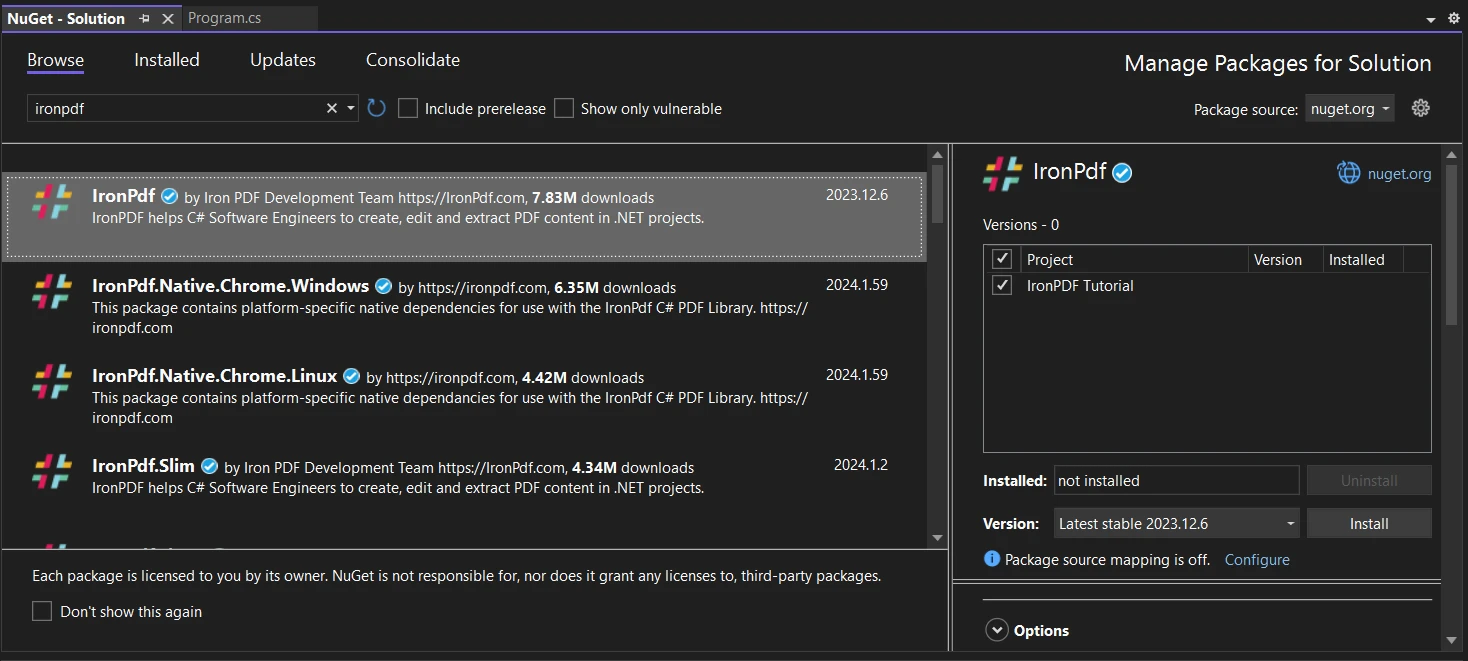
使用 NuGet:就像安装 MSTest 包一样,您可以通过 Visual Studio 中的 NuGet 包管理器安装 IronPDF。 在浏览选项卡中搜索"IronPDF",并在您的项目中安装,用于生成或处理PDF。
步骤 2:编写涉及 PDF 操作的单元测试
创建 PDF 功能测试方法:将 IronPDF 添加到项目后,您可以在 MSTest 类中编写专门测试 PDF 相关功能的测试方法。 这可能涉及生成 PDF、修改 PDF 或从中提取数据,然后断言这些操作是否成功。
示例测试案例与 IronPDF
测试 PDF 生成:假设您的应用程序具有生成 PDF 报告的功能。 您可以编写一个测试方法,以确保 PDF 正确生成。 下面是一个例子:
[TestClass]
public class PdfTests
{
    [TestMethod]
    public void TestPdfGeneration()
    {
        // Arrange: Set up IronPDF and any necessary inputs for PDF generation.
        var renderer = new IronPdf.ChromePdfRenderer();

        // Act: Generate PDF from HTML content.
        var pdf = renderer.RenderHtmlAsPdf("<h1>Working with IronPDF and MSTest!</h1>");

        // Assert: Check if the PDF is generated and contains the expected content.
        Assert.IsNotNull(pdf);
        Assert.IsTrue(pdf.PageCount > 0);

        // Additional assertions can be made depending on the requirements
    }
}[TestClass]
public class PdfTests
{
[TestMethod]
public void TestPdfGeneration()
{
// Arrange: Set up IronPDF and any necessary inputs for PDF generation.
var renderer = new IronPdf.ChromePdfRenderer();
// Act: Generate PDF from HTML content.
var pdf = renderer.RenderHtmlAsPdf("<h1>Working with IronPDF and MSTest!</h1>");
// Assert: Check if the PDF is generated and contains the expected content.
Assert.IsNotNull(pdf);
Assert.IsTrue(pdf.PageCount > 0);
// Additional assertions can be made depending on the requirements
}
}<TestClass>
Public Class PdfTests
<TestMethod>
Public Sub TestPdfGeneration()
' Arrange: Set up IronPDF and any necessary inputs for PDF generation.
Dim renderer = New IronPdf.ChromePdfRenderer()
' Act: Generate PDF from HTML content.
Dim pdf = renderer.RenderHtmlAsPdf("<h1>Working with IronPDF and MSTest!</h1>")
' Assert: Check if the PDF is generated and contains the expected content.
Assert.IsNotNull(pdf)
Assert.IsTrue(pdf.PageCount > 0)
' Additional assertions can be made depending on the requirements
End Sub
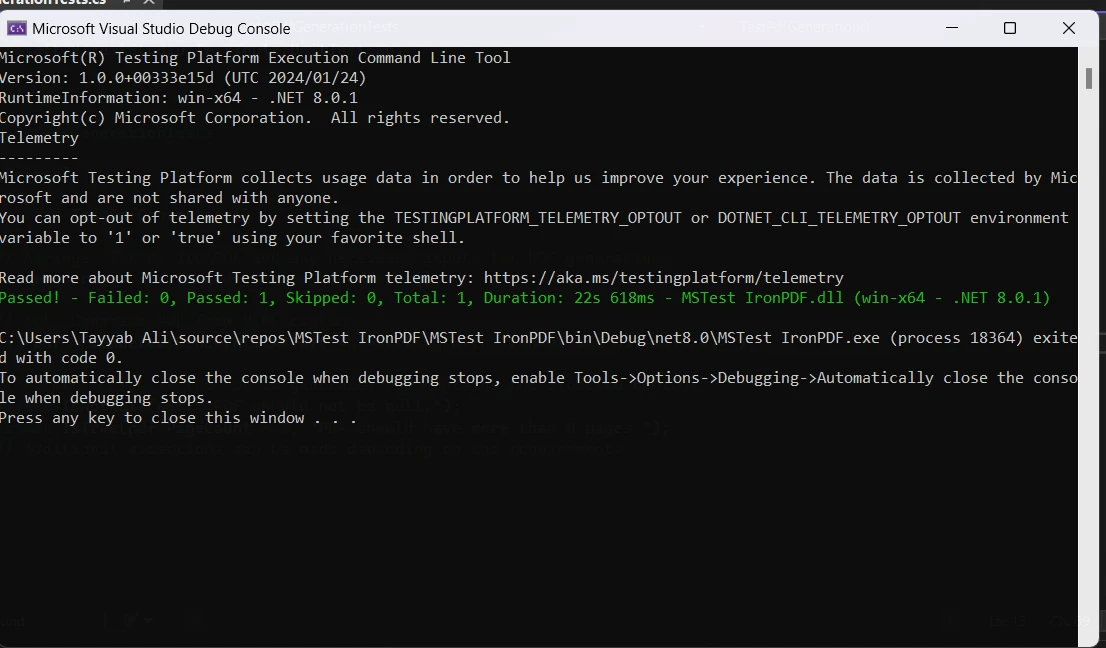
End Class当您运行项目时,测试输出将显示:
结论
MSTest 是 .NET 开发过程中的重要工具,提供强大的单元测试功能。 它与 Visual Studio 的集成,加上诸如并行执行和跨平台支持等高级功能,使其成为开发人员确保 .NET 应用程序质量和可靠性的首选。
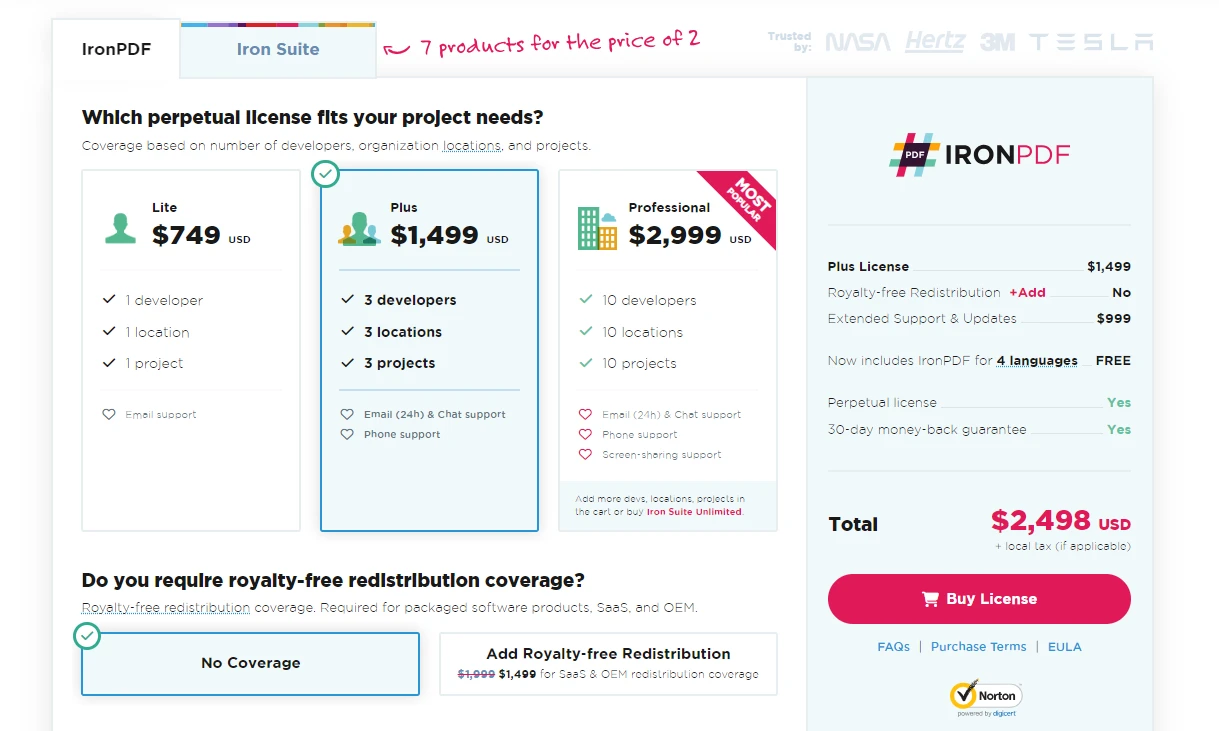
探索更多关于IronPDF许可证的信息,从$999开始。
常见问题解答
什么是 MSTest 及其在 C# 开发中的应用?
MSTest 是 .NET 生态系统中的一个单元测试框架,集成在 Visual Studio 中。它简化了 .NET 应用程序单元测试的创建和执行,确保代码的功能和可靠性。
如何使用 Visual Studio 在 C# 中创建单元测试?
您可以通过创建测试类并将其标记为 [TestClass] 属性来在 C# 中使用 Visual Studio 创建单元测试。类中的各个测试方法用 [TestMethod] 属性标记。
什么是单元测试中的布置-行动-断言模式?
布置-行动-断言模式是用于构建单元测试的方法论。'布置' 设置测试场景,'行动' 执行待测代码,'断言' 验证结果是否符合预期。
如何将 MSTest 框架集成到我的 .NET 项目中?
要将 MSTest 集成到您的 .NET 项目中,您可以使用 Visual Studio 中的 NuGet 包管理器来安装必要的 MSTest 包。
MSTest V2 的一些高级特性是什么?
MSTest V2 包括并行测试执行、跨平台支持和增强的生命周期管理等高级特性,这有助于更全面的应用测试。
如何使用 MSTest 测试 PDF 功能?
您可以通过集成像 IronPDF 这样的 PDF 库来使用 MSTest 测试 PDF 功能。这涉及到通过 NuGet 安装库并编写测试方法来生成和操作 PDF。
MSTest 测试适配器如何工作?
MSTest 测试适配器使得 Visual Studio 能够发现和运行 MSTest 单元测试,确保在开发环境中正确执行所有测试。
在 .NET 项目中启用 MSTest runner 需哪些步骤?
要启用 MSTest runner,需要在项目的解决方案文件的 .exe。
MSTest 提供了哪些生命周期管理属性?
MSTest 提供生命周期管理属性,如 [AssemblyInitialize],用于测试中设置和清理条件。
MSTest 能否在项目中管理多个测试程序集?
是的,MSTest V2 支持对多个测试程序集的管理,这对于较大和更复杂的测试场景至关重要。










 免费开始
免费开始 免费开始
免费开始 预定免费现场演示
















