


MSTest C#(對於開發者的運行原理)

MSTest 是 .NET 生態系統中的基本單元測試框架。 它整合在 Visual Studio 中,簡化了為 .NET 應用程式建立與執行單元測試的程序。 此架構對開發人員而言至關重要,可確保其程式碼的功能性與可靠性。 在本教程中,我們將瞭解什麼是 MSTest,並檢查我們如何將 MSTest 與 IronPDF Library for PDF Processing 函式庫搭配使用的一些情境。
瞭解 MSTest 的基本知識
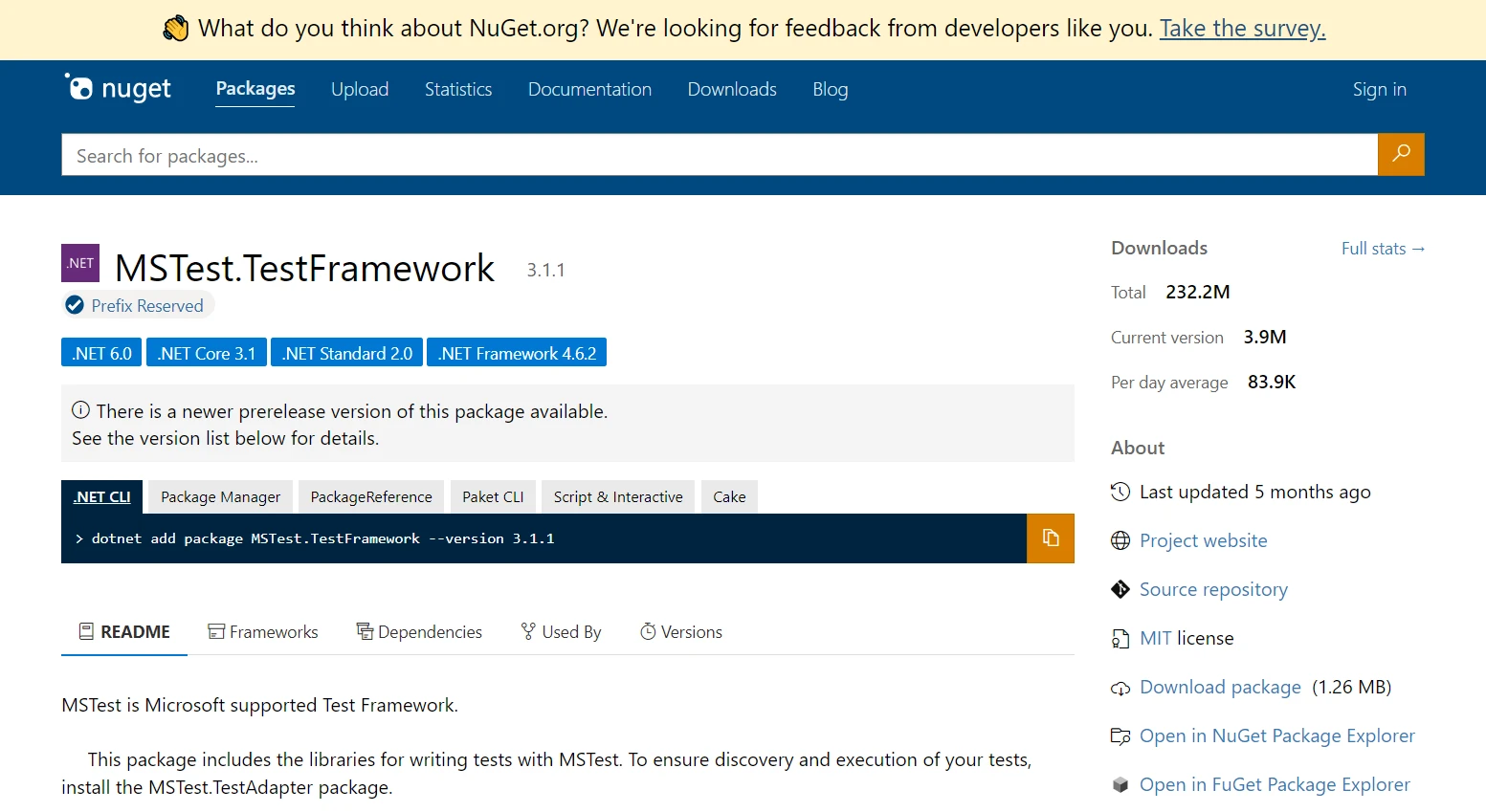
什麼是單元測試?
單元測試對於驗證軟體的個別元件至關重要。 它們是小型且獨立的測試,可評估代碼庫的特定部分。 在 MSTest 中,這些測試很容易建立和執行,可立即提供程式碼完整性的回饋。
MSTest 的主要元件
測試類別和測試方法: MSTest 的核心元素。一個 TestClass 是一個包含一個或多個 TestMethod 的容器。 每個測試方法代表一個獨特的單元測試,在程式碼上執行斷言以驗證預期的結果。
在 Visual Studio 中設定 MSTest
在 Visual Studio IDE 中建立測試類和方法
1.建立測試類
在Visual Studio IDE 中,您可以輕鬆地為 MSTest 建立一個測試類別。該類別使用 TestClass 特性進行標記,該特性告訴 MSTest 此類包含測試方法。 以下是如何定義測試類的範例:
using Microsoft.VisualStudio.TestTools.UnitTesting;
[TestClass]
public class MyTestClass
{
// Test methods will go here
}using Microsoft.VisualStudio.TestTools.UnitTesting;
[TestClass]
public class MyTestClass
{
// Test methods will go here
}Imports Microsoft.VisualStudio.TestTools.UnitTesting
<TestClass>
Public Class MyTestClass
' Test methods will go here
End Class2.撰寫測試方法
在您的測試類別中,您將定義測試方法。 每個單元測試方法都帶有 TestMethod 註解,表明它是一個單元測試。這些方法應該包含用於測試程式碼特定部分的邏輯。 以下是定義一個簡單測試方法的範例:
[TestClass]
public class MyTestClass
{
[TestMethod]
public void TestMethod1()
{
// Arrange: Set up any necessary variables, objects, or conditions.
// Act: Perform the operation that you want to test.
// Assert: Verify that the operation produced the expected results.
}
}[TestClass]
public class MyTestClass
{
[TestMethod]
public void TestMethod1()
{
// Arrange: Set up any necessary variables, objects, or conditions.
// Act: Perform the operation that you want to test.
// Assert: Verify that the operation produced the expected results.
}
}<TestClass>
Public Class MyTestClass
<TestMethod>
Public Sub TestMethod1()
' Arrange: Set up any necessary variables, objects, or conditions.
' Act: Perform the operation that you want to test.
' Assert: Verify that the operation produced the expected results.
End Sub
End Class在本節中,定義了測試類別 MyTestClass,並在其中聲明了一個測試方法 TestMethod1。 在典型的單元測試中,您將遵循 Arrange-Act-Assert 模式,如 TestMethod1 所示。 此模式有助於組織測試邏輯,讓您的測試更清晰、更易維護。
在 .NET 專案中整合 MSTest Framework
將 MSTest Framework 整合到 .NET 專案中涉及幾個簡單直接的步驟。 這些步驟可確保您擁有所有必要的工具與設定,以便使用 MSTest 寫入並執行單元測試。
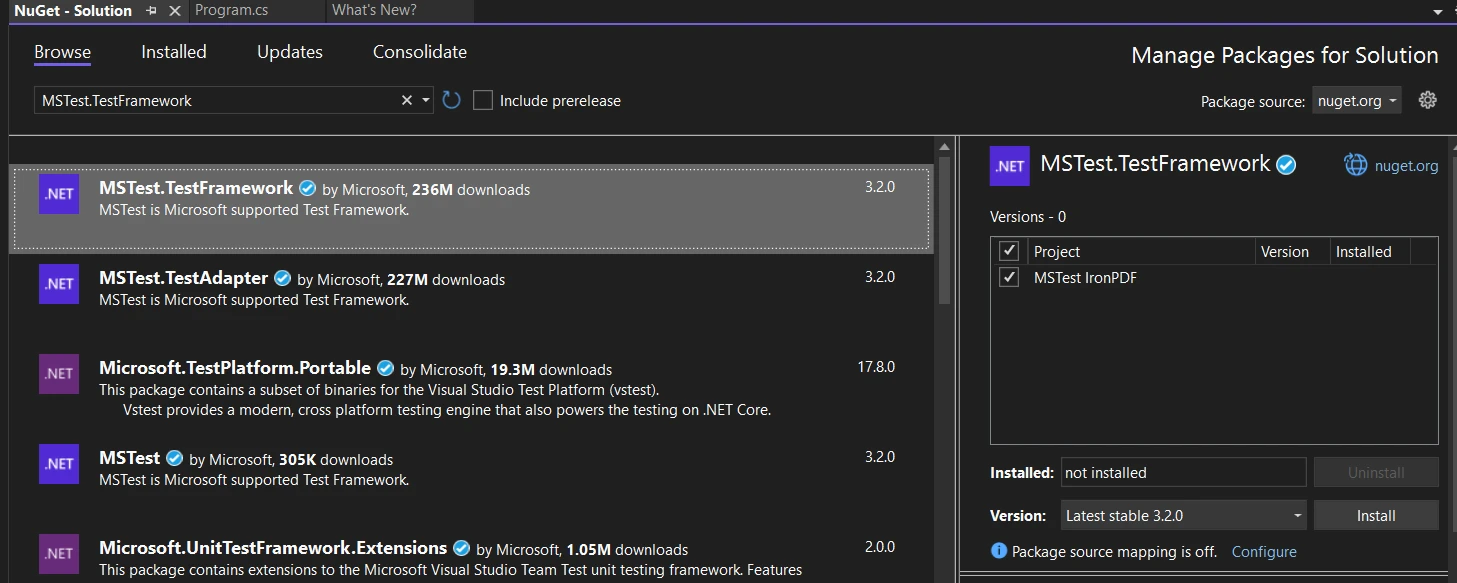
使用 NuGet:在 Visual Studio 中開啟您的 .NET 專案。 在解決方案資源管理器中以滑鼠右鍵按一下項目,然後選擇"管理 NuGet 套件"。在 NuGet 套件管理員中,在瀏覽標籤中搜尋"MSTest.TestFramework"並安裝它。 本套件包含撰寫 MSTest 單元測試所需的一切內容。
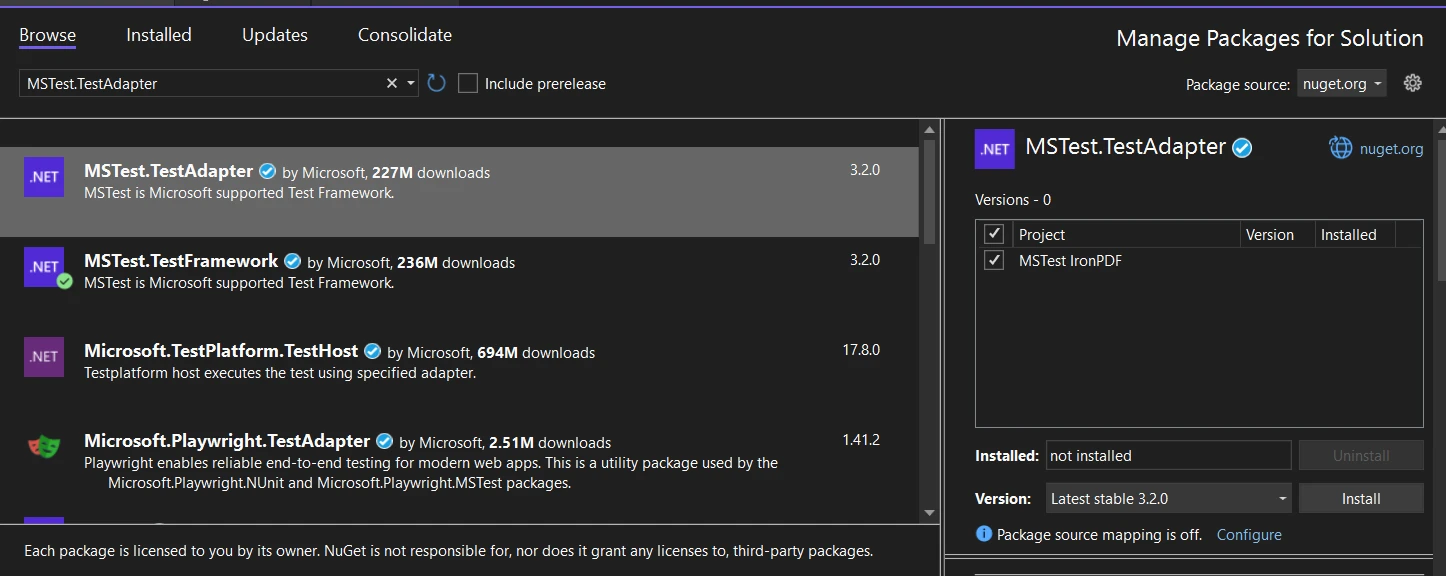
測試適配器安裝:除了 MSTest 框架之外,您還需要安裝 MSTest 測試適配器,該適配器可讓 Visual Studio 能夠發現並執行您的測試。 在 NuGet Package Manager 的瀏覽標籤中搜尋"MSTest.TestAdapter"並安裝。
啟用 MSTest Runner:安裝完這兩個庫後,開啟專案解決方案檔案 (.csproj),並在 <PropertyGroup> 內新增以下行:
<EnableMSTestRunner>true</EnableMSTestRunner><EnableMSTestRunner>true</EnableMSTestRunner>並將 <OutputType> 設定為 .exe。 您可以這樣做
<OutputType>exe</OutputType><OutputType>exe</OutputType>MSTest 的進階功能
MSTest 中的生命週期管理
在 MSTest 中,了解和管理測試執行生命週期至關重要,因為它允許開發人員在執行單元測試之前和之後設定和清理條件。 它提供全面的生命週期管理,具有諸如 [AssemblyInitialize]、[ClassInitialize]、[TestInitialize] 等屬性,以及它們各自的清理對應項。 這些方法允許在不同的範圍(程序集、類或測試層級)進行設定和清理作業。
MSTest V2:增強功能與跨平台支援。
MSTest V2 的增強功能
MSTest V2 引入了改進的功能,如平行測試執行(允許測試同時運行)和跨平台支援,以進行更廣泛的應用程式測試。
管理多個測試程式集
有了 MSTest V2,處理多個測試程式集變得更容易管理,有助於更大型、更複雜的測試情境。
將 IronPDF 與 MSTest 整合以提供進階測試方案。
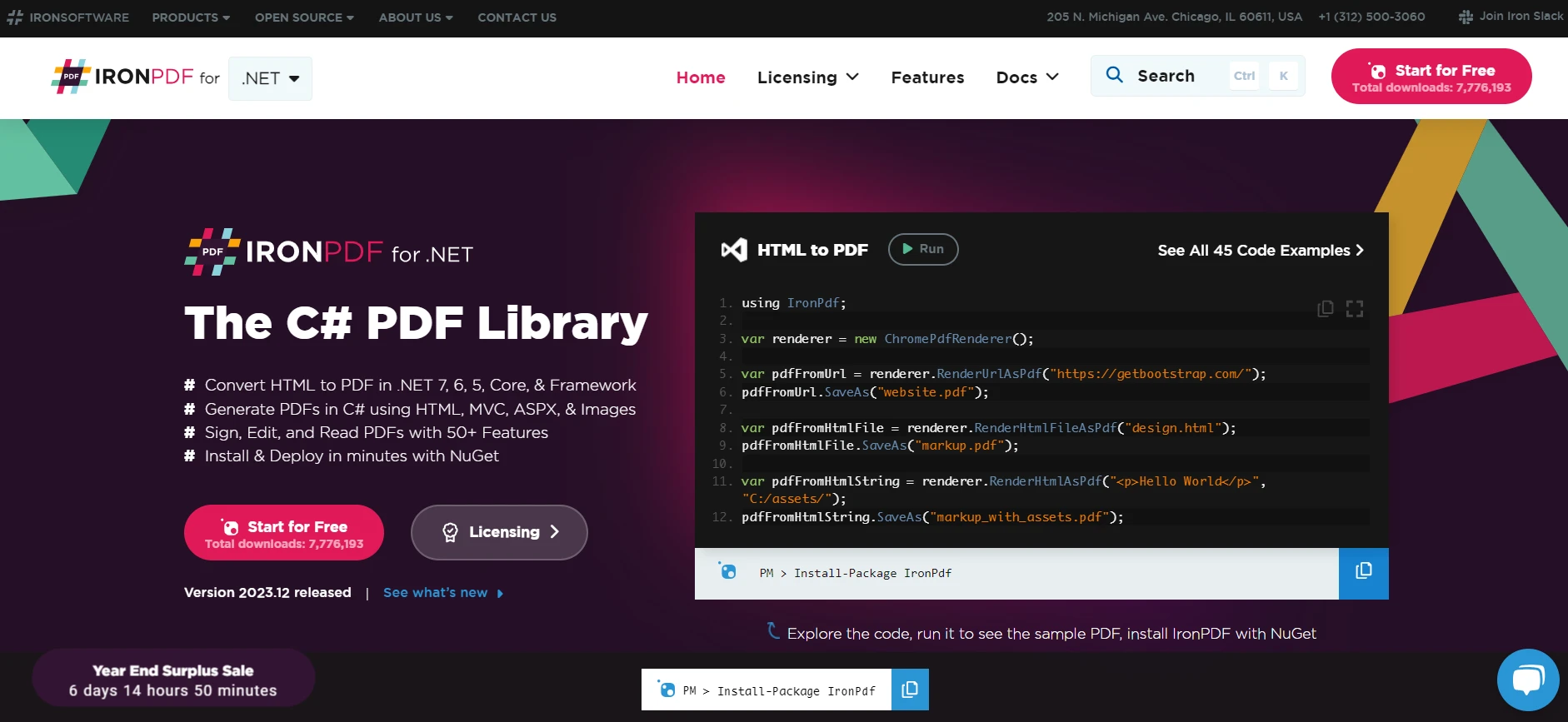
在處理 PDF 生成和處理 .NET 中的 IronPDF 適用於 .NET 時,將第三方函式庫 (例如 IronPDF 適用於 .NET) 與 MSTest 整合,可以大幅提升您的測試能力。 IronPDF 是一個全面的函式庫,提供在 .NET 中建立、閱讀和編輯 PDF 檔案的功能。 透過將其納入 MSTest 專案中,您可以建立單元測試,以確保應用程式的 PDF 功能能如預期般運作。
想要將網頁儲存為 PDF? IronPDF 讓這一切變得輕而易舉! 此工具可讓您將 HTML、URL 和整個網頁轉換為乾淨、精準的 PDF,外觀與原版一模一樣。 需要將 HTML 轉換成 PDF? IronPDF 為您提供服務。
using IronPdf;
class Program
{
static void Main(string[] args)
{
// Create an instance of ChromePdfRenderer from IronPDF library
var renderer = new ChromePdfRenderer();
// 1. Convert HTML String to PDF
var htmlContent = "<h1>Hello, IronPDF!</h1><p>This is a PDF from an HTML string.</p>";
var pdfFromHtmlString = renderer.RenderHtmlAsPdf(htmlContent);
pdfFromHtmlString.SaveAs("HTMLStringToPDF.pdf");
// 2. Convert HTML File to PDF
var htmlFilePath = "path_to_your_html_file.html"; // Specify the path to your HTML file
var pdfFromHtmlFile = renderer.RenderHtmlFileAsPdf(htmlFilePath);
pdfFromHtmlFile.SaveAs("HTMLFileToPDF.pdf");
// 3. Convert URL to PDF
var url = "http://ironpdf.com"; // Specify the URL
var pdfFromUrl = renderer.RenderUrlAsPdf(url);
pdfFromUrl.SaveAs("URLToPDF.pdf");
}
}using IronPdf;
class Program
{
static void Main(string[] args)
{
// Create an instance of ChromePdfRenderer from IronPDF library
var renderer = new ChromePdfRenderer();
// 1. Convert HTML String to PDF
var htmlContent = "<h1>Hello, IronPDF!</h1><p>This is a PDF from an HTML string.</p>";
var pdfFromHtmlString = renderer.RenderHtmlAsPdf(htmlContent);
pdfFromHtmlString.SaveAs("HTMLStringToPDF.pdf");
// 2. Convert HTML File to PDF
var htmlFilePath = "path_to_your_html_file.html"; // Specify the path to your HTML file
var pdfFromHtmlFile = renderer.RenderHtmlFileAsPdf(htmlFilePath);
pdfFromHtmlFile.SaveAs("HTMLFileToPDF.pdf");
// 3. Convert URL to PDF
var url = "http://ironpdf.com"; // Specify the URL
var pdfFromUrl = renderer.RenderUrlAsPdf(url);
pdfFromUrl.SaveAs("URLToPDF.pdf");
}
}Imports IronPdf
Friend Class Program
Shared Sub Main(ByVal args() As String)
' Create an instance of ChromePdfRenderer from IronPDF library
Dim renderer = New ChromePdfRenderer()
' 1. Convert HTML String to PDF
Dim htmlContent = "<h1>Hello, IronPDF!</h1><p>This is a PDF from an HTML string.</p>"
Dim pdfFromHtmlString = renderer.RenderHtmlAsPdf(htmlContent)
pdfFromHtmlString.SaveAs("HTMLStringToPDF.pdf")
' 2. Convert HTML File to PDF
Dim htmlFilePath = "path_to_your_html_file.html" ' Specify the path to your HTML file
Dim pdfFromHtmlFile = renderer.RenderHtmlFileAsPdf(htmlFilePath)
pdfFromHtmlFile.SaveAs("HTMLFileToPDF.pdf")
' 3. Convert URL to PDF
Dim url = "http://ironpdf.com" ' Specify the URL
Dim pdfFromUrl = renderer.RenderUrlAsPdf(url)
pdfFromUrl.SaveAs("URLToPDF.pdf")
End Sub
End Class步驟 1:在您的 .NET 專案中安裝 IronPDF。
使用 NuGet:就像安裝 MSTest 套件一樣,您可以透過 Visual Studio 中的 NuGet 套件管理器安裝 IronPDF。 在瀏覽標籤中搜尋"IronPDF",並將其安裝到您的專案中,在專案中產生或處理 PDF。
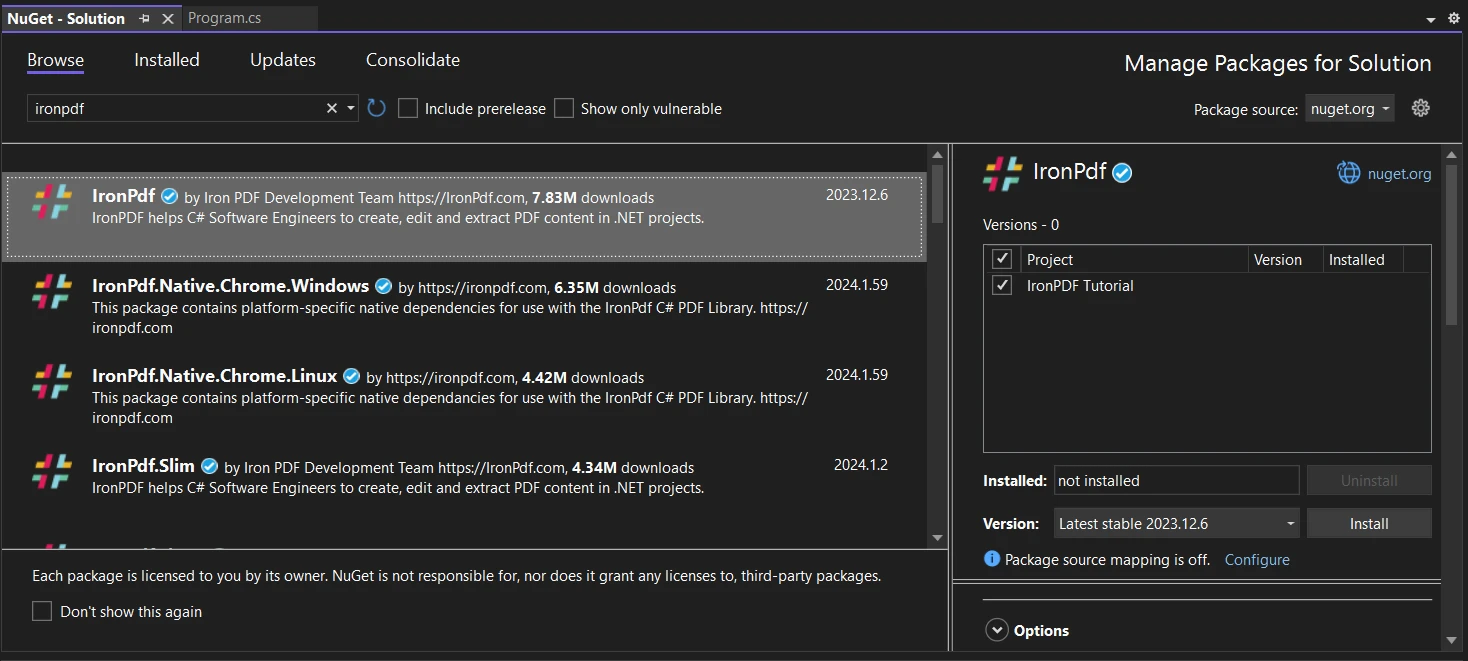
步驟 2:撰寫涉及 PDF 作業的單元測試
建立 PDF 功能測試方法:將 IronPDF 新增至專案後,您可以在 MSTest 類別中編寫專門測試 PDF 相關功能的測試方法。 這可能涉及生成 PDF、修改 PDF 或從 PDF 中提取資料,然後斷言操作成功。
使用 IronPDF 的測試範例
測試 PDF 產生:假設您的應用程式具有產生 PDF 報告的功能。 您可以撰寫測試方法,以確保 PDF 正確產生。 以下是一個範例:
[TestClass]
public class PdfTests
{
    [TestMethod]
    public void TestPdfGeneration()
    {
        // Arrange: Set up IronPDF and any necessary inputs for PDF generation.
        var renderer = new IronPdf.ChromePdfRenderer();

        // Act: Generate PDF from HTML content.
        var pdf = renderer.RenderHtmlAsPdf("<h1>Working with IronPDF and MSTest!</h1>");

        // Assert: Check if the PDF is generated and contains the expected content.
        Assert.IsNotNull(pdf);
        Assert.IsTrue(pdf.PageCount > 0);

        // Additional assertions can be made depending on the requirements
    }
}[TestClass]
public class PdfTests
{
[TestMethod]
public void TestPdfGeneration()
{
// Arrange: Set up IronPDF and any necessary inputs for PDF generation.
var renderer = new IronPdf.ChromePdfRenderer();
// Act: Generate PDF from HTML content.
var pdf = renderer.RenderHtmlAsPdf("<h1>Working with IronPDF and MSTest!</h1>");
// Assert: Check if the PDF is generated and contains the expected content.
Assert.IsNotNull(pdf);
Assert.IsTrue(pdf.PageCount > 0);
// Additional assertions can be made depending on the requirements
}
}<TestClass>
Public Class PdfTests
<TestMethod>
Public Sub TestPdfGeneration()
' Arrange: Set up IronPDF and any necessary inputs for PDF generation.
Dim renderer = New IronPdf.ChromePdfRenderer()
' Act: Generate PDF from HTML content.
Dim pdf = renderer.RenderHtmlAsPdf("<h1>Working with IronPDF and MSTest!</h1>")
' Assert: Check if the PDF is generated and contains the expected content.
Assert.IsNotNull(pdf)
Assert.IsTrue(pdf.PageCount > 0)
' Additional assertions can be made depending on the requirements
End Sub
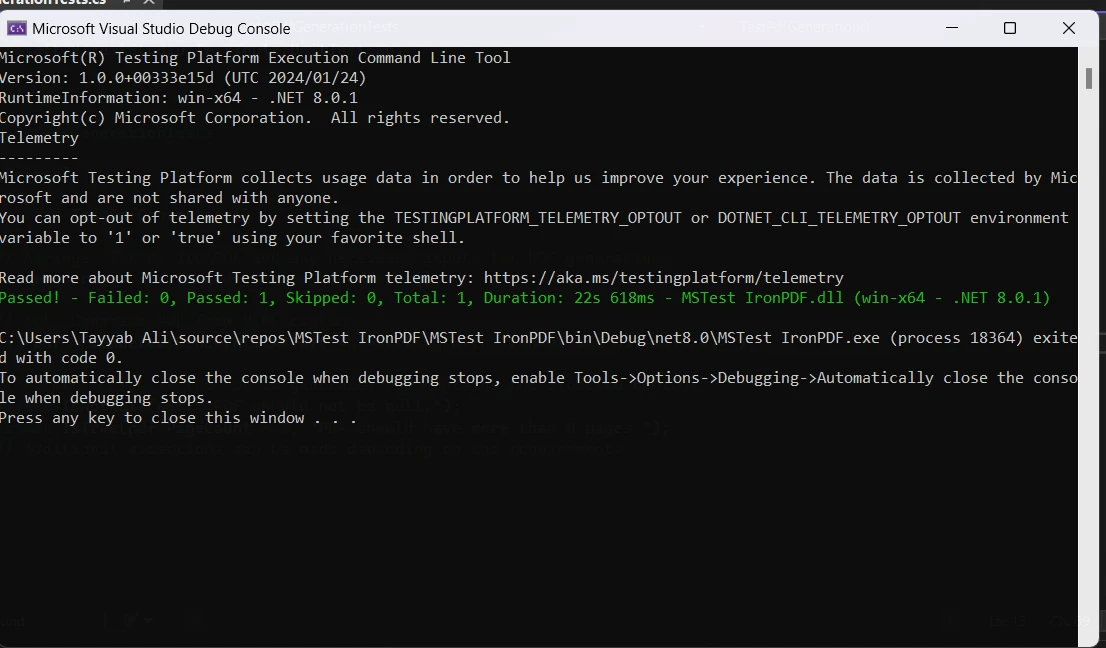
End Class執行專案時,將會顯示測試輸出:
結論
 。
。
MSTest 是 .NET 開發流程中的重要工具,提供強大的單元測試功能。 其與 Visual Studio 的整合,加上平行執行和跨平台支援等先進功能,使其成為開發人員尋求確保 .NET 應用程式品質與可靠性的首選。
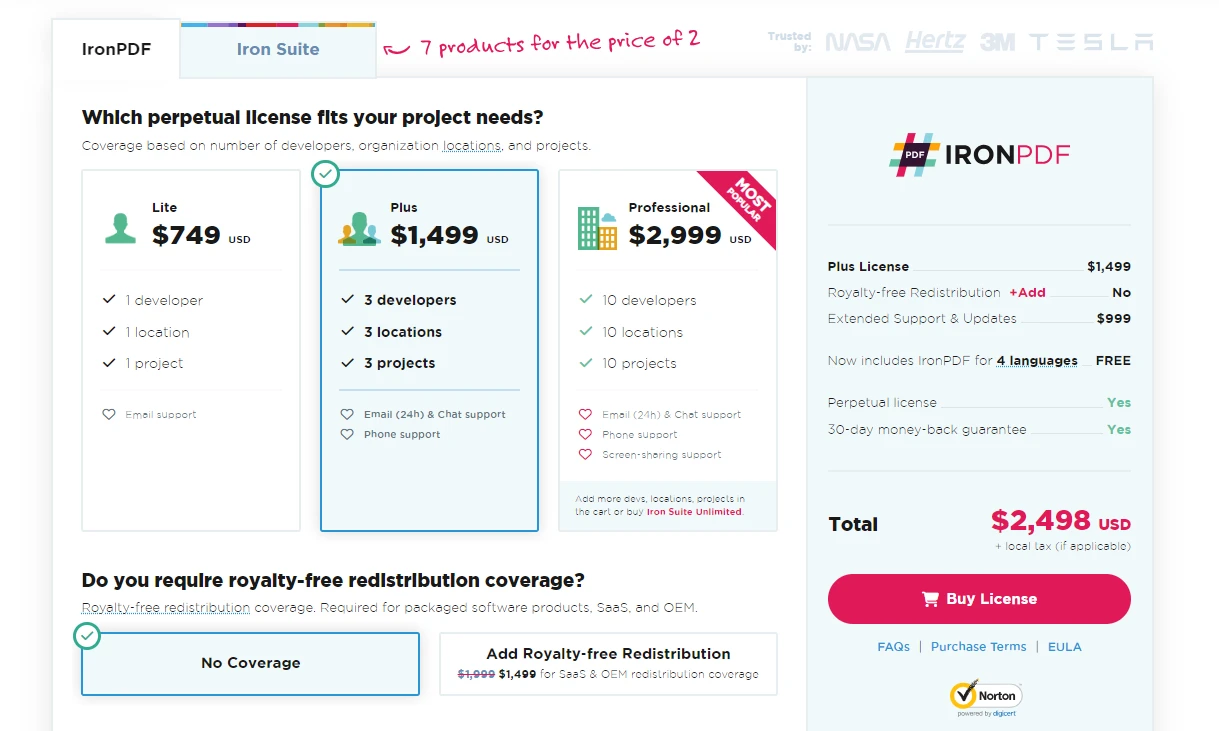
了解更多關於 IronPDF 許可的信息,請從 $999 開始。
常見問題解答
什麼是 MSTest,它在 C# 開發中如何使用?
MSTest 是 .NET 生態系統中的單元測試框架,集成於 Visual Studio 中。它簡化了 .NET 應用程式單元測試的創建和執行,確保代碼功能和可靠性。
如何在 C# 中使用 Visual Studio 創建單元測試?
您可以使用 Visual Studio 在 C# 中創建單元測試,方法是創建一個測試類並使用 [TestClass] 屬性標記它。此類中的個別測試方法標記為 [TestMethod] 屬性。
什麼是單元測試中的 Arrange-Act-Assert 模型?
Arrange-Act-Assert 模型是一種構造單元測試的方法。'Arrange' 設置測試場景,'Act' 執行被測代碼,'Assert' 驗證結果是否符合預期。
如何將 MSTest 框架集成到我的 .NET 項目中?
要將 MSTest 集成到您的 .NET 項目中,可以在 Visual Studio 中使用 NuGet 包管理器安裝所需的 MSTest 包。
MSTest V2 的一些高級功能是什麼?
MSTest V2 包含例如並行測試執行、跨平台支援和增強的生命週期管理等高級功能,這有助於更全面的應用程式測試。
如何使用 MSTest 測試 PDF 功能?
您可以通過集成像 IronPDF 這樣的 PDF 庫來使用 MSTest 測試 PDF 功能。這涉及通過 NuGet 安裝該庫並編寫測試方法以生成和操作 PDF。
MSTest Test Adapter 是如何工作的?
MSTest Test Adapter 允許 Visual Studio 發現和運行 MSTest 單元測試,確保所有測試在開發環境中正確執行。
啟用 .NET 項目中的 MSTest 運行器需要哪些步驟?
要啟用 MSTest 運行器,在項目解決方案文件的 .exe。
MSTest 提供哪些生命週期管理屬性?
MSTest 提供如 [AssemblyInitialize]、[ClassInitialize] 和 [TestInitialize] 這樣的生命週期管理屬性,用於在測試執行期間的不同範圍內進行設置和清理。
MSTest 可以管理項目中的多個測試程序集嗎?
是的,MSTest V2 支持多個測試程序集的管理,這對於較大和更複雜的測試場景至關重要。


















 免費開始使用
 免費開始使用
 預約免費現場演示





 無需信用卡或創建帳戶










