




已更新 2026年5月8日
生成每月账户报表(PDF 文档)
using IronPDF C# PDF 库,开发人员可以在 .NET 项目中将 HTML 转换为可靠的 PDF 文件,而无需依赖外部服务。
阅读更多

IronPDF 为 C# 开发人员提供了一种简便的方法来以编程方式比较 PDF 文档——只需几行代码即可提取文本内容并逐页分析差异。本教程将通过 .NET 10 中的基本比较、多文档分析、密码保护文件处理以及生成格式化比较报告的实用代码示例,逐步讲解相关功能。
手动比较 PDF 文档速度慢、容易出错,而且无法扩展。 在法律、金融和医疗保健等文件密集型行业中,文件不断变化——合同会修订,发票会重新开具,监管文件需要版本验证。 自动比较消除了人为瓶颈,每次都能提供一致、可审核的结果。
IronPDF为您提供了一种可用于生产环境的 C# 方法来比较两个 PDF 文件。 该库使用 Chrome 渲染引擎从复杂的布局中精确提取文本,其完整的 API 公开了用于加载、读取和分析 PDF 内容的直观方法。 无论您是跟踪合同变更、验证生成的输出,还是构建文档审核系统,IronPDF 都能帮您轻松搞定。
对于已经在多个平台上使用 .NET 的团队来说,该库也是一个不错的选择。 它支持 Windows、Linux、macOS、Docker、Azure 和 AWS,无需为每个目标平台编写不同的代码路径。 这使得构建可在 CI/CD 管道和桌面应用程序中运行的比较工具变得切实可行。
在处理文档繁多的工作流程中的版本控制时,自动比较变得至关重要。 每天处理数百个文件或对精确度要求极高时,人工审核是不切实际的。 常见场景包括:比较不同计费周期的发票、根据批准的模板验证监管文件、跟踪不同版本技术规范的变化以及审核法律工作流程中的合同修改。
准确率提升显著。 人工审阅者扫描两份 50 页的文件时,可能会漏掉财务表格中一个更改过的数字。 自动比较功能可以立即发现差异,标记页面,并生成差异报告,不会出现疲劳或不一致的情况。
PDF比较功能在许多行业和工作流程中都有应用:
-法律:跟踪合同修改,核实草案和最终版本之间的一致性,并确认签署前只进行了已批准的更改。 -财务:验证银行对账单,发现发票中的未经授权的更改,并确认生成的报告与预期输出相符。 -医疗保健:核实监管文件是否与批准的文件相符,并确认患者记录未被篡改。 -质量保证:将软件生成的 PDF 与黄金主文件进行比较,以发现自动化测试套件中的渲染回归问题。 -文档:确认本地化版本用户手册的一致性,并确保翻译没有改变技术内容。
IronPDF 的跨平台支持使得这些解决方案无需修改即可部署在 Windows、Linux 和云环境中。
using NuGet,通过程序包管理器控制台或 .NET CLI 安装 IronPDF:
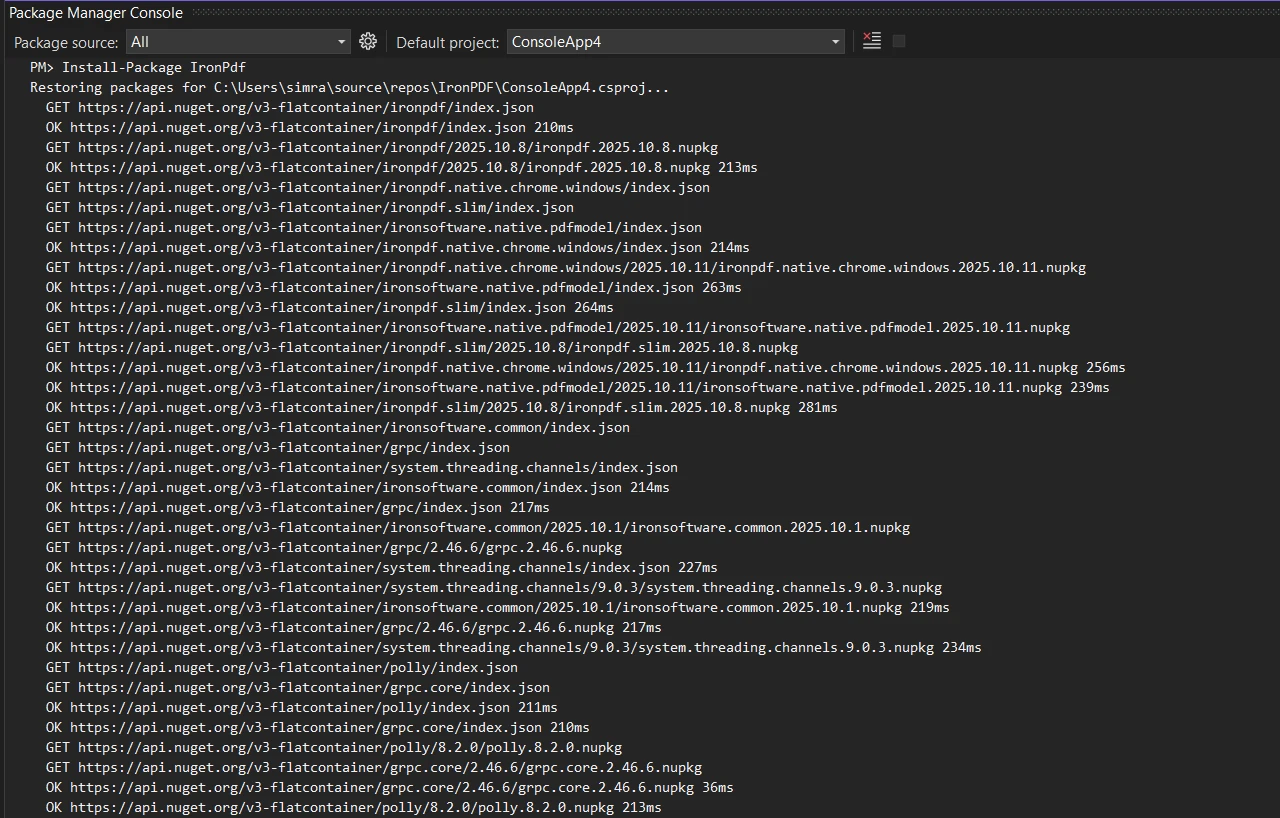
对于Linux 部署或基于 Docker 的环境,请参阅特定于平台的文档。 安装完成后,如果您有许可证密钥,请配置您的许可证密钥:
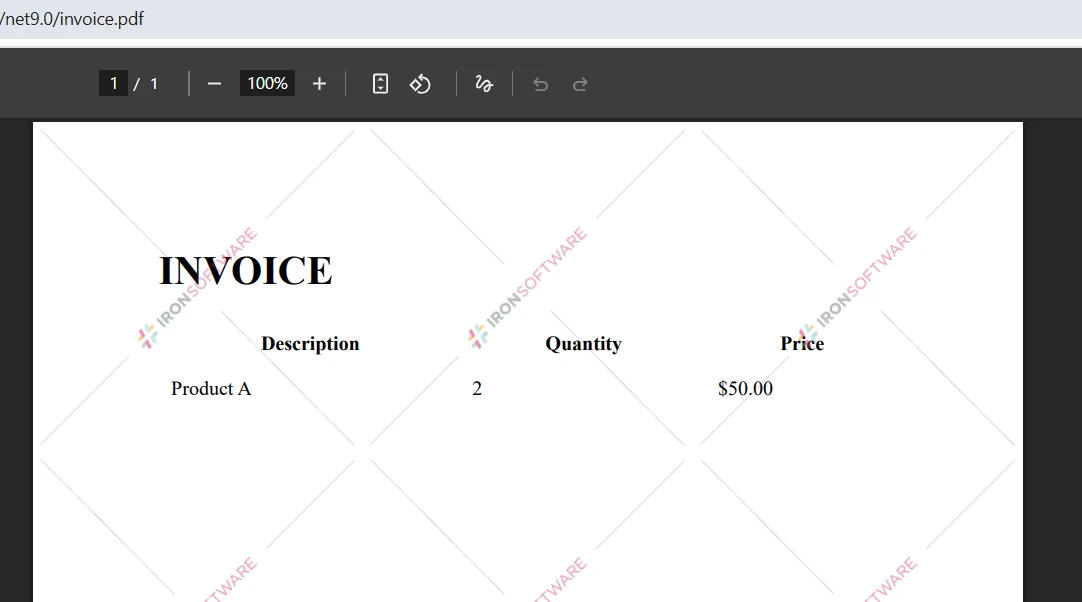
IronPdf.License.LicenseKey = "YOUR-LICENSE-KEY";IronPdf.License.LicenseKey = "YOUR-LICENSE-KEY"无需许可证密钥即可进行开发和测试,但生成的 PDF 上会出现水印。 生产环境部署需要从许可页面获取有效的许可证。 免费试用版提供 30 天的完整功能评估,无需信用卡。
IronPDF 支持 .NET Framework 4.6.2+、.NET Core 3.1+ 以及 .NET 5 至 .NET 10。对于 macOS,它同时支持 Intel 和 Apple Silicon 处理器。 该库会自动处理 Chrome 渲染引擎的安装,因此无需手动设置浏览器。

PDF比较的基础是提取和比较文本内容。 IronPDF 的文本提取功能可以从几乎任何 PDF 布局中准确检索内容,包括多列文档、表格、表单和带有嵌入式文本层的扫描 PDF。 以下示例加载两个文件,提取它们的文本,并计算相似度得分:
using IronPdf;
using System;

// Load two PDF documents
var pdf1 = PdfDocument.FromFile("document1.pdf");
var pdf2 = PdfDocument.FromFile("document2.pdf");

// Extract text from both PDFs
string text1 = pdf1.ExtractAllText();
string text2 = pdf2.ExtractAllText();

// Compare the two documents
if (text1 == text2)
{
    Console.WriteLine("PDF files are identical");
}
else
{
    Console.WriteLine("PDFs have differences");

    // Calculate character-level similarity
    int maxLength = Math.Max(text1.Length, text2.Length);
    if (maxLength > 0)
    {
        int differences = 0;
        int minLength = Math.Min(text1.Length, text2.Length);

        for (int i = 0; i < minLength; i++)
        {
            if (text1[i] != text2[i]) differences++;
        }

        differences += Math.Abs(text1.Length - text2.Length);
        double similarity = 1.0 - (double)differences / maxLength;

        Console.WriteLine($"Similarity: {similarity:P}");
        Console.WriteLine($"Character differences: {Math.Abs(text1.Length - text2.Length)}");
    }
}Imports IronPdf
Imports System
' Load two PDF documents
Dim pdf1 = PdfDocument.FromFile("document1.pdf")
Dim pdf2 = PdfDocument.FromFile("document2.pdf")
' Extract text from both PDFs
Dim text1 As String = pdf1.ExtractAllText()
Dim text2 As String = pdf2.ExtractAllText()
' Compare the two documents
If text1 = text2 Then
Console.WriteLine("PDF files are identical")
Else
Console.WriteLine("PDFs have differences")
' Calculate character-level similarity
Dim maxLength As Integer = Math.Max(text1.Length, text2.Length)
If maxLength > 0 Then
Dim differences As Integer = 0
Dim minLength As Integer = Math.Min(text1.Length, text2.Length)
For i As Integer = 0 To minLength - 1
If text1(i) <> text2(i) Then differences += 1
Next
differences += Math.Abs(text1.Length - text2.Length)
Dim similarity As Double = 1.0 - CDbl(differences) / maxLength
Console.WriteLine($"Similarity: {similarity:P}")
Console.WriteLine($"Character differences: {Math.Abs(text1.Length - text2.Length)}")
End If
End If此代码使用顶层语句和IronPDF的ExtractAllText()方法从两个文件中提取全文,然后进行字符级别的比较以计算相似度百分比。 该分数可以快速、量化地衡量文档之间的差异程度。
字符级方法的设计初衷是简单快捷。当您需要快速判断两个文档是否存在差异时,例如检测意外覆盖或确认转换流程是否生成了预期输出,这种方法非常有效。 对于需要更细致分析的场景(例如识别哪些句子发生了变化或跟踪语义差异),您可以在提取的文本字符串之上叠加莱文斯坦距离或差异算法。
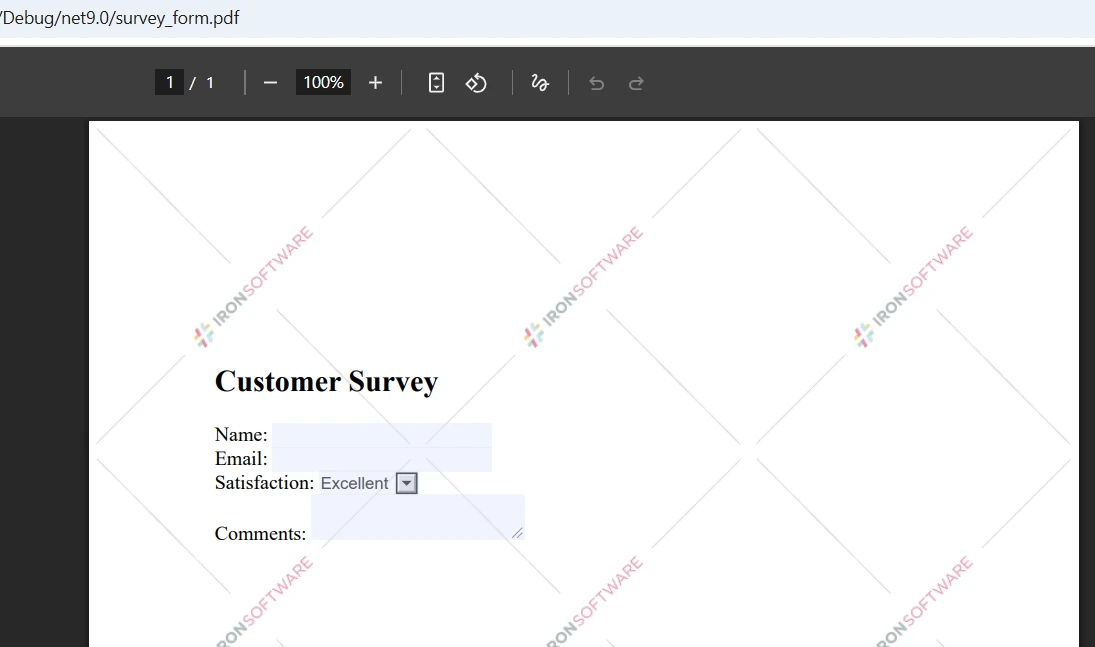
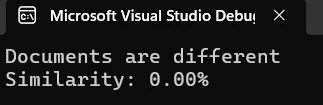
控制台输出显示文档之间的相似度百分比。 如上所示,2.60% 的相似度得分表明这两个文档的内容几乎完全不同。 该指标可帮助您快速评估差异程度并决定下一步措施。
仅文本比较无法捕捉格式、图像或布局差异。 两个 PDF 文件即使文本内容完全相同,但如果字体、页面大小或图像位置不同,看起来也会完全不同。 为了进行全面的视觉比较,可以考虑将 IronPDF 的图像提取功能与图像比较库结合使用。 IronPDF 的栅格化功能可以将页面转换为图像,以便在视觉精度比文本内容更重要时进行逐像素比较。
全文比较可以告诉你两个 PDF 文件是否存在差异,而逐页比较则可以告诉你它们究竟在哪些地方存在差异。 这对于报告、发票和表格等结构化文档尤其有价值,因为这些文档的内容在各个页面上都遵循可预测的布局:
using IronPdf;
using System;
using System.Collections.Generic;

var pdf1 = PdfDocument.FromFile("document1.pdf");
var pdf2 = PdfDocument.FromFile("document2.pdf");

int maxPages = Math.Max(pdf1.PageCount, pdf2.PageCount);
var pageResults = new List<(int Page, double Similarity)>();

for (int i = 0; i < maxPages; i++)
{
    string page1Text = i < pdf1.PageCount ? pdf1.ExtractTextFromPage(i) : "";
    string page2Text = i < pdf2.PageCount ? pdf2.ExtractTextFromPage(i) : "";

    if (page1Text != page2Text)
    {
        int maxLen = Math.Max(page1Text.Length, page2Text.Length);
        double sim = maxLen == 0 ? 1.0
            : 1.0 - (double)Math.Abs(page1Text.Length - page2Text.Length) / maxLen;

        Console.WriteLine($"Page {i + 1} differs -- similarity: {sim:P}");
        pageResults.Add((i + 1, sim));
    }
}

Console.WriteLine($"\nTotal pages with differences: {pageResults.Count}");Imports IronPdf
Imports System
Imports System.Collections.Generic
Dim pdf1 = PdfDocument.FromFile("document1.pdf")
Dim pdf2 = PdfDocument.FromFile("document2.pdf")
Dim maxPages As Integer = Math.Max(pdf1.PageCount, pdf2.PageCount)
Dim pageResults = New List(Of (Page As Integer, Similarity As Double))()
For i As Integer = 0 To maxPages - 1
Dim page1Text As String = If(i < pdf1.PageCount, pdf1.ExtractTextFromPage(i), "")
Dim page2Text As String = If(i < pdf2.PageCount, pdf2.ExtractTextFromPage(i), "")
If page1Text <> page2Text Then
Dim maxLen As Integer = Math.Max(page1Text.Length, page2Text.Length)
Dim sim As Double = If(maxLen = 0, 1.0, 1.0 - CDbl(Math.Abs(page1Text.Length - page2Text.Length)) / maxLen)
Console.WriteLine($"Page {i + 1} differs -- similarity: {sim:P}")
pageResults.Add((i + 1, sim))
End If
Next
Console.WriteLine($"\nTotal pages with differences: {pageResults.Count}")此方法使用ExtractTextFromPage()遍历每个页面,逐一比较内容。 该方法能够无错误地处理页数不同的 PDF 文件——在一个文档中存在但在另一个文档中不存在的页面被视为空字符串,从而正确地将它们注册为不同的文档。
逐页比较在需要精确定位大型文档中的修改位置时特别有用。 与其审阅整份 200 页的法律协议,不如直接查看实际发生更改的五页内容。 这大大缩短了审核时间,并使比较结果具有可操作性。
为了提高处理大型 PDF 的性能,IronPDF 支持异步处理和并行操作,以高效地处理批量比较。 性能优化指南涵盖了大规模操作的其他技术,包括按顺序处理多个大文件的内存管理策略。
using IronPDF,可以轻松地将多个 PDF 文件与单个参考文档进行比较。 以下示例将任意数量的文件与提供的第一个文件进行比较,并收集结果以生成报告:
using IronPdf;
using System;
using System.Collections.Generic;
using System.IO;

string[] pdfPaths = { "reference.pdf", "version1.pdf", "version2.pdf", "version3.pdf" };

if (pdfPaths.Length < 2)
{
    Console.WriteLine("At least 2 PDFs required for comparison");
    return;
}

var referencePdf = PdfDocument.FromFile(pdfPaths[0]);
string referenceText = referencePdf.ExtractAllText();

var results = new List<(string File, double Similarity, bool Identical)>();

for (int i = 1; i < pdfPaths.Length; i++)
{
    try
    {
        var currentPdf = PdfDocument.FromFile(pdfPaths[i]);
        string currentText = currentPdf.ExtractAllText();

        bool identical = referenceText == currentText;
        int maxLen = Math.Max(referenceText.Length, currentText.Length);
        double similarity = maxLen == 0 ? 1.0
            : 1.0 - (double)Math.Abs(referenceText.Length - currentText.Length) / maxLen;

        results.Add((Path.GetFileName(pdfPaths[i]), similarity, identical));

        string status = identical ? "identical to reference" : $"differs -- similarity: {similarity:P}";
        Console.WriteLine($"{Path.GetFileName(pdfPaths[i])}: {status}");
    }
    catch (Exception ex)
    {
        Console.WriteLine($"Error processing {pdfPaths[i]}: {ex.Message}");
    }
}

Console.WriteLine($"\nBatch complete: {results.Count} files compared");
Console.WriteLine($"Identical: {results.FindAll(r => r.Identical).Count}");
Console.WriteLine($"Different: {results.FindAll(r => !r.Identical).Count}");Imports IronPdf
Imports System
Imports System.Collections.Generic
Imports System.IO
Module Module1
Sub Main()
Dim pdfPaths As String() = {"reference.pdf", "version1.pdf", "version2.pdf", "version3.pdf"}
If pdfPaths.Length < 2 Then
Console.WriteLine("At least 2 PDFs required for comparison")
Return
End If
Dim referencePdf = PdfDocument.FromFile(pdfPaths(0))
Dim referenceText As String = referencePdf.ExtractAllText()
Dim results As New List(Of (File As String, Similarity As Double, Identical As Boolean))()
For i As Integer = 1 To pdfPaths.Length - 1
Try
Dim currentPdf = PdfDocument.FromFile(pdfPaths(i))
Dim currentText As String = currentPdf.ExtractAllText()
Dim identical As Boolean = (referenceText = currentText)
Dim maxLen As Integer = Math.Max(referenceText.Length, currentText.Length)
Dim similarity As Double = If(maxLen = 0, 1.0, 1.0 - CDbl(Math.Abs(referenceText.Length - currentText.Length)) / maxLen)
results.Add((Path.GetFileName(pdfPaths(i)), similarity, identical))
Dim status As String = If(identical, "identical to reference", $"differs -- similarity: {similarity:P}")
Console.WriteLine($"{Path.GetFileName(pdfPaths(i))}: {status}")
Catch ex As Exception
Console.WriteLine($"Error processing {pdfPaths(i)}: {ex.Message}")
End Try
Next
Console.WriteLine($"\nBatch complete: {results.Count} files compared")
Console.WriteLine($"Identical: {results.FindAll(Function(r) r.Identical).Count}")
Console.WriteLine($"Different: {results.FindAll(Function(r) Not r.Identical).Count}")
End Sub
End Module这种方法会加载一次参考文档,然后循环遍历所有其他文件并与之进行比较。 try/catch 块确保一个损坏或无法访问的文件不会导致整个批处理中止——错误会被记录下来,然后处理下一个文件。
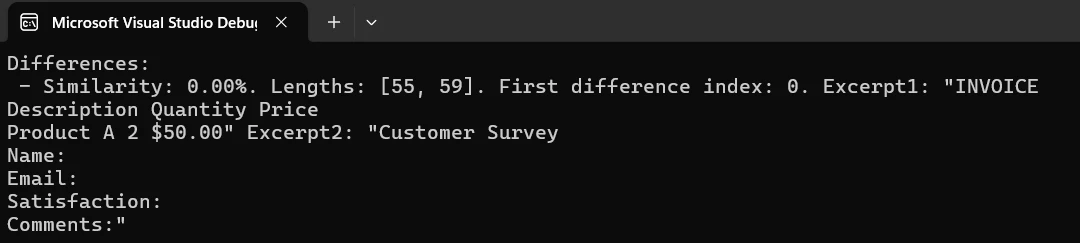
对于非常大的批量,可以考虑使用异步任务模式并行加载和提取多个 PDF 中的文本,而不是顺序加载和提取。 在选择参考文档时,对于版本控制场景,请使用最新批准的版本;对于质量保证工作流程,请使用预期输出模板。 您还可以通过读取PDF 元数据(例如文档本身嵌入的创建日期和版本号)来自动选择参考文献。
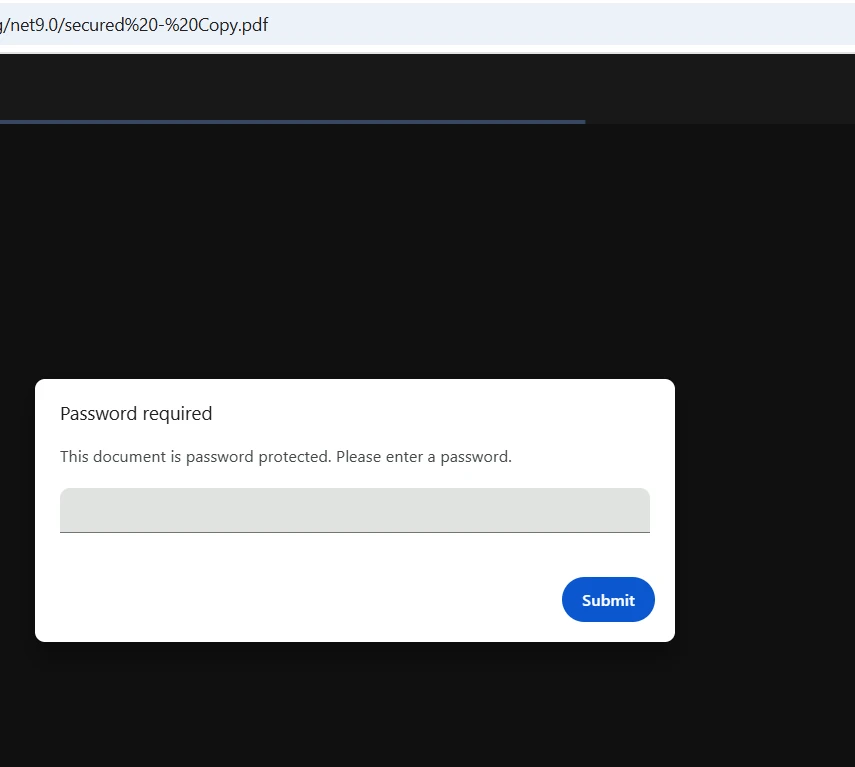
IronPDF通过在FromFile调用中直接接受密码来处理加密的PDF。 加载文件前无需在外部进行解密——该库会在内部处理身份验证。 该库支持 40 位 RC4、128 位 RC4 和 128 位 AES 加密标准:
using IronPdf;
using System;

try
{
    // Load password-protected PDFs
    var pdf1 = PdfDocument.FromFile("secure-document1.pdf", "password1");
    var pdf2 = PdfDocument.FromFile("secure-document2.pdf", "password2");

    Console.WriteLine($"PDF 1 loaded: {pdf1.PageCount} pages");
    Console.WriteLine($"PDF 2 loaded: {pdf2.PageCount} pages");

    string text1 = pdf1.ExtractAllText();
    string text2 = pdf2.ExtractAllText();

    bool identical = text1.Equals(text2);
    int maxLen = Math.Max(text1.Length, text2.Length);
    double similarity = maxLen == 0 ? 1.0
        : 1.0 - (double)Math.Abs(text1.Length - text2.Length) / maxLen;

    Console.WriteLine($"Documents are {(identical ? "identical" : "different")}");
    Console.WriteLine($"Similarity: {similarity:P}");

    // Optionally save a secured comparison report
    if (!identical)
    {
        var renderer = new ChromePdfRenderer();
        var reportPdf = renderer.RenderHtmlAsPdf(
            $"<h1>Comparison Result</h1><p>Similarity: {similarity:P}</p>");

        reportPdf.SecuritySettings.OwnerPassword = "report-owner-password";
        reportPdf.SecuritySettings.UserPassword = "report-user-password";
        reportPdf.SecuritySettings.AllowUserPrinting = true;
        reportPdf.SecuritySettings.AllowUserCopyPasteContent = false;

        reportPdf.SaveAs("comparison-report.pdf");
        Console.WriteLine("Secured report saved.");
    }
}
catch (Exception ex)
{
    Console.WriteLine($"Error handling secured PDFs: {ex.Message}");
}Imports IronPdf
Imports System
Try
' Load password-protected PDFs
Dim pdf1 = PdfDocument.FromFile("secure-document1.pdf", "password1")
Dim pdf2 = PdfDocument.FromFile("secure-document2.pdf", "password2")
Console.WriteLine($"PDF 1 loaded: {pdf1.PageCount} pages")
Console.WriteLine($"PDF 2 loaded: {pdf2.PageCount} pages")
Dim text1 As String = pdf1.ExtractAllText()
Dim text2 As String = pdf2.ExtractAllText()
Dim identical As Boolean = text1.Equals(text2)
Dim maxLen As Integer = Math.Max(text1.Length, text2.Length)
Dim similarity As Double = If(maxLen = 0, 1.0, 1.0 - CDbl(Math.Abs(text1.Length - text2.Length)) / maxLen)
Console.WriteLine($"Documents are {(If(identical, "identical", "different"))}")
Console.WriteLine($"Similarity: {similarity:P}")
' Optionally save a secured comparison report
If Not identical Then
Dim renderer = New ChromePdfRenderer()
Dim reportPdf = renderer.RenderHtmlAsPdf($"<h1>Comparison Result</h1><p>Similarity: {similarity:P}</p>")
reportPdf.SecuritySettings.OwnerPassword = "report-owner-password"
reportPdf.SecuritySettings.UserPassword = "report-user-password"
reportPdf.SecuritySettings.AllowUserPrinting = True
reportPdf.SecuritySettings.AllowUserCopyPasteContent = False
reportPdf.SaveAs("comparison-report.pdf")
Console.WriteLine("Secured report saved.")
End If
Catch ex As Exception
Console.WriteLine($"Error handling secured PDFs: {ex.Message}")
End Try通过将密码传递给FromFile,您可以比较加密的PDF,而无需任何预解密步骤。IronPDF的安全功能确保妥善处理受保护的内容,而数字签名为文件真实性验证增加了额外的层次。
处理受密码保护的 PDF 文件时,应将凭据存储在环境变量或密钥管理器中,而不是将其硬编码到源代码中。 实施排除敏感信息的日志记录措施,并添加重试逻辑和尝试次数限制,以防止暴力破解的情况。 对于高级加密需求, PDF/UA 合规性指南涵盖了符合无障碍标准的安全配置。
格式化的报告可以让利益相关者清楚地了解两份文件之间的变化。 以下示例使用 IronPDF 的 HTML 转 PDF 功能生成带有每页差异指标的样式报告:
using IronPdf;
using System;
using System.Collections.Generic;
using System.IO;
using System.Text;

var pdf1 = PdfDocument.FromFile("document1.pdf");
var pdf2 = PdfDocument.FromFile("document2.pdf");

var differences = new List<(int Page, double Similarity, int Len1, int Len2, int CharDiff)>();
int totalPages = Math.Max(pdf1.PageCount, pdf2.PageCount);

for (int i = 0; i < totalPages; i++)
{
    string p1 = i < pdf1.PageCount ? pdf1.ExtractTextFromPage(i) ?? "" : "";
    string p2 = i < pdf2.PageCount ? pdf2.ExtractTextFromPage(i) ?? "" : "";

    if (p1 == p2) continue;

    int maxLen = Math.Max(p1.Length, p2.Length);
    double sim = maxLen == 0 ? 1.0 : 1.0 - (double)Math.Abs(p1.Length - p2.Length) / maxLen;
    int charDiff = Math.Abs(p1.Length - p2.Length);

    differences.Add((i + 1, sim, p1.Length, p2.Length, charDiff));
}

// Build HTML report
var sb = new StringBuilder();
sb.Append(@"<html><head><style>
    body { font-family: Arial, sans-serif; margin: 20px; }
    h1 { color: #333; border-bottom: 2px solid #4CAF50; }
    .summary { background: #f0f0f0; padding: 15px; border-radius: 5px; margin-bottom: 20px; }
    table { border-collapse: collapse; width: 100%; }
    th, td { border: 1px solid #ddd; padding: 8px; text-align: left; }
    th { background: #4CAF50; color: white; }
    .ok { background: #c8e6c9; padding: 15px; border-radius: 5px; }
</style></head><body>");

sb.Append("<h1>PDF Comparison Report</h1>");
sb.Append("<div class='summary'>");
sb.Append($"<p><strong>File 1:</strong> {Path.GetFileName("document1.pdf")}</p>");
sb.Append($"<p><strong>File 2:</strong> {Path.GetFileName("document2.pdf")}</p>");
sb.Append($"<p><strong>Pages with differences:</strong> {differences.Count} of {totalPages}</p>");
sb.Append($"<p><strong>Generated:</strong> {DateTime.Now:yyyy-MM-dd HH:mm:ss}</p>");
sb.Append("</div>");

if (differences.Count > 0)
{
    sb.Append("<table><thead><tr><th>Page</th><th>Similarity</th><th>File 1 Length</th><th>File 2 Length</th><th>Char Diff</th></tr></thead><tbody>");
    foreach (var d in differences)
    {
        sb.Append($"<tr><td>{d.Page}</td><td>{d.Similarity:P}</td><td>{d.Len1}</td><td>{d.Len2}</td><td>{d.CharDiff}</td></tr>");
    }
    sb.Append("</tbody></table>");
}
else
{
    sb.Append("<p class='ok'>No differences detected -- files are identical.</p>");
}

sb.Append("</body></html>");

var renderer = new ChromePdfRenderer();
renderer.RenderingOptions.MarginTop = 25;
renderer.RenderingOptions.MarginBottom = 25;
renderer.RenderingOptions.CssMediaType = IronPdf.Rendering.PdfCssMediaType.Print;

var reportPdf = renderer.RenderHtmlAsPdf(sb.ToString());
reportPdf.MetaData.Author = "PDF Comparison Tool";
reportPdf.MetaData.Title = "PDF Comparison Report";
reportPdf.MetaData.CreationDate = DateTime.Now;

reportPdf.SaveAs("comparison-report.pdf");
Console.WriteLine("Report saved to comparison-report.pdf");Imports IronPdf
Imports System
Imports System.Collections.Generic
Imports System.IO
Imports System.Text
Dim pdf1 = PdfDocument.FromFile("document1.pdf")
Dim pdf2 = PdfDocument.FromFile("document2.pdf")
Dim differences = New List(Of (Page As Integer, Similarity As Double, Len1 As Integer, Len2 As Integer, CharDiff As Integer))()
Dim totalPages As Integer = Math.Max(pdf1.PageCount, pdf2.PageCount)
For i As Integer = 0 To totalPages - 1
Dim p1 As String = If(i < pdf1.PageCount, pdf1.ExtractTextFromPage(i), "")
Dim p2 As String = If(i < pdf2.PageCount, pdf2.ExtractTextFromPage(i), "")
If p1 = p2 Then Continue For
Dim maxLen As Integer = Math.Max(p1.Length, p2.Length)
Dim sim As Double = If(maxLen = 0, 1.0, 1.0 - CDbl(Math.Abs(p1.Length - p2.Length)) / maxLen)
Dim charDiff As Integer = Math.Abs(p1.Length - p2.Length)
differences.Add((i + 1, sim, p1.Length, p2.Length, charDiff))
Next
' Build HTML report
Dim sb = New StringBuilder()
sb.Append("<html><head><style>
body { font-family: Arial, sans-serif; margin: 20px; }
h1 { color: #333; border-bottom: 2px solid #4CAF50; }
.summary { background: #f0f0f0; padding: 15px; border-radius: 5px; margin-bottom: 20px; }
table { border-collapse: collapse; width: 100%; }
th, td { border: 1px solid #ddd; padding: 8px; text-align: left; }
th { background: #4CAF50; color: white; }
.ok { background: #c8e6c9; padding: 15px; border-radius: 5px; }
</style></head><body>")
sb.Append("<h1>PDF Comparison Report</h1>")
sb.Append("<div class='summary'>")
sb.Append($"<p><strong>File 1:</strong> {Path.GetFileName("document1.pdf")}</p>")
sb.Append($"<p><strong>File 2:</strong> {Path.GetFileName("document2.pdf")}</p>")
sb.Append($"<p><strong>Pages with differences:</strong> {differences.Count} of {totalPages}</p>")
sb.Append($"<p><strong>Generated:</strong> {DateTime.Now:yyyy-MM-dd HH:mm:ss}</p>")
sb.Append("</div>")
If differences.Count > 0 Then
sb.Append("<table><thead><tr><th>Page</th><th>Similarity</th><th>File 1 Length</th><th>File 2 Length</th><th>Char Diff</th></tr></thead><tbody>")
For Each d In differences
sb.Append($"<tr><td>{d.Page}</td><td>{d.Similarity:P}</td><td>{d.Len1}</td><td>{d.Len2}</td><td>{d.CharDiff}</td></tr>")
Next
sb.Append("</tbody></table>")
Else
sb.Append("<p class='ok'>No differences detected -- files are identical.</p>")
End If
sb.Append("</body></html>")
Dim renderer = New ChromePdfRenderer()
renderer.RenderingOptions.MarginTop = 25
renderer.RenderingOptions.MarginBottom = 25
renderer.RenderingOptions.CssMediaType = IronPdf.Rendering.PdfCssMediaType.Print
Dim reportPdf = renderer.RenderHtmlAsPdf(sb.ToString())
reportPdf.MetaData.Author = "PDF Comparison Tool"
reportPdf.MetaData.Title = "PDF Comparison Report"
reportPdf.MetaData.CreationDate = DateTime.Now
reportPdf.SaveAs("comparison-report.pdf")
Console.WriteLine("Report saved to comparison-report.pdf")该方案采用HTML 渲染技术,创建具有自定义样式的专业报告。 IronPDF 的 CSS 支持允许完全自定义——调整字体、颜色和布局以匹配企业品牌。 在正式文档工作流程中添加带有页码和时间戳的页眉和页脚。
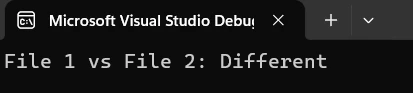
生成的报告提供了差异的清晰摘要,以及详细的每页指标。 您可以扩展报告,使其包含相似度得分的可视化图表、显示已更改区域的页面缩略图以及便于在冗长报告中导航的书签。 对于存档级报告,IronPDF 支持PDF/A 格式,以确保长期可读性并符合文档保存规定。
在将 PDF 对比功能投入生产之前,一些模式决定了最终产品是脆弱的原型还是可靠的工具:
妥善处理空值和空文本。 ExtractAllText()可以为仅有图像或没有文本层的扫描文档返回空字符串。 在运行比较逻辑之前,务必检查结果是否为空,并决定空对空是否算作"相同"或"不确定"。
比较前请先对文本进行规范化处理。不同的 PDF 生成器对于相同的视觉内容可能会生成略有不同的空白模式、行尾符或 Unicode 规范化结果。 在比较前运行text.Trim().Replace("\r\n", "\n")可以防止因纯粹的外观差异而产生误报。
在业务流程中,应使用相似度阈值而非完全匹配。98 % 的相似度得分很可能意味着两个文档在功能上完全相同,即使其中一个文档的时间戳或自动生成的 ID 略有不同。 定义一个适合您领域的阈值,而不是要求字符完全相等。
将比较结果与文件元数据记录下来。将文件名、大小、修改日期和相似度得分存储在结构化日志中。 这样就生成了审计跟踪记录,合规团队无需重新运行比较即可进行审查。
考虑编码和字体问题。有些 PDF 文件对其文本层使用自定义编码表。 IronPDF 基于 Chrome 的引擎可以正确处理大多数情况,但如果您看到乱码文本输出,请检查源 PDF 是否使用了非标准字体编码。 故障排除指南涵盖了常见的提取问题及其解决方法。
对于构建生产文档比较管道的团队来说, Microsoft 关于 .NET 中异步模式的文档为构建并行文件处理提供了有用的指导。 如果您需要了解给定文档的文本层中可以或不可以出现哪些类型的内容,那么也值得查阅PDF 规范(ISO 32000) 。
C# 中的 PDF 对比是一项实用技能,它能为数十个行业的文档自动化铺平道路——而 IronPDF 让任何 .NET 开发人员都能轻松上手。您可以从基本的文本提取示例入手,根据需要扩展到逐页分析,并使用 HTML 报告生成器向利益相关者提供专业的输出结果。
| 场景 | 方法 | 关键方法 |
|---|---|---|
| 基本文本比较 | 从两份文档中提取全文并比较字符串。 | ExtractAllText() |
| 逐页分析 | 逐页比较,以确定更改位置。 | ExtractTextFromPage() |
| 批次比较 | 将多个文件与单个参考文档进行比较 | PdfDocument.FromFile() |
| 受密码保护的文件 | 直接将密码传递给文件加载器——无需预先解密 | PdfDocument.FromFile(path, password) |
| 报告生成 | 将 HTML 对比摘要转换为样式化的 PDF 报告 | ChromePdfRenderer.RenderHtmlAsPdf() |
下载免费试用版,即可立即开始使用 IronPDF 进行构建——30 天免费试用无需信用卡。 快速入门指南可在五分钟内引导您完成初始设置。 准备投入生产时,请查看许可页面,选择适合您团队规模和部署要求的选项。
如需更深入学习,请探索涵盖 PDF 创建、编辑和操作的完整教程系列。 API 参考提供了详细的方法文档,示例部分演示了实际应用,包括表单处理和水印。

Curtis Chau 拥有卡尔顿大学的计算机科学学士学位,专注于前端开发,精通 Node.js、TypeScript、JavaScript 和 React。他热衷于打造直观且美观的用户界面,喜欢使用现代框架并创建结构良好、视觉吸引力强的手册。

IronPDF 是 IRONSUITE的一部分
10 个 .NET API 产品用于您的办公文档

当您需要PDF看起来像HTML时,速度快。




