




Updated April 23, 2026
Bridging CLI Simplicity & .NET : Using Curl DotNet with IronPDF
Jacob Mellor has bridged this gap with CurlDotNet, a library created to bring the familiarity of cURL to the .NET ecosystem.
Read More

When working with HTML-to-PDF conversion in .NET, clean and well-structured HTML can make a significant difference in the quality of the final PDF. Formatting raw HTML properly ensures readability, correct rendering, and consistency. This is where an HTML formatter, or an HTML prettifier, comes into play.
In this article, we'll explore how to use an HTML prettifier in .NET before converting HTML to PDF using IronPDF. We'll discuss the benefits of prettification, showcase libraries that can help, and provide a practical code example.
An HTML prettifier is a tool that reformats raw or minified HTML code into a readable, well-structured format. This process involves:
Using an HTML prettifier before converting to PDF ensures that the content remains structured and visually coherent, reducing rendering issues in the generated PDF.
IronPDF is a comprehensive and feature-rich .NET library designed for seamless HTML-to-PDF conversion. It enables developers to convert HTML, URLs, or even raw HTML strings into high-quality PDFs with minimal effort. Unlike many other PDF libraries, IronPDF fully supports modern web standards, including HTML5, CSS3, and JavaScript, ensuring that rendered PDFs maintain their intended design and layout. This makes it an ideal choice for projects requiring precise PDF output from complex HTML structures.
Some of the key features of IronPDF include:
By integrating IronPDF with an HTML prettifier, you ensure that your documents are not only visually appealing but also free of rendering issues, making your workflow smoother and more efficient.
There are several libraries available in .NET to prettify unformatted or ugly HTML code, including:
HtmlAgilityPack is a popular .NET library that provides a fast and efficient way to parse and manipulate HTML documents. It can handle malformed or poorly structured HTML, making it a great choice for web scraping and data extraction. Although it's not explicitly designed as a "prettifier," it can be used to clean and format HTML code by parsing and saving it with proper indentation.
Here's how you can use HtmlAgilityPack to prettify HTML before passing it to IronPDF:
using IronPdf;
using HtmlAgilityPack;
using System.IO;

class Program
{
    static void Main()
    {
        string htmlContent = "<html><body><h1>Hello World!</h1><p>This is a test.</p></body></html>";

        // Load the HTML content into an HtmlDocument
        HtmlDocument doc = new HtmlDocument();
        doc.LoadHtml(htmlContent);

        // Prettify the HTML by saving it with indentation
        // Saves the formatted HTML with the prettified indenting
        string prettyHtml = doc.DocumentNode.OuterHtml;
        doc.Save("pretty.html"); // Save the pretty HTML to a file
    }
}Imports IronPdf
Imports HtmlAgilityPack
Imports System.IO
Friend Class Program
Shared Sub Main()
Dim htmlContent As String = "<html><body><h1>Hello World!</h1><p>This is a test.</p></body></html>"
' Load the HTML content into an HtmlDocument
Dim doc As New HtmlDocument()
doc.LoadHtml(htmlContent)
' Prettify the HTML by saving it with indentation
' Saves the formatted HTML with the prettified indenting
Dim prettyHtml As String = doc.DocumentNode.OuterHtml
doc.Save("pretty.html") ' Save the pretty HTML to a file
End Sub
End Class

AngleSharp is a .NET library designed for parsing and manipulating HTML, XML, and SVG documents. It provides a modern and flexible approach to DOM manipulation and formatting. AngleSharp's HtmlFormatter class can be used to format HTML content, providing nice, readable output.
using AngleSharp.Html.Parser;
using System;

class Program
{
    static void Main()
    {
        string htmlContent = "<html><body><h1>Hello World!</h1><p>This is a test.</p></body></html>";

        // Parse the HTML content using HtmlParser
        var parser = new HtmlParser();
        var document = parser.ParseDocument(htmlContent);

        // Format the HTML using AngleSharp’s HtmlFormatter
        var prettyHtml = document.ToHtml();
    }
}Imports AngleSharp.Html.Parser
Imports System
Friend Class Program
Shared Sub Main()
Dim htmlContent As String = "<html><body><h1>Hello World!</h1><p>This is a test.</p></body></html>"
' Parse the HTML content using HtmlParser
Dim parser = New HtmlParser()
Dim document = parser.ParseDocument(htmlContent)
' Format the HTML using AngleSharp's HtmlFormatter
Dim prettyHtml = document.ToHtml()
End Sub
End Class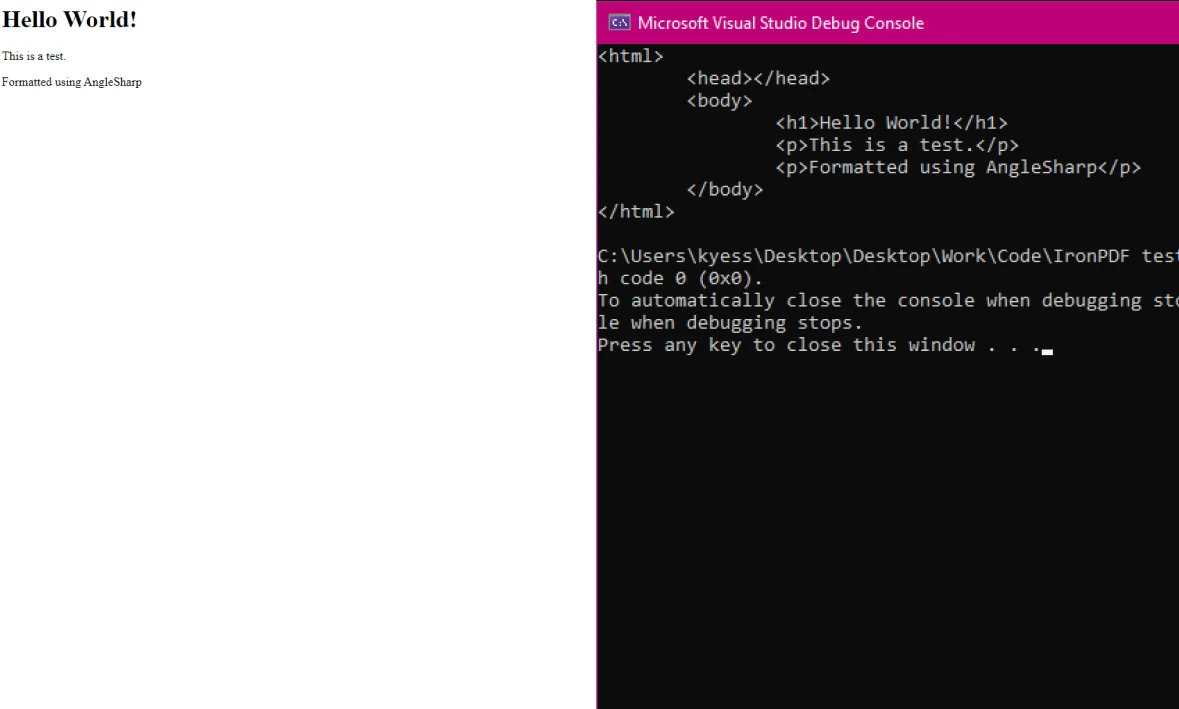
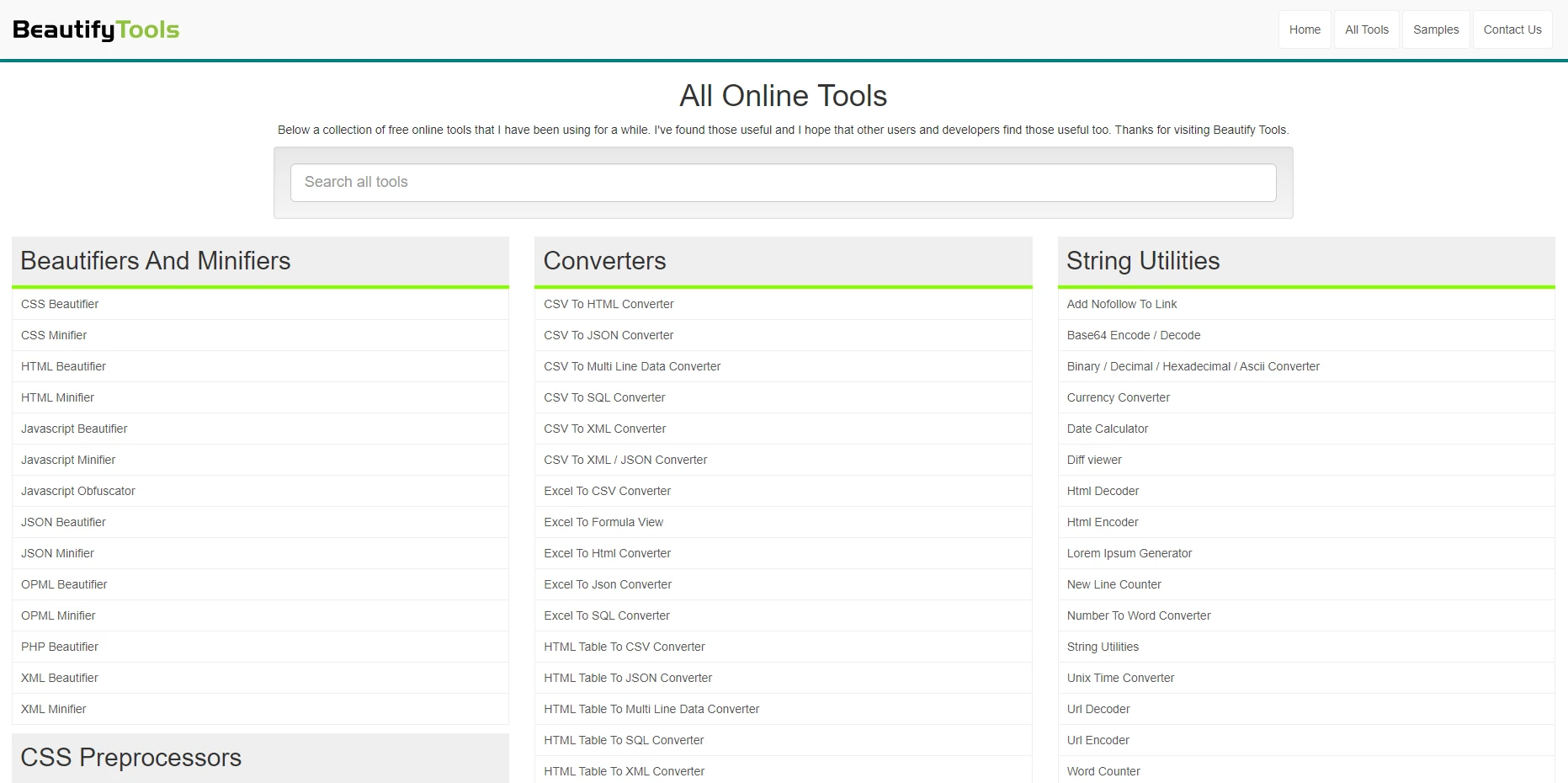
BeautifyTools.com provides an easy-to-use online HTML formatter that allows you to format and prettify messy HTML code. This is useful if you want a quick and free way to clean up your HTML without installing any libraries or writing code.
Go to the Website
Open BeautifyTools.com HTML Beautifier in your web browser.
Paste Your HTML
Copy your raw or minified HTML and paste it into the input box.
Adjust the Settings (Optional)
Click "Beautify HTML"
The tool will process your HTML and display the prettified result in the output box.
Copy the Formatted HTML
Click "Copy to Clipboard" or manually copy the formatted HTML for use in your project.

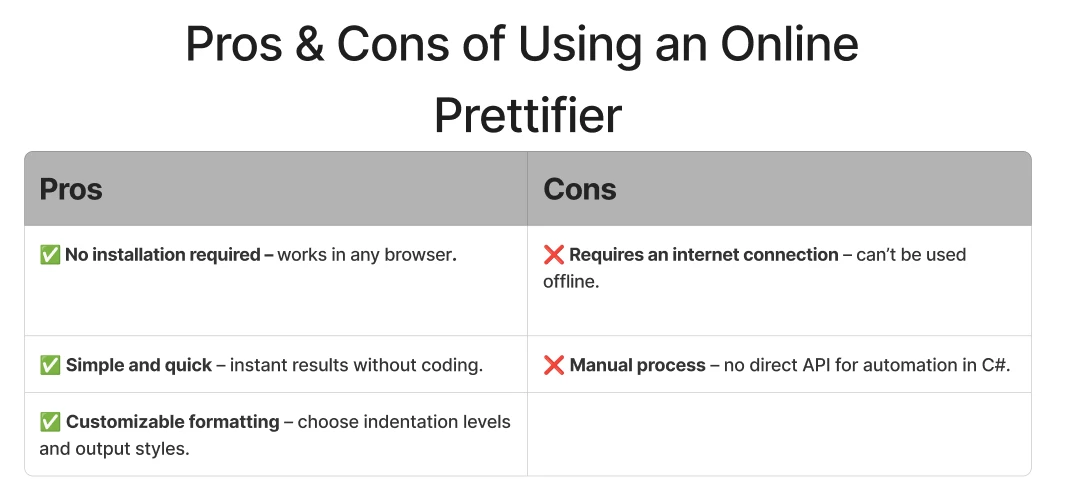
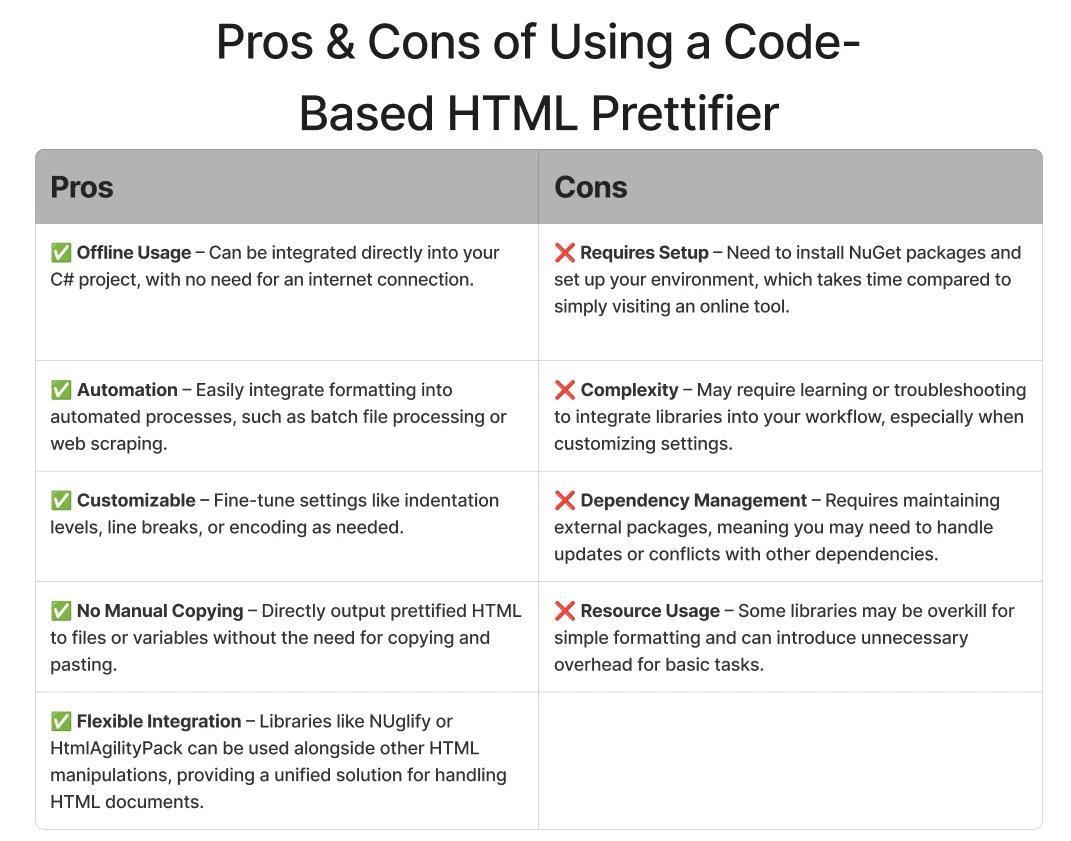
Once we have prettified our HTML, we can use IronPDF to convert it into a high-quality PDF. Here's a simple example using AngleSharp:
using AngleSharp.Html.Parser;
using System.IO;
using IronPdf;
using System;

class Program
{
    static void Main()
    {
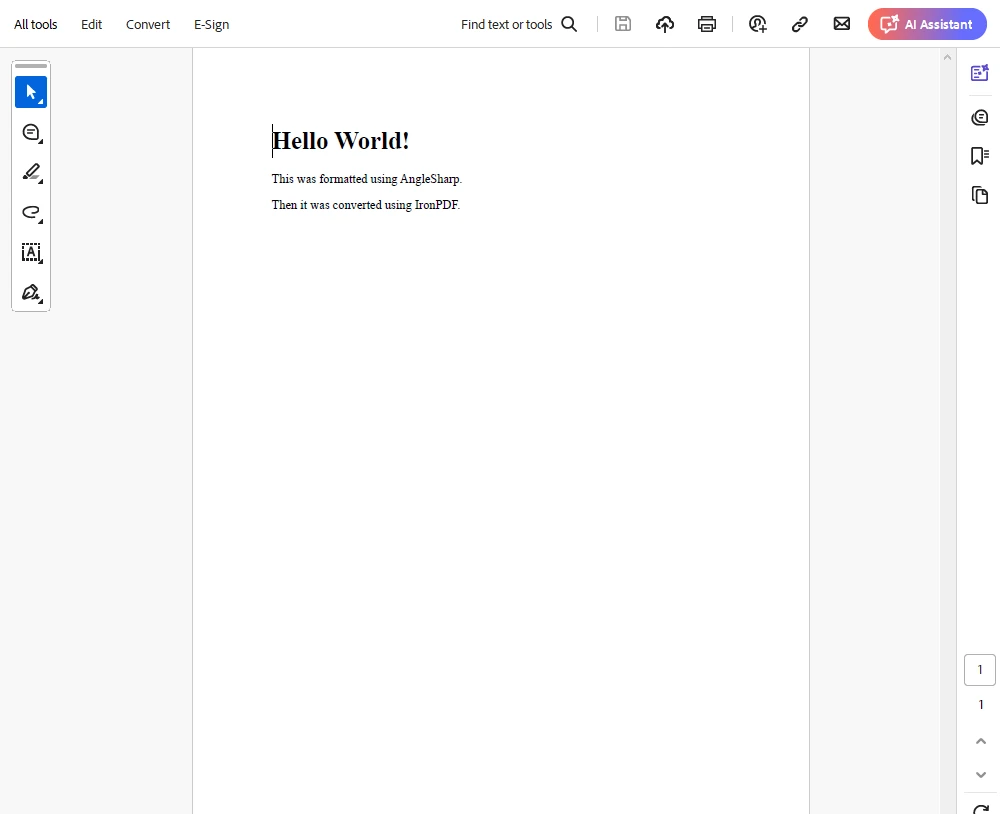
        string htmlContent = "<html><body><h1>Hello World!</h1><p>This was formatted using AngleSharp.</p><p>Then it was converted using IronPDF.</p></body></html>";

        // Parse the HTML content using HtmlParser
        var parser = new HtmlParser();
        var document = parser.ParseDocument(htmlContent);

        // Format the HTML using PrettyMarkupFormatter
        using (var writer = new StringWriter())
        {
            document.ToHtml(writer, new PrettyMarkupFormatter()); // Format the HTML
            var prettyHtml = writer.ToString();

            // Save the formatted HTML to a file
            string outputPath = "formatted.html";
            File.WriteAllText(outputPath, prettyHtml);
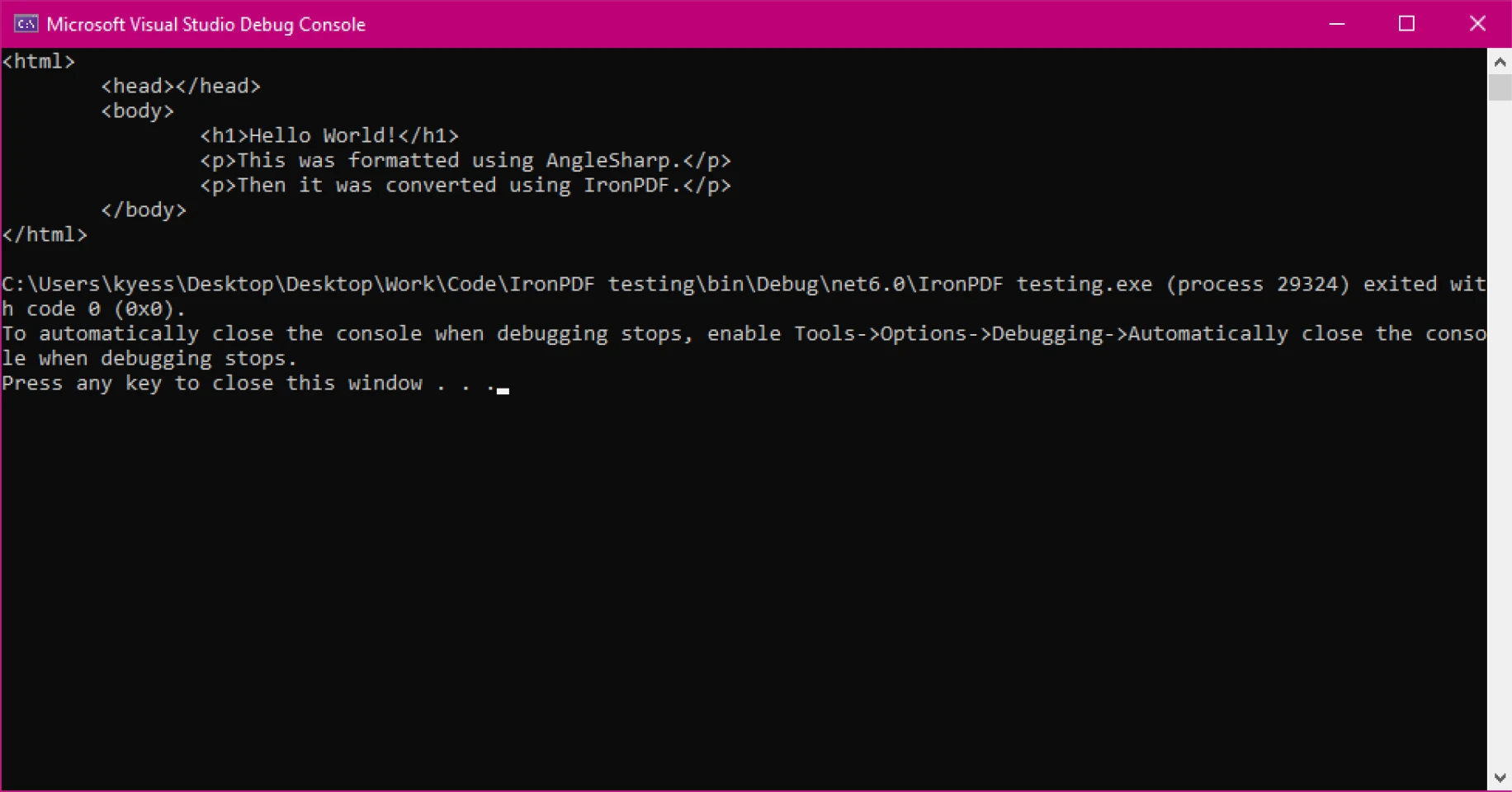
            Console.WriteLine(prettyHtml);
        }

        // Convert the formatted HTML to PDF using IronPdf
        var renderer = new ChromePdfRenderer();
        var pdf = renderer.RenderHtmlFileAsPdf("formatted.html");
        pdf.SaveAs("output.pdf");
    }
}Imports AngleSharp.Html.Parser
Imports System.IO
Imports IronPdf
Imports System
Module Program
Sub Main()
Dim htmlContent As String = "<html><body><h1>Hello World!</h1><p>This was formatted using AngleSharp.</p><p>Then it was converted using IronPDF.</p></body></html>"
' Parse the HTML content using HtmlParser
Dim parser = New HtmlParser()
Dim document = parser.ParseDocument(htmlContent)
' Format the HTML using PrettyMarkupFormatter
Using writer As New StringWriter()
document.ToHtml(writer, New PrettyMarkupFormatter()) ' Format the HTML
Dim prettyHtml = writer.ToString()
' Save the formatted HTML to a file
Dim outputPath As String = "formatted.html"
File.WriteAllText(outputPath, prettyHtml)
Console.WriteLine(prettyHtml)
End Using
' Convert the formatted HTML to PDF using IronPdf
Dim renderer = New ChromePdfRenderer()
Dim pdf = renderer.RenderHtmlFileAsPdf("formatted.html")
pdf.SaveAs("output.pdf")
End Sub
End ModuleThe above code demonstrates how to prettify HTML using AngleSharp and then convert it to a PDF using IronPDF. Here's how it works:
Define the Raw HTML Content:
The program starts with a simple HTML string containing a <h1> header and two paragraphs.
Parse the HTML with AngleSharp:
It initializes an HtmlParser instance and parses the raw HTML into a structured IDocument object.
Format the HTML using PrettyMarkupFormatter:
PrettyMarkupFormatter class is used to properly format and indent the HTML.StringWriter is used to capture the formatted HTML as a string.Convert the Formatted HTML to PDF using IronPDF:
ChromePdfRenderer instance is created to handle the conversion.PdfDocument.Final Output:
This approach ensures that the HTML is neatly structured before converting it to a PDF, which improves readability and avoids potential rendering issues in the PDF output.
Console Output
PDF Output
Formatted HTML is easier to read, debug, and maintain. This is especially useful when working with dynamic content or large HTML templates.
Prettified HTML maintains consistent spacing and structure, leading to a more predictable rendering in IronPDF.
Minified or unstructured HTML can sometimes cause unexpected issues in PDF generation. Prettification helps prevent missing elements or broken layouts.
If your application programmatically generates PDFs, ensuring HTML is clean and well-formed before conversion improves stability and accuracy.
Using an HTML prettifier with IronPDF in .NET is a simple but effective way to enhance PDF conversion. By structuring your HTML correctly, you ensure better rendering, improved maintainability, and fewer debugging headaches.
With libraries like HtmlAgilityPack, AngleSharp, and HTML Beautifier, prettifying HTML before PDF generation becomes an effortless task. If you frequently work with HTML-to-PDF conversions, consider integrating an HTML prettifier into your workflow for optimal results.
Give it a try today and see how it enhances your IronPDF experience! Download the free trial and get started exploring all that IronPDF has to offer within your own projects.

Jacob Mellor is Chief Technology Officer at Iron Software and a visionary engineer pioneering C# PDF technology. As the original developer behind Iron Software's core codebase, he has shaped the company's product architecture since its inception, transforming it alongside CEO Cameron Rimington into a 50+ person company serving NASA, Tesla, and global government agencies.



IronPDF is a part of IRONSUITE
10 .NET API products for your office documents











When you need your PDF to look like HTML, fast.


