The Problem With Policy Document Generation at Scale
 A homeowners policy document isn't one document, it's a declarations page, a set of coverage sections, a list of endorsements the policyholder selected, applicable exclusions, and whatever state-mandated notices apply to their jurisdiction. Two policyholders in different states with different coverage tiers and different endorsements receive documents that share a structure but almost no identical content. Every bind generates a unique combination.
Legacy policy admin systems weren't designed for this. Their document output is functional but flat, no carrier branding, no modern typography, no layout that reflects what customers expect from a company they trust with their home or business. For an insurtech issuing renters policies within minutes of purchase, or a commercial MGA binding business owner policies with coverage-specific endorsements, that output quality is a brand liability.
Manual assembly makes the accuracy problem worse. When a policy team assembles a document by selecting fragments from a shared drive: declarations template here, endorsement form there, state notices from a folder organized by jurisdiction, the risk of including the wrong version of a form, omitting a required endorsement, or delivering a document that doesn't match the bound coverage is real. At hundreds of binds per day during peak renewal season, it's inevitable.
Third-party document generation APIs shift the operational problem without eliminating it, and add per-page or per-document pricing that scales directly against renewal volume, the moment of highest demand is the moment costs spike highest.
The Solution: Section-by-Section Rendering and Merge at Bind
IronPDF lets .NET insurance platforms generate complete, personalized policy documents from HTML and CSS templates at the moment of bind or renewal. The application pulls the policyholder's coverage data, selected endorsements, applicable exclusions, and state-mandated notices from the policy admin system, populates section-specific templates, renders each with ChromePdfRenderer, and merges them into a single policy document using PdfDocument.Merge().
The result is a branded, multi-section PDF file that accurately reflects the bound coverage and reads like a professional carrier document. No legacy report engine, no manual section selection, no per-document API fee that scales against renewal volume. The rendering runs inside the existing .NET application as a single NuGet package with no external processes.
How It Works in Practice
1. Bind Event Triggers Document Assembly
A policy bind or renewal in the admin system fires an event or webhook that initiates new PDF document assembly. The application queries the policy record for everything the document requires: insured name, policy number, effective and expiration dates, coverage sections with limits and deductibles, selected endorsements, applicable exclusions, premium breakdown, and the jurisdiction used to determine which state-mandated notices must be included.
The query result drives both the content and the structure of the document, which sections exist, in which order, with which data. Nothing in this step is manual.
2. Section Templates Are Owned Independently
Each document section is an HTML and CSS template file maintained by the team that owns that content. The declarations page template is maintained by policy operations. Coverage section templates are owned by the product team. Endorsement templates are maintained per form, versioned alongside the forms themselves. State notice templates are updated by compliance when regulatory requirements change.
This separation means a compliance update to a state notice doesn't require touching the declarations template or any coverage section. Each team updates their own files and every future bind in that jurisdiction picks up the change automatically.
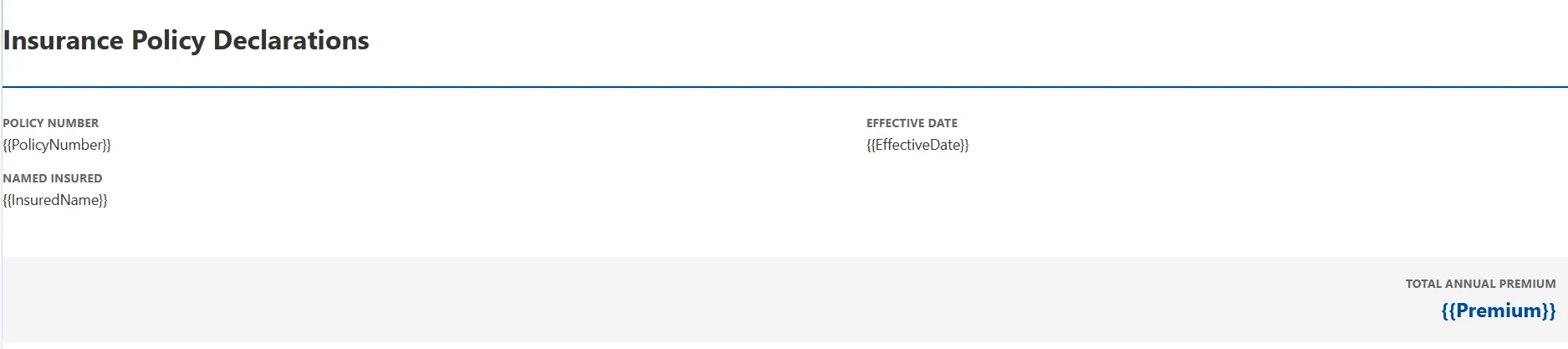
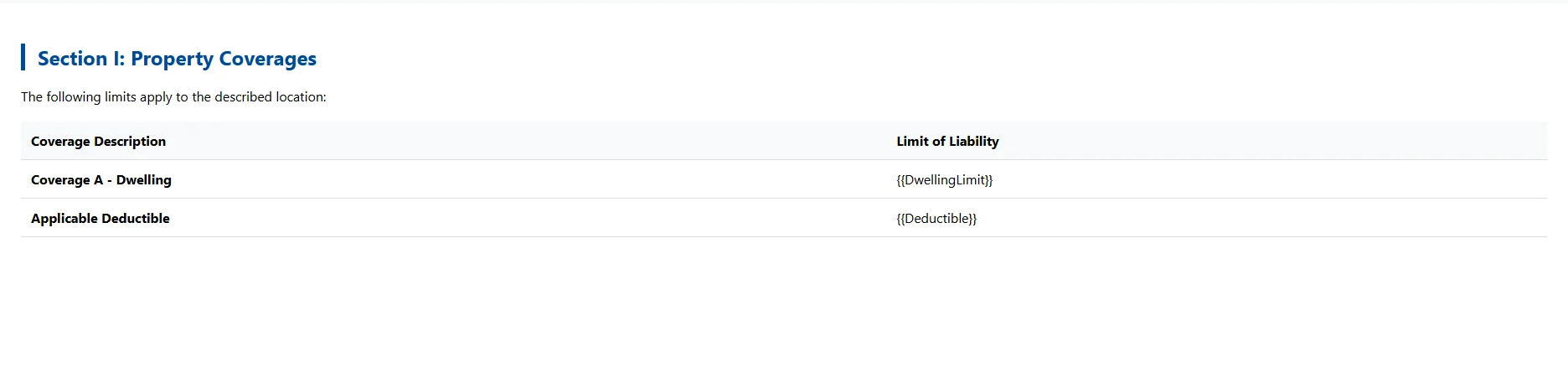
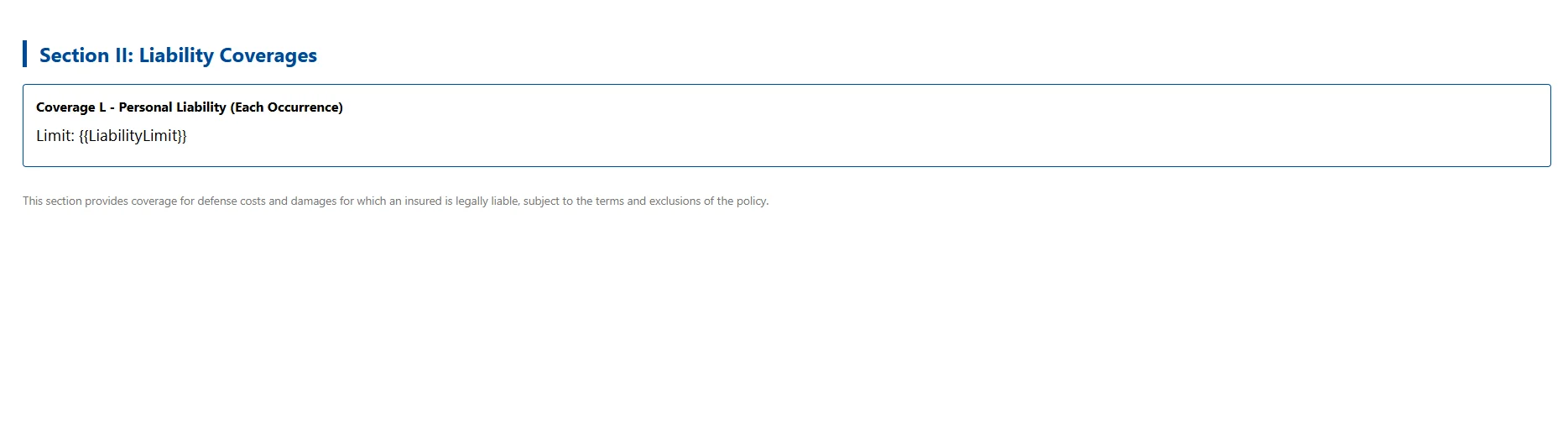
3. Sections Rendered and Merged Into a Single Generated PDF Document
using IronPdf;

var renderer = new ChromePdfRenderer();

renderer.RenderingOptions.MarginTop = 20;

renderer.RenderingOptions.MarginBottom = 20;

// Declarations page
string declHtml = (await File.ReadAllTextAsync("Templates/declarations.html"))
    .Replace("{{PolicyNumber}}", policy.Number)
    .Replace("{{InsuredName}}", policy.InsuredName)
    .Replace("{{EffectiveDate}}", policy.EffectiveDate.ToString("MMMM d, yyyy"))
    .Replace("{{Premium}}", policy.AnnualPremium.ToString("C"));

// Coverage sections
string dwellingHtml = (await File.ReadAllTextAsync("Templates/coverage-dwelling.html"))
    .Replace("{{DwellingLimit}}", policy.DwellingCoverage.Limit.ToString("C"))
    .Replace("{{Deductible}}", policy.DwellingCoverage.Deductible.ToString("C"));

string liabilityHtml = (await File.ReadAllTextAsync("Templates/coverage-liability.html"))
    .Replace("{{LiabilityLimit}}", policy.LiabilityCoverage.Limit.ToString("C"));

var declPdf = renderer.RenderHtmlAsPdf(declHtml);
var dwellingPdf = renderer.RenderHtmlAsPdf(dwellingHtml);
var liabilityPdf = renderer.RenderHtmlAsPdf(liabilityHtml);

// Use the overload that accepts an IEnumerable<PdfDocument>
PdfDocument policyDoc = PdfDocument.Merge(new[] { declPdf, dwellingPdf, liabilityPdf });
using IronPdf;

var renderer = new ChromePdfRenderer();

renderer.RenderingOptions.MarginTop = 20;

renderer.RenderingOptions.MarginBottom = 20;

// Declarations page
string declHtml = (await File.ReadAllTextAsync("Templates/declarations.html"))
    .Replace("{{PolicyNumber}}", policy.Number)
    .Replace("{{InsuredName}}", policy.InsuredName)
    .Replace("{{EffectiveDate}}", policy.EffectiveDate.ToString("MMMM d, yyyy"))
    .Replace("{{Premium}}", policy.AnnualPremium.ToString("C"));

// Coverage sections
string dwellingHtml = (await File.ReadAllTextAsync("Templates/coverage-dwelling.html"))
    .Replace("{{DwellingLimit}}", policy.DwellingCoverage.Limit.ToString("C"))
    .Replace("{{Deductible}}", policy.DwellingCoverage.Deductible.ToString("C"));

string liabilityHtml = (await File.ReadAllTextAsync("Templates/coverage-liability.html"))
    .Replace("{{LiabilityLimit}}", policy.LiabilityCoverage.Limit.ToString("C"));

var declPdf = renderer.RenderHtmlAsPdf(declHtml);
var dwellingPdf = renderer.RenderHtmlAsPdf(dwellingHtml);
var liabilityPdf = renderer.RenderHtmlAsPdf(liabilityHtml);

// Use the overload that accepts an IEnumerable<PdfDocument>
PdfDocument policyDoc = PdfDocument.Merge(new[] { declPdf, dwellingPdf, liabilityPdf });
Imports IronPdf
Dim renderer As New ChromePdfRenderer()
renderer.RenderingOptions.MarginTop = 20
renderer.RenderingOptions.MarginBottom = 20
' Declarations page
Dim declHtml As String = (Await File.ReadAllTextAsync("Templates/declarations.html")) _
.Replace("{{PolicyNumber}}", policy.Number) _
.Replace("{{InsuredName}}", policy.InsuredName) _
.Replace("{{EffectiveDate}}", policy.EffectiveDate.ToString("MMMM d, yyyy")) _
.Replace("{{Premium}}", policy.AnnualPremium.ToString("C"))
' Coverage sections
Dim dwellingHtml As String = (Await File.ReadAllTextAsync("Templates/coverage-dwelling.html")) _
.Replace("{{DwellingLimit}}", policy.DwellingCoverage.Limit.ToString("C")) _
.Replace("{{Deductible}}", policy.DwellingCoverage.Deductible.ToString("C"))
Dim liabilityHtml As String = (Await File.ReadAllTextAsync("Templates/coverage-liability.html")) _
.Replace("{{LiabilityLimit}}", policy.LiabilityCoverage.Limit.ToString("C"))
Dim declPdf = renderer.RenderHtmlAsPdf(declHtml)
Dim dwellingPdf = renderer.RenderHtmlAsPdf(dwellingHtml)
Dim liabilityPdf = renderer.RenderHtmlAsPdf(liabilityHtml)
' Use the overload that accepts an IEnumerable(Of PdfDocument)
Dim policyDoc As PdfDocument = PdfDocument.Merge(New PdfDocument() {declPdf, dwellingPdf, liabilityPdf})
Imports IronPdf

Dim renderer As New ChromePdfRenderer()

renderer.RenderingOptions.MarginTop = 20

renderer.RenderingOptions.MarginBottom = 20

' Declarations page
Dim declHtml As String = (Await File.ReadAllTextAsync("Templates/declarations.html")) _
    .Replace("{{PolicyNumber}}", policy.Number) _
    .Replace("{{InsuredName}}", policy.InsuredName) _
    .Replace("{{EffectiveDate}}", policy.EffectiveDate.ToString("MMMM d, yyyy")) _
    .Replace("{{Premium}}", policy.AnnualPremium.ToString("C"))

' Coverage sections
Dim dwellingHtml As String = (Await File.ReadAllTextAsync("Templates/coverage-dwelling.html")) _
    .Replace("{{DwellingLimit}}", policy.DwellingCoverage.Limit.ToString("C")) _
    .Replace("{{Deductible}}", policy.DwellingCoverage.Deductible.ToString("C"))

Dim liabilityHtml As String = (Await File.ReadAllTextAsync("Templates/coverage-liability.html")) _
    .Replace("{{LiabilityLimit}}", policy.LiabilityCoverage.Limit.ToString("C"))

Dim declPdf = renderer.RenderHtmlAsPdf(declHtml)
Dim dwellingPdf = renderer.RenderHtmlAsPdf(dwellingHtml)
Dim liabilityPdf = renderer.RenderHtmlAsPdf(liabilityHtml)

' Use the overload that accepts an IEnumerable(Of PdfDocument)
Dim policyDoc As PdfDocument = PdfDocument.Merge(New PdfDocument() {declPdf, dwellingPdf, liabilityPdf})
Example Output Merged C# PDF Document
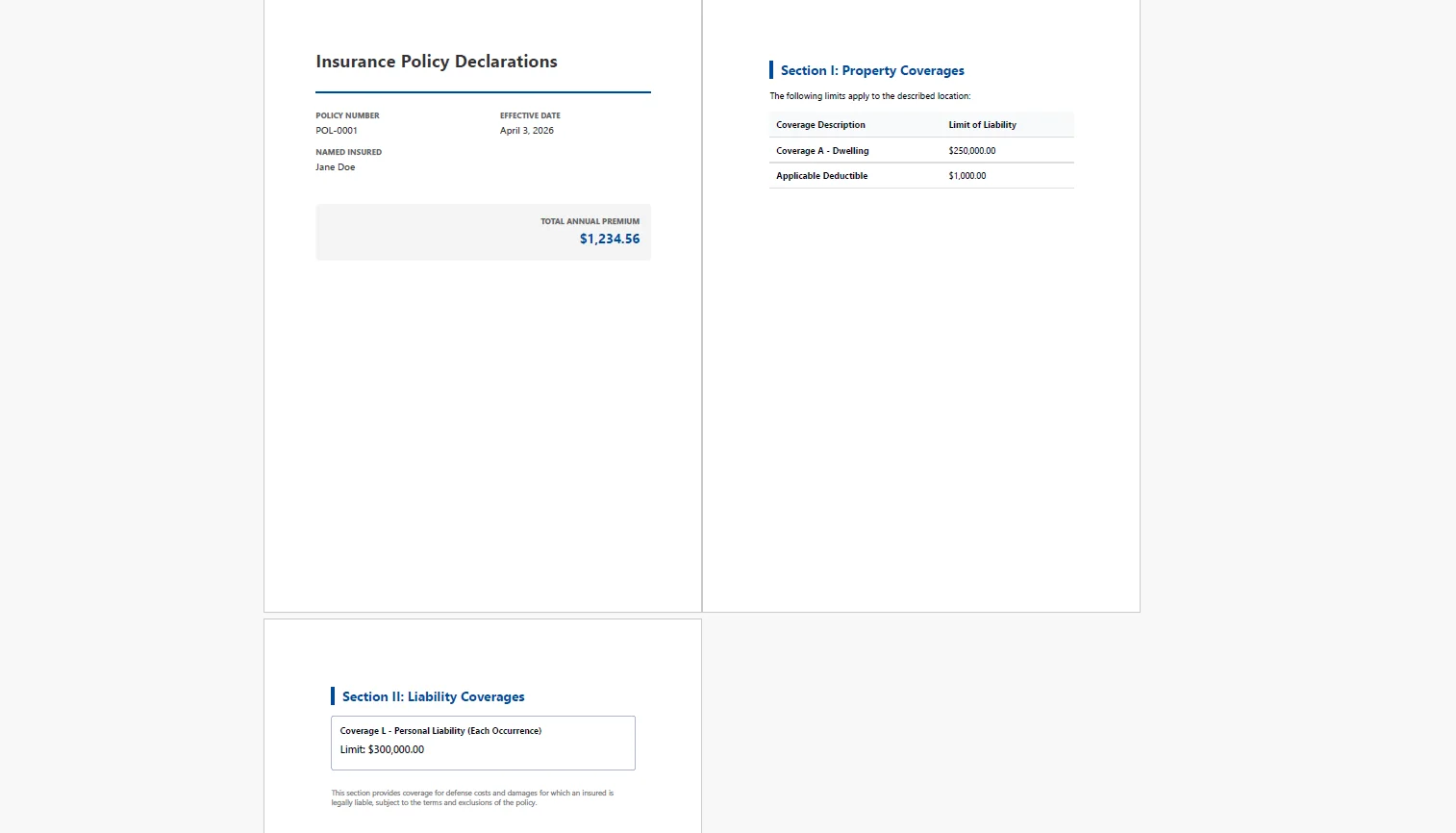 PdfDocument.Merge() assembles the sections in the correct order, for example, declarations first, then coverage sections, then endorsements, exclusions, and notices, with page breaks between sections. The merged document flows continuously as a single PDF.
4. Endorsements Conditionally Included by Policy Record
var sections = new List<PdfDocument> { declPdf, dwellingPdf, liabilityPdf };

foreach (var endorsementCode in policy.Endorsements)
{
    string templatePath = $"Templates/endorsements/{endorsementCode}.html";
    if (!File.Exists(templatePath)) continue;

    string endorsementHtml = (await File.ReadAllTextAsync(templatePath))
        .Replace("{{PolicyNumber}}", policy.Number)
        .Replace("{{EndorsementEffective}}", policy.EffectiveDate.ToString("MMMM d, yyyy"));
    sections.Add(renderer.RenderHtmlAsPdf(endorsementHtml));
}

PdfDocument finalPolicy = PdfDocument.Merge(sections);

finalPolicy.SaveAs($"policies/{policy.Number}-{policy.EffectiveDate:yyyyMMdd}.pdf");
var sections = new List<PdfDocument> { declPdf, dwellingPdf, liabilityPdf };

foreach (var endorsementCode in policy.Endorsements)
{
    string templatePath = $"Templates/endorsements/{endorsementCode}.html";
    if (!File.Exists(templatePath)) continue;

    string endorsementHtml = (await File.ReadAllTextAsync(templatePath))
        .Replace("{{PolicyNumber}}", policy.Number)
        .Replace("{{EndorsementEffective}}", policy.EffectiveDate.ToString("MMMM d, yyyy"));
    sections.Add(renderer.RenderHtmlAsPdf(endorsementHtml));
}

PdfDocument finalPolicy = PdfDocument.Merge(sections);

finalPolicy.SaveAs($"policies/{policy.Number}-{policy.EffectiveDate:yyyyMMdd}.pdf");
Imports System.IO
Dim sections As New List(Of PdfDocument) From {declPdf, dwellingPdf, liabilityPdf}
For Each endorsementCode In policy.Endorsements
Dim templatePath As String = $"Templates/endorsements/{endorsementCode}.html"
If Not File.Exists(templatePath) Then Continue For
Dim endorsementHtml As String = (Await File.ReadAllTextAsync(templatePath)).
Replace("{{PolicyNumber}}", policy.Number).
Replace("{{EndorsementEffective}}", policy.EffectiveDate.ToString("MMMM d, yyyy"))
sections.Add(renderer.RenderHtmlAsPdf(endorsementHtml))
Next
Dim finalPolicy As PdfDocument = PdfDocument.Merge(sections)
finalPolicy.SaveAs($"policies/{policy.Number}-{policy.EffectiveDate:yyyyMMdd}.pdf")
Imports System.IO

Dim sections As New List(Of PdfDocument) From {declPdf, dwellingPdf, liabilityPdf}

For Each endorsementCode In policy.Endorsements
    Dim templatePath As String = $"Templates/endorsements/{endorsementCode}.html"
    If Not File.Exists(templatePath) Then Continue For

    Dim endorsementHtml As String = (Await File.ReadAllTextAsync(templatePath)).
        Replace("{{PolicyNumber}}", policy.Number).
        Replace("{{EndorsementEffective}}", policy.EffectiveDate.ToString("MMMM d, yyyy"))
    sections.Add(renderer.RenderHtmlAsPdf(endorsementHtml))
Next

Dim finalPolicy As PdfDocument = PdfDocument.Merge(sections)

finalPolicy.SaveAs($"policies/{policy.Number}-{policy.EffectiveDate:yyyyMMdd}.pdf")
Example Endorsement Template
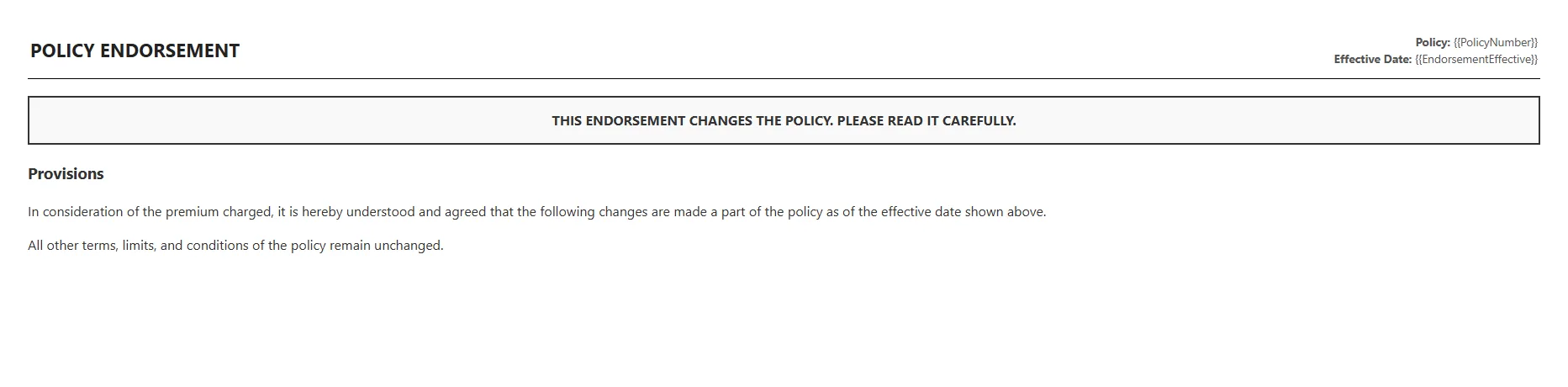 The endorsement loop only renders templates that exist and only includes sections that correspond to the policyholder's actual endorsement list. A policy with no scheduled personal property endorsement never has that section in its document. A policy in a state that requires a specific flood exclusion notice always does.
The final merged PDF is delivered to the policyholder by email or agent portal and archived in the document store keyed by policy number and effective date, the official policy record for that term.
Real-World Benefits
Accuracy. The PDF is generated directly from the policy admin system's data, the same record used to bind the coverage. There is no transcription step and no path for a discrepancy between the system of record and the document delivered to the policyholder.
Conditional assembly. Endorsements and state notices are included or excluded programmatically based on the policy record. There is no manual selection of which forms to include, no risk of a required endorsement being omitted, and no risk of an inapplicable form being added.
Brand quality. HTML and CSS templates produce a modern, carrier-branded document that reflects the company's visual identity. The output doesn't look like it was produced by infrastructure built in 2003.
Renewal automation. The same pipeline regenerates updated policy documents at each renewal with new effective dates, revised premium figures, and any coverage modifications. There is no manual rework cycle per renewal, the event fires, the document assembles, the policyholder receives it.
Regulatory compliance. State-mandated notices are selected by jurisdiction at query time and always included when required. The risk of delivering an incomplete policy package i.e. missing a notice required in a specific state, is controlled at the code level rather than by a manual checklist.
No per-document costs. The rendering runs in-process. There is no per-page API fee, no per-document charge, and no pricing model that makes renewal season - when volume is highest - disproportionately expensive.
Closing
A policy document that assembles itself from the bound coverage record, includes only the applicable sections, and produces a branded PDF at the moment of bind is a fundamentally different operation than one that depends on manual assembly or a legacy report engine. The first approach scales with the business; the second breaks under it.
The section-by-section rendering and merge pattern maps directly onto how policy documents are actually structured, independent sections, conditionally included, ordered by document logic rather than alphabetically. IronPDF handles the full lifecycle of PDF generation tasks in C# at ironpdf.com, from rendering HTML templates to merging, paginating, and manipulating documents. If you're building or modernizing a policy document pipeline, start your free 30-day trial and test the assembly against your own coverage data and templates before your next renewal season.























