


如何在C#中將字串轉換為整數(開發者教程)

將PDF文件轉換為PNG、JPG、GIF等圖像格式可以在各種應用中成為有價值的功能,從文件管理系統到圖像處理軟體。 在本文中,我們將學習如何使用Node.js將PDF轉換為圖像文件。 我們將利用一個流行的npm(Node Package Manager)套件,即pdf-poppler來實現這項任務。
必要條件
首先,確保您的計算機上已安裝Node.js和npm(Node Package Manager)。您可以通過在命令提示符(cmd)中運行以下命令檢查Node安裝情況:
node --version
npm --version
node --version
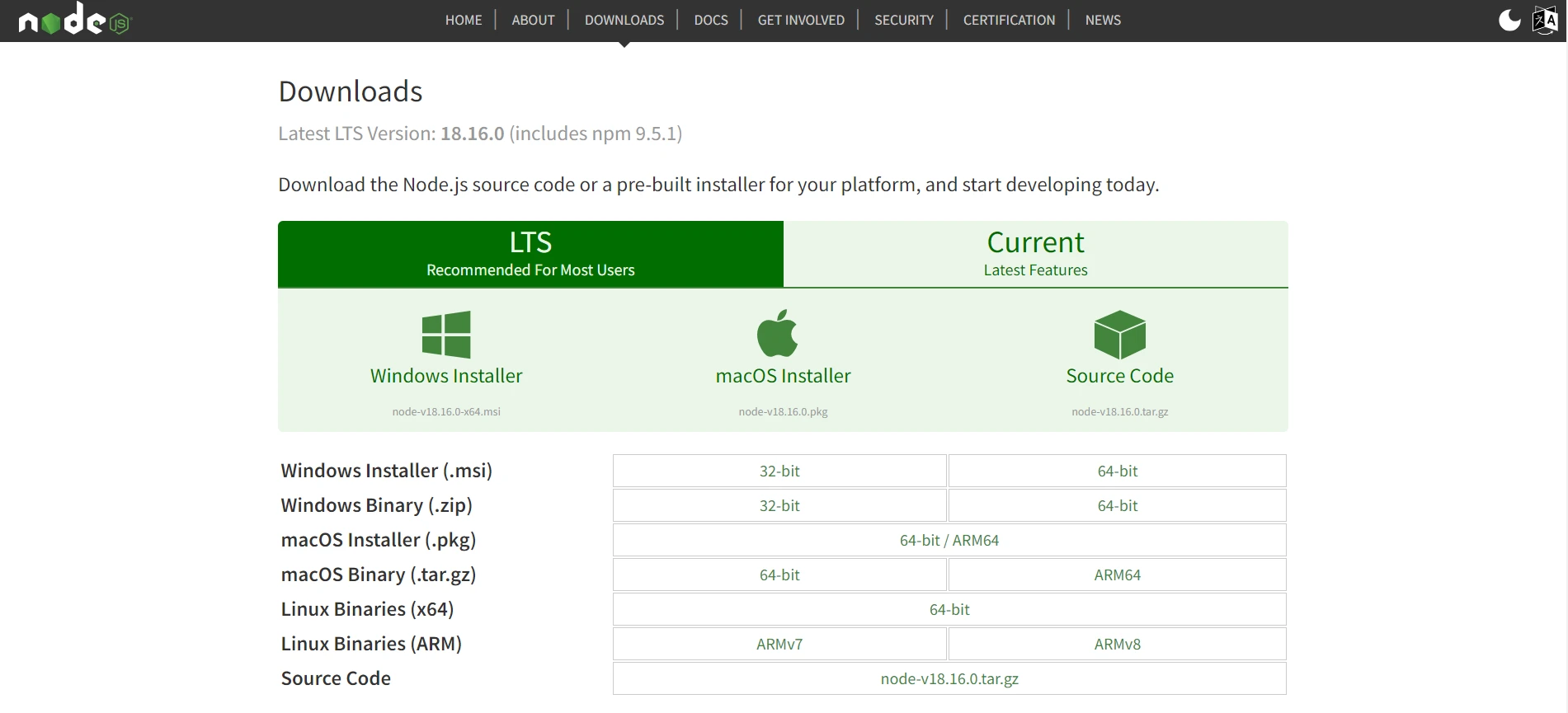
npm --version如果它未安裝,您需要從Node.js網站下載。
設置專案
首先,為您的專案建立一個新目錄。 在本教程中,讓我們將此目錄命名為Node.js_PDFtoImage.接下來,在命令提示符下導航到它並運行以下命令來初始化一個新的Node.js專案:
npm init -ynpm init -y運行上述命令將生成一個package.json文件,讓我們能夠安裝專案所需的依賴項。
安裝依賴項
我們將使用的依賴項是pdf-poppler,這是一個提供PDF轉換為圖像的易於使用API的套件。
在Windows PowerShell或命令提示符中運行以下命令來安裝它:
npm install pdf-popplernpm install pdf-poppler全都完成了! 讓我們編寫將PDF轉換為圖像的邏輯。
將PDF轉換為圖像文件
安裝完成後,在專案的根目錄中建立一個新文件,命名為pdfToImage.js。 在您偏好的文字編輯器中開啟此文件,並新增所需的模組:
const pdfPoppler = require('pdf-poppler');下面展示了一個28頁的PDF文件範例。
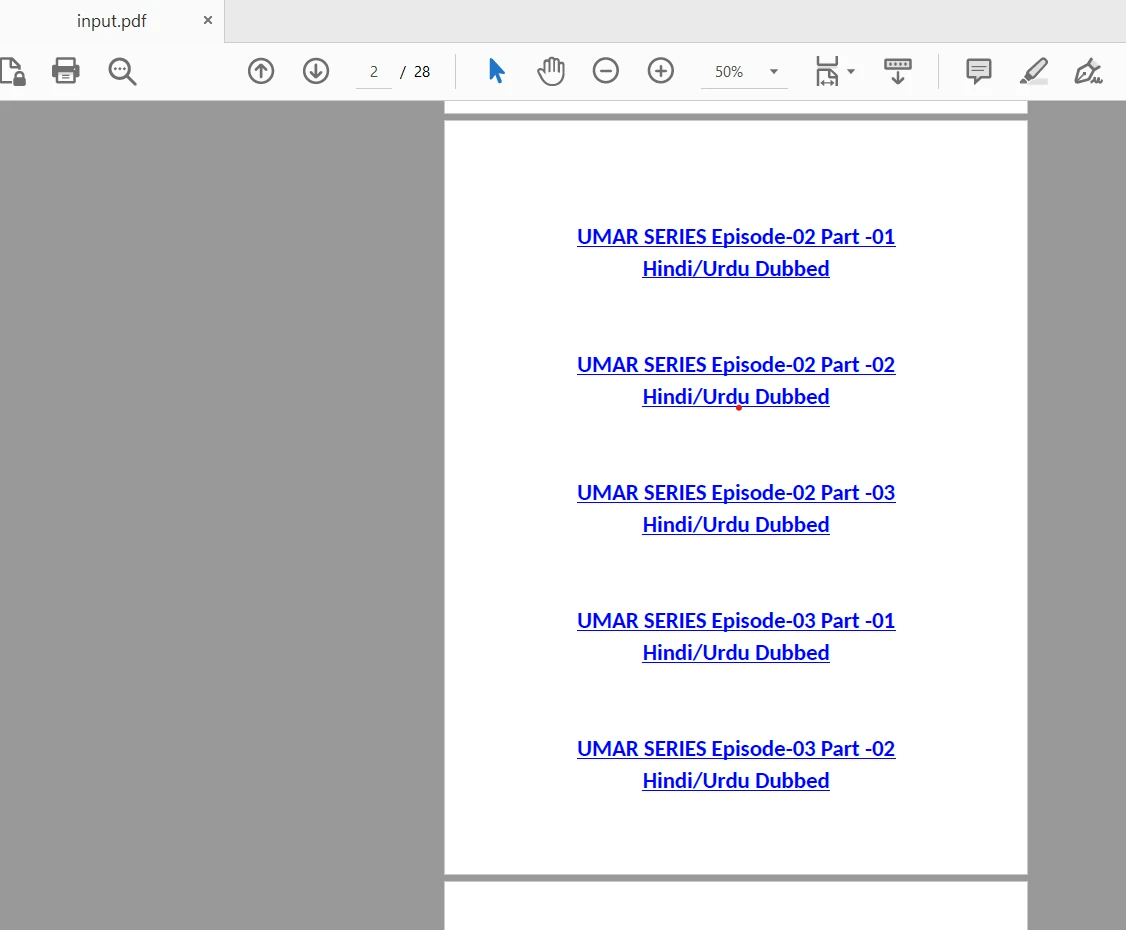
接下來,定義一個名為outputPath)。 此函式將我們範例的PDF文件轉換為圖像。
async function convertPdfToImage(pdfPath, outputPath) {
  const options = {
    format: 'jpeg',  // You can choose other formats like png or tiff
    out_dir: outputPath,
    out_prefix: 'page',
    page: null  // Specify the page number here to convert a specific page, otherwise null to convert all pages
  };

  try {
    await pdfPoppler.convert(pdfPath, options);
    console.log('PDF converted to image successfully!');
  } catch (error) {
    console.error('Error converting PDF to image:', error);
  }
}該函式使用pdf-poppler套件將PDF轉換為JPEG圖像格式。 我們在這種情況下將format選項設置為'jpeg',但您也可以選擇其他格式,例如'png'或'tiff'。 out_prefix設置輸出圖像文件的前綴。 page選項允許您指定要轉換的特定頁面,或者您可以將其設為null以轉換所有頁面。
要將PDF文件轉換為圖像,您可以使用適當的文件路徑調用convertPdfToImage函式。 例如:
const pdfPath = '/path/to/input.pdf';
const outputPath = '/path/to/output/folder';

convertPdfToImage(pdfPath, outputPath);注意:將"/path/to/output/folder"替換為所需的輸出目錄路徑。
完整的程式碼如下所示:
const pdfPoppler = require('pdf-poppler');

const pdfPath = 'C:\\Users\\hp\\Desktop\\Node.js_PDFtoImage\\pdf_files\\input.pdf';
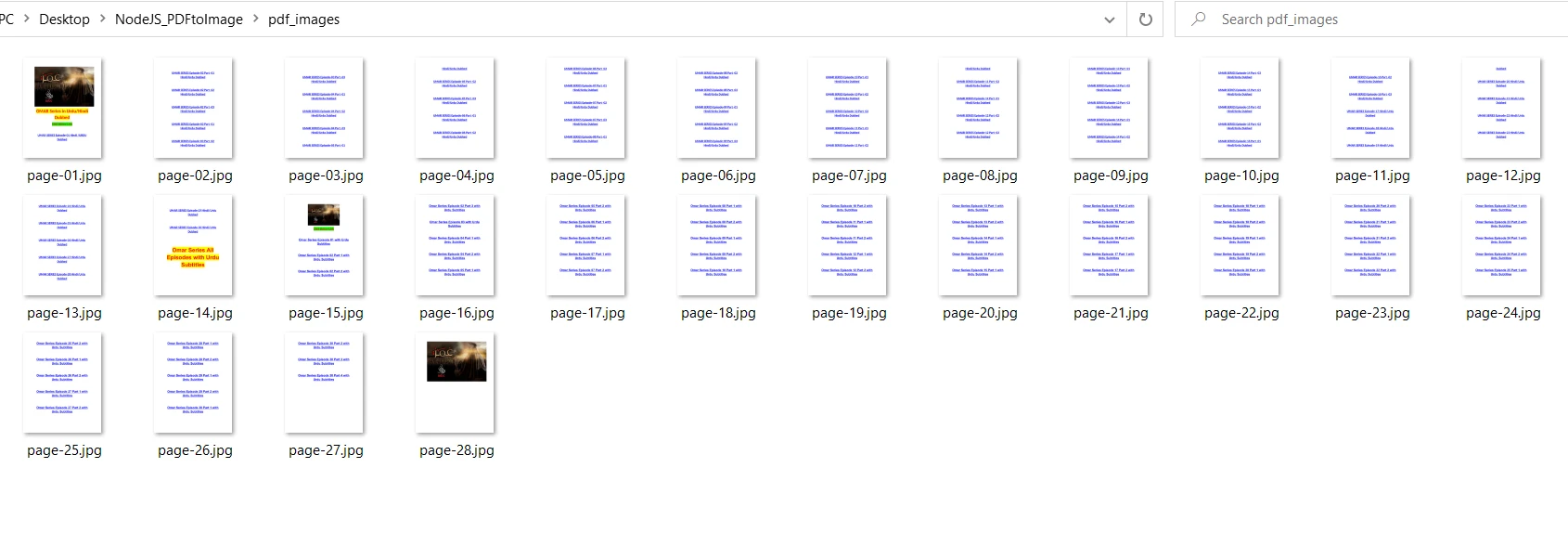
const outputDir = 'C:\\Users\\hp\\Desktop\\Node.js_PDFtoImage\\pdf_images';

async function convertPdfToImage(pdfPath, outputPath) {
  const opts = {
    format: 'jpeg',      // You can choose other formats like png or tiff
    out_dir: outputPath,
    out_prefix: 'page',
    page: null           // Specify the page number here to convert a specific page, otherwise null to convert all pages
  };

  try {
    await pdfPoppler.convert(pdfPath, opts);
    console.log('PDF converted to image successfully!');
  } catch (error) {
    console.error('Error converting PDF to image:', error);
  }
}

convertPdfToImage(pdfPath, outputDir);
執行Node.js腳本
執行以下命令運行Node.js腳本:
node pdfToImage.jsnode pdfToImage.js這將運行Node.js腳本並使用pdf-poppler將PDF轉換為圖像文件。
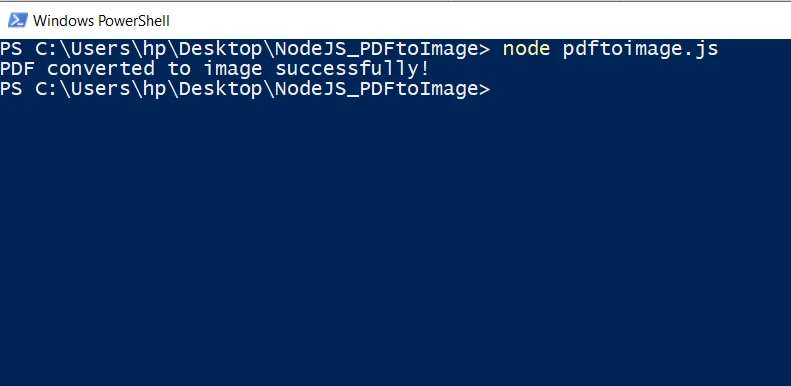
輸出文件夾
Rasterize PDF File to Image in C
IronPDF for C# .NET
IronPDF是一個多功能的.NET程式庫,允許C#開發人員對PDF文件進行動態處理。 它提供了全面的功能,用於在C#中建立、操作和轉換PDF文件。
IronPDF提供了一個方便的方法來將PDF文件轉換為圖像文件,使用C#。 當需要從PDF文件中提取圖像或生成圖像縮略圖時,此功能特別有用。
要使用IronPDF進行圖像轉換,您可以遵循下面的程式碼片段中的步驟:
using IronPdf;
using IronSoftware.Drawing;

var pdf = PdfDocument.FromFile("input.pdf");

// Extract all pages to a folder as image files
pdf.RasterizeToImageFiles(@"C:\image\folder\*.png");

// Dimensions and page ranges may be specified
pdf.RasterizeToImageFiles(@"C:\image\folder\example_pdf_image_*.jpg", 100, 80);

// Extract all pages as AnyBitmap objects
AnyBitmap [] pdfBitmaps = pdf.ToBitmap();
using IronPdf;
using IronSoftware.Drawing;
var pdf = PdfDocument.FromFile("input.pdf");
// Extract all pages to a folder as image files
pdf.RasterizeToImageFiles(@"C:\image\folder\*.png");
// Dimensions and page ranges may be specified
pdf.RasterizeToImageFiles(@"C:\image\folder\example_pdf_image_*.jpg", 100, 80);
// Extract all pages as AnyBitmap objects
AnyBitmap [] pdfBitmaps = pdf.ToBitmap();Imports IronPdf
Imports IronSoftware.Drawing
Private pdf = PdfDocument.FromFile("input.pdf")
' Extract all pages to a folder as image files
pdf.RasterizeToImageFiles("C:\image\folder\*.png")
' Dimensions and page ranges may be specified
pdf.RasterizeToImageFiles("C:\image\folder\example_pdf_image_*.jpg", 100, 80)
' Extract all pages as AnyBitmap objects
Dim pdfBitmaps() As AnyBitmap = pdf.ToBitmap()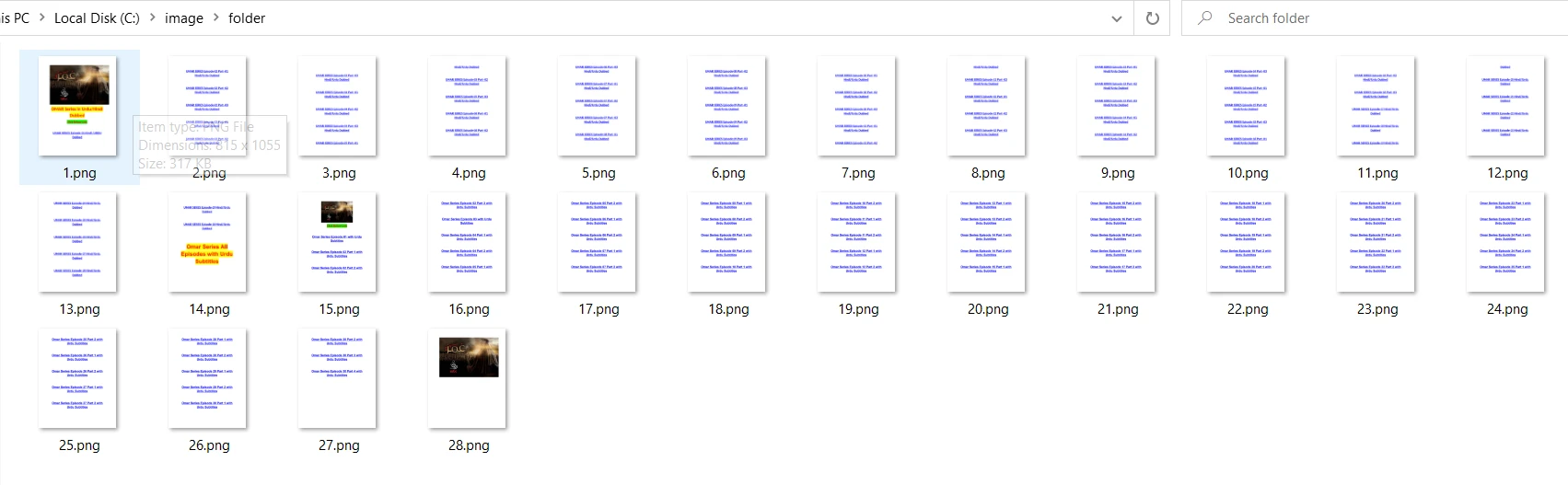
這就是使用IronPDF轉換PDF為圖像文件的簡單方式。 有關將PDF轉換為圖像的更多詳細資訊,請造訪此程式碼範例頁面。
結論
在本文中,我們探討了如何在Node.js中使用pdf-poppler套件將PDF文件轉換為圖像。 通過遵循所述步驟,您可以將PDF轉換為圖像的功能整合到您的Node.js應用中,從而實現以程式方式處理和操作PDF文件的廣泛可能性。
另一方面,IronPDF是一個功能強大的C#程式庫,方便處理PDF的操控和轉換任務。 其將PDF轉換為圖像的能力提供了一種便捷的方式來程式化地提取圖像或生成PDF頁面的圖像表示。 通過利用IronPDF的功能,開發者可以無縫整合PDF到圖像轉換功能到他們的C#應用中。
IronPDF提供免費的開發使用版並可以通過授權進行商業使用。 此外,您還可以通過免費試用以商業模式使用它。







 免費開始
免費開始 免費開始
免費開始 預訂免費直播演示
















