用 Java 将 HTML 转换为 PDF. Copy for LLMs Copy page as Markdown for LLMs
# 用 Java 将 HTML 转换为 PDF.
IronPDF for Java使用现代浏览器中的相同渲染引擎将HTML内容转换为像素完美的PDF文档。 Java应用程序可以从HTML字符串、本地HTML文件或实时网页生成PDF,无需任何额外的渲染软件或GUI环境。
本教程涵盖了IronPDF for Java中提供的三种HTML到PDF转换方法,以及安装、许可和配置选项。 已经使用IronPDF for .NET的开发者将会发现Java API很熟悉; 等效的.NET教程可在[HTML到PDF for .NET教程](/tutorials/html-to-pdf/)中找到。
[[i:(IronPDF for Java需要Java 8或更高版本,并与包括Spring Boot、Java EE和Micronaut在内的所有主要基于JVM的框架兼容。)]]
*as-heading:2(快速入门:从HTML生成PDF)*
以下示例从HTML字符串创建一个页面的PDF并将其保存到磁盘。 通过Maven安装库(步骤1)后,这就是所有需要的代码:
```java
import com.ironsoftware.ironpdf.*;

// Apply your license key before any rendering call
License.setLicenseKey("YOUR-LICENSE-KEY");

// Render an HTML string to a PDF file
PdfDocument pdf = PdfDocument.renderHtmlAsPdf("<h1>Hello from IronPDF!</h1><p>Generated in Java.</p>");
pdf.saveAs("output.pdf");
```
!!!--LIBRARY_START_TRIAL_BLOCK--!!!
*as-heading:2(目录)*
- [如何在Java项目中安装IronPDF?](#install-maven)
- [作为Maven依赖项安装](#install-maven)
- [手动安装JAR](#install-jar)
- [导入IronPDF包](#import-package)
- [设置许可证密钥](#set-license-key)
- [配置日志文件路径](#set-log-path)
- [如何将HTML字符串转换为Java中的PDF?](#html-string-to-pdf)
- [如何在HTML字符串中加载本地资产?](#html-string-local-assets)
- [如何将URL转换为Java中的PDF?](#url-to-pdf)
- [如何将HTML文件转换为Java中的PDF?](#html-file-to-pdf)
- [如何自定义PDF输出设置?](#customize-output)
- [如何向PDF添加页眉和页脚?](#headers-footers)
- [如何设置自定义边距和页面尺寸?](#margins-page-size)
- [如何向PDF添加水印?](#add-watermark)
- [如何从Java中的PDF中提取文本?](#extract-text)
- [如何从Java中的PDF中提取图像?](#extract-images)
- [如何压缩PDF文件?](#compress-pdf)
- [如何以编程方式打印PDF?](#print-pdf)
- [后续步骤](#next-steps)
!!!--LIBRARY_NUGET_INSTALL_BLOCK--!!!
---------------------
## 如何在Java项目中安装IronPDF?
IronPDF for Java可在Maven中央存储库中获得。 推荐的安装方法是Maven,但不使用构建系统时也支持手动安装JAR。
### 作为Maven依赖项安装
将以下工件添加到项目的 `dependencies` 文件的 `pom.xml` 部分:
```xml
//:path=/static-assets/pdf/content-code-examples/tutorials/generate-pdfs/maven-dependency.xml
<dependency>
  <groupId>com.ironsoftware</groupId>
  <artifactId>ironpdf</artifactId>
  <version>2024.9.1</version>
</dependency>
<dependency>
  <groupId>org.slf4j</groupId>
  <artifactId>slf4j-simple</artifactId>
  <version>2.0.5</version>
</dependency>
```
第一个工件引入了IronPDF。 第二个是一个<a href="https://www.slf4j.org/" target="_blank" rel="nofollow noopener noreferrer">SLF4J</a>日志实现。 IronPDF使用SLF4J在渲染期间发出诊断消息; 您可以用<a href="https://logback.qos.ch/" target="_blank" rel="nofollow noopener noreferrer">Logback</a>或<a href="https://logging.apache.org/log4j/2.x/" target="_blank" rel="nofollow noopener">Log4j 2</a>替换它,或完全省略日志记录。
在项目根目录运行 `mvn install` 以下载依赖项。 在固定版本号之前检查[IronPDF的最新版本](/java/product-updates/changelog/),因变更日志列出了所有当前和过去的版本。
### 手动安装JAR
不使用Maven的开发者可以直接从Maven Central下载[IronPDF胖JAR](https://central.sonatype.com/artifact/com.ironsoftware/ironpdf)并将其添加到项目类路径中。 胖JAR捆绑了所有传递依赖项。
[[t:(推荐在新项目中使用Maven。 JAR安装需要手动管理依赖关系,在较大的项目中可能导致版本冲突。)]}
)]]
### 导入IronPDF包
所有 PDF 渲染和操作类都在 `com.ironsoftware.ironpdf` 包中。 在使用IronPDF的任何Java源文件中添加此导入语句:
```java
import com.ironsoftware.ironpdf.*;
```
### 设置许可证密钥
没有许可证密钥时,IronPDF将在每个页面上渲染带有平铺水印的PDF。 要移除水印,请在调用任何渲染方法之前将有效的许可证密钥传递给 `License.setLicenseKey`:
```java
import com.ironsoftware.ironpdf.*;
// Set the license key before any rendering call
License.setLicenseKey("YOUR-LICENSE-KEY");
```
在应用程序启动时,在运行任何PDF生成逻辑之前进行此调用。 [开始免费试用](#trial-license)以获取试用密钥,或[查看许可选项](#licensing)以便生产使用。
### 配置日志文件路径
IronPDF 将渲染诊断信息写入应用程序工作目录中的名为 `IronPdfEngine.log` 的日志文件。 调用 `Settings.setLogPath` 以更改文件名或位置:
```java
import com.ironsoftware.ironpdf.*;
import java.nio.file.Paths;
// Configure logging before calling any rendering methods
Settings.setLogPath(Paths.get("logs/ironpdf.log"));
```
[[n:在任何 PDF 转换或操作方法之前调用 `Settings.setLogPath`。 在渲染开始后进行的调用将不起作用。)]]
## 如何在Java中将HTML字符串转换为PDF?
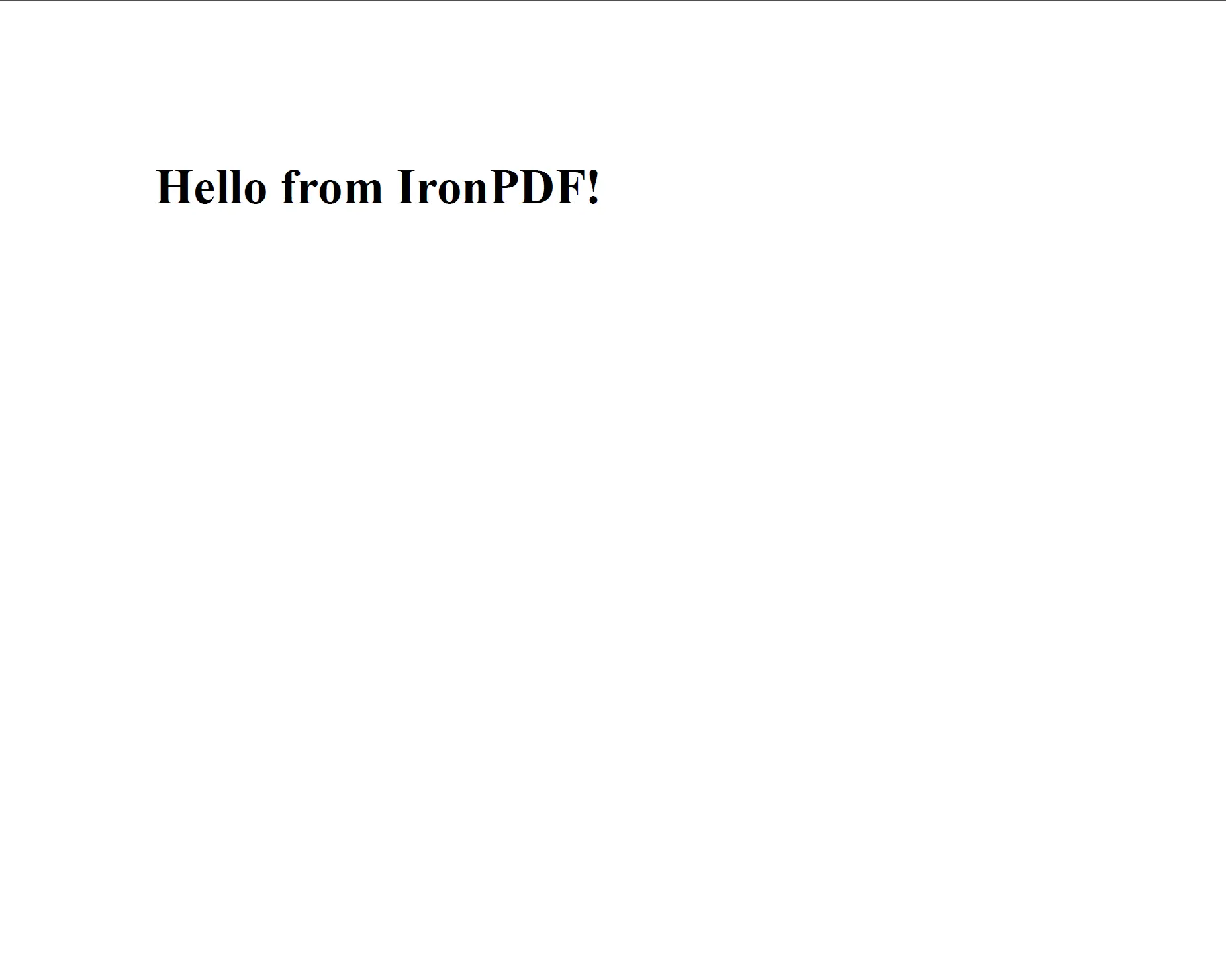
`PdfDocument.renderHtmlAsPdf` 将 HTML 字符串转换为 `PdfDocument` 对象,然后可以将其保存到磁盘或传递给其他处理方法。 此方法接受任何符合 W3C 的 HTML,包括带有 `<head>` 和 `<body>` 元素的完整页面标记。
```java
import com.ironsoftware.ironpdf.*;
// Convert a simple HTML string to PDF
PdfDocument pdf = PdfDocument.renderHtmlAsPdf("<h1>Hello from IronPDF!</h1>");
// Save the resulting PDF to a file
pdf.saveAs("htmlstring_to_pdf.pdf");
```
<div class="content-img-align-center">
<div class="center-image-wrapper">
<a rel="nofollow" href="/static-assets/ironpdf-java/tutorials/html-to-pdf/html-to-pdf-5.webp" target="_blank"><img src="/static-assets/ironpdf-java/tutorials/html-to-pdf/html-to-pdf-5.webp" alt="PDF 输出,显示使用 PdfDocument.renderHtmlAsPdf 从 HTML 字符串生成的已渲染 H1 标题" class="img-responsive add-shadow" /></a>
<p class="content__image-caption"><code>PdfDocument.renderHtmlAsPdf</code>方法将HTML标记渲染成PDF,并保留所有符合W3C标准的样式和结构。</p>
</div>
</div>
该方法返回一个 `PdfDocument` 实例。 调用 `saveAs` 将 PDF 写入磁盘,或使用 `getBinaryData` 检索原始 PDF 字节以进行流或存储。
`renderHtmlAsPdf` 以标准合规的浏览器的方式处理所有 HTML、CSS 和 JavaScript 内容。 生成的PDF准确反映了在Chrome中查看页面时的样子。
有关此方法的更多详细信息,请参阅IronPDF Java示例页面上的[HTML字符串到PDF代码示例](/java/examples/using-html-to-create-a-pdf/)。
## 如何在HTML字符串中加载本地资源?
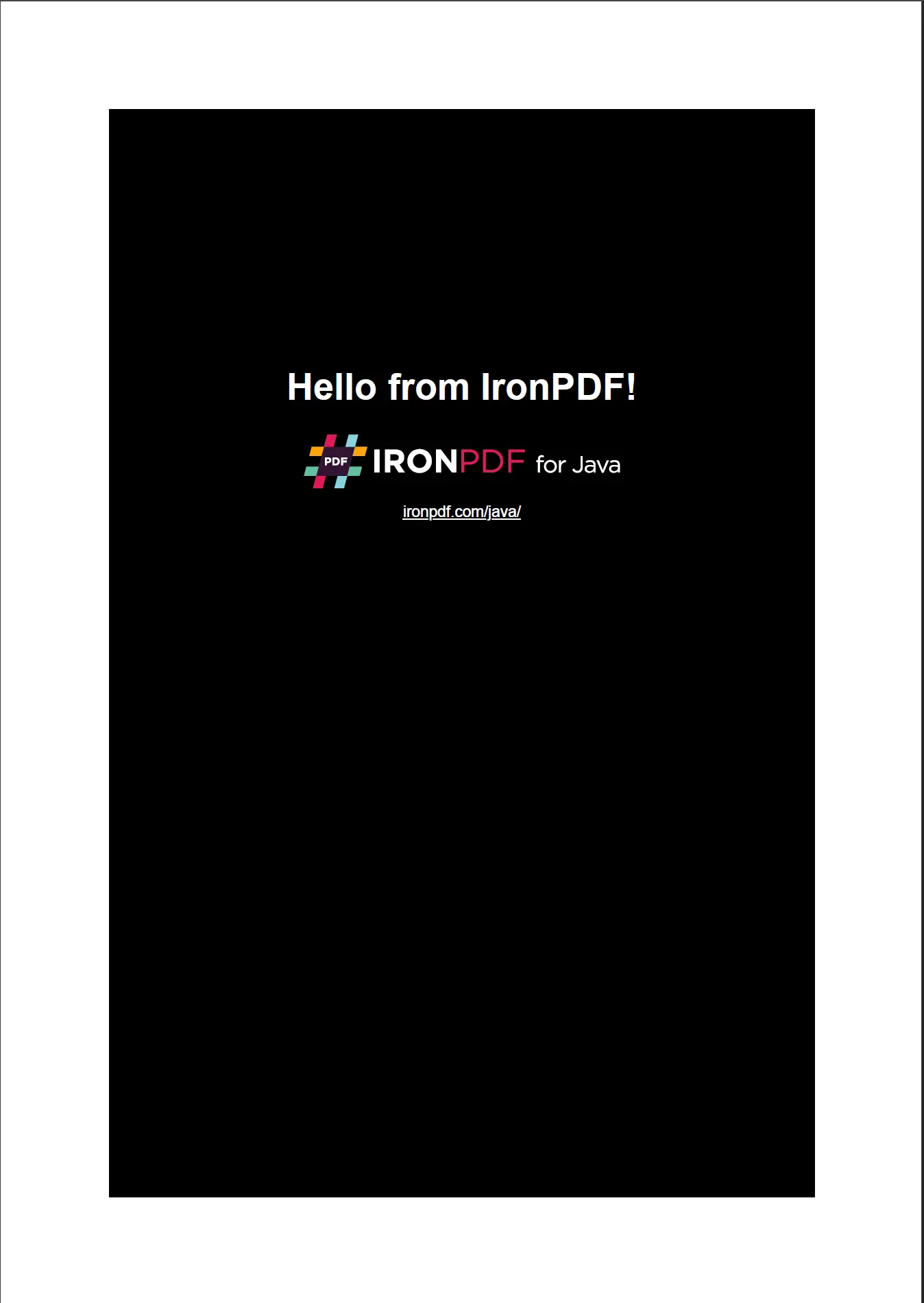
HTML通常通过相对路径引用外部资源(样式表、图像、脚本)。 `renderHtmlAsPdf` 接受一个可选的第二个参数,该参数设置用来解析这些引用的基本路径。 基路径可以指向本地目录或URL。
```java
import com.ironsoftware.ironpdf.*;
// HTML with references to local stylesheets and images
String html = "<html>"
+ "<head>"
+ "<title>Invoice</title>"
+ "<link rel='stylesheet' type='text/css' href='style.css'>"
+ "</head>"
+ "<body>"
+ "<div class='content'>"
+ "<h1>Invoice #1001</h1>"
+ "<img src='logo.png' alt='Company Logo'/>"
+ "</div>"
+ "</body>"
+ "</html>";
// The second argument resolves relative asset paths
PdfDocument pdf = PdfDocument.renderHtmlAsPdf(html, "C:/invoices/");
pdf.saveAs("invoice.pdf");
```
<div class="content-img-align-center">
<div class="center-image-wrapper">
<a rel="nofollow" href="/static-assets/ironpdf-java/tutorials/html-to-pdf/html-to-pdf-24.webp" target="_blank"><img src="/static-assets/ironpdf-java/tutorials/html-to-pdf/html-to-pdf-24.webp" alt="PDF 输出,显示一张发票,采用了从本地资源应用的样式布局、徽标图像和 CSS 格式" class="img-responsive add-shadow" /></a>
<p class="content__image-caption">提供基路径时,<code>renderHtmlAsPdf</code>将从该目录解析相对资产引用,生成一个完整样式的PDF。</p>
</div>
</div>
基路径参数可以与绝对文件系统路径和URL字符串配合使用。 这使得 `renderHtmlAsPdf` 适合从磁盘上存储的模板或从 Web 服务器提供的模板生成 PDF。
[[t:(使用 Windows 样式反斜杠的路径 (`C:\invoices\`) 应转换为正斜杠,或者使用 `Paths.get()` 以实现跨平台兼容性。)]]
## 如何在Java中将URL转换为PDF?
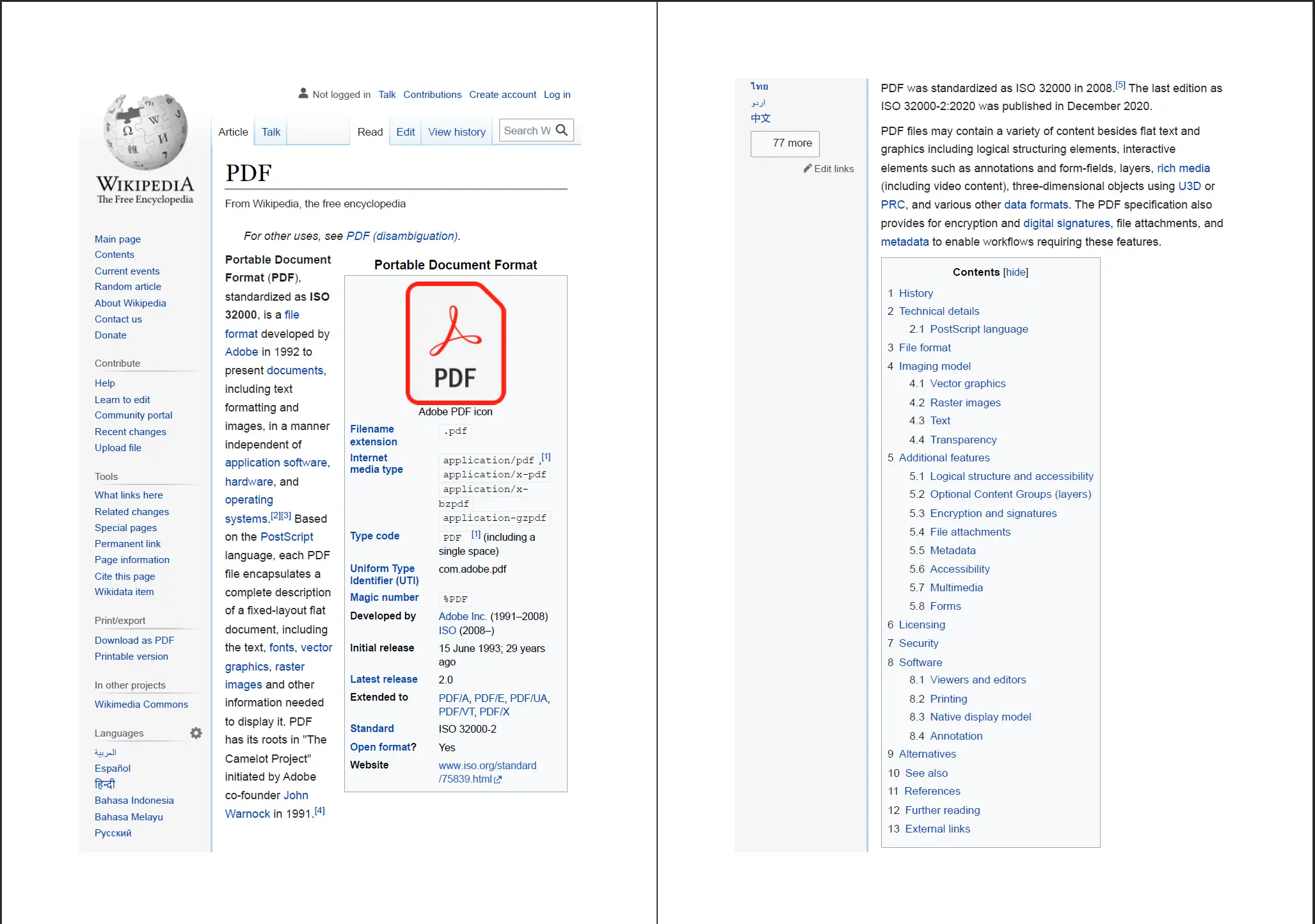
`PdfDocument.renderUrlAsPdf` 获取指定 URL 的在线网页并将其渲染为 PDF。 该方法加载完整页面,包括所有外部CSS、JavaScript和图像,然后再进行渲染。
```java
import com.ironsoftware.ironpdf.*;
// Render a live web page as a PDF document
PdfDocument pdf = PdfDocument.renderUrlAsPdf("https://en.wikipedia.org/wiki/PDF");
pdf.saveAs("url_to_pdf.pdf");
```
<div class="content-img-align-center">
<div class="center-image-wrapper">
<a rel="nofollow" href="/static-assets/ironpdf-java/tutorials/html-to-pdf/html-to-pdf-7.webp" target="_blank"><img src="/static-assets/ironpdf-java/tutorials/html-to-pdf/html-to-pdf-7.webp" alt="关于 PDF 格式的维基百科文章的 PDF 输出,显示由 PdfDocument.renderUrlAsPdf 渲染的页面布局和内容" class="img-responsive add-shadow" /></a>
<p class="content__image-caption"><code>PdfDocument.renderUrlAsPdf</code>方法捕获网页的完整渲染状态,包括JavaScript渲染的内容。</p>
</div>
</div>
`renderUrlAsPdf` 等待 JavaScript 执行完成后再捕获渲染的页面,这意味着动态生成的内容(如通过 AJAX 加载的图表或数据)将在输出 PDF 中出现。
有关等效的.NET实现或其他URL到PDF选项,请参阅[将URL转换为PDF代码示例](/java/examples/converting-a-url-to-a-pdf/)。
## 如何在Java中将HTML文件转换为PDF?
`PdfDocument.renderHtmlFileAsPdf` 读取本地 HTML 文件并将其渲染为 PDF。 HTML文件中引用的所有相对路径(样式表、图像、脚本)均相对于HTML文件目录进行解析。
```java
import com.ironsoftware.ironpdf.*;
// Convert a local HTML file to PDF
// IronPDF resolves relative asset paths from the HTML file's directory
PdfDocument pdf = PdfDocument.renderHtmlFileAsPdf("C:/invoices/TestInvoice1.html");
pdf.saveAs("htmlfile_to_pdf.pdf");
```
此方法非常适合用于模板化文档生成:发票模板、报告或存储为HTML文件的证书及其关联的CSS和图像资源。 IronPDF以与浏览器相同的精度渲染文件,保留所有CSS布局规则。
[[i:(HTML文件路径必须是绝对路径。 传递给 `renderHtmlFileAsPdf` 的相对路径从 JVM 工作目录解析,这可能在服务器环境中产生意外结果。)}
)]]
## 如何自定义PDF输出设置?
`PdfRenderOptions` 类控制页面布局和渲染行为。 创建一个 `PdfRenderOptions` 实例,配置所需的属性,并将其传递给任何渲染方法。
```java
import com.ironsoftware.ironpdf.*;
import com.ironsoftware.ironpdf.render.*;
// Configure rendering options before generating the PDF
PdfRenderOptions options = new PdfRenderOptions();
// Set the zoom level (100 = normal size)
options.setZoom(100);
// Wait for JavaScript to finish before rendering
options.setJavascriptTimeout(5000);
// Enable printing of background colors and images
options.setPrintBackground(true);
PdfDocument pdf = PdfDocument.renderHtmlAsPdf(
"<h1>Customized PDF</h1>",
options
);
pdf.saveAs("customized.pdf");
```
`PdfRenderOptions` 类提供了用于控制 DPI、视口宽度、纸张方向和超时值的附加属性。 有关可用选项的完整列表,请参阅[PDF生成设置代码示例](/java/examples/pdf-generation-settings/)。
## 如何向PDF添加页眉和页脚?
IronPDF支持基于文本和HTML的页眉和页脚。 文本页眉使用预定义合并字段来表示常见值,如页码和文档标题; HTML页眉接受任意HTML标记,以完全自定义布局。
```java
import com.ironsoftware.ironpdf.*;
import com.ironsoftware.ironpdf.headerfooter.*;
PdfDocument pdf = PdfDocument.renderHtmlAsPdf("<h1>Annual Report</h1><p>Content goes here.</p>");
// Create a text-based header using merge fields
TextHeaderFooter header = new TextHeaderFooter();
header.setCenterText("Annual Report");
header.setRightText("{page} of {total-pages}");
header.setFont(com.ironsoftware.ironpdf.font.FontTypes.Helvetica);
header.setFontSize(10.0);
// Create a text-based footer
TextHeaderFooter footer = new TextHeaderFooter();
footer.setLeftText("Confidential");
footer.setRightText("Generated by IronPDF");
pdf.addTextHeaders(header);
pdf.addTextFooters(footer);
pdf.saveAs("report_with_headers.pdf");
```
`{page}` 和 `{total-pages}` 合并字段在渲染时将被当前页面编号和总页数替换。 对于更高级的布局,如带公司徽标的页脚,使用 `HtmlHeaderFooter` 而不用 `TextHeaderFooter`。
有关基于HTML的页眉和页脚的完整详细信息,请参阅[添加页眉和页脚代码示例](/java/examples/headers-and-footers/)。
[[t:(页眉和页脚在页边距内进行渲染。 在应用页眉或页脚之前增加上或下页边距,以防止与页面内容重叠。)]]
## 如何设置自定义页边距和页面大小?
页面大小和边距在 PDF 渲染之前在 `PdfRenderOptions` 对象上配置。 IronPDF支持标准纸张尺寸(A4、Letter、Legal)和完全自定义尺寸。
```java
import com.ironsoftware.ironpdf.*;
import com.ironsoftware.ironpdf.render.*;
import com.ironsoftware.ironpdf.page.*;
PdfRenderOptions options = new PdfRenderOptions();
// Set margins in millimeters: top, right, bottom, left
options.setMarginTop(25);
options.setMarginRight(20);
options.setMarginBottom(25);
options.setMarginLeft(20);
// Use A4 paper size
options.setPaperSize(PaperSize.A4);
PdfDocument pdf = PdfDocument.renderHtmlAsPdf("<h1>Formatted Document</h1>", options);
pdf.saveAs("formatted_document.pdf");
```
有关支持的纸张尺寸和单位的完整列表,请参阅[自定义纸张尺寸代码示例](/java/examples/custom-pdf-paper-size/)和[自定义页边距代码示例](/java/examples/ironpdf-set-custom-margins/)。
## 如何向PDF添加水印?
`PdfDocument.applyWatermark` 为文档中的每一页应用一个文本或图像水印。 默认情况下,水印在页面内容下方的一个独立图层上渲染,当设置 `isStampBehind` 标志为 `false` 时,则在上方渲染。
```java
import com.ironsoftware.ironpdf.*;
PdfDocument pdf = PdfDocument.renderHtmlAsPdf("<h1>Confidential Document</h1>");
// Apply an HTML watermark; supports full CSS styling
String watermarkHtml = "<h1 style='color: rgba(200, 0, 0, 0.2); transform: rotate(-45deg); font-size: 60px;'>DRAFT</h1>";
// Second argument: opacity (0-100), third: rotation (degrees), fourth: stamp behind content
pdf.applyWatermark(watermarkHtml, 50, 45, true);
pdf.saveAs("draft_watermarked.pdf");
```
HTML方法提供精确的水印样式控制,包括字体、大小、颜色和透明度。 有关高级水印配置(如重复图案平铺或基于图像的印章),请参阅[水印指南](/java/how-to/custom-watermark/)。
## 如何在Java中提取PDF中的文本?
`PdfDocument.extractAllText` 读取嵌入在 PDF 中的文本内容并将其返回为一个单一的 `String`。 此方法从文档中所有页面中提取可选择的文本。
```java
import com.ironsoftware.ironpdf.*;
// Load an existing PDF from disk
PdfDocument pdf = PdfDocument.fromFile(java.nio.file.Paths.get("report.pdf"));
// Extract all embedded text from the document
String text = pdf.extractAllText();
System.out.println(text);
```
文本提取适用于将文本存储为可选择字形的PDF。对于图像基扫描的PDF,请考虑将IronPDF与OCR库配合使用,以从渲染的页面图像中提取文本。
有关其他选项,包括每页文本提取,请参阅[从PDF中提取文本代码示例](/java/examples/extract-text-from-pdf/)。
## 如何在Java中从PDF中提取图像?
`PdfDocument.extractAllImages` 返回 `BufferedImage` 对象列表,每个 PDF 中嵌入的图像对应一个对象。 返回的图像可以直接保存到磁盘或传递至下游图像处理逻辑。
```java
import com.ironsoftware.ironpdf.*;
import java.awt.image.BufferedImage;
import java.io.File;
import java.util.List;
import javax.imageio.ImageIO;
// Load an existing PDF
PdfDocument pdf = PdfDocument.fromFile(java.nio.file.Paths.get("document.pdf"));
// Extract all embedded images
List<BufferedImage> images = pdf.extractAllImages();
for (int i = 0; i < images.size(); i++) {
ImageIO.write(images.get(i), "PNG", new File("extracted_image_" + i + ".png"));
}
System.out.println("Extracted " + images.size() + " image(s).");
```
有关更多提取选项,包括从特定页面提取图像,请参阅[从PDF中提取图像代码示例](/java/examples/extract-image-from-pdf/)。
## 如何压缩PDF文件?
`PdfDocument.compressImages` 通过以较低质量重新编码嵌入的图像来减少 PDF 文件大小。 方法接受一个质量值,从1(最低质量,最小文件)到100(最高质量)。
```java
import com.ironsoftware.ironpdf.*;
// Load a large PDF with embedded images
PdfDocument pdf = PdfDocument.fromFile(java.nio.file.Paths.get("large_report.pdf"));
// Compress images to 60% quality to reduce file size
pdf.compressImages(60);
pdf.saveAs("large_report_compressed.pdf");
```
图像压缩是减少包含照片或高分辨率图形的PDF大小的最有效方法。 有关额外的文件大小减少策略,例如删除嵌入字体,请参阅[PDF压缩代码示例](/java/examples/pdf-compression/)。
[[t:(在40到70之间的质量值通常为大多数PDF用例提供文件大小减少与视觉保真度之间的良好平衡。)]]
## 如何以编程方式打印PDF?
`PdfDocument.print` 使用标准 Java 打印 API 将 PDF 发送到系统的默认打印机。 该方法接受一个布尔值,控制是否显示打印对话框。
```java
import com.ironsoftware.ironpdf.*;
PdfDocument pdf = PdfDocument.fromFile(java.nio.file.Paths.get("document.pdf"));
// Print silently to the default printer (no dialog shown)
pdf.print(false);
```
将 `true` 传递给 `print` 方法以显示系统打印对话框,允许用户在作业发送之前选择打印机并配置打印设置。
## 下一步
本教程涵盖了IronPDF for Java中的核心HTML到PDF转换方法,以及安装、配置和常见文档处理操作。
更进一步:
1. 浏览完整的[HTML到PDF Java代码示例](/java/examples/using-html-to-create-a-pdf/)以了解此处未涉及的其他渲染场景。
2. 阅读[IronPDF for Java文档](/java/docs/)以了解部署、线程安全和服务器配置。
3. 探索完整的[IronPDF Java API参考](/java/object-reference/api/)以获取详细的方法签名和参数描述。
[开始免费试用](#trial-license)以生成没有水印的PDF,或[查看许可选项](#licensing)以找到适合您项目的计划。
<hr class="separator" />
#### 教程快速访问
<div class="tutorial-section">
<div class="row">
<div class="col-sm-4">
<div class="tutorial-image">
<img alt="用于Java开发的IntelliJ IDEA IDE标志" class="img-responsive add-shadow" src="/img/platforms/cps-intellij.svg" style="width: 160px;" />
</div>
</div>
<div class="col-sm-8">
<h3>下载本教程的 Java 源代码</h3>
<p>本教程的完整HTML到PDF Java源代码可作为压缩的IntelliJ项目下载。</p>
<a class="btn btn-white3" href="https://github.com/iron-software/IronPdfJava.Examples/archive/refs/heads/master.zip"><i class="fa fa-cloud-download"></i>下载</a>
</div>
</div>
</div>
<div class="tutorial-section">
<div class="row">
<div class="col-sm-8">
<h3>在 GitHub 上探索此教程</h3>
<p>该项目的源代码可作为IntelliJ IDEA项目在GitHub上获得。它可以导入到其他流行的Java IDE中,包括Eclipse和NetBeans。</p>
<a class="doc-link" href="https://github.com/iron-software/IronPdfJava.Examples/tree/main/tutorials/generate-pdfs" target="_blank">Java HTML到PDF在GitHub上 <i class="fa fa-chevron-right"></i></a>
</div>
<div class="col-sm-4">
<div class="tutorial-image">
<img alt="用于源码库的GitHub标志" class="img-responsive add-shadow" src="/img/svgs/github-icon.svg" />
</div>
</div>
</div>
</div>
<div class="tutorial-section">
<div class="row">
<div class="col-sm-4">
<div class="tutorial-image">
<img style="max-width: 110px; width: 100px; height: 140px;" alt="IronPDF Java API参考文档图标" class="img-responsive add-shadow" src="/img/svgs/documentation.svg" width="100" height="140" />
</div>
</div>
<div class="col-sm-8">
<h3>查看 API 参考</h3>
<p>探索IronPDF Java API参考,涵盖库中可用的所有命名空间、类、方法和枚举。</p>
<a class="doc-link" href="/java/object-reference/api/" target="_blank">查看 API 参考 <i class="fa fa-chevron-right"></i></a>
</div>
</div>
</div>
Ask ChatGPT about this page
Ask Gemini about this page
Ask Perplexity about this page
IronPDF for Java使用现代浏览器中的相同渲染引擎将HTML内容转换为像素完美的PDF文档。 Java应用程序可以从HTML字符串、本地HTML文件或实时网页生成PDF,无需任何额外的渲染软件或GUI环境。
本教程涵盖了IronPDF for Java中提供的三种HTML到PDF转换方法,以及安装、许可和配置选项。 已经使用IronPDF for .NET的开发者将会发现Java API很熟悉; 等效的.NET教程可在HTML到PDF for .NET教程 中找到。
IronPDF for Java需要Java 8或更高版本,并与包括Spring Boot、Java EE和Micronaut在内的所有主要基于JVM的框架兼容。
以下示例从HTML字符串创建一个页面的PDF并将其保存到磁盘。 通过Maven安装库(步骤1)后,这就是所有需要的代码:
import com . ironsoftware . ironpdf . * ; // Apply your license key before any rendering call License .setLicenseKey( "YOUR-LICENSE-KEY" ); // Render an HTML string to a PDF file PdfDocument pdf = PdfDocument .renderHtmlAsPdf( "<h1>Hello from IronPDF!</h1><p>Generated in Java.</p>" ); pdf.saveAs( "output.pdf" ); import com.ironsoftware.ironpdf.*;
// Apply your license key before any rendering call
License.setLicenseKey("YOUR-LICENSE-KEY");
// Render an HTML string to a PDF file
PdfDocument pdf = PdfDocument.renderHtmlAsPdf("<h1>Hello from IronPDF!</h1><p>Generated in Java.</p>");
pdf.saveAs("output.pdf");
Java
Start using IronPDF in your project today with a free trial.
如何在Java项目中安装IronPDF?
IronPDF for Java可在Maven中央存储库中获得。 推荐的安装方法是Maven,但不使用构建系统时也支持手动安装JAR。
作为Maven依赖项安装
将以下工件添加到项目的 dependencies 文件的 pom.xml 部分:
//:path=/static-assets/pdf/content-code-examples/tutorials/generate-pdfs/maven-dependency.xml <dependency> <groupId>com.ironsoftware</groupId> <artifactId>ironpdf</artifactId> <version>2024.9.1</version> </dependency> <dependency> <groupId>org.slf4j</groupId> <artifactId>slf4j-simple</artifactId> <version>2.0.5</version> </dependency> //:path=/static-assets/pdf/content-code-examples/tutorials/generate-pdfs/maven-dependency.xml
<dependency>
<groupId>com.ironsoftware</groupId>
<artifactId>ironpdf</artifactId>
<version>2024.9.1</version>
</dependency>
<dependency>
<groupId>org.slf4j</groupId>
<artifactId>slf4j-simple</artifactId>
<version>2.0.5</version>
</dependency>
XML
第一个工件引入了IronPDF。 第二个是一个SLF4J 日志实现。 IronPDF使用SLF4J在渲染期间发出诊断消息; 您可以用Logback 或Log4j 2 替换它,或完全省略日志记录。
在项目根目录运行 mvn install 以下载依赖项。 在固定版本号之前检查IronPDF的最新版本 ,因变更日志列出了所有当前和过去的版本。
手动安装JAR
不使用Maven的开发者可以直接从Maven Central下载IronPDF胖JAR 并将其添加到项目类路径中。 胖JAR捆绑了所有传递依赖项。
推荐在新项目中使用Maven。 JAR安装需要手动管理依赖关系,在较大的项目中可能导致版本冲突。)]}
导入IronPDF包
所有 PDF 渲染和操作类都在 com.ironsoftware.ironpdf 包中。 在使用IronPDF的任何Java源文件中添加此导入语句:
import com . ironsoftware . ironpdf . * ; import com.ironsoftware.ironpdf.*;
Java
设置许可证密钥
没有许可证密钥时,IronPDF将在每个页面上渲染带有平铺水印的PDF。 要移除水印,请在调用任何渲染方法之前将有效的许可证密钥传递给 License.setLicenseKey:
import com . ironsoftware . ironpdf . * ; // Set the license key before any rendering call License .setLicenseKey( "YOUR-LICENSE-KEY" ); import com.ironsoftware.ironpdf.*;
// Set the license key before any rendering call
License.setLicenseKey("YOUR-LICENSE-KEY");
Java
在应用程序启动时,在运行任何PDF生成逻辑之前进行此调用。 开始免费试用 以获取试用密钥,或查看许可选项 以便生产使用。
配置日志文件路径
IronPDF 将渲染诊断信息写入应用程序工作目录中的名为 IronPdfEngine.log 的日志文件。 调用 Settings.setLogPath 以更改文件名或位置:
import com . ironsoftware . ironpdf . * ; import java . nio . file . Paths ; // Configure logging before calling any rendering methods Settings .setLogPath( Paths .get( "logs/ironpdf.log" )); import com.ironsoftware.ironpdf.*;
import java.nio.file.Paths;
// Configure logging before calling any rendering methods
Settings.setLogPath(Paths.get("logs/ironpdf.log"));
Java
[[n:在任何 PDF 转换或操作方法之前调用 Settings.setLogPath。 在渲染开始后进行的调用将不起作用。)]]
如何在Java中将HTML字符串转换为PDF?
PdfDocument.renderHtmlAsPdf 将 HTML 字符串转换为 PdfDocument 对象,然后可以将其保存到磁盘或传递给其他处理方法。 此方法接受任何符合 W3C 的 HTML,包括带有 <head> 和 <body> 元素的完整页面标记。
import com . ironsoftware . ironpdf . * ; // Convert a simple HTML string to PDF PdfDocument pdf = PdfDocument .renderHtmlAsPdf( "<h1>Hello from IronPDF!</h1>" ); // Save the resulting PDF to a file pdf.saveAs( "htmlstring_to_pdf.pdf" ); import com.ironsoftware.ironpdf.*;
// Convert a simple HTML string to PDF
PdfDocument pdf = PdfDocument.renderHtmlAsPdf("<h1>Hello from IronPDF!</h1>");
// Save the resulting PDF to a file
pdf.saveAs("htmlstring_to_pdf.pdf");
Java
PdfDocument.renderHtmlAsPdf方法将HTML标记渲染成PDF,并保留所有符合W3C标准的样式和结构。
该方法返回一个 PdfDocument 实例。 调用 saveAs 将 PDF 写入磁盘,或使用 getBinaryData 检索原始 PDF 字节以进行流或存储。
renderHtmlAsPdf 以标准合规的浏览器的方式处理所有 HTML、CSS 和 JavaScript 内容。 生成的PDF准确反映了在Chrome中查看页面时的样子。
有关此方法的更多详细信息,请参阅IronPDF Java示例页面上的HTML字符串到PDF代码示例 。
如何在HTML字符串中加载本地资源?
HTML通常通过相对路径引用外部资源(样式表、图像、脚本)。 renderHtmlAsPdf 接受一个可选的第二个参数,该参数设置用来解析这些引用的基本路径。 基路径可以指向本地目录或URL。
import com . ironsoftware . ironpdf . * ; // HTML with references to local stylesheets and images String html = "<html>" + "<head>" + "<title>Invoice</title>" + "<link rel='stylesheet' type='text/css' href='style.css'>" + "</head>" + "<body>" + "<div class='content'>" + "<h1>Invoice #1001</h1>" + "<img src='logo.png' alt='Company Logo'/>" + "</div>" + "</body>" + "</html>" ; // The second argument resolves relative asset paths PdfDocument pdf = PdfDocument .renderHtmlAsPdf(html, "C:/invoices/" ); pdf.saveAs( "invoice.pdf" ); import com.ironsoftware.ironpdf.*;
// HTML with references to local stylesheets and images
String html = "<html>"
+ "<head>"
+ "<title>Invoice</title>"
+ "<link rel='stylesheet' type='text/css' href='style.css'>"
+ "</head>"
+ "<body>"
+ "<div class='content'>"
+ "<h1>Invoice #1001</h1>"
+ "<img src='logo.png' alt='Company Logo'/>"
+ "</div>"
+ "</body>"
+ "</html>";
// The second argument resolves relative asset paths
PdfDocument pdf = PdfDocument.renderHtmlAsPdf(html, "C:/invoices/");
pdf.saveAs("invoice.pdf");
Java
提供基路径时,renderHtmlAsPdf将从该目录解析相对资产引用,生成一个完整样式的PDF。
基路径参数可以与绝对文件系统路径和URL字符串配合使用。 这使得 renderHtmlAsPdf 适合从磁盘上存储的模板或从 Web 服务器提供的模板生成 PDF。
使用 Windows 样式反斜杠的路径 (C:\invoices\) 应转换为正斜杠,或者使用 Paths.get() 以实现跨平台兼容性。
如何在Java中将URL转换为PDF?
PdfDocument.renderUrlAsPdf 获取指定 URL 的在线网页并将其渲染为 PDF。 该方法加载完整页面,包括所有外部CSS、JavaScript和图像,然后再进行渲染。
import com . ironsoftware . ironpdf . * ; // Render a live web page as a PDF document PdfDocument pdf = PdfDocument .renderUrlAsPdf( "https://en.wikipedia.org/wiki/PDF" ); pdf.saveAs( "url_to_pdf.pdf" ); import com.ironsoftware.ironpdf.*;
// Render a live web page as a PDF document
PdfDocument pdf = PdfDocument.renderUrlAsPdf("https://en.wikipedia.org/wiki/PDF");
pdf.saveAs("url_to_pdf.pdf");
Java
PdfDocument.renderUrlAsPdf方法捕获网页的完整渲染状态,包括JavaScript渲染的内容。
renderUrlAsPdf 等待 JavaScript 执行完成后再捕获渲染的页面,这意味着动态生成的内容(如通过 AJAX 加载的图表或数据)将在输出 PDF 中出现。
有关等效的.NET实现或其他URL到PDF选项,请参阅将URL转换为PDF代码示例 。
如何在Java中将HTML文件转换为PDF?
PdfDocument.renderHtmlFileAsPdf 读取本地 HTML 文件并将其渲染为 PDF。 HTML文件中引用的所有相对路径(样式表、图像、脚本)均相对于HTML文件目录进行解析。
import com . ironsoftware . ironpdf . * ; // Convert a local HTML file to PDF // IronPDF resolves relative asset paths from the HTML file's directory PdfDocument pdf = PdfDocument .renderHtmlFileAsPdf( "C:/invoices/TestInvoice1.html" ); pdf.saveAs( "htmlfile_to_pdf.pdf" ); import com.ironsoftware.ironpdf.*;
// Convert a local HTML file to PDF
// IronPDF resolves relative asset paths from the HTML file's directory
PdfDocument pdf = PdfDocument.renderHtmlFileAsPdf("C:/invoices/TestInvoice1.html");
pdf.saveAs("htmlfile_to_pdf.pdf");
Java
此方法非常适合用于模板化文档生成:发票模板、报告或存储为HTML文件的证书及其关联的CSS和图像资源。 IronPDF以与浏览器相同的精度渲染文件,保留所有CSS布局规则。
HTML文件路径必须是绝对路径。 传递给 renderHtmlFileAsPdf 的相对路径从 JVM 工作目录解析,这可能在服务器环境中产生意外结果。)}
如何自定义PDF输出设置?
PdfRenderOptions 类控制页面布局和渲染行为。 创建一个 PdfRenderOptions 实例,配置所需的属性,并将其传递给任何渲染方法。
import com . ironsoftware . ironpdf . * ; import com . ironsoftware . ironpdf . render . * ; // Configure rendering options before generating the PDF PdfRenderOptions options = new PdfRenderOptions (); // Set the zoom level (100 = normal size) options.setZoom( 100 ); // Wait for JavaScript to finish before rendering options.setJavascriptTimeout( 5000 ); // Enable printing of background colors and images options.setPrintBackground( true ); PdfDocument pdf = PdfDocument .renderHtmlAsPdf( "<h1>Customized PDF</h1>" , options ); pdf.saveAs( "customized.pdf" ); import com.ironsoftware.ironpdf.*;
import com.ironsoftware.ironpdf.render.*;
// Configure rendering options before generating the PDF
PdfRenderOptions options = new PdfRenderOptions();
// Set the zoom level (100 = normal size)
options.setZoom(100);
// Wait for JavaScript to finish before rendering
options.setJavascriptTimeout(5000);
// Enable printing of background colors and images
options.setPrintBackground(true);
PdfDocument pdf = PdfDocument.renderHtmlAsPdf(
"<h1>Customized PDF</h1>",
options
);
pdf.saveAs("customized.pdf");
Java
PdfRenderOptions 类提供了用于控制 DPI、视口宽度、纸张方向和超时值的附加属性。 有关可用选项的完整列表,请参阅PDF生成设置代码示例 。
如何向PDF添加页眉和页脚?
IronPDF支持基于文本和HTML的页眉和页脚。 文本页眉使用预定义合并字段来表示常见值,如页码和文档标题; HTML页眉接受任意HTML标记,以完全自定义布局。
import com . ironsoftware . ironpdf . * ; import com . ironsoftware . ironpdf . headerfooter . * ; PdfDocument pdf = PdfDocument .renderHtmlAsPdf( "<h1>Annual Report</h1><p>Content goes here.</p>" ); // Create a text-based header using merge fields TextHeaderFooter header = new TextHeaderFooter (); header.setCenterText( "Annual Report" ); header.setRightText( "{page} of {total-pages}" ); header.setFont(com.ironsoftware.ironpdf.font. FontTypes . Helvetica ); header.setFontSize( 10.0 ); // Create a text-based footer TextHeaderFooter footer = new TextHeaderFooter (); footer.setLeftText( "Confidential" ); footer.setRightText( "Generated by IronPDF" ); pdf.addTextHeaders(header); pdf.addTextFooters(footer); pdf.saveAs( "report_with_headers.pdf" ); import com.ironsoftware.ironpdf.*;
import com.ironsoftware.ironpdf.headerfooter.*;
PdfDocument pdf = PdfDocument.renderHtmlAsPdf("<h1>Annual Report</h1><p>Content goes here.</p>");
// Create a text-based header using merge fields
TextHeaderFooter header = new TextHeaderFooter();
header.setCenterText("Annual Report");
header.setRightText("{page} of {total-pages}");
header.setFont(com.ironsoftware.ironpdf.font.FontTypes.Helvetica);
header.setFontSize(10.0);
// Create a text-based footer
TextHeaderFooter footer = new TextHeaderFooter();
footer.setLeftText("Confidential");
footer.setRightText("Generated by IronPDF");
pdf.addTextHeaders(header);
pdf.addTextFooters(footer);
pdf.saveAs("report_with_headers.pdf");
Java
{page} 和 {total-pages} 合并字段在渲染时将被当前页面编号和总页数替换。 对于更高级的布局,如带公司徽标的页脚,使用 HtmlHeaderFooter 而不用 TextHeaderFooter。
有关基于HTML的页眉和页脚的完整详细信息,请参阅添加页眉和页脚代码示例 。
页眉和页脚在页边距内进行渲染。 在应用页眉或页脚之前增加上或下页边距,以防止与页面内容重叠。
如何设置自定义页边距和页面大小?
页面大小和边距在 PDF 渲染之前在 PdfRenderOptions 对象上配置。 IronPDF支持标准纸张尺寸(A4、Letter、Legal)和完全自定义尺寸。
import com . ironsoftware . ironpdf . * ; import com . ironsoftware . ironpdf . render . * ; import com . ironsoftware . ironpdf . page . * ; PdfRenderOptions options = new PdfRenderOptions (); // Set margins in millimeters: top, right, bottom, left options.setMarginTop( 25 ); options.setMarginRight( 20 ); options.setMarginBottom( 25 ); options.setMarginLeft( 20 ); // Use A4 paper size options.setPaperSize( PaperSize . A4 ); PdfDocument pdf = PdfDocument .renderHtmlAsPdf( "<h1>Formatted Document</h1>" , options); pdf.saveAs( "formatted_document.pdf" ); import com.ironsoftware.ironpdf.*;
import com.ironsoftware.ironpdf.render.*;
import com.ironsoftware.ironpdf.page.*;
PdfRenderOptions options = new PdfRenderOptions();
// Set margins in millimeters: top, right, bottom, left
options.setMarginTop(25);
options.setMarginRight(20);
options.setMarginBottom(25);
options.setMarginLeft(20);
// Use A4 paper size
options.setPaperSize(PaperSize.A4);
PdfDocument pdf = PdfDocument.renderHtmlAsPdf("<h1>Formatted Document</h1>", options);
pdf.saveAs("formatted_document.pdf");
Java
有关支持的纸张尺寸和单位的完整列表,请参阅自定义纸张尺寸代码示例 和自定义页边距代码示例 。
如何向PDF添加水印?
PdfDocument.applyWatermark 为文档中的每一页应用一个文本或图像水印。 默认情况下,水印在页面内容下方的一个独立图层上渲染,当设置 isStampBehind 标志为 false 时,则在上方渲染。
import com . ironsoftware . ironpdf . * ; PdfDocument pdf = PdfDocument .renderHtmlAsPdf( "<h1>Confidential Document</h1>" ); // Apply an HTML watermark; supports full CSS styling String watermarkHtml = "<h1 style='color: rgba(200, 0, 0, 0.2); transform: rotate(-45deg); font-size: 60px;'>DRAFT</h1>" ; // Second argument: opacity (0-100), third: rotation (degrees), fourth: stamp behind content pdf.applyWatermark(watermarkHtml, 50 , 45 , true ); pdf.saveAs( "draft_watermarked.pdf" ); import com.ironsoftware.ironpdf.*;
PdfDocument pdf = PdfDocument.renderHtmlAsPdf("<h1>Confidential Document</h1>");
// Apply an HTML watermark; supports full CSS styling
String watermarkHtml = "<h1 style='color: rgba(200, 0, 0, 0.2); transform: rotate(-45deg); font-size: 60px;'>DRAFT</h1>";
// Second argument: opacity (0-100), third: rotation (degrees), fourth: stamp behind content
pdf.applyWatermark(watermarkHtml, 50, 45, true);
pdf.saveAs("draft_watermarked.pdf");
Java
HTML方法提供精确的水印样式控制,包括字体、大小、颜色和透明度。 有关高级水印配置(如重复图案平铺或基于图像的印章),请参阅水印指南 。
如何在Java中提取PDF中的文本?
PdfDocument.extractAllText 读取嵌入在 PDF 中的文本内容并将其返回为一个单一的 String。 此方法从文档中所有页面中提取可选择的文本。
import com . ironsoftware . ironpdf . * ; // Load an existing PDF from disk PdfDocument pdf = PdfDocument .fromFile(java.nio.file. Paths .get( "report.pdf" )); // Extract all embedded text from the document String text = pdf.extractAllText(); System .out.println(text); import com.ironsoftware.ironpdf.*;
// Load an existing PDF from disk
PdfDocument pdf = PdfDocument.fromFile(java.nio.file.Paths.get("report.pdf"));
// Extract all embedded text from the document
String text = pdf.extractAllText();
System.out.println(text);
Java
文本提取适用于将文本存储为可选择字形的PDF。对于图像基扫描的PDF,请考虑将IronPDF与OCR库配合使用,以从渲染的页面图像中提取文本。
有关其他选项,包括每页文本提取,请参阅从PDF中提取文本代码示例 。
如何在Java中从PDF中提取图像?
PdfDocument.extractAllImages 返回 BufferedImage 对象列表,每个 PDF 中嵌入的图像对应一个对象。 返回的图像可以直接保存到磁盘或传递至下游图像处理逻辑。
import com . ironsoftware . ironpdf . * ; import java . awt . image . BufferedImage ; import java . io . File ; import java . util . List ; import javax . imageio . ImageIO ; // Load an existing PDF PdfDocument pdf = PdfDocument .fromFile(java.nio.file. Paths .get( "document.pdf" )); // Extract all embedded images List < BufferedImage > images = pdf.extractAllImages(); for ( int i = 0 ; i < images.size(); i++) { ImageIO .write(images.get(i), "PNG" , new File ( "extracted_image_" + i + ".png" )); } System .out.println( "Extracted " + images.size() + " image(s)." ); import com.ironsoftware.ironpdf.*;
import java.awt.image.BufferedImage;
import java.io.File;
import java.util.List;
import javax.imageio.ImageIO;
// Load an existing PDF
PdfDocument pdf = PdfDocument.fromFile(java.nio.file.Paths.get("document.pdf"));
// Extract all embedded images
List<BufferedImage> images = pdf.extractAllImages();
for (int i = 0; i < images.size(); i++) {
ImageIO.write(images.get(i), "PNG", new File("extracted_image_" + i + ".png"));
}
System.out.println("Extracted " + images.size() + " image(s).");
Java
有关更多提取选项,包括从特定页面提取图像,请参阅从PDF中提取图像代码示例 。
如何压缩PDF文件?
PdfDocument.compressImages 通过以较低质量重新编码嵌入的图像来减少 PDF 文件大小。 方法接受一个质量值,从1(最低质量,最小文件)到100(最高质量)。
import com . ironsoftware . ironpdf . * ; // Load a large PDF with embedded images PdfDocument pdf = PdfDocument .fromFile(java.nio.file. Paths .get( "large_report.pdf" )); // Compress images to 60% quality to reduce file size pdf.compressImages( 60 ); pdf.saveAs( "large_report_compressed.pdf" ); import com.ironsoftware.ironpdf.*;
// Load a large PDF with embedded images
PdfDocument pdf = PdfDocument.fromFile(java.nio.file.Paths.get("large_report.pdf"));
// Compress images to 60% quality to reduce file size
pdf.compressImages(60);
pdf.saveAs("large_report_compressed.pdf");
Java
图像压缩是减少包含照片或高分辨率图形的PDF大小的最有效方法。 有关额外的文件大小减少策略,例如删除嵌入字体,请参阅PDF压缩代码示例 。
在40到70之间的质量值通常为大多数PDF用例提供文件大小减少与视觉保真度之间的良好平衡。
如何以编程方式打印PDF?
PdfDocument.print 使用标准 Java 打印 API 将 PDF 发送到系统的默认打印机。 该方法接受一个布尔值,控制是否显示打印对话框。
import com . ironsoftware . ironpdf . * ; PdfDocument pdf = PdfDocument .fromFile(java.nio.file. Paths .get( "document.pdf" )); // Print silently to the default printer (no dialog shown) pdf.print( false ); import com.ironsoftware.ironpdf.*;
PdfDocument pdf = PdfDocument.fromFile(java.nio.file.Paths.get("document.pdf"));
// Print silently to the default printer (no dialog shown)
pdf.print(false);
Java
将 true 传递给 print 方法以显示系统打印对话框,允许用户在作业发送之前选择打印机并配置打印设置。
下一步
本教程涵盖了IronPDF for Java中的核心HTML到PDF转换方法,以及安装、配置和常见文档处理操作。
更进一步:
浏览完整的HTML到PDF Java代码示例 以了解此处未涉及的其他渲染场景。
阅读IronPDF for Java文档 以了解部署、线程安全和服务器配置。
探索完整的IronPDF Java API参考 以获取详细的方法签名和参数描述。
开始免费试用 以生成没有水印的PDF,或查看许可选项 以找到适合您项目的计划。
教程快速访问
下载本教程的 Java 源代码 本教程的完整HTML到PDF Java源代码可作为压缩的IntelliJ项目下载。
在 GitHub 上探索此教程 该项目的源代码可作为IntelliJ IDEA项目在GitHub上获得。它可以导入到其他流行的Java IDE中,包括Eclipse和NetBeans。
Java HTML到PDF在GitHub上 查看 API 参考 探索IronPDF Java API参考,涵盖库中可用的所有命名空间、类、方法和枚举。
查看 API 参考 常见问题解答 IronPDF for Java 将 HTML 内容转换为 Java 应用程序中的 PDF 文档。它支持将 HTML 字符串、本地 HTML 文件以及实时网页 URL 转换为 PDF,还提供添加页眉和页脚、水印、文本提取、图像提取和文件压缩的工具。
在您的 pom.xml 中添加两个 Maven 依赖项:com.ironsoftware:ironpdf 和 org.slf4j:slf4j-simple,然后运行 mvn install。或者,从 Maven Central 下载 fat JAR 并将其添加到项目类路径中。
用您的 HTML 标记调用 PdfDocument.renderHtmlAsPdf(htmlString)。该方法返回一个 PdfDocument 对象。调用 pdf.saveAs("output.pdf") 将其写入磁盘。
调用 PdfDocument.renderUrlAsPdf("https://example.com")。IronPDF 获取页面,等待 JavaScript 执行,然后将加载完成的页面渲染为 PDF。
调用 PdfDocument.renderHtmlFileAsPdf("C:/path/to/file.html")。使用绝对文件路径。IronPDF 自动解析来自 HTML 文件目录的相对 CSS 和图像引用。
没有许可证密钥,IronPDF 会在所有生成的 PDF 上添加平铺水印。在任何渲染调用前设置有效许可证密钥 License.setLicenseKey("YOUR-KEY") 以删除水印。
IronPDF for Java 需要 Java 8 或更高版本。它与 Spring Boot、Java EE、Micronaut 和其他基于 JVM 的框架兼容。
创建一个 TextHeaderFooter 实例并调用 setRightText("{page} of {total-pages}")。将该对象传递给 pdf.addTextFooters(footer)。合并字段在渲染时被替换为实际页码。
是的。用 PdfDocument.fromFile(Paths.get("file.pdf")) 加载 PDF,然后调用 pdf.extractAllText() 来检索所有可选择的文本内容为 String。
调用 pdf.compressImages(quality),其中 quality 是 1 到 100 之间的整数。60 的值对于大多数 PDF 提供了文件大小和图像保真度之间的良好平衡。
技术作家
Curtis Chau 拥有卡尔顿大学的计算机科学学士学位,专注于前端开发,精通 Node.js、TypeScript、JavaScript 和 React。他热衷于打造直观且美观的用户界面,喜欢使用现代框架并创建结构良好、视觉吸引力强的手册。
...
阅读更多