The Problem With Contract Preparation at Scale
 A deal closes and someone on the sales team opens a Word document, copies in the client's legal name, updates the contract value, changes the effective date, and exports to PDF. Then they email it to legal for a review pass before sending to the client. This workflow fails in three different ways simultaneously: it's slow, it introduces human error, and it doesn't scale.
Copy-paste mistakes in contracts carry real consequences, a wrong client name on a master service agreement, a stale payment figure that doesn't match the CRM, a leftover placeholder that makes it to the client's inbox. Version control compounds the problem: when three people have a local copy of the base template and apply their own edits, the "approved" contract template stops existing in any meaningful sense.
Legacy tools make it worse. COM interop with Word works on a developer's machine and fails in a container or cloud environment. Mail merge is a manual process dressed up as automation. Third-party contract generation APIs solve parts of the problem but add per-document pricing that scales against deal volume, plus an external dependency that sits in the critical path at the moment a deal closes.
Real estate platforms generating lease agreements for each new tenant, insurance providers issuing policy documents per applicant, staffing agencies creating employment contracts with role-specific clauses, SaaS companies producing master service agreements when a deal hits "closed-won", all of them run into this wall at different points in their growth.
The Solution: Template Merging and PDF Document Rendering in .NET
IronPDF is a powerful PDF library that lets .NET applications generate ready-to-sign PDF contracts from HTML, JavaScript, and CSS templates merged with customer data at runtime. The legal team maintains the contract as an HTML file with placeholder tokens. The application populates those tokens from the CRM or database, ChromePdfRenderer converts the result to a PDF file, and the application delivers it for e-signature, portal download, or direct email.
There is no Word interop, no mail merge process, and no per-document API fee. The rendering runs inside the existing .NET application as a C# NuGet library for PDF, with no external processes and no additional infrastructure - just a simple, all-in-one NuGet package. When a deal closes, the contract is ready in seconds. In the following section, we'll explore an IronPDF example on how you can handle this work and create PDF documents with ease.
How it Works in Practice: C# PDF Conversion
1. A Trigger Initiates Contract Generation
The trigger can be a CRM webhook firing when a deal reaches "closed-won," a user clicking "Generate Contract" in an internal admin tool, or an upstream API call from a quoting system. In each case, the handler receives a deal ID and knows which contract template applies, a standard MSA, a lease agreement, an employment contract with jurisdiction-specific clauses.
2. Template Is Loaded with HTML Content and Populated With Deal Data
The HTML template is stored in blob storage, a CMS, or version-controlled alongside the application. It contains placeholder tokens for every variable field:
<p>This agreement is entered into by <strong>{{ClientLegalName}}</strong>
("Client") and {{CompanyName}} ("Provider"), effective {{EffectiveDate}}.</p>
<p>Contract Value: {{ContractValue}} | Payment Terms: {{PaymentTerms}}</p>
<p>This agreement is entered into by <strong>{{ClientLegalName}}</strong>
("Client") and {{CompanyName}} ("Provider"), effective {{EffectiveDate}}.</p>
<p>Contract Value: {{ContractValue}} | Payment Terms: {{PaymentTerms}}</p>
HTML
Conditional sections - an NDA clause that only appears for enterprise deals, a governing law paragraph that varies by jurisdiction - are rendered or omitted based on flags on the deal record.
3. ChromePdfRenderer Converts HTML to PDF
using IronPdf;

var renderer = new ChromePdfRenderer();

renderer.RenderingOptions.MarginTop = 25;

renderer.RenderingOptions.MarginBottom = 25;

renderer.RenderingOptions.PaperSize = IronPdf.Rendering.PdfPaperSize.Letter;

string template = await File.ReadAllTextAsync("templates/msa.html");

string contractHtml = template
    .Replace("{{ClientLegalName}}", deal.ClientLegalName)
    .Replace("{{CompanyName}}", deal.ProviderName)
    .Replace("{{EffectiveDate}}", deal.EffectiveDate.ToString("MMMM d, yyyy"))
    .Replace("{{ContractValue}}", deal.Value.ToString("C"))
    .Replace("{{PaymentTerms}}", deal.PaymentTerms);

PdfDocument contract = renderer.RenderHtmlAsPdf(contractHtml);
using IronPdf;

var renderer = new ChromePdfRenderer();

renderer.RenderingOptions.MarginTop = 25;

renderer.RenderingOptions.MarginBottom = 25;

renderer.RenderingOptions.PaperSize = IronPdf.Rendering.PdfPaperSize.Letter;

string template = await File.ReadAllTextAsync("templates/msa.html");

string contractHtml = template
    .Replace("{{ClientLegalName}}", deal.ClientLegalName)
    .Replace("{{CompanyName}}", deal.ProviderName)
    .Replace("{{EffectiveDate}}", deal.EffectiveDate.ToString("MMMM d, yyyy"))
    .Replace("{{ContractValue}}", deal.Value.ToString("C"))
    .Replace("{{PaymentTerms}}", deal.PaymentTerms);

PdfDocument contract = renderer.RenderHtmlAsPdf(contractHtml);
Imports IronPdf
Dim renderer As New ChromePdfRenderer()
renderer.RenderingOptions.MarginTop = 25
renderer.RenderingOptions.MarginBottom = 25
renderer.RenderingOptions.PaperSize = IronPdf.Rendering.PdfPaperSize.Letter
Dim template As String = Await File.ReadAllTextAsync("templates/msa.html")
Dim contractHtml As String = template _
.Replace("{{ClientLegalName}}", deal.ClientLegalName) _
.Replace("{{CompanyName}}", deal.ProviderName) _
.Replace("{{EffectiveDate}}", deal.EffectiveDate.ToString("MMMM d, yyyy")) _
.Replace("{{ContractValue}}", deal.Value.ToString("C")) _
.Replace("{{PaymentTerms}}", deal.PaymentTerms)
Dim contract As PdfDocument = renderer.RenderHtmlAsPdf(contractHtml)
Imports IronPdf

Dim renderer As New ChromePdfRenderer()

renderer.RenderingOptions.MarginTop = 25

renderer.RenderingOptions.MarginBottom = 25

renderer.RenderingOptions.PaperSize = IronPdf.Rendering.PdfPaperSize.Letter

Dim template As String = Await File.ReadAllTextAsync("templates/msa.html")

Dim contractHtml As String = template _
    .Replace("{{ClientLegalName}}", deal.ClientLegalName) _
    .Replace("{{CompanyName}}", deal.ProviderName) _
    .Replace("{{EffectiveDate}}", deal.EffectiveDate.ToString("MMMM d, yyyy")) _
    .Replace("{{ContractValue}}", deal.Value.ToString("C")) _
    .Replace("{{PaymentTerms}}", deal.PaymentTerms)

Dim contract As PdfDocument = renderer.RenderHtmlAsPdf(contractHtml)
Example Output
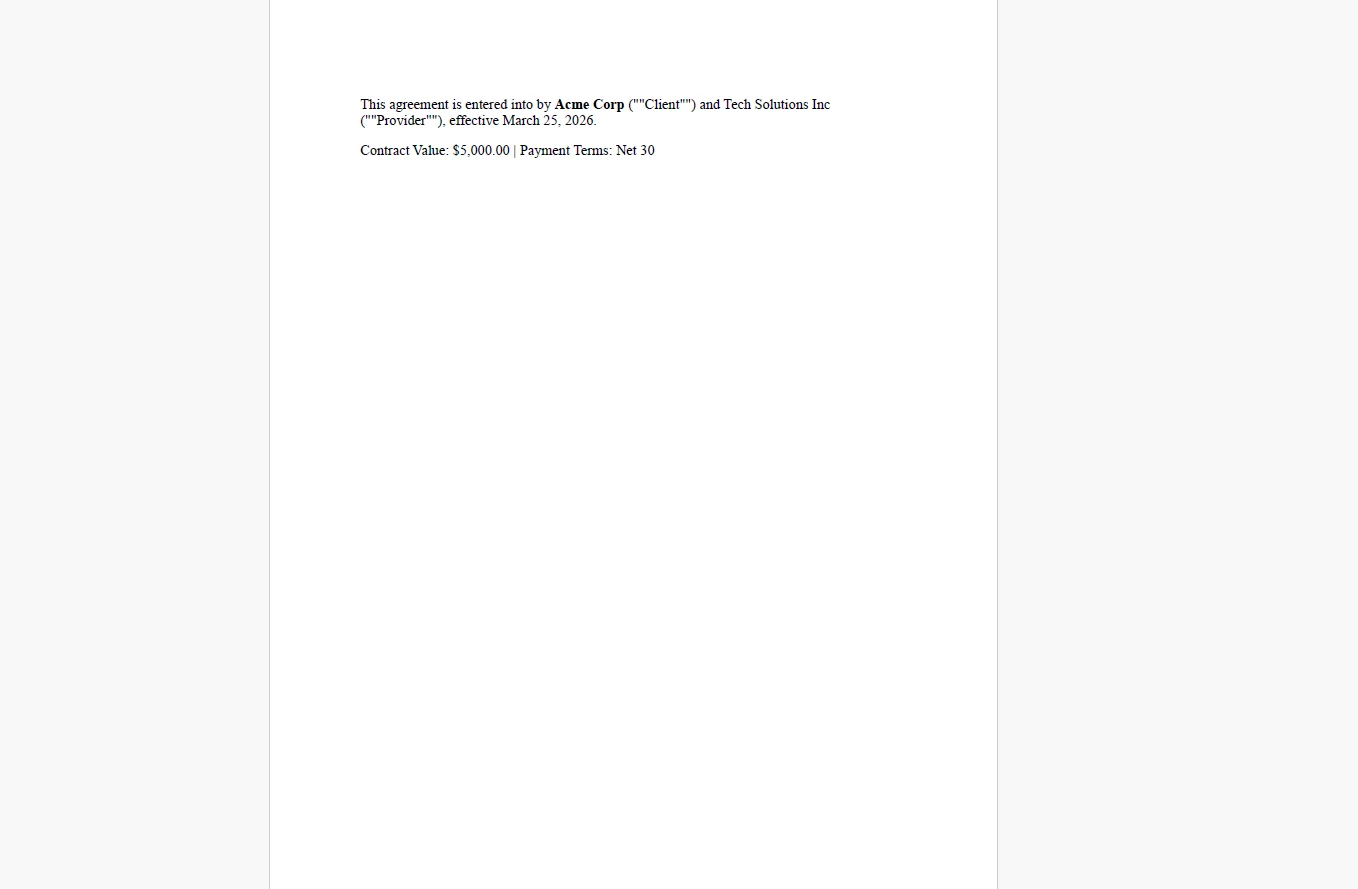 For more complex conditional rendering, a Razor view handles the same token substitution with full control flow, loops for itemized schedules and conditionals for optional clauses, before the HTML string reaches the renderer.
4. Headers and Footers Are Applied to Every Page
renderer.RenderingOptions.HtmlHeader = new HtmlHeaderFooter
{
HtmlFragment = @"
<div style='text-align:right; font-size:9px; color:#999;'>
<img src='data:image/png;base64,...' height='24' alt='Logo'/>
CONFIDENTIAL
</div>",
DrawDividerLine = true
};
renderer.RenderingOptions.HtmlFooter = new HtmlHeaderFooter
{
HtmlFragment = @"
<div style='text-align:center; font-size:9px; color:#999;'>
Page {page} of {total-pages} |
Master Service Agreement |
CONFIDENTIAL — NOT FOR DISTRIBUTION
</div>",
DrawDividerLine = true
};
renderer.RenderingOptions.HtmlHeader = new HtmlHeaderFooter
{
HtmlFragment = @"
<div style='text-align:right; font-size:9px; color:#999;'>
<img src='data:image/png;base64,...' height='24' alt='Logo'/>
CONFIDENTIAL
</div>",
DrawDividerLine = true
};
renderer.RenderingOptions.HtmlFooter = new HtmlHeaderFooter
{
HtmlFragment = @"
<div style='text-align:center; font-size:9px; color:#999;'>
Page {page} of {total-pages} |
Master Service Agreement |
CONFIDENTIAL — NOT FOR DISTRIBUTION
</div>",
DrawDividerLine = true
};
HTML
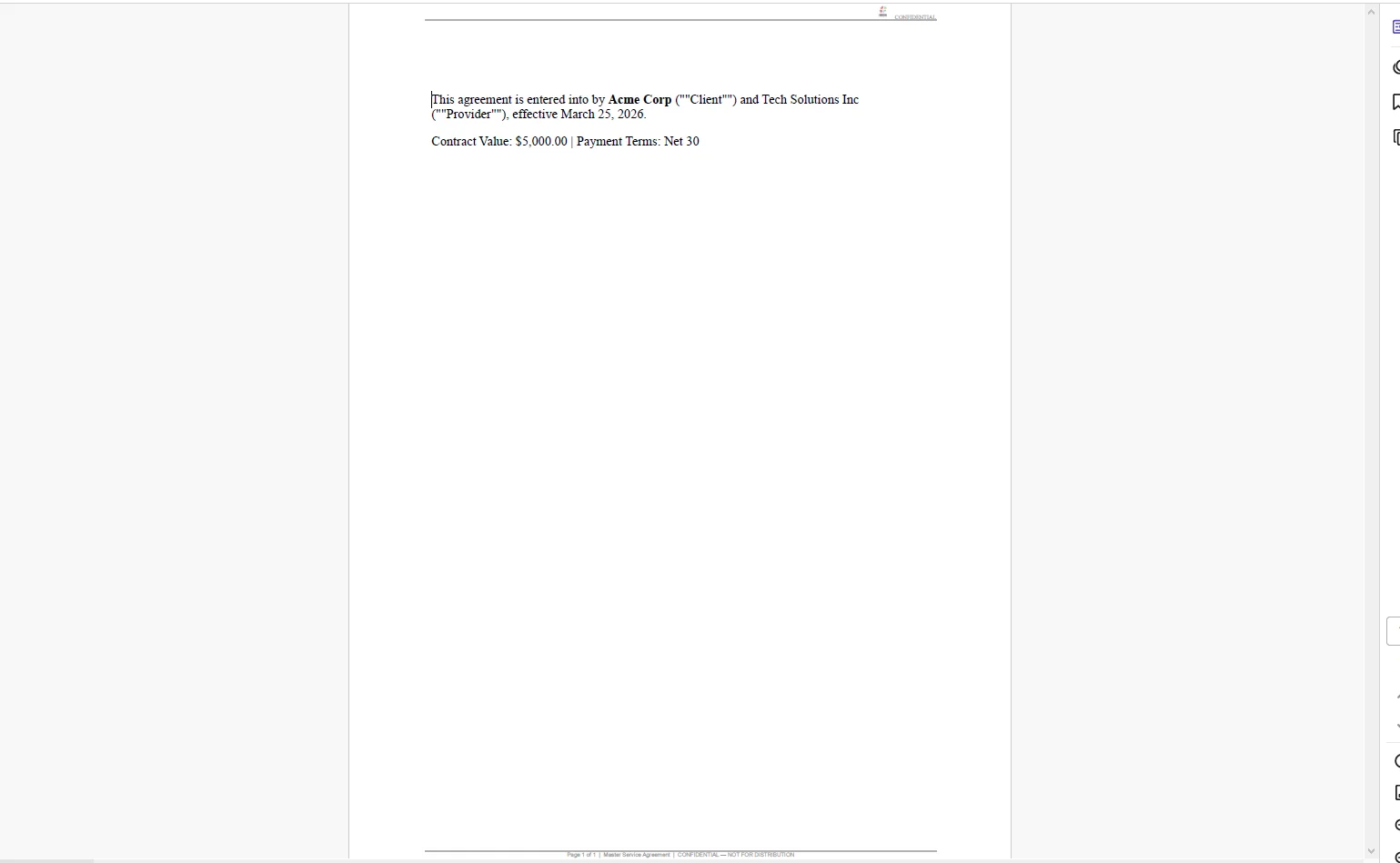 Every page of the contract carries the company logo, a confidentiality notice, and accurate page numbering, applied by IronPDF at render time, not manually inserted into the template.
5. Contract Stored, Versioned, and Delivered
The rendered PDF is stored in blob storage keyed by deal ID and template version. An audit record links the stored PDF content to the exact data snapshot used at generation time, the template version, and a UTC timestamp. The PDF is then sent to the e-signature platform via its API and emailed to the client as an attachment, all from the same handler, before the response returns.
Real-World Benefits
Speed. A contract is generated in seconds the moment a deal closes. Legal and admin teams are removed from the document preparation step, they review and approve the template once, not each individual contract.
Accuracy. Data flows directly from the CRM or database into the template. There is no copy-paste step, which means no wrong client names, no stale contract values, and no leftover placeholder text reaching the client.
Brand and legal consistency. Every contract is rendered from the same approved HTML template. Clause language, formatting, margins, and company branding are identical across every deal, no local edits, no template drift.
Version control. Templates live in source control or a document management system. When legal updates a clause, the change is tracked, reviewed, and deployed like any other application change. Every generated PDF is permanently linked to the template version that produced it.
Audit trail. Each contract record includes the data snapshot at generation time, the template version, and a timestamp. When a dispute arises or a compliance review requests documentation, the exact document the client signed is immediately retrievable.
No per-document costs. Contract generation runs in-process. There is no external document API to call, no usage-based pricing from a third-party vendor, and no external dependency sitting in the critical path when a deal closes.
Closing
Contract generation is a process that looks manual because the tools available have made it manual. An HTML template, a string replacement pass, and a call to RenderHtmlAsPdf replace hours of administrative work with a pipeline that completes before the deal notification finishes sending.
IronPDF handles the full lifecycle of PDF generation in C# - from rendering HTML templates to saving, streaming, and manipulating documents - all from the same library at ironpdf.com. If you're building or replacing a contract generation workflow, the free 30-day trial gives you enough time to run a complete pipeline against your own templates and deal data.























