




更新日 2026年5月8日
月次口座明細書をPDF文書として生成する
IronPDF C# PDFライブラリを使用することで、開発者は外部サービスに依存することなく、.NETプロジェクト内でHTMLを信頼性の高いPDFファイルに変換することができます。
詳しく読む

**IronPDFは、C#開発者にPDFドキュメントをプログラム的に比較する簡単な方法を提供します。わずか数行のコードで、テキストコンテンツを抽出し、ページごとに差異を分析できます。**このチュートリアルでは、基本的な比較、複数ドキュメントの分析、パスワード保護されたファイルの処理、そして.NET 10でのフォーマットされた比較レポートの生成など、実用的なコード例を紹介します。
PDF ドキュメントを手作業で比較すると、時間がかかり、エラーが発生しやすく、拡張性もありません。 法律、金融、医療など、文書を大量に扱う業界では、契約書が改訂され、請求書が再発行され、規制書類のバージョン検証が必要になるなど、ファイルが頻繁に変更されます。 自動化された比較により、人的ボトルネックが解消され、一貫性のある監査可能な結果が常に提供されます。
IronPDF は、C# で 2 つの PDF ファイルを比較するための、本番環境ですぐに使用できるアプローチを提供します。 このライブラリは、複雑なレイアウトから正確にテキストを抽出できるように Chrome レンダリング エンジンを使用しており、完全な API により PDF コンテンツの読み込み、読み取り、分析のための直感的なメソッドが公開されています。 契約の変更を追跡したり、生成された出力を検証したり、ドキュメント監査システムを構築したりする場合でも、 IronPDF が面倒な作業を処理します。
このライブラリは、すでに複数のプラットフォームで.NETを使用しているチームにとっても最適な選択肢です。 ターゲットごとに異なるコードパスを必要とせず、Windows、Linux、macOS、Docker、Azure、AWS をサポートします。 これにより、CI/CD パイプラインやデスクトップ アプリケーションで実行される比較ツールの構築が実用的になります。
ドキュメントの多いワークフローでバージョン管理を行う場合、自動比較が不可欠になります。 毎日何百ものファイルを処理するときや、精度が重要な場合には、手動によるレビューは現実的ではありません。 一般的なシナリオとしては、請求サイクル間での請求書の比較、承認されたテンプレートに対する規制申請の検証、リリース バージョン間での技術仕様の変更の追跡、法的ワークフローでの契約修正の監査などがあります。
精度の向上は顕著です。 2 つの 50 ページの文書をスキャンする人間のレビュー担当者は、財務表内の変更された数字を 1 つ見逃す可能性があります。 自動比較により、即座に検出され、ページにフラグが付けられ、疲労や矛盾のない差分レポートが生成されます。
PDF 比較は、さまざまな業界やワークフローに応用できます。
-法務: 契約の変更を追跡し、ドラフト版と最終版間のコンプライアンスを確認し、署名前に承認された変更のみが行われたことを確認します。 -財務: 銀行取引明細書を検証し、請求書の不正な変更を検出し、生成されたレポートが期待される出力と一致していることを確認します。 -ヘルスケア: 規制提出書類が承認文書と一致していることを確認し、患者記録が改ざんされていないことを確認します。 -品質保証: ソフトウェアで生成された PDF をゴールデン マスター ファイルと比較して、自動テスト スイートでレンダリングの回帰を検出します。 -ドキュメント: ユーザー マニュアルのローカライズ版間で一貫性を確認し、翻訳によって技術的な内容が変更されていないことを確認します。
IronPDFのクロスプラットフォーム サポートにより、これらのソリューションは変更なしで Windows、Linux、クラウド環境に展開できます。
パッケージ マネージャー コンソールまたは.NET CLI を使用して、 NuGet経由でIronPDF をインストールします。
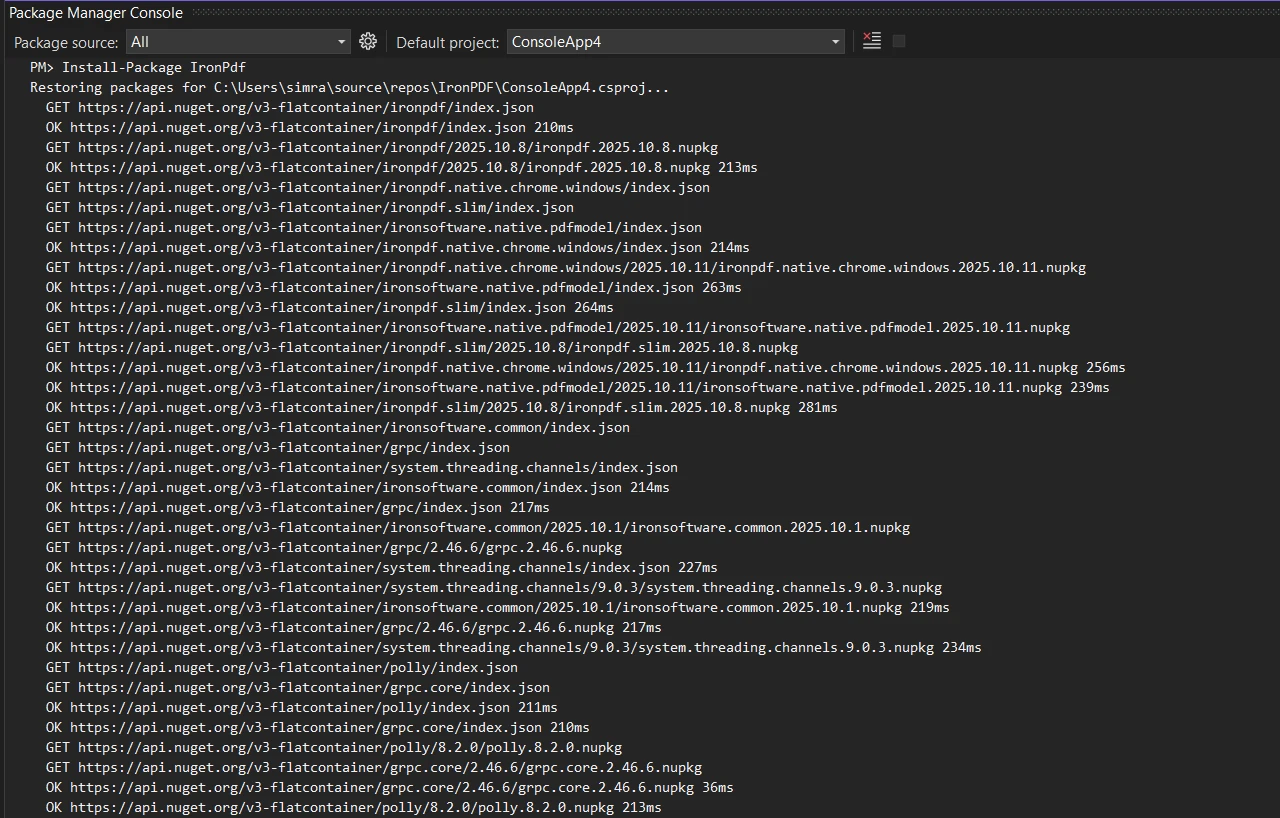
Linux デプロイメントまたはDocker ベースの環境については、プラットフォーム固有のドキュメントを参照してください。 インストールが完了したら、ライセンス キーがある場合はそれを設定します。
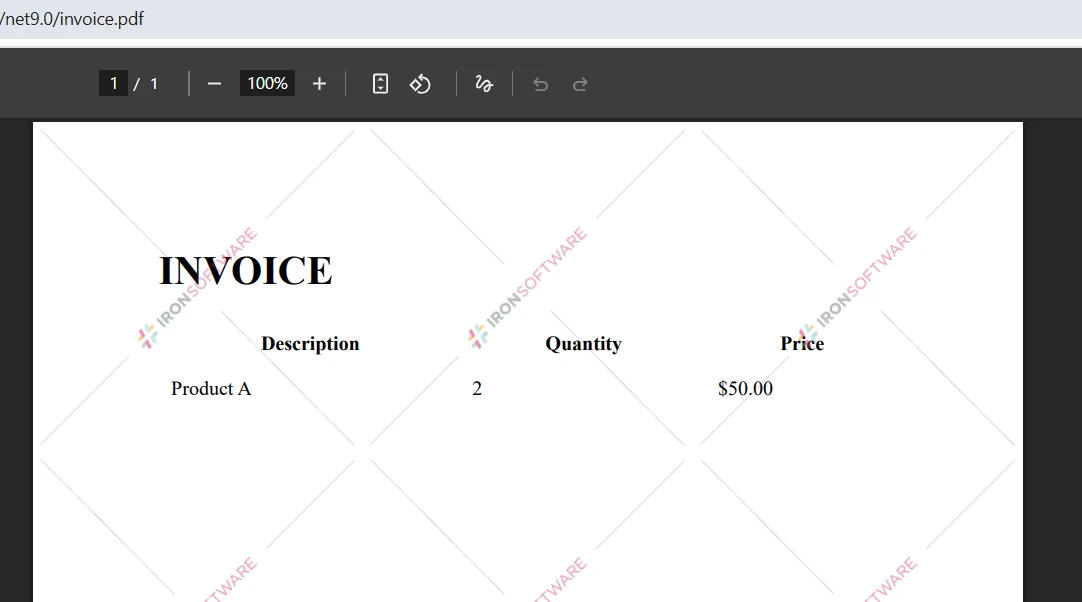
IronPdf.License.LicenseKey = "YOUR-LICENSE-KEY";IronPdf.License.LicenseKey = "YOUR-LICENSE-KEY"開発とテストはライセンス キーなしでも行えますが、生成された PDF には透かしが表示されます。 実稼働環境での展開には、ライセンス ページからの有効なライセンスが必要です。 無料トライアルでは、クレジットカードを必要とせずに 30 日間の評価の全機能が提供されます。
IronPDF は、 .NET Framework 4.6.2 以降、 .NET Core 3.1 以降、および.NET 5 から.NET 10 をサポートしています。macOS では、Intel プロセッサと Apple Silicon プロセッサの両方がサポートされています。 ライブラリは Chrome レンダリング エンジンのインストールを自動的に処理するため、ブラウザを手動で設定する必要はありません。

PDF 比較の基礎は、テキスト コンテンツを抽出して比較することです。 IronPDF のテキスト抽出機能は、複数列のドキュメント、表、フォーム、テキスト レイヤーが埋め込まれたスキャンされた PDF など、ほぼすべての PDF レイアウトから正確なコンテンツ取得を提供します。 次の例では、 2 つのファイルを読み込み、そのテキストを抽出し、類似度スコアを計算します。
using IronPdf;
using System;

// Load two PDF documents
var pdf1 = PdfDocument.FromFile("document1.pdf");
var pdf2 = PdfDocument.FromFile("document2.pdf");

// Extract text from both PDFs
string text1 = pdf1.ExtractAllText();
string text2 = pdf2.ExtractAllText();

// Compare the two documents
if (text1 == text2)
{
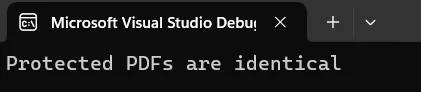
    Console.WriteLine("PDF files are identical");
}
else
{
    Console.WriteLine("PDFs have differences");

    // Calculate character-level similarity
    int maxLength = Math.Max(text1.Length, text2.Length);
    if (maxLength > 0)
    {
        int differences = 0;
        int minLength = Math.Min(text1.Length, text2.Length);

        for (int i = 0; i < minLength; i++)
        {
            if (text1[i] != text2[i]) differences++;
        }

        differences += Math.Abs(text1.Length - text2.Length);
        double similarity = 1.0 - (double)differences / maxLength;

        Console.WriteLine($"Similarity: {similarity:P}");
        Console.WriteLine($"Character differences: {Math.Abs(text1.Length - text2.Length)}");
    }
}Imports IronPdf
Imports System
' Load two PDF documents
Dim pdf1 = PdfDocument.FromFile("document1.pdf")
Dim pdf2 = PdfDocument.FromFile("document2.pdf")
' Extract text from both PDFs
Dim text1 As String = pdf1.ExtractAllText()
Dim text2 As String = pdf2.ExtractAllText()
' Compare the two documents
If text1 = text2 Then
Console.WriteLine("PDF files are identical")
Else
Console.WriteLine("PDFs have differences")
' Calculate character-level similarity
Dim maxLength As Integer = Math.Max(text1.Length, text2.Length)
If maxLength > 0 Then
Dim differences As Integer = 0
Dim minLength As Integer = Math.Min(text1.Length, text2.Length)
For i As Integer = 0 To minLength - 1
If text1(i) <> text2(i) Then differences += 1
Next
differences += Math.Abs(text1.Length - text2.Length)
Dim similarity As Double = 1.0 - CDbl(differences) / maxLength
Console.WriteLine($"Similarity: {similarity:P}")
Console.WriteLine($"Character differences: {Math.Abs(text1.Length - text2.Length)}")
End If
End Ifこのコードはトップレベルの文とIronPDFのExtractAllText()メソッドを使用して両方のファイルから全文を取得し、文字レベルの比較を行って類似度を算出します。 このスコアにより、ドキュメントの違いがどれだけあるかを迅速かつ定量的に測定できます。
文字レベルのアプローチは、意図的にシンプルかつ高速です。これは、誤って上書きされた文書を検出したり、変換パイプラインが期待どおりの出力を生成したことを確認したりなど、2つの文書に相違があるかどうかを迅速に把握する必要がある場合に適しています。 どの文が変更されたかを特定したり、意味の違いを追跡したりするなど、より微妙な分析が必要なシナリオでは、抽出されたテキスト文字列の上にレーベンシュタイン距離またはdiff アルゴリズムを重ねることができます。
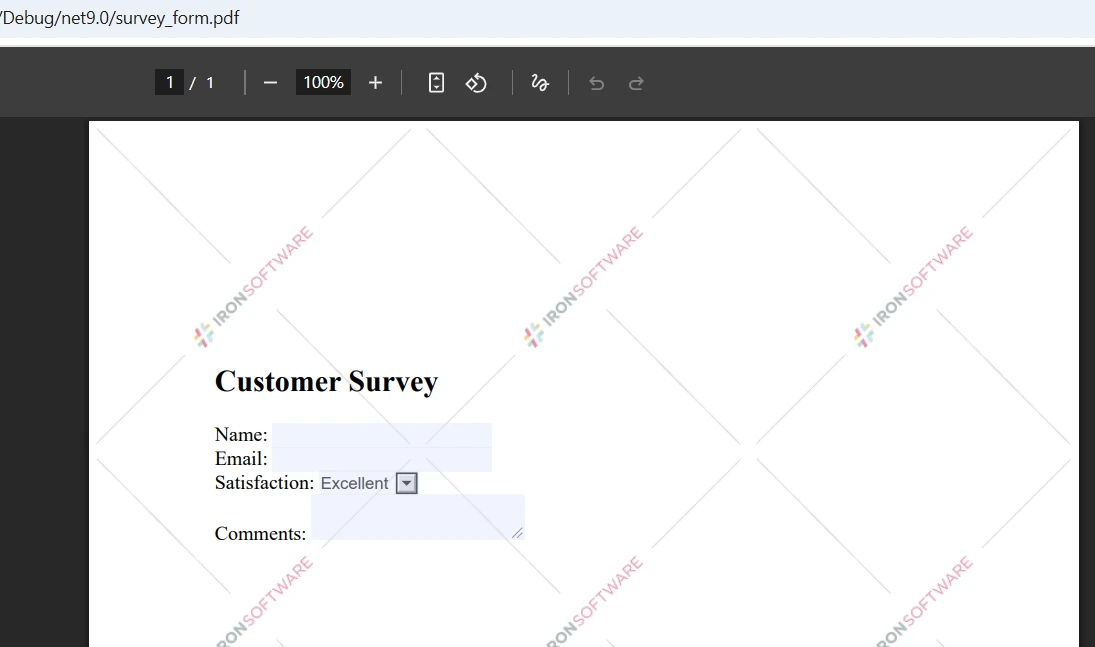
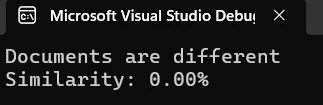
コンソール出力には、ドキュメント間の類似度がパーセンテージで表示されます。 上記の 2.60% の類似度スコアは、2 つのドキュメントの内容がほぼ完全に異なることを示しています。 このメトリックは、差異の程度を迅速に評価し、次のステップを決定するのに役立ちます。
テキストのみの比較では、書式、画像、レイアウトの違いはキャプチャされません。 2 つの PDF には同じテキストが含まれていても、フォント、ページ サイズ、画像の配置が異なると見た目がまったく異なる場合があります。 完全な視覚的比較を行うには、IronPDF の画像抽出機能と画像比較ライブラリを組み合わせることを検討してください。 IronPDF のラスタライズ機能は、テキスト コンテンツよりも視覚的な正確さが重要な場合に、ページを画像に変換してピクセル単位で比較します。
ドキュメント全体の比較では 2 つの PDF に違いがあるかどうかがわかりますが、ページごとの比較ではどこが異なるかが正確にわかります。 これは、レポート、請求書、フォームなど、ページ間でコンテンツが予測可能なレイアウトに従う構造化ドキュメントの場合に特に役立ちます。
using IronPdf;
using System;
using System.Collections.Generic;

var pdf1 = PdfDocument.FromFile("document1.pdf");
var pdf2 = PdfDocument.FromFile("document2.pdf");

int maxPages = Math.Max(pdf1.PageCount, pdf2.PageCount);
var pageResults = new List<(int Page, double Similarity)>();

for (int i = 0; i < maxPages; i++)
{
    string page1Text = i < pdf1.PageCount ? pdf1.ExtractTextFromPage(i) : "";
    string page2Text = i < pdf2.PageCount ? pdf2.ExtractTextFromPage(i) : "";

    if (page1Text != page2Text)
    {
        int maxLen = Math.Max(page1Text.Length, page2Text.Length);
        double sim = maxLen == 0 ? 1.0
            : 1.0 - (double)Math.Abs(page1Text.Length - page2Text.Length) / maxLen;

        Console.WriteLine($"Page {i + 1} differs -- similarity: {sim:P}");
        pageResults.Add((i + 1, sim));
    }
}

Console.WriteLine($"\nTotal pages with differences: {pageResults.Count}");Imports IronPdf
Imports System
Imports System.Collections.Generic
Dim pdf1 = PdfDocument.FromFile("document1.pdf")
Dim pdf2 = PdfDocument.FromFile("document2.pdf")
Dim maxPages As Integer = Math.Max(pdf1.PageCount, pdf2.PageCount)
Dim pageResults = New List(Of (Page As Integer, Similarity As Double))()
For i As Integer = 0 To maxPages - 1
Dim page1Text As String = If(i < pdf1.PageCount, pdf1.ExtractTextFromPage(i), "")
Dim page2Text As String = If(i < pdf2.PageCount, pdf2.ExtractTextFromPage(i), "")
If page1Text <> page2Text Then
Dim maxLen As Integer = Math.Max(page1Text.Length, page2Text.Length)
Dim sim As Double = If(maxLen = 0, 1.0, 1.0 - CDbl(Math.Abs(page1Text.Length - page2Text.Length)) / maxLen)
Console.WriteLine($"Page {i + 1} differs -- similarity: {sim:P}")
pageResults.Add((i + 1, sim))
End If
Next
Console.WriteLine($"\nTotal pages with differences: {pageResults.Count}")このメソッドはExtractTextFromPage()を使用して各ページを反復し、個々にコンテンツを比較します。 このアプローチでは、ページ数が異なる PDF をエラーなく処理します。つまり、一方のドキュメントには存在するが、もう一方のドキュメントには存在しないページは空の文字列として扱われ、異なるページとして正しく登録されます。
ページごとの比較は、大きなドキュメント内の変更箇所を正確に特定する必要がある場合に特に便利です。 200 ページに及ぶ法的契約書全体を確認する代わりに、実際に変更された 5 ページのリストが表示されます。 これにより、レビュー時間が大幅に短縮され、比較出力が実用的なものになります。
大きな PDF のパフォーマンスを向上させるために、 IronPDF は非同期処理と並列操作をサポートし、バッチ比較を効率的に処理します。 パフォーマンス最適化ガイドでは、多数の大きなファイルを順番に処理するためのメモリ管理戦略など、大規模な操作のための追加のテクニックについて説明します。
IronPDFを使用すると、単一の参照ドキュメントに対する PDF の一括比較が簡単になります。 次の例では、任意の数のファイルを最初に提供されたファイルと比較し、レポート用の結果を収集します。
using IronPdf;
using System;
using System.Collections.Generic;
using System.IO;

string[] pdfPaths = { "reference.pdf", "version1.pdf", "version2.pdf", "version3.pdf" };

if (pdfPaths.Length < 2)
{
    Console.WriteLine("At least 2 PDFs required for comparison");
    return;
}

var referencePdf = PdfDocument.FromFile(pdfPaths[0]);
string referenceText = referencePdf.ExtractAllText();

var results = new List<(string File, double Similarity, bool Identical)>();

for (int i = 1; i < pdfPaths.Length; i++)
{
    try
    {
        var currentPdf = PdfDocument.FromFile(pdfPaths[i]);
        string currentText = currentPdf.ExtractAllText();

        bool identical = referenceText == currentText;
        int maxLen = Math.Max(referenceText.Length, currentText.Length);
        double similarity = maxLen == 0 ? 1.0
            : 1.0 - (double)Math.Abs(referenceText.Length - currentText.Length) / maxLen;

        results.Add((Path.GetFileName(pdfPaths[i]), similarity, identical));

        string status = identical ? "identical to reference" : $"differs -- similarity: {similarity:P}";
        Console.WriteLine($"{Path.GetFileName(pdfPaths[i])}: {status}");
    }
    catch (Exception ex)
    {
        Console.WriteLine($"Error processing {pdfPaths[i]}: {ex.Message}");
    }
}

Console.WriteLine($"\nBatch complete: {results.Count} files compared");
Console.WriteLine($"Identical: {results.FindAll(r => r.Identical).Count}");
Console.WriteLine($"Different: {results.FindAll(r => !r.Identical).Count}");Imports IronPdf
Imports System
Imports System.Collections.Generic
Imports System.IO
Module Module1
Sub Main()
Dim pdfPaths As String() = {"reference.pdf", "version1.pdf", "version2.pdf", "version3.pdf"}
If pdfPaths.Length < 2 Then
Console.WriteLine("At least 2 PDFs required for comparison")
Return
End If
Dim referencePdf = PdfDocument.FromFile(pdfPaths(0))
Dim referenceText As String = referencePdf.ExtractAllText()
Dim results As New List(Of (File As String, Similarity As Double, Identical As Boolean))()
For i As Integer = 1 To pdfPaths.Length - 1
Try
Dim currentPdf = PdfDocument.FromFile(pdfPaths(i))
Dim currentText As String = currentPdf.ExtractAllText()
Dim identical As Boolean = (referenceText = currentText)
Dim maxLen As Integer = Math.Max(referenceText.Length, currentText.Length)
Dim similarity As Double = If(maxLen = 0, 1.0, 1.0 - CDbl(Math.Abs(referenceText.Length - currentText.Length)) / maxLen)
results.Add((Path.GetFileName(pdfPaths(i)), similarity, identical))
Dim status As String = If(identical, "identical to reference", $"differs -- similarity: {similarity:P}")
Console.WriteLine($"{Path.GetFileName(pdfPaths(i))}: {status}")
Catch ex As Exception
Console.WriteLine($"Error processing {pdfPaths(i)}: {ex.Message}")
End Try
Next
Console.WriteLine($"\nBatch complete: {results.Count} files compared")
Console.WriteLine($"Identical: {results.FindAll(Function(r) r.Identical).Count}")
Console.WriteLine($"Different: {results.FindAll(Function(r) Not r.Identical).Count}")
End Sub
End Moduleこのアプローチでは、参照ドキュメントを一度読み込み、それと比較する他のすべてのファイルをループします。 try/catch ブロックにより、破損したファイルやアクセスできないファイルが 1 つ存在してもバッチ全体が中止されることがなくなり、エラーがログに記録されて次のファイルで処理が続行されます。
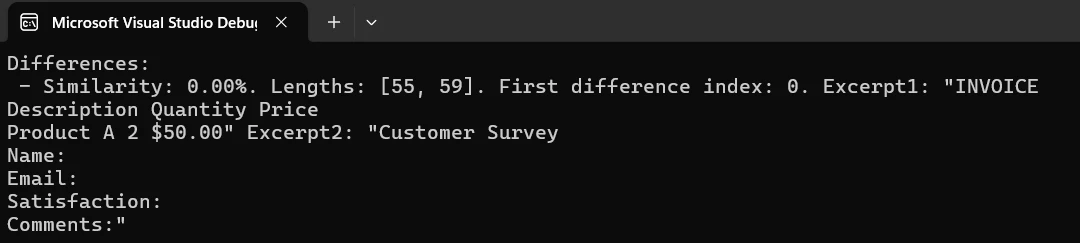
非常に大規模なバッチの場合は、非同期タスク パターンを使用して、複数の PDF からテキストを順番にではなく並行して読み込み、抽出することを検討してください。 参照ドキュメントを選択するときは、バージョン管理シナリオの場合は最新の承認済みバージョンを使用し、品質保証ワークフローの場合は予想される出力テンプレートを使用します。 ドキュメント自体に埋め込まれた作成日やバージョン番号などのPDF メタデータを読み取ることで、参照の選択を自動化することもできます。
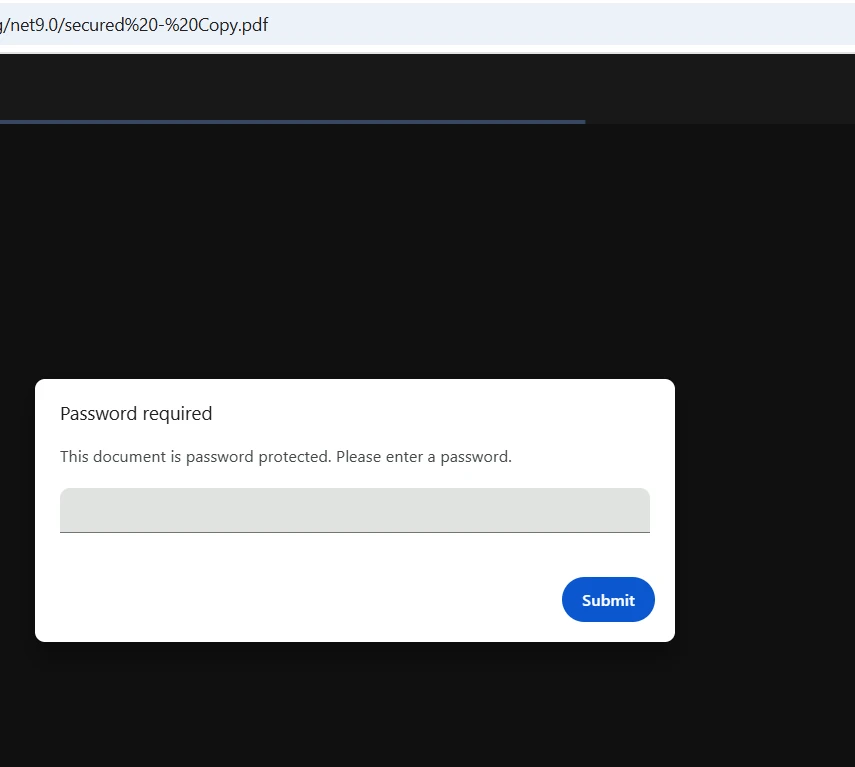
IronPDFはFromFile呼び出しで直接パスワードを受け取ることで、暗号化されたPDFを処理します。 ファイルをロードする前に外部で暗号化を解除する必要はありません。ライブラリが内部で認証を行います。 ライブラリは、40 ビット RC4、128 ビット RC4、および 128 ビット AES 暗号化標準をサポートしています。
using IronPdf;
using System;

try
{
    // Load password-protected PDFs
    var pdf1 = PdfDocument.FromFile("secure-document1.pdf", "password1");
    var pdf2 = PdfDocument.FromFile("secure-document2.pdf", "password2");

    Console.WriteLine($"PDF 1 loaded: {pdf1.PageCount} pages");
    Console.WriteLine($"PDF 2 loaded: {pdf2.PageCount} pages");

    string text1 = pdf1.ExtractAllText();
    string text2 = pdf2.ExtractAllText();

    bool identical = text1.Equals(text2);
    int maxLen = Math.Max(text1.Length, text2.Length);
    double similarity = maxLen == 0 ? 1.0
        : 1.0 - (double)Math.Abs(text1.Length - text2.Length) / maxLen;

    Console.WriteLine($"Documents are {(identical ? "identical" : "different")}");
    Console.WriteLine($"Similarity: {similarity:P}");

    // Optionally save a secured comparison report
    if (!identical)
    {
        var renderer = new ChromePdfRenderer();
        var reportPdf = renderer.RenderHtmlAsPdf(
            $"<h1>Comparison Result</h1><p>Similarity: {similarity:P}</p>");

        reportPdf.SecuritySettings.OwnerPassword = "report-owner-password";
        reportPdf.SecuritySettings.UserPassword = "report-user-password";
        reportPdf.SecuritySettings.AllowUserPrinting = true;
        reportPdf.SecuritySettings.AllowUserCopyPasteContent = false;

        reportPdf.SaveAs("comparison-report.pdf");
        Console.WriteLine("Secured report saved.");
    }
}
catch (Exception ex)
{
    Console.WriteLine($"Error handling secured PDFs: {ex.Message}");
}Imports IronPdf
Imports System
Try
' Load password-protected PDFs
Dim pdf1 = PdfDocument.FromFile("secure-document1.pdf", "password1")
Dim pdf2 = PdfDocument.FromFile("secure-document2.pdf", "password2")
Console.WriteLine($"PDF 1 loaded: {pdf1.PageCount} pages")
Console.WriteLine($"PDF 2 loaded: {pdf2.PageCount} pages")
Dim text1 As String = pdf1.ExtractAllText()
Dim text2 As String = pdf2.ExtractAllText()
Dim identical As Boolean = text1.Equals(text2)
Dim maxLen As Integer = Math.Max(text1.Length, text2.Length)
Dim similarity As Double = If(maxLen = 0, 1.0, 1.0 - CDbl(Math.Abs(text1.Length - text2.Length)) / maxLen)
Console.WriteLine($"Documents are {(If(identical, "identical", "different"))}")
Console.WriteLine($"Similarity: {similarity:P}")
' Optionally save a secured comparison report
If Not identical Then
Dim renderer = New ChromePdfRenderer()
Dim reportPdf = renderer.RenderHtmlAsPdf($"<h1>Comparison Result</h1><p>Similarity: {similarity:P}</p>")
reportPdf.SecuritySettings.OwnerPassword = "report-owner-password"
reportPdf.SecuritySettings.UserPassword = "report-user-password"
reportPdf.SecuritySettings.AllowUserPrinting = True
reportPdf.SecuritySettings.AllowUserCopyPasteContent = False
reportPdf.SaveAs("comparison-report.pdf")
Console.WriteLine("Secured report saved.")
End If
Catch ex As Exception
Console.WriteLine($"Error handling secured PDFs: {ex.Message}")
End TryパスワードをFromFileに渡すことで、事前復号化ステップなしで暗号化されたPDFを比較できます。IronPDFのセキュリティ機能は保護されたコンテンツの適切な処理を保証し、デジタル署名が文書の真正性確認の追加レイヤーを提供します。
パスワードで保護された PDF を処理する場合は、資格情報をソース コードにハードコーディングするのではなく、環境変数またはシークレット マネージャーに保存します。 機密情報を除外するログ記録方法を実装し、ブルートフォースのシナリオを防ぐために試行制限付きの再試行ロジックを追加します。 高度な暗号化が必要な場合は、 PDF/UA コンプライアンス ガイドでアクセシビリティに準拠したセキュリティ構成について説明します。
フォーマットされたレポートにより、関係者は 2 つのドキュメント間で何が変更されたかを明確に把握できます。 次の例では、IronPDF の HTML から PDF への変換を使用して、ページごとの差異メトリックを含むスタイル設定されたレポートを生成します。
using IronPdf;
using System;
using System.Collections.Generic;
using System.IO;
using System.Text;

var pdf1 = PdfDocument.FromFile("document1.pdf");
var pdf2 = PdfDocument.FromFile("document2.pdf");

var differences = new List<(int Page, double Similarity, int Len1, int Len2, int CharDiff)>();
int totalPages = Math.Max(pdf1.PageCount, pdf2.PageCount);

for (int i = 0; i < totalPages; i++)
{
    string p1 = i < pdf1.PageCount ? pdf1.ExtractTextFromPage(i) ?? "" : "";
    string p2 = i < pdf2.PageCount ? pdf2.ExtractTextFromPage(i) ?? "" : "";

    if (p1 == p2) continue;

    int maxLen = Math.Max(p1.Length, p2.Length);
    double sim = maxLen == 0 ? 1.0 : 1.0 - (double)Math.Abs(p1.Length - p2.Length) / maxLen;
    int charDiff = Math.Abs(p1.Length - p2.Length);

    differences.Add((i + 1, sim, p1.Length, p2.Length, charDiff));
}

// Build HTML report
var sb = new StringBuilder();
sb.Append(@"<html><head><style>
    body { font-family: Arial, sans-serif; margin: 20px; }
    h1 { color: #333; border-bottom: 2px solid #4CAF50; }
    .summary { background: #f0f0f0; padding: 15px; border-radius: 5px; margin-bottom: 20px; }
    table { border-collapse: collapse; width: 100%; }
    th, td { border: 1px solid #ddd; padding: 8px; text-align: left; }
    th { background: #4CAF50; color: white; }
    .ok { background: #c8e6c9; padding: 15px; border-radius: 5px; }
</style></head><body>");

sb.Append("<h1>PDF Comparison Report</h1>");
sb.Append("<div class='summary'>");
sb.Append($"<p><strong>File 1:</strong> {Path.GetFileName("document1.pdf")}</p>");
sb.Append($"<p><strong>File 2:</strong> {Path.GetFileName("document2.pdf")}</p>");
sb.Append($"<p><strong>Pages with differences:</strong> {differences.Count} of {totalPages}</p>");
sb.Append($"<p><strong>Generated:</strong> {DateTime.Now:yyyy-MM-dd HH:mm:ss}</p>");
sb.Append("</div>");

if (differences.Count > 0)
{
    sb.Append("<table><thead><tr><th>Page</th><th>Similarity</th><th>File 1 Length</th><th>File 2 Length</th><th>Char Diff</th></tr></thead><tbody>");
    foreach (var d in differences)
    {
        sb.Append($"<tr><td>{d.Page}</td><td>{d.Similarity:P}</td><td>{d.Len1}</td><td>{d.Len2}</td><td>{d.CharDiff}</td></tr>");
    }
    sb.Append("</tbody></table>");
}
else
{
    sb.Append("<p class='ok'>No differences detected -- files are identical.</p>");
}

sb.Append("</body></html>");

var renderer = new ChromePdfRenderer();
renderer.RenderingOptions.MarginTop = 25;
renderer.RenderingOptions.MarginBottom = 25;
renderer.RenderingOptions.CssMediaType = IronPdf.Rendering.PdfCssMediaType.Print;

var reportPdf = renderer.RenderHtmlAsPdf(sb.ToString());
reportPdf.MetaData.Author = "PDF Comparison Tool";
reportPdf.MetaData.Title = "PDF Comparison Report";
reportPdf.MetaData.CreationDate = DateTime.Now;

reportPdf.SaveAs("comparison-report.pdf");
Console.WriteLine("Report saved to comparison-report.pdf");Imports IronPdf
Imports System
Imports System.Collections.Generic
Imports System.IO
Imports System.Text
Dim pdf1 = PdfDocument.FromFile("document1.pdf")
Dim pdf2 = PdfDocument.FromFile("document2.pdf")
Dim differences = New List(Of (Page As Integer, Similarity As Double, Len1 As Integer, Len2 As Integer, CharDiff As Integer))()
Dim totalPages As Integer = Math.Max(pdf1.PageCount, pdf2.PageCount)
For i As Integer = 0 To totalPages - 1
Dim p1 As String = If(i < pdf1.PageCount, pdf1.ExtractTextFromPage(i), "")
Dim p2 As String = If(i < pdf2.PageCount, pdf2.ExtractTextFromPage(i), "")
If p1 = p2 Then Continue For
Dim maxLen As Integer = Math.Max(p1.Length, p2.Length)
Dim sim As Double = If(maxLen = 0, 1.0, 1.0 - CDbl(Math.Abs(p1.Length - p2.Length)) / maxLen)
Dim charDiff As Integer = Math.Abs(p1.Length - p2.Length)
differences.Add((i + 1, sim, p1.Length, p2.Length, charDiff))
Next
' Build HTML report
Dim sb = New StringBuilder()
sb.Append("<html><head><style>
body { font-family: Arial, sans-serif; margin: 20px; }
h1 { color: #333; border-bottom: 2px solid #4CAF50; }
.summary { background: #f0f0f0; padding: 15px; border-radius: 5px; margin-bottom: 20px; }
table { border-collapse: collapse; width: 100%; }
th, td { border: 1px solid #ddd; padding: 8px; text-align: left; }
th { background: #4CAF50; color: white; }
.ok { background: #c8e6c9; padding: 15px; border-radius: 5px; }
</style></head><body>")
sb.Append("<h1>PDF Comparison Report</h1>")
sb.Append("<div class='summary'>")
sb.Append($"<p><strong>File 1:</strong> {Path.GetFileName("document1.pdf")}</p>")
sb.Append($"<p><strong>File 2:</strong> {Path.GetFileName("document2.pdf")}</p>")
sb.Append($"<p><strong>Pages with differences:</strong> {differences.Count} of {totalPages}</p>")
sb.Append($"<p><strong>Generated:</strong> {DateTime.Now:yyyy-MM-dd HH:mm:ss}</p>")
sb.Append("</div>")
If differences.Count > 0 Then
sb.Append("<table><thead><tr><th>Page</th><th>Similarity</th><th>File 1 Length</th><th>File 2 Length</th><th>Char Diff</th></tr></thead><tbody>")
For Each d In differences
sb.Append($"<tr><td>{d.Page}</td><td>{d.Similarity:P}</td><td>{d.Len1}</td><td>{d.Len2}</td><td>{d.CharDiff}</td></tr>")
Next
sb.Append("</tbody></table>")
Else
sb.Append("<p class='ok'>No differences detected -- files are identical.</p>")
End If
sb.Append("</body></html>")
Dim renderer = New ChromePdfRenderer()
renderer.RenderingOptions.MarginTop = 25
renderer.RenderingOptions.MarginBottom = 25
renderer.RenderingOptions.CssMediaType = IronPdf.Rendering.PdfCssMediaType.Print
Dim reportPdf = renderer.RenderHtmlAsPdf(sb.ToString())
reportPdf.MetaData.Author = "PDF Comparison Tool"
reportPdf.MetaData.Title = "PDF Comparison Report"
reportPdf.MetaData.CreationDate = DateTime.Now
reportPdf.SaveAs("comparison-report.pdf")
Console.WriteLine("Report saved to comparison-report.pdf")このソリューションは、 HTML レンダリングを使用して、カスタム スタイルによるプロフェッショナルなレポートを作成します。 IronPDF の CSS サポートにより、企業のブランドに合わせてフォント、色、レイアウトを調整し、完全なカスタマイズが可能になります。 正式なドキュメント ワークフローのために、ページ番号とタイムスタンプを含むヘッダーとフッターを追加します。
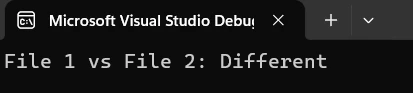
生成されたレポートには、ページごとの詳細なメトリックとともに、違いの明確な概要が提供されます。 レポートを拡張して、類似性スコアの視覚的なグラフ、変更された領域を示すページサムネイル、長いレポート内でのナビゲーションを容易にするブックマークなどを追加できます。 アーカイブグレードのレポートの場合、 IronPDF はPDF/A 形式をサポートし、長期的な可読性と文書保管規制への準拠を保証します。
PDF 比較機能を製品版にリリースする前に、いくつかのパターンによって、脆弱なプロトタイプと信頼性の高いツールの違いが生まれます。
nullと空のテキストを優雅に扱います。 ExtractAllText()はテキストレイヤーのない画像専用PDFやスキャンされたドキュメントに対して空の文字列を返すことがあります。 比較ロジックを実行する前に常に空の結果を確認し、空と空を"同一"とカウントするか"不確定"とカウントするかを決定します。
比較する前にテキストを正規化してください。PDFジェネレーターによって、同じビジュアルコンテンツに対して生成される空白パターン、行末、またはUnicode正規化が若干異なる場合があります。 text.Trim().Replace("\r\n", "\n")を比較前に実行することで、装飾上の差異による偽陽性を防ぎます。
**ビジネスワークフローでは、完全一致ではなく類似度のしきい値を使用してください。**類似度スコアが98%の場合、タイムスタンプや自動生成IDがわずかに異なっていても、2つのドキュメントは機能的に同一である可能性が高いことを意味します。 正確な文字の一致を要求するのではなく、ドメインに適したしきい値を定義します。
**比較結果をファイルのメタデータとともにログに記録します。**ファイル名、サイズ、変更日、類似度スコアを構造化されたログに保存します。 これにより、コンプライアンス チームが比較を再実行せずに確認できる監査証跡が作成されます。
**エンコーディングとフォントの問題を考慮してください。**一部のPDFファイルでは、テキストレイヤーにカスタムエンコーディングテーブルが使用されています。 IronPDF の Chrome ベースのエンジンはほとんどの場合を正しく処理しますが、文字化けしたテキスト出力が表示される場合は、ソース PDF で非標準のフォント エンコーディングが使用されているかどうかを確認してください。 トラブルシューティング ガイドでは、一般的な抽出の問題とその解決策について説明します。
運用ドキュメント比較パイプラインを構築するチームにとって、 .NETの非同期パターンに関する Microsoft ドキュメントは、並列ファイル処理の構造化に関する役立つガイダンスを提供します。 特定のドキュメントのテキスト レイヤーにどのような種類のコンテンツが表示されるか、または表示されないかを理解する必要がある場合は、PDF 仕様 (ISO 32000)を確認することも価値があります。
**C#によるPDF比較は、様々な業界でドキュメント自動化を実現する実用的なスキルです。IronPDFを使えば、あらゆる.NET開発者がこれを活用できます。**基本的なテキスト抽出サンプルから始め、必要に応じてページごとの分析まで拡張し、HTMLレポートジェネレーターを使って関係者にプロフェッショナルな出力を提供できます。
| シナリオ | アプローチ | キーメソッド |
|---|---|---|
| 基本的なテキスト比較 | 両方の文書から全文を抽出し、文字列を比較する | ExtractAllText() |
| ページごとの分析 | 各ページを個別に比較して変更箇所を正確に特定します | ExtractTextFromPage() |
| バッチ比較 | 複数のファイルを単一の参照ドキュメントと比較する | PdfDocument.FromFile() |
| パスワードで保護されたファイル | パスワードをファイルローダーに直接渡す - 事前の復号化は不要 | PdfDocument.FromFile(path, password) |
| レポート生成 | HTML 比較サマリーをスタイル付き PDF レポートに変換する | ChromePdfRenderer.RenderHtmlAsPdf() |
今すぐIronPDFを使って構築を開始するには、無料トライアルをダウンロードしてください。30 日間の評価にはクレジットカードは必要ありません。 クイックスタート ガイドでは、初期セットアップを 5 分以内で説明します。 実稼働の準備ができたら、ライセンス ページでチームの規模と展開要件に適したオプションを確認してください。
さらに深く学習するには、PDF の作成、編集、操作を網羅した完全なチュートリアル シリーズをご覧ください。 API リファレンスでは詳細なメソッドのドキュメントが提供され、例のセクションではフォーム処理や透かしなどの実際の実装が示されています。

Curtis Chauは、カールトン大学でコンピュータサイエンスの学士号を取得し、Node.js、TypeScript、JavaScript、およびReactに精通したフロントエンド開発を専門としています。直感的で美しいユーザーインターフェースを作成することに情熱を持ち、Curtisは現代のフレームワークを用いた開発や、構造の良い視覚的に魅力的なマニュアルの作成を楽しんでいます。

IronPDF はIRONSUITEの一部です
オフィス文書向けの.NET API製品10個

PDFがHTMLのように見える必要があるとき、迅速に。














