



已更新 2026年8月16日
How to Sign a PDF on iPhone: Every Method Explained (2026)
Need to add your signature to a PDF from your iPhone? Learn every method, from the built-in Markup tool in Files to dedicated e-signature apps, no download required.
閱讀更多

PDF(可攜式文件格式)廣泛用於文件交換,能夠以程式方式讀取其內容在各種應用程式中非常有價值。 以下程式庫可以用來在C++中讀取PDF:Poppler、MuPDF、Haru免費PDF程式庫、Xpdf和Qpdf。
在這篇文章中,我們將探討如何使用Xpdf命令列工具在C++中讀取PDF檔案。 Xpdf提供了一系列用於處理PDF檔案的工具,包括提取文字內容。 透過將Xpdf整合到C++程式中,我們可以從PDF檔案中提取文字並以程式方式進行處理。
Xpdf 是一個開源軟體套件,提供了一組工具和程式庫,用於處理PDF(可攜式文件格式)檔案。 Xpdf套件包含了數個命令行工具和C++程式庫,可以實現各種PDF相關功能,例如解析、渲染、文字提取等。 Xpdf的一些主要元件包括pdfimages、pdftops、pdfinfo和pdftotext。 在這裡,我們將使用pdftotext來讀取PDF文件。
pdftotext是一個命令行工具,可以從PDF檔案中提取文字內容並將其輸出為純文字。 當您需要從PDF中提取文字訊息進行後續處理或分析時,此工具特別有用。 使用選項,您還可以指定從哪一頁或哪幾頁提取文字。
為了製作一個提取文字的PDF閱讀器專案,我們需要準備以下先決條件:
首先,讓我們在我們的main.cpp檔案頂部新增必要的標頭檔案:
#include <cstdlib>  // For system call
#include <iostream> // For basic input and output
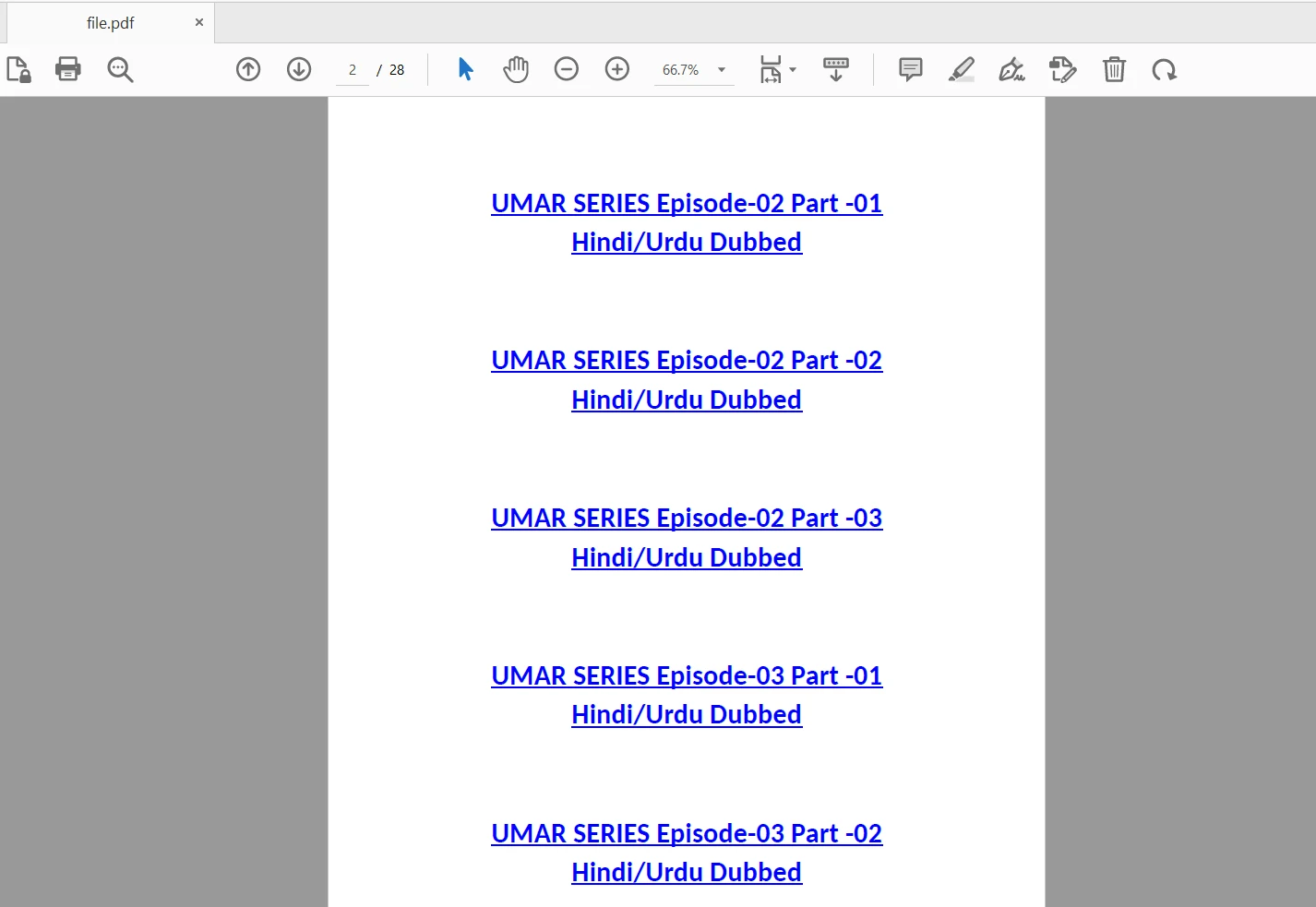
#include <fstream> // For file stream operations讓我們編寫C++程式碼,調用Xpdf命令行工具來從PDF文件中提取文字內容。 我們將使用以下input.pdf檔案:
程式碼範例如下所示:
#include <cstdlib>
#include <iostream>
#include <fstream>

using namespace std;

int main() {
    // Specify the input and output file paths
    string pdfPath = "input.pdf";
    string outputFilePath = "output.txt";

    // Construct the command to run pdftotext
    string command = "pdftotext " + pdfPath + " " + outputFilePath;
    int status = system(command.c_str());

    // Check if the command executed successfully
    if (status == 0) {
        cout << "Text extraction successful." << endl;
    } else {
        cout << "Text extraction failed." << endl;
        return 1; // Exit the program with error code
    }

    // Open the output file to read the extracted text
    ifstream outputFile(outputFilePath);
    if (outputFile.is_open()) {
        string textContent;
        string line;
        while (getline(outputFile, line)) {
            textContent += line + "\n"; // Append each line to the textContent
        }
        outputFile.close();

        // Display the extracted text
        cout << "Text content extracted from PDF document:" << endl;
        cout << textContent << endl;
    } else {
        cout << "Failed to open output file." << endl;
        return 1; // Exit the program with error code
    }

    return 0; // Exit the program successfully
}在上述程式碼中,我們定義了pdfPath變數以保存輸入PDF文件的路徑。請確保用實際的輸入PDF文件路徑替換它。
我們還定義了outputFilePath變數來保存Xpdf生成的輸出文字檔案路徑。
程式碼使用pdftotext命令,將輸入PDF文件路徑和輸出文字檔案路徑作為命令行參數傳遞。 status變數捕獲命令的退出狀態。
如果ifstream打開輸出文字檔案。 然後,我們逐行讀取文字內容並將其儲存在textContent字串中。
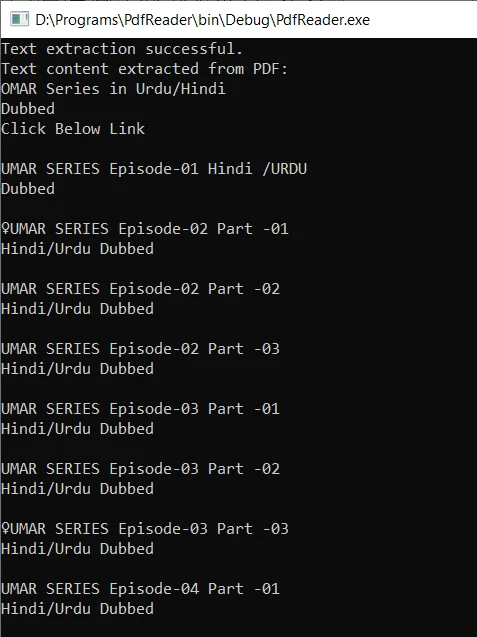
最後,我們將從生成的輸出文件中提取的文字內容輸出到控制台。 如果您不需要可編輯的輸出文字文件或希望釋放磁碟空間,則在結束主函式之前使用以下命令簡單地刪除它:
remove(outputFilePath.c_str());編譯C++程式碼並執行可執行文件。 如果pdftotext已新增到環境變數系統路徑,其命令將成功執行。 程式會生成輸出文字文件,並從PDF檔案中提取文字內容。 提取的文字然後顯示在控制台上。
IronPDF 是一個受歡迎的C# PDF程式庫,提供強大的功能以處理PDF文件。 它使開發者能夠以程式方式建立、編輯、修改和讀取PDF文件。
使用IronPDF程式庫讀取PDF文件是一個簡單的過程。 該程式庫提供各種方法和屬性,讓開發者可從PDF頁面中提取文字、圖片、中繼資料和其他資料。 提取的資訊可以用於進一步的處理、分析或應用程式內的顯示。
以下程式碼範例將使用IronPDF讀取PDF檔案:
// Import necessary namespaces
using IronPdf; // For PDF functionalities
using IronSoftware.Drawing; // For handling images
using System.Collections.Generic; // For using the List

// Example of extracting text and images from PDF using IronPDF

// Open a 128-bit encrypted PDF
var pdf = PdfDocument.FromFile("encrypted.pdf", "password");

// Get all text from the PDF
string text = pdf.ExtractAllText();

// Extract all images from the PDF
var allImages = pdf.ExtractAllImages();

// Iterate over each page to extract text and images
for (var index = 0; index < pdf.PageCount; index++) {
    int pageNumber = index + 1;
    text = pdf.ExtractTextFromPage(index);
    List<AnyBitmap> images = pdf.ExtractBitmapsFromPage(index);
    // Perform actions with text and images...
}' Import necessary namespaces
Imports IronPdf ' For PDF functionalities
Imports IronSoftware.Drawing ' For handling images
Imports System.Collections.Generic ' For using the List
' Example of extracting text and images from PDF using IronPDF
' Open a 128-bit encrypted PDF
Private pdf = PdfDocument.FromFile("encrypted.pdf", "password")
' Get all text from the PDF
Private text As String = pdf.ExtractAllText()
' Extract all images from the PDF
Private allImages = pdf.ExtractAllImages()
' Iterate over each page to extract text and images
For index = 0 To pdf.PageCount - 1
Dim pageNumber As Integer = index + 1
text = pdf.ExtractTextFromPage(index)
Dim images As List(Of AnyBitmap) = pdf.ExtractBitmapsFromPage(index)
' Perform actions with text and images...
Next index有關如何讀取PDF文件的更多詳細資訊,請存取 IronPDF C# PDF閱讀指南。
在這篇文章中,我們學習了如何使用Xpdf命令行工具在C++中讀取PDF文件的內容。 透過將Xpdf整合到C++程式中,我們可以在數秒內以程式方式從PDF文件中提取文字內容。 該方法使我們能夠在C++應用程式中處理和分析提取的文字。
IronPDF 是一個強大的C#程式庫,可用於讀取和操作PDF文件。 其豐富的功能、使用簡便性和可靠的渲染引擎使其成為C#專案中處理PDF文件的開發者的熱門選擇。

Curtis Chau擁有Carleton大學的電腦科學學士學位,專精於前端開發,擁有Node.js、TypeScript、JavaScript和React的專業知識。Curtis熱衷於建立直觀且美觀的使用者介面,喜愛使用現代框架並建立結構良好、視覺吸引力的手冊。

IronPDF 是 IRONSUITE 的一部分
10 款適用於辦公室文件的 .NET API 產品

當您需要您的PDF看起來像HTML一樣快速。












