




已更新 2026年5月8日
產生每月帳戶報表(PDF 文件)
using IronPDF C# PDF 庫,開發人員可以在 .NET 專案中將 HTML 轉換為可靠的 PDF 文件,而無需依賴外部服務。
閱讀更多

IronPDF為C#開發者提供了一個直接的方式來進行PDF文件的程式化比較 -- 提取文字內容,分析頁面差異,只需幾行程式碼。 本教程會帶您通過實用程式碼範例來進行基本比較、多文件分析、處理受密碼保護的檔案,以及在.NET 10中生成格式化的比較報告。
手動比較PDF文件既緩慢又容易出錯,且無法擴展。 在文件繁重的行業,如法律、金融和醫療,文件經常改變 -- 合同需要修訂,發票需要重新發行,監管文件需要進行版本驗證。 自動比較消除了人為瓶頸,每次都能提供一致且可審核的結果。
IronPDF為您提供了一個生產就緒的方法,用於在C#中比較兩個PDF文件。 該程式庫使用Chrome渲染引擎來準確提取複雜佈局中的文字,全面的API提供了直觀的方法來載入、讀取和分析PDF內容。 無論您是在跟蹤合同變更,驗證生成的結果,還是構建文件審核系統,IronPDF都能夠為您分擔繁重的工作。
對於已經在多個平台上使用.NET的團隊來說,該程式庫也是一個可靠的選擇。 它支援Windows、Linux、macOS、Docker、Azure和AWS,而不需要為每個目標編寫不同的程式碼路徑。 這使它能夠實際用於在CI/CD管道中運行的比較工具以及桌面應用程式中。
當涉及到文件繁重工作流程中的版本控制時,自動比較變得至關重要。 處理成百上千封檔案時,或者當精度至關重要時,手動審查是不可行的。 常見場景包括在計費週期中比較發票,驗證監管文件與批准範本的一致性,跟蹤技術規範在版本發佈時的變更,以及審核法律工作流程中的合同修訂。
精度增益是顯著的。 一位人工審查員在查看兩份50頁的文件時可能會漏掉財務表中的一個更改的數字。 自動比較能立即捕捉到它,標記頁面,並生成一個差異報告,無疲勞或不一致性。
PDF比較在許多行業和工作流程中找到了應用:
IronPDF的跨平台支援使這些解決方案可以在Windows、Linux和雲環境中部署,無需更改。
通過NuGet使用Package Manager Console或.NET CLI安裝IronPDF:
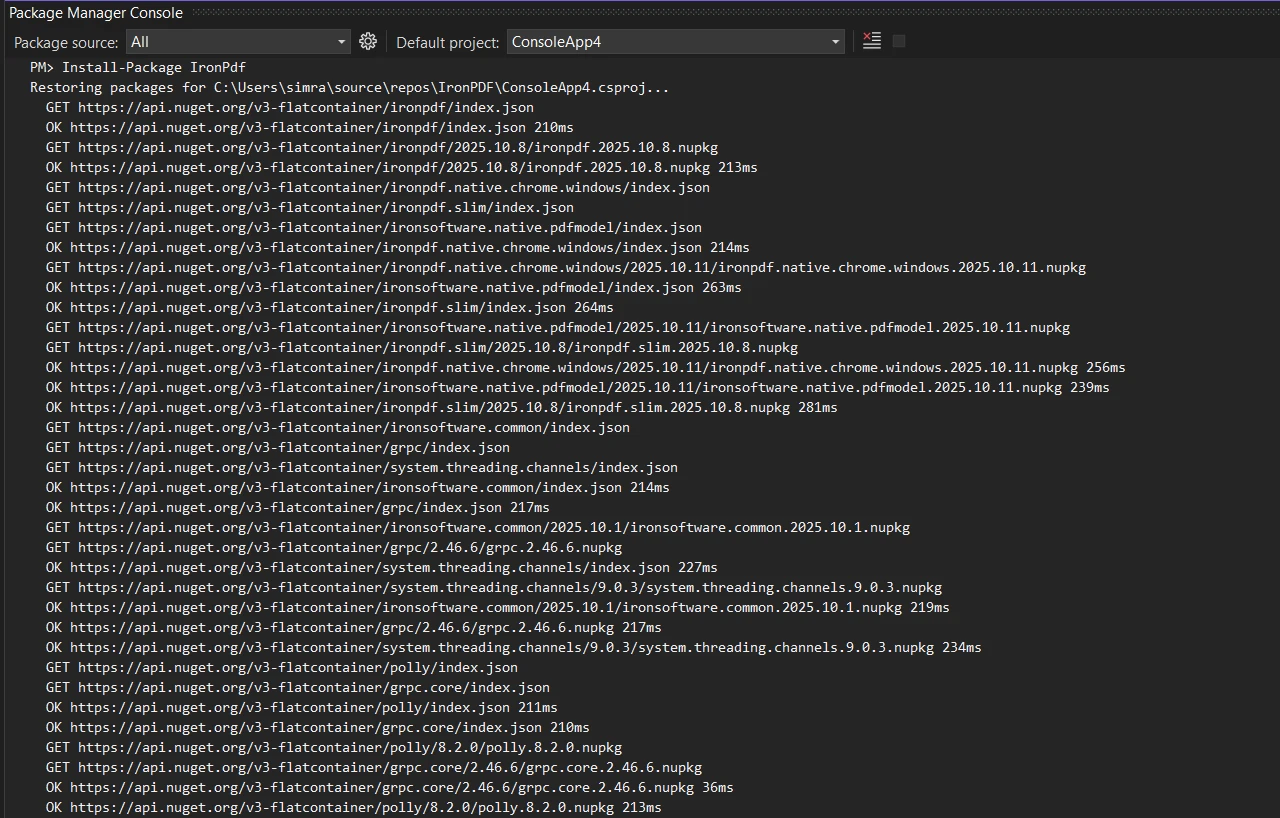
對於Linux部署或基於Docker的環境,請參考平台特定的文件。 安裝後,如果您有許可證密鑰,請配置它:
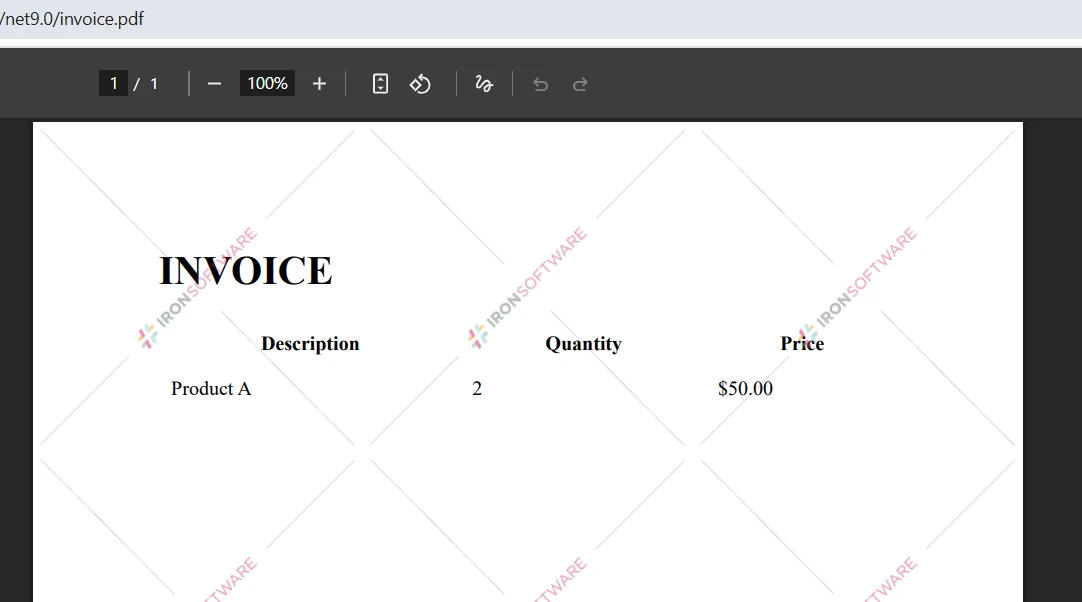
IronPdf.License.LicenseKey = "YOUR-LICENSE-KEY";IronPdf.License.LicenseKey = "YOUR-LICENSE-KEY"開發和測試不需要許可證密鑰,但生成的PDF會出現浮水印。 生產部署需要從許可證頁面獲得有效的許可證。 免費試用提供完整的功能,30天評估,無需信用卡。
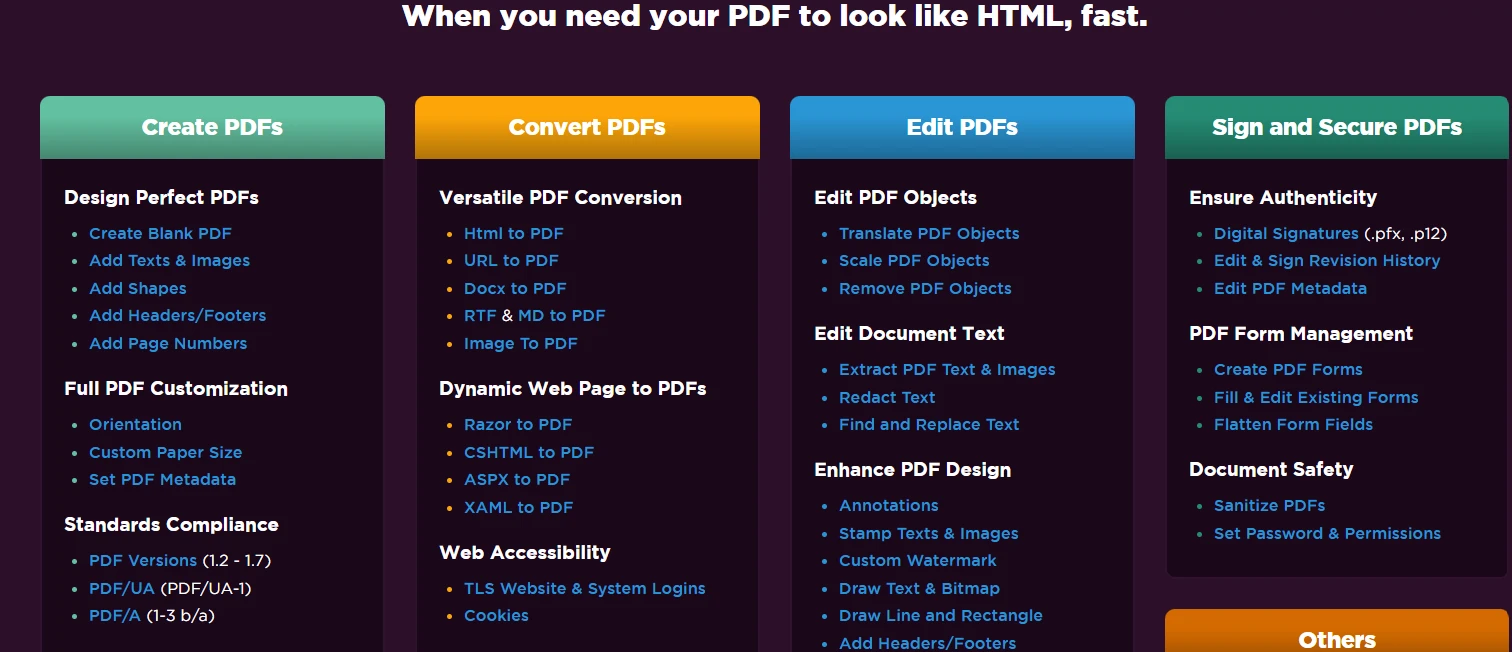
IronPDF支持.NET Framework 4.6.2+,.NET Core 3.1+,和.NET 5到.NET 10。對於macOS,支持Intel和Apple Silicon處理器。 該程式庫自動安裝Chrome渲染引擎,無需人工設置瀏覽器。

PDF比較的基礎是提取和比較文字內容。 IronPDF的文字提取能力提供了從幾乎任何PDF佈局中準確提取內容的功能,包括多列文件、表格、表格和嵌入文字層的掃描PDF。 以下範例載入兩個文件,提取其文字,並計算相似度分數:
using IronPdf;
using System;

// Load two PDF documents
var pdf1 = PdfDocument.FromFile("document1.pdf");
var pdf2 = PdfDocument.FromFile("document2.pdf");

// Extract text from both PDFs
string text1 = pdf1.ExtractAllText();
string text2 = pdf2.ExtractAllText();

// Compare the two documents
if (text1 == text2)
{
    Console.WriteLine("PDF files are identical");
}
else
{
    Console.WriteLine("PDFs have differences");

    // Calculate character-level similarity
    int maxLength = Math.Max(text1.Length, text2.Length);
    if (maxLength > 0)
    {
        int differences = 0;
        int minLength = Math.Min(text1.Length, text2.Length);

        for (int i = 0; i < minLength; i++)
        {
            if (text1[i] != text2[i]) differences++;
        }

        differences += Math.Abs(text1.Length - text2.Length);
        double similarity = 1.0 - (double)differences / maxLength;

        Console.WriteLine($"Similarity: {similarity:P}");
        Console.WriteLine($"Character differences: {Math.Abs(text1.Length - text2.Length)}");
    }
}Imports IronPdf
Imports System
' Load two PDF documents
Dim pdf1 = PdfDocument.FromFile("document1.pdf")
Dim pdf2 = PdfDocument.FromFile("document2.pdf")
' Extract text from both PDFs
Dim text1 As String = pdf1.ExtractAllText()
Dim text2 As String = pdf2.ExtractAllText()
' Compare the two documents
If text1 = text2 Then
Console.WriteLine("PDF files are identical")
Else
Console.WriteLine("PDFs have differences")
' Calculate character-level similarity
Dim maxLength As Integer = Math.Max(text1.Length, text2.Length)
If maxLength > 0 Then
Dim differences As Integer = 0
Dim minLength As Integer = Math.Min(text1.Length, text2.Length)
For i As Integer = 0 To minLength - 1
If text1(i) <> text2(i) Then differences += 1
Next
differences += Math.Abs(text1.Length - text2.Length)
Dim similarity As Double = 1.0 - CDbl(differences) / maxLength
Console.WriteLine($"Similarity: {similarity:P}")
Console.WriteLine($"Character differences: {Math.Abs(text1.Length - text2.Length)}")
End If
End If這段程式碼運用了頂層語句和IronPDF的ExtractAllText()方法來從兩個檔案提取全部文字,然後進行字元級別的比較來計算相似百分比。 分數能夠快速、量化的衡量文件之間的差異。
字元級的方式刻意保持簡單且快速。 當需要快速確定兩個檔案是否有差異時非常有用,比如檢測意外覆寫或者確認轉換管道是否產生預期輸出。 對於需要更細緻分析的場景 -- 如識別哪些句子改變或者追蹤語義差異 -- 您可以在提取的文字字串上新增Levenshtein距離或diff算法。
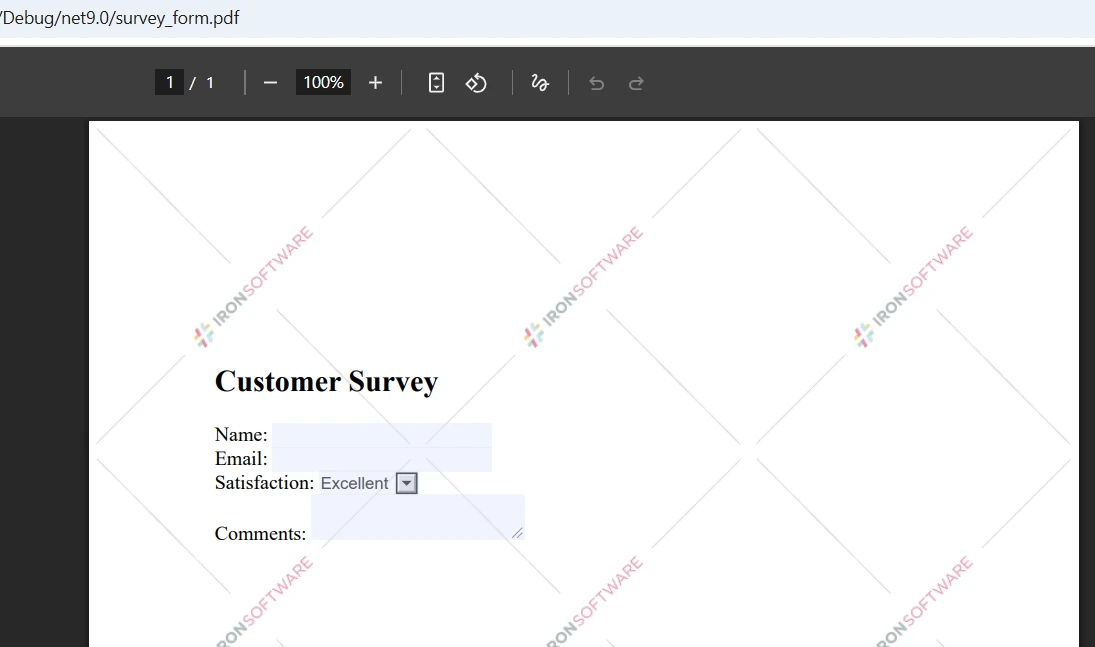
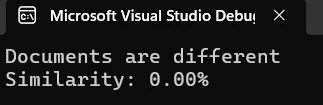
控制台輸出顯示了文件之間的百分比相似度。 如上所述,2.60%的相似度分數表明兩個文件的內容幾乎完全不同。 這個度量有助於您快速評估差異程度並決定下一步行動。
僅文字比較不會捕捉格式、圖像或佈局差異。 兩個PDF可能有相同的文字,但如果一個具有不同的字體、頁面大小或圖像位置,則外觀可能完全不同。 為了全面視覺比較,請考慮結合IronPDF的圖像提取功能與圖像比較庫。 IronPDF的光柵化功能將頁面轉換為圖像,以進行逐像素比較,當視覺準確性比文字內容更重要時。
完整文件比較會告訴您兩個PDF是否不同,但逐頁比較會明確告訴您它們在哪裡不同。 這對於像報告、發票和表格這樣的結構化文件特別有價值,因為內容在頁面上的佈局是可預測的:
using IronPdf;
using System;
using System.Collections.Generic;

var pdf1 = PdfDocument.FromFile("document1.pdf");
var pdf2 = PdfDocument.FromFile("document2.pdf");

int maxPages = Math.Max(pdf1.PageCount, pdf2.PageCount);
var pageResults = new List<(int Page, double Similarity)>();

for (int i = 0; i < maxPages; i++)
{
    string page1Text = i < pdf1.PageCount ? pdf1.ExtractTextFromPage(i) : "";
    string page2Text = i < pdf2.PageCount ? pdf2.ExtractTextFromPage(i) : "";

    if (page1Text != page2Text)
    {
        int maxLen = Math.Max(page1Text.Length, page2Text.Length);
        double sim = maxLen == 0 ? 1.0
            : 1.0 - (double)Math.Abs(page1Text.Length - page2Text.Length) / maxLen;

        Console.WriteLine($"Page {i + 1} differs -- similarity: {sim:P}");
        pageResults.Add((i + 1, sim));
    }
}

Console.WriteLine($"\nTotal pages with differences: {pageResults.Count}");Imports IronPdf
Imports System
Imports System.Collections.Generic
Dim pdf1 = PdfDocument.FromFile("document1.pdf")
Dim pdf2 = PdfDocument.FromFile("document2.pdf")
Dim maxPages As Integer = Math.Max(pdf1.PageCount, pdf2.PageCount)
Dim pageResults = New List(Of (Page As Integer, Similarity As Double))()
For i As Integer = 0 To maxPages - 1
Dim page1Text As String = If(i < pdf1.PageCount, pdf1.ExtractTextFromPage(i), "")
Dim page2Text As String = If(i < pdf2.PageCount, pdf2.ExtractTextFromPage(i), "")
If page1Text <> page2Text Then
Dim maxLen As Integer = Math.Max(page1Text.Length, page2Text.Length)
Dim sim As Double = If(maxLen = 0, 1.0, 1.0 - CDbl(Math.Abs(page1Text.Length - page2Text.Length)) / maxLen)
Console.WriteLine($"Page {i + 1} differs -- similarity: {sim:P}")
pageResults.Add((i + 1, sim))
End If
Next
Console.WriteLine($"\nTotal pages with differences: {pageResults.Count}")此方法使用ExtractTextFromPage()遍歷每一頁,個別比較內容。 該方法處理具有不同頁數的PDF而不出錯 -- 僅存在於一個文件而不在另一個文件中的頁面被視為空字串,這正確地將它們註冊為不同。
逐頁比較在您需要在大型文件中精確定位修改位置時特別有用。 而不是審查完整的200頁的法律協議,您會得到實際改變的五頁的列表。 這大大減少了審查時間,使比較輸出具有實用性。
對於大型PDF的性能,IronPDF支援異步處理和並行操作,以有效處理批量比較。 性能優化指南涵蓋了針對大規模操作的其他技術,包括用於順序處理許多大文件的記憶體管理策略。
對單個參考文件的批量PDF比較在IronPDF中是簡單的。 以下範例將任意數量的文件與提供的第一個文件進行比較,並收集結果以進行報告:
using IronPdf;
using System;
using System.Collections.Generic;
using System.IO;

string[] pdfPaths = { "reference.pdf", "version1.pdf", "version2.pdf", "version3.pdf" };

if (pdfPaths.Length < 2)
{
    Console.WriteLine("At least 2 PDFs required for comparison");
    return;
}

var referencePdf = PdfDocument.FromFile(pdfPaths[0]);
string referenceText = referencePdf.ExtractAllText();

var results = new List<(string File, double Similarity, bool Identical)>();

for (int i = 1; i < pdfPaths.Length; i++)
{
    try
    {
        var currentPdf = PdfDocument.FromFile(pdfPaths[i]);
        string currentText = currentPdf.ExtractAllText();

        bool identical = referenceText == currentText;
        int maxLen = Math.Max(referenceText.Length, currentText.Length);
        double similarity = maxLen == 0 ? 1.0
            : 1.0 - (double)Math.Abs(referenceText.Length - currentText.Length) / maxLen;

        results.Add((Path.GetFileName(pdfPaths[i]), similarity, identical));

        string status = identical ? "identical to reference" : $"differs -- similarity: {similarity:P}";
        Console.WriteLine($"{Path.GetFileName(pdfPaths[i])}: {status}");
    }
    catch (Exception ex)
    {
        Console.WriteLine($"Error processing {pdfPaths[i]}: {ex.Message}");
    }
}

Console.WriteLine($"\nBatch complete: {results.Count} files compared");
Console.WriteLine($"Identical: {results.FindAll(r => r.Identical).Count}");
Console.WriteLine($"Different: {results.FindAll(r => !r.Identical).Count}");Imports IronPdf
Imports System
Imports System.Collections.Generic
Imports System.IO
Module Module1
Sub Main()
Dim pdfPaths As String() = {"reference.pdf", "version1.pdf", "version2.pdf", "version3.pdf"}
If pdfPaths.Length < 2 Then
Console.WriteLine("At least 2 PDFs required for comparison")
Return
End If
Dim referencePdf = PdfDocument.FromFile(pdfPaths(0))
Dim referenceText As String = referencePdf.ExtractAllText()
Dim results As New List(Of (File As String, Similarity As Double, Identical As Boolean))()
For i As Integer = 1 To pdfPaths.Length - 1
Try
Dim currentPdf = PdfDocument.FromFile(pdfPaths(i))
Dim currentText As String = currentPdf.ExtractAllText()
Dim identical As Boolean = (referenceText = currentText)
Dim maxLen As Integer = Math.Max(referenceText.Length, currentText.Length)
Dim similarity As Double = If(maxLen = 0, 1.0, 1.0 - CDbl(Math.Abs(referenceText.Length - currentText.Length)) / maxLen)
results.Add((Path.GetFileName(pdfPaths(i)), similarity, identical))
Dim status As String = If(identical, "identical to reference", $"differs -- similarity: {similarity:P}")
Console.WriteLine($"{Path.GetFileName(pdfPaths(i))}: {status}")
Catch ex As Exception
Console.WriteLine($"Error processing {pdfPaths(i)}: {ex.Message}")
End Try
Next
Console.WriteLine($"\nBatch complete: {results.Count} files compared")
Console.WriteLine($"Identical: {results.FindAll(Function(r) r.Identical).Count}")
Console.WriteLine($"Different: {results.FindAll(Function(r) Not r.Identical).Count}")
End Sub
End Module該方法將參考文件載入一次,然後遍歷其他所有文件進行比較。 try/catch塊確保一個損壞或無法存取的文件不會中止整個批次 -- 錯誤被記錄下來,並繼續處理下一個文件。
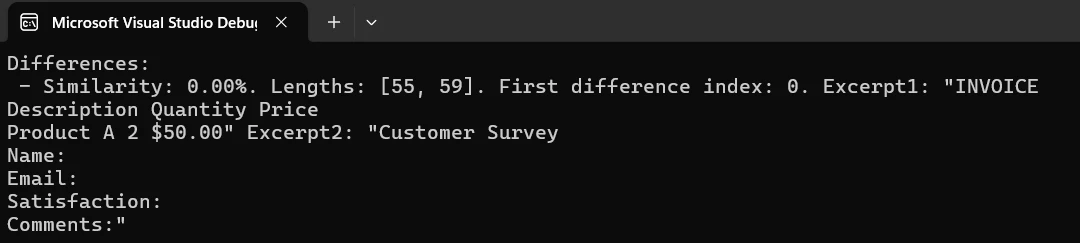
對於非常大的批次,請考慮使用異步任務模式來同時載入和提取多個PDF的文字,而不是順序進行。 當選擇參考文件時,針對版本控制場景使用最新批准的版本,或質量保證工作流程時使用預期輸出模板。 您還可以通過讀取嵌入在文件本身中的PDF元資料(如建立日期和版本號)來自動選擇參考文件。
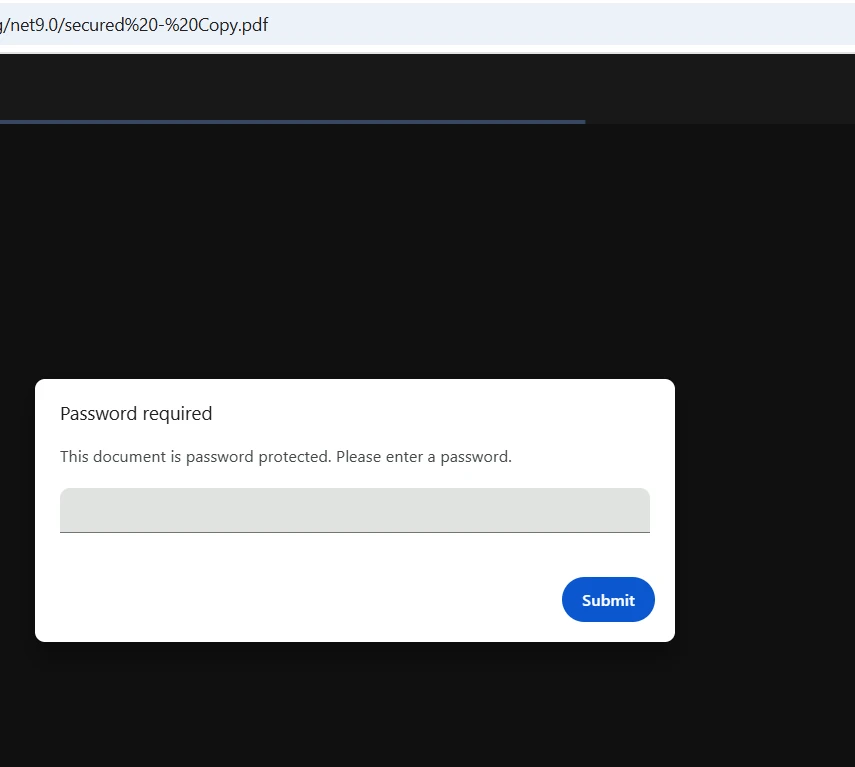
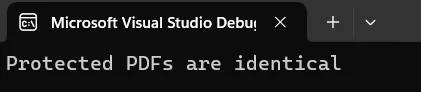
IronPDF通過在FromFile調用中直接接受密碼來處理加密的PDF。 無需在載入文件之前外部解密文件 -- 程式庫會在內部處理身份驗證。 該程式庫支援40位RC4、128位RC4和128位AES加密標準:
using IronPdf;
using System;

try
{
    // Load password-protected PDFs
    var pdf1 = PdfDocument.FromFile("secure-document1.pdf", "password1");
    var pdf2 = PdfDocument.FromFile("secure-document2.pdf", "password2");

    Console.WriteLine($"PDF 1 loaded: {pdf1.PageCount} pages");
    Console.WriteLine($"PDF 2 loaded: {pdf2.PageCount} pages");

    string text1 = pdf1.ExtractAllText();
    string text2 = pdf2.ExtractAllText();

    bool identical = text1.Equals(text2);
    int maxLen = Math.Max(text1.Length, text2.Length);
    double similarity = maxLen == 0 ? 1.0
        : 1.0 - (double)Math.Abs(text1.Length - text2.Length) / maxLen;

    Console.WriteLine($"Documents are {(identical ? "identical" : "different")}");
    Console.WriteLine($"Similarity: {similarity:P}");

    // Optionally save a secured comparison report
    if (!identical)
    {
        var renderer = new ChromePdfRenderer();
        var reportPdf = renderer.RenderHtmlAsPdf(
            $"<h1>Comparison Result</h1><p>Similarity: {similarity:P}</p>");

        reportPdf.SecuritySettings.OwnerPassword = "report-owner-password";
        reportPdf.SecuritySettings.UserPassword = "report-user-password";
        reportPdf.SecuritySettings.AllowUserPrinting = true;
        reportPdf.SecuritySettings.AllowUserCopyPasteContent = false;

        reportPdf.SaveAs("comparison-report.pdf");
        Console.WriteLine("Secured report saved.");
    }
}
catch (Exception ex)
{
    Console.WriteLine($"Error handling secured PDFs: {ex.Message}");
}Imports IronPdf
Imports System
Try
' Load password-protected PDFs
Dim pdf1 = PdfDocument.FromFile("secure-document1.pdf", "password1")
Dim pdf2 = PdfDocument.FromFile("secure-document2.pdf", "password2")
Console.WriteLine($"PDF 1 loaded: {pdf1.PageCount} pages")
Console.WriteLine($"PDF 2 loaded: {pdf2.PageCount} pages")
Dim text1 As String = pdf1.ExtractAllText()
Dim text2 As String = pdf2.ExtractAllText()
Dim identical As Boolean = text1.Equals(text2)
Dim maxLen As Integer = Math.Max(text1.Length, text2.Length)
Dim similarity As Double = If(maxLen = 0, 1.0, 1.0 - CDbl(Math.Abs(text1.Length - text2.Length)) / maxLen)
Console.WriteLine($"Documents are {(If(identical, "identical", "different"))}")
Console.WriteLine($"Similarity: {similarity:P}")
' Optionally save a secured comparison report
If Not identical Then
Dim renderer = New ChromePdfRenderer()
Dim reportPdf = renderer.RenderHtmlAsPdf($"<h1>Comparison Result</h1><p>Similarity: {similarity:P}</p>")
reportPdf.SecuritySettings.OwnerPassword = "report-owner-password"
reportPdf.SecuritySettings.UserPassword = "report-user-password"
reportPdf.SecuritySettings.AllowUserPrinting = True
reportPdf.SecuritySettings.AllowUserCopyPasteContent = False
reportPdf.SaveAs("comparison-report.pdf")
Console.WriteLine("Secured report saved.")
End If
Catch ex As Exception
Console.WriteLine($"Error handling secured PDFs: {ex.Message}")
End Try透過將密碼傳遞給FromFile,您可以比較加密的PDF,而無需任何預解密步驟。IronPDF的安全功能確保對受保護內容的正確處理,而電子簽名則增加了一個額外的文件真實性驗證層。
在處理受密碼保護的PDF時,最好將憑證儲存在環境變數或秘密管理器中,而不是在源程式碼中硬編碼它們。 實施不包含敏感資訊的日誌記錄做法,以及使用嘗試限次的重試邏輯,以防止暴力攻擊場景。 對於高級加密需求,PDF/UA合規指南涵蓋了符合可達性標準的安全配置。
格式化報告為利益相關者提供了清晰的兩個文件之間的變化視圖。 以下範例使用IronPDF的HTML到PDF轉換來生成一個帶有每頁差異度量的樣式報告:
using IronPdf;
using System;
using System.Collections.Generic;
using System.IO;
using System.Text;

var pdf1 = PdfDocument.FromFile("document1.pdf");
var pdf2 = PdfDocument.FromFile("document2.pdf");

var differences = new List<(int Page, double Similarity, int Len1, int Len2, int CharDiff)>();
int totalPages = Math.Max(pdf1.PageCount, pdf2.PageCount);

for (int i = 0; i < totalPages; i++)
{
    string p1 = i < pdf1.PageCount ? pdf1.ExtractTextFromPage(i) ?? "" : "";
    string p2 = i < pdf2.PageCount ? pdf2.ExtractTextFromPage(i) ?? "" : "";

    if (p1 == p2) continue;

    int maxLen = Math.Max(p1.Length, p2.Length);
    double sim = maxLen == 0 ? 1.0 : 1.0 - (double)Math.Abs(p1.Length - p2.Length) / maxLen;
    int charDiff = Math.Abs(p1.Length - p2.Length);

    differences.Add((i + 1, sim, p1.Length, p2.Length, charDiff));
}

// Build HTML report
var sb = new StringBuilder();
sb.Append(@"<html><head><style>
    body { font-family: Arial, sans-serif; margin: 20px; }
    h1 { color: #333; border-bottom: 2px solid #4CAF50; }
    .summary { background: #f0f0f0; padding: 15px; border-radius: 5px; margin-bottom: 20px; }
    table { border-collapse: collapse; width: 100%; }
    th, td { border: 1px solid #ddd; padding: 8px; text-align: left; }
    th { background: #4CAF50; color: white; }
    .ok { background: #c8e6c9; padding: 15px; border-radius: 5px; }
</style></head><body>");

sb.Append("<h1>PDF Comparison Report</h1>");
sb.Append("<div class='summary'>");
sb.Append($"<p><strong>File 1:</strong> {Path.GetFileName("document1.pdf")}</p>");
sb.Append($"<p><strong>File 2:</strong> {Path.GetFileName("document2.pdf")}</p>");
sb.Append($"<p><strong>Pages with differences:</strong> {differences.Count} of {totalPages}</p>");
sb.Append($"<p><strong>Generated:</strong> {DateTime.Now:yyyy-MM-dd HH:mm:ss}</p>");
sb.Append("</div>");

if (differences.Count > 0)
{
    sb.Append("<table><thead><tr><th>Page</th><th>Similarity</th><th>File 1 Length</th><th>File 2 Length</th><th>Char Diff</th></tr></thead><tbody>");
    foreach (var d in differences)
    {
        sb.Append($"<tr><td>{d.Page}</td><td>{d.Similarity:P}</td><td>{d.Len1}</td><td>{d.Len2}</td><td>{d.CharDiff}</td></tr>");
    }
    sb.Append("</tbody></table>");
}
else
{
    sb.Append("<p class='ok'>No differences detected -- files are identical.</p>");
}

sb.Append("</body></html>");

var renderer = new ChromePdfRenderer();
renderer.RenderingOptions.MarginTop = 25;
renderer.RenderingOptions.MarginBottom = 25;
renderer.RenderingOptions.CssMediaType = IronPdf.Rendering.PdfCssMediaType.Print;

var reportPdf = renderer.RenderHtmlAsPdf(sb.ToString());
reportPdf.MetaData.Author = "PDF Comparison Tool";
reportPdf.MetaData.Title = "PDF Comparison Report";
reportPdf.MetaData.CreationDate = DateTime.Now;

reportPdf.SaveAs("comparison-report.pdf");
Console.WriteLine("Report saved to comparison-report.pdf");Imports IronPdf
Imports System
Imports System.Collections.Generic
Imports System.IO
Imports System.Text
Dim pdf1 = PdfDocument.FromFile("document1.pdf")
Dim pdf2 = PdfDocument.FromFile("document2.pdf")
Dim differences = New List(Of (Page As Integer, Similarity As Double, Len1 As Integer, Len2 As Integer, CharDiff As Integer))()
Dim totalPages As Integer = Math.Max(pdf1.PageCount, pdf2.PageCount)
For i As Integer = 0 To totalPages - 1
Dim p1 As String = If(i < pdf1.PageCount, pdf1.ExtractTextFromPage(i), "")
Dim p2 As String = If(i < pdf2.PageCount, pdf2.ExtractTextFromPage(i), "")
If p1 = p2 Then Continue For
Dim maxLen As Integer = Math.Max(p1.Length, p2.Length)
Dim sim As Double = If(maxLen = 0, 1.0, 1.0 - CDbl(Math.Abs(p1.Length - p2.Length)) / maxLen)
Dim charDiff As Integer = Math.Abs(p1.Length - p2.Length)
differences.Add((i + 1, sim, p1.Length, p2.Length, charDiff))
Next
' Build HTML report
Dim sb = New StringBuilder()
sb.Append("<html><head><style>
body { font-family: Arial, sans-serif; margin: 20px; }
h1 { color: #333; border-bottom: 2px solid #4CAF50; }
.summary { background: #f0f0f0; padding: 15px; border-radius: 5px; margin-bottom: 20px; }
table { border-collapse: collapse; width: 100%; }
th, td { border: 1px solid #ddd; padding: 8px; text-align: left; }
th { background: #4CAF50; color: white; }
.ok { background: #c8e6c9; padding: 15px; border-radius: 5px; }
</style></head><body>")
sb.Append("<h1>PDF Comparison Report</h1>")
sb.Append("<div class='summary'>")
sb.Append($"<p><strong>File 1:</strong> {Path.GetFileName("document1.pdf")}</p>")
sb.Append($"<p><strong>File 2:</strong> {Path.GetFileName("document2.pdf")}</p>")
sb.Append($"<p><strong>Pages with differences:</strong> {differences.Count} of {totalPages}</p>")
sb.Append($"<p><strong>Generated:</strong> {DateTime.Now:yyyy-MM-dd HH:mm:ss}</p>")
sb.Append("</div>")
If differences.Count > 0 Then
sb.Append("<table><thead><tr><th>Page</th><th>Similarity</th><th>File 1 Length</th><th>File 2 Length</th><th>Char Diff</th></tr></thead><tbody>")
For Each d In differences
sb.Append($"<tr><td>{d.Page}</td><td>{d.Similarity:P}</td><td>{d.Len1}</td><td>{d.Len2}</td><td>{d.CharDiff}</td></tr>")
Next
sb.Append("</tbody></table>")
Else
sb.Append("<p class='ok'>No differences detected -- files are identical.</p>")
End If
sb.Append("</body></html>")
Dim renderer = New ChromePdfRenderer()
renderer.RenderingOptions.MarginTop = 25
renderer.RenderingOptions.MarginBottom = 25
renderer.RenderingOptions.CssMediaType = IronPdf.Rendering.PdfCssMediaType.Print
Dim reportPdf = renderer.RenderHtmlAsPdf(sb.ToString())
reportPdf.MetaData.Author = "PDF Comparison Tool"
reportPdf.MetaData.Title = "PDF Comparison Report"
reportPdf.MetaData.CreationDate = DateTime.Now
reportPdf.SaveAs("comparison-report.pdf")
Console.WriteLine("Report saved to comparison-report.pdf")此解決方案使用HTML渲染來建立專業報告,具有自定義樣式。 IronPDF的CSS支援允許完全自定義 -- 調整字體、顏色和佈局以符合企業品牌。 新增具有頁碼和時間戳的頁眉和頁腳,以用於正式的文件工作流程。
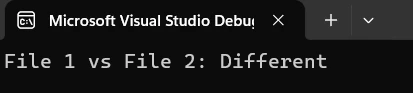
生成的報告提供了差異的清晰摘要,帶有詳細的每頁度量。 您可以將報告擴展為包括相似度分數的視覺圖表,顯示更改區域的頁面縮略圖,以及長篇報告中便於導航的書籤。 對於存檔級報告,IronPDF支持PDF/A格式,以保證長期可讀性並符合文件保留規則。
在將PDF比較功能投入生產之前,一些模式區分了一個不穩定的原型和一個可靠的工具:
優雅處理null和空文字。 ExtractAllText()可能會對僅圖像PDF或沒有文字層的掃描文件返回空字串。 在運行比較邏輯之前,始終檢查空結果,並決定空對空是否計為"相同"或"不確定"。
在比較之前標準化文字。 不同的PDF生成器可能會對同一視覺內容產生略微不同的空白模式、行結尾或Unicode標準化。 在比較之前運行text.Trim().Replace("\r\n", "\n")可以防止從純粹的外觀差異中得到誤報。
對於業務工作流程,使用相似度門檻而不是完全匹配。 98%的相似度得分很可能意味著兩個文件在功能上相同,即使其中一個具有稍微不同的時間戳或自動生成的ID。 為您的領域定義適當的門檻,而不是要求完全字元相等。
使用檔案元資料記錄比較結果。 保存檔案名稱、大小、修改日期和相似度分數到結構化日誌中。 這建立了一個審核跡,合規團隊可以在不重新運行比較的情況下進行審查。
考慮編碼和字體問題。 某些PDF文件在其文字層使用自定義編碼表。 IronPDF的基於Chrome的引擎大多數情況下能正確處理,但如果看到亂碼文字輸出,請檢查源PDF是否使用了非標準字體編碼。 故障排除指南涵蓋了常見提取問題及其解決方案。
對於構建生產文件比較管道的團隊,微軟關於.NET中的異步模式的文獻提供了關於結構化文件並行處理的有用指南。 PDF規範(ISO 32000)也值得一閱,如果您需要了解在給定文件的文字層中可能或可能不會出現哪些型別的內容。
在C#中進行PDF比較是一種能開啟數十個行業文件自動化的實用技能 -- 由IronPDF使它對任何.NET開發者變得可行。 從基本的文字提取範例開始,根據需要擴展到逐頁分析,並使用HTML報告生成器向利益相關者提供專業輸出。
| 場景 | 方法 | 主要方法 |
|---|---|---|
| 基本文字比較 | 從兩份文件中提取全文字並比較字串 | ExtractAllText() |
| 逐頁分析 | 獨立比較每一頁以定位變更位置 | ExtractTextFromPage() |
| 批量比較 | 將多個文件與單一參考文件進行比較 | PdfDocument.FromFile() |
| 受密碼保護的檔案 | 將密碼直接傳遞給文件載入器 -- 無需預解密 | PdfDocument.FromFile(path, password) |
| 報告生成 | 將HTML比較摘要轉換為樣式化的PDF報告 | ChromePdfRenderer.RenderHtmlAsPdf() |
下載免費試用以立即開始使用IronPDF -- 30天評估無需信用卡。 快速入門指南在五分鐘內完成初始設置。 當您準備好進入生產時,查看許可證頁面以獲得適合您的團隊規模和部署需求的選項。
為了更深入的學習,探索完整教程系列,涵蓋PDF建立、編輯和操作。 API參考提供詳細的方法文件,範例部分展示了包括表單處理和浮水印在內的實際實施。

Curtis Chau擁有Carleton大學的電腦科學學士學位,專精於前端開發,擁有Node.js、TypeScript、JavaScript和React的專業知識。Curtis熱衷於建立直觀且美觀的使用者介面,喜愛使用現代框架並建立結構良好、視覺吸引力的手冊。

IronPDF 是 IRONSUITE 的一部分
10 款適用於辦公室文件的 .NET API 產品

當您需要您的PDF看起來像HTML一樣快速。














