




已更新 2026年5月8日
生成每月账户报表(PDF 文档)
using IronPDF C# PDF 库,开发人员可以在 .NET 项目中将 HTML 转换为可靠的 PDF 文件,而无需依赖外部服务。
阅读更多

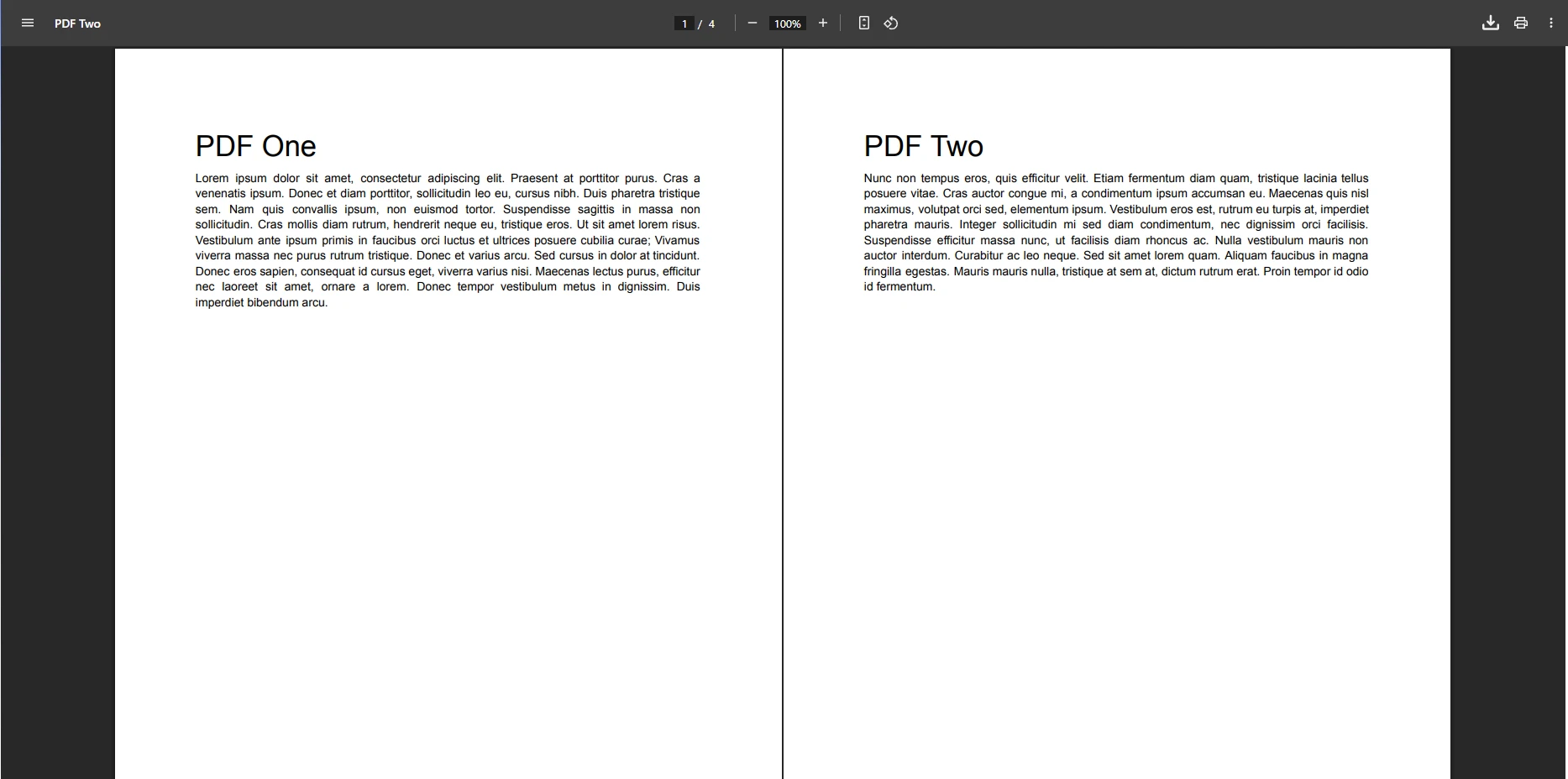
在C#中合并两个PDF字节数组,使用IronPDF的PdfDocument对象中,并保持结构、格式和表单字段不变地将它们合并到一起——无需访问文件系统。
在现代 .NET 应用中,处理内存中的 PDF 文件是一个常见需求。 无论是从 web API 接收多个 PDF 文件、从数据库 BLOB 列中检索它们,还是从服务器处理上传的文件,通常都需要将多个 PDF 字节数组合并为一个 PDF 文档,而不接触文件系统。 在本文中,我们将探讨 IronPDF 如何通过其直观的 API,让通过编程方式合并 PDF 文件变得异常简单。
与文本文件不同,PDF 文档具有复杂的内部结构,包括交叉引用表、对象定义和特定的格式要求。 简单地将两个 PDF 文件作为字节数组连接起来会破坏文档结构,导致生成的 PDF 文件无法读取。因此,像 IronPDF 这样的专业PDF 库至关重要——它们理解 PDF 规范,能够在保持文件完整性的同时正确合并 PDF 文件。 根据 Stack Overflow 论坛的讨论,在尝试合并 PDF 内容时,直接进行字节数组拼接是开发者常犯的错误。
如果未进行适当解析就直接拼接 PDF 字节,生成的文件将包含多个 PDF 头部、冲突的交叉引用表以及损坏的对象引用。 PDF阅读器无法解析这种格式错误的结构,这会导致文件损坏或显示为空白文档。 PDF/A 格式尤其要求严格遵守结构标准,因此对于归档文档而言,正确的合并操作至关重要。
PDF 文件包含相互关联的对象、字体定义和页面树,必须进行仔细的合并处理。 每个 PDF 文件中的内部引用都需要更新,以指向合并文档中的正确位置,这需要理解 PDF 规范。 在合并操作过程中管理字体并保留元数据,需要仅由专用 PDF 库提供的强大解析能力。
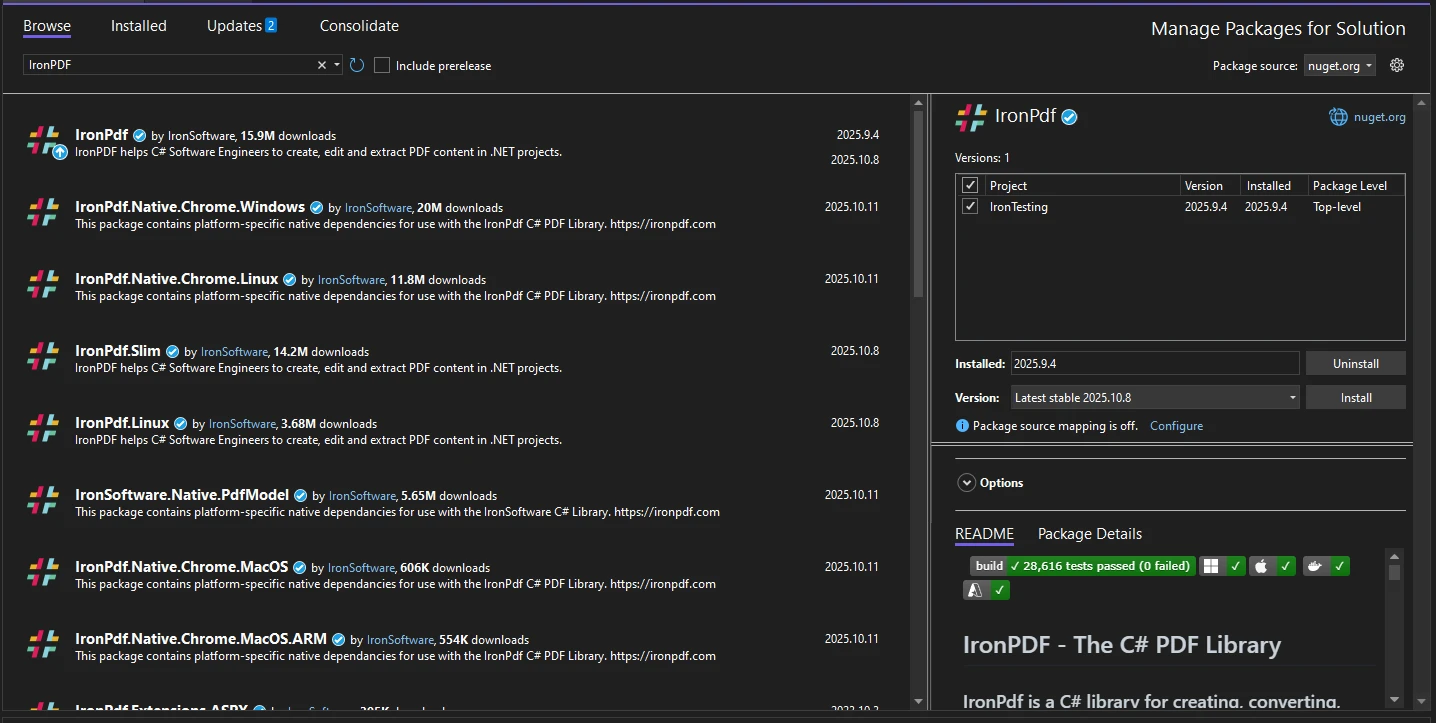
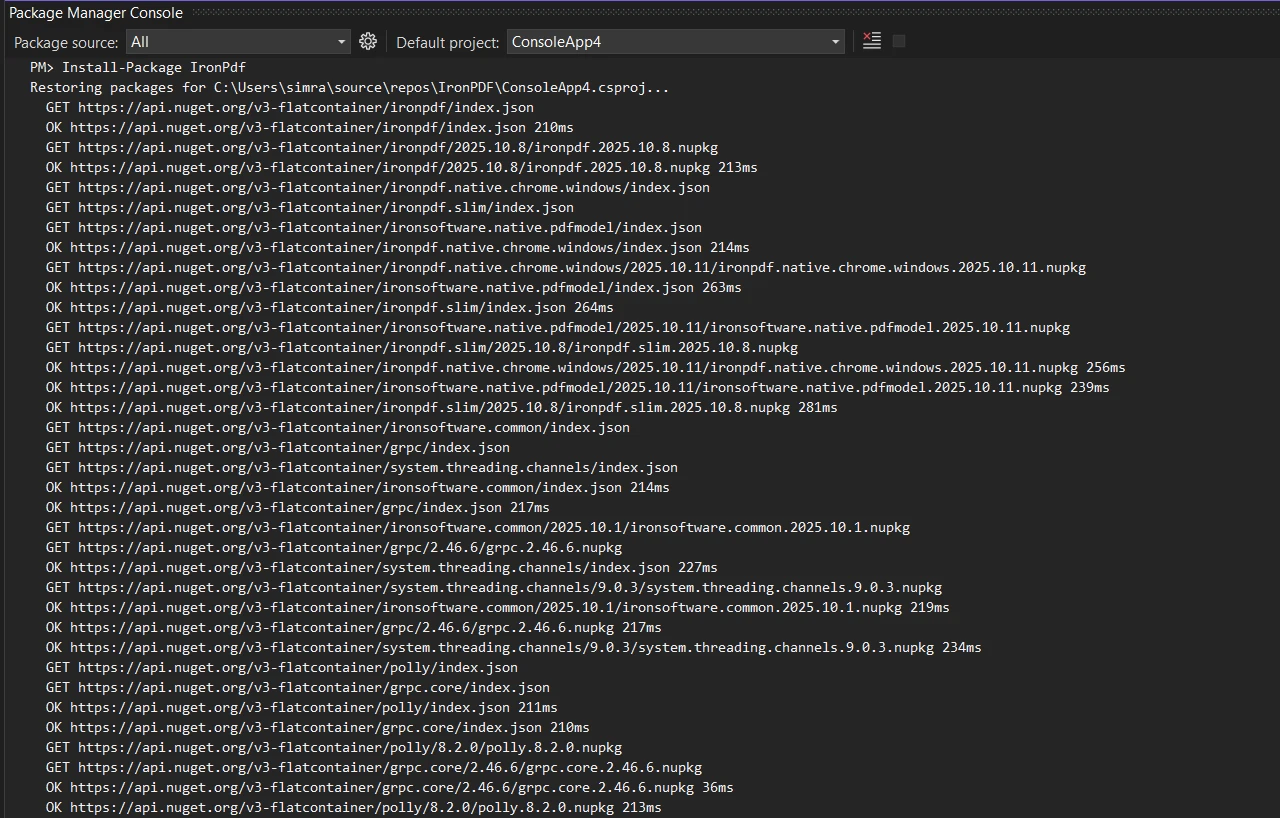
通过 NuGet 包管理器在您的 .NET 项目中安装 IronPDF:
或者将图片拖放到这里。
添加必要的 using 声明以导入库:
using IronPdf;
using System.IO;  // For MemoryStream
using System.Threading.Tasks;
using System.Collections.Generic;  // For List operations
using System.Linq; // For LINQ transformationsImports IronPdf
Imports System.IO ' For MemoryStream
Imports System.Threading.Tasks
Imports System.Collections.Generic ' For List operations
Imports System.Linq ' For LINQ transformations对于生产服务器环境,请应用您的许可证密钥以访问所有功能,无需密码限制:
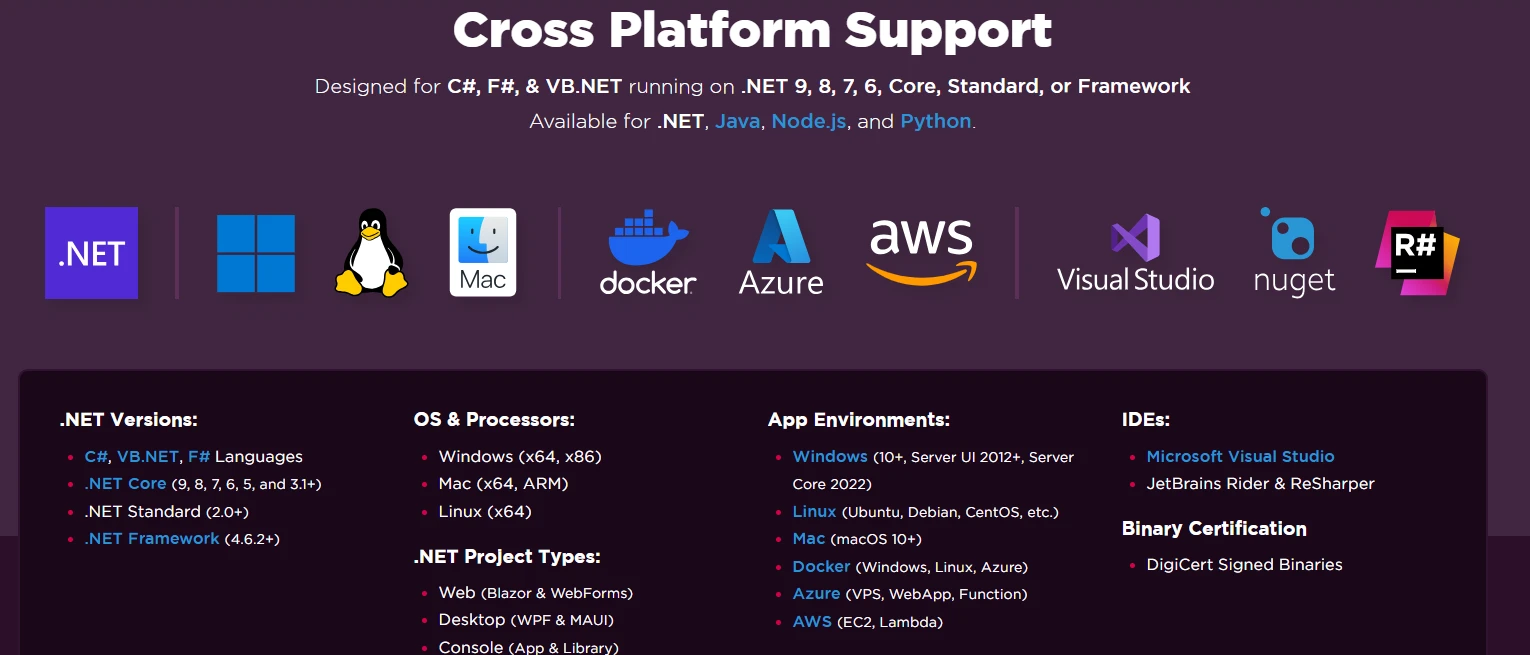
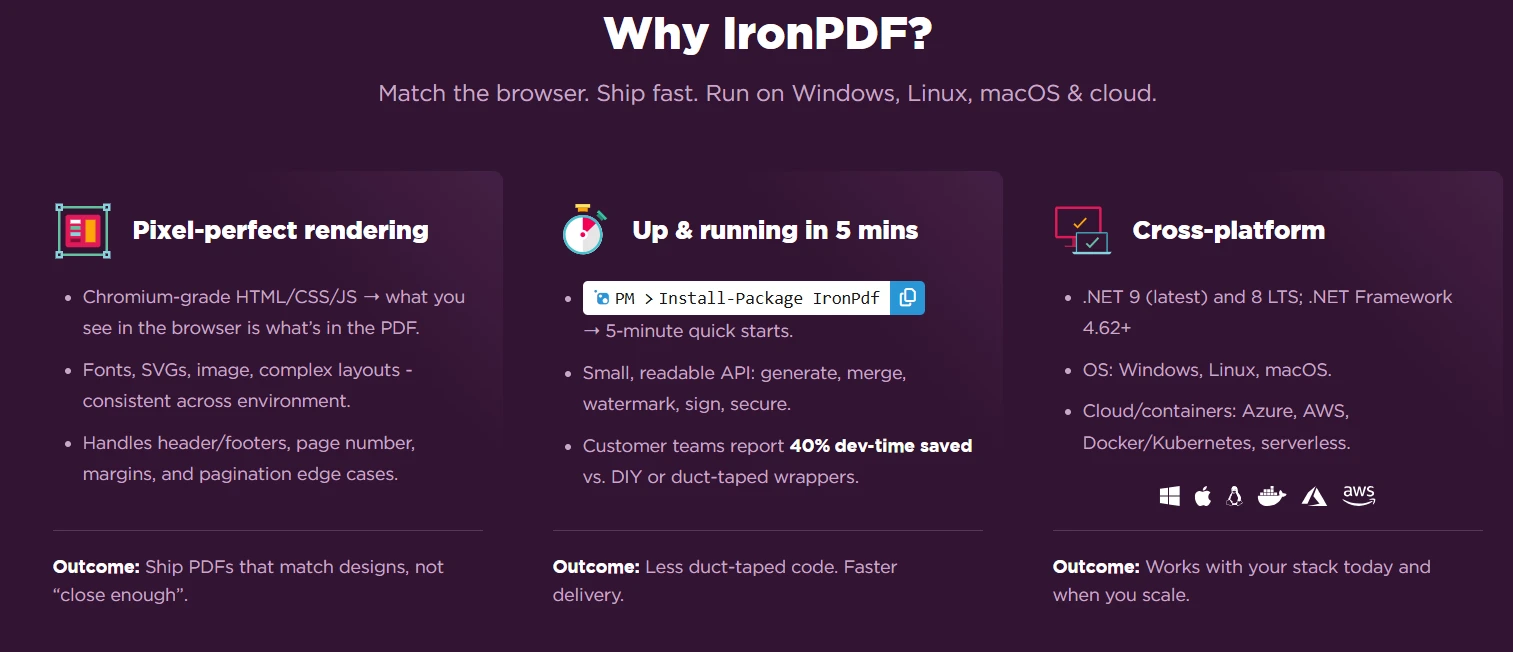
IronPdf.License.LicenseKey = "YOUR-LICENSE-KEY";IronPdf.License.LicenseKey = "YOUR-LICENSE-KEY"IronPDF 支持 Windows、Linux、macOS 及 Docker 容器,因此非常适合用于 ASP.NET Core 和云原生应用程序。 该库采用本地与远程引擎相结合的架构,为从 Windows 服务器到 Linux 容器的各种部署场景提供了灵活性。
IronPDF 可在 Docker 容器中原生运行,无需外部依赖项。 该库包含所有必要组件,因此无需在容器镜像中安装 Chrome 或进行复杂的字体配置。 为在容器化环境中获得最佳性能,请配置 IronPDF 运行时文件夹并实施适当的资源监控。 在部署到 AWS Lambda 或 Azure Functions 时,该库会自动处理平台特有的优化工作。
该库采用自包含架构,将平台特有的操作进行抽象化处理,确保在 Windows Server、Linux 发行版和容器化环境中行为一致,且无需平台特有的代码。 Chrome 渲染引擎可在不同平台间提供像素级一致的显示效果,而 IronPdfEngine Docker 容器则支持对资源密集型操作进行远程处理。
var PDF = PdfDocument.Merge(
    PdfDocument.FromBytes(pdfBytes1),
PdfDocument.FromBytes(pdfBytes2));Dim PDF = PdfDocument.Merge( _
PdfDocument.FromBytes(pdfBytes1), _
PdfDocument.FromBytes(pdfBytes2))这是合并两个来自字节数组数据的 PDF 文件的核心代码示例:
public byte[] MergePdfByteArrays(byte[] firstPdf, byte[] secondPdf)
{
    // Load the first PDF file from byte array
    var pdf1 = new PdfDocument(firstPdf);
    // Load the second PDF file from byte array
    var pdf2 = new PdfDocument(secondPdf);
    // Merge PDF documents into one PDF
    var mergedPdf = PdfDocument.Merge(pdf1, pdf2);
    // Return the combined PDF as byte array
    return mergedPdf.BinaryData;
}Public Function MergePdfByteArrays(firstPdf As Byte(), secondPdf As Byte()) As Byte()
' Load the first PDF file from byte array
Dim pdf1 = New PdfDocument(firstPdf)
' Load the second PDF file from byte array
Dim pdf2 = New PdfDocument(secondPdf)
' Merge PDF documents into one PDF
Dim mergedPdf = PdfDocument.Merge(pdf1, pdf2)
' Return the combined PDF as byte array
Return mergedPdf.BinaryData
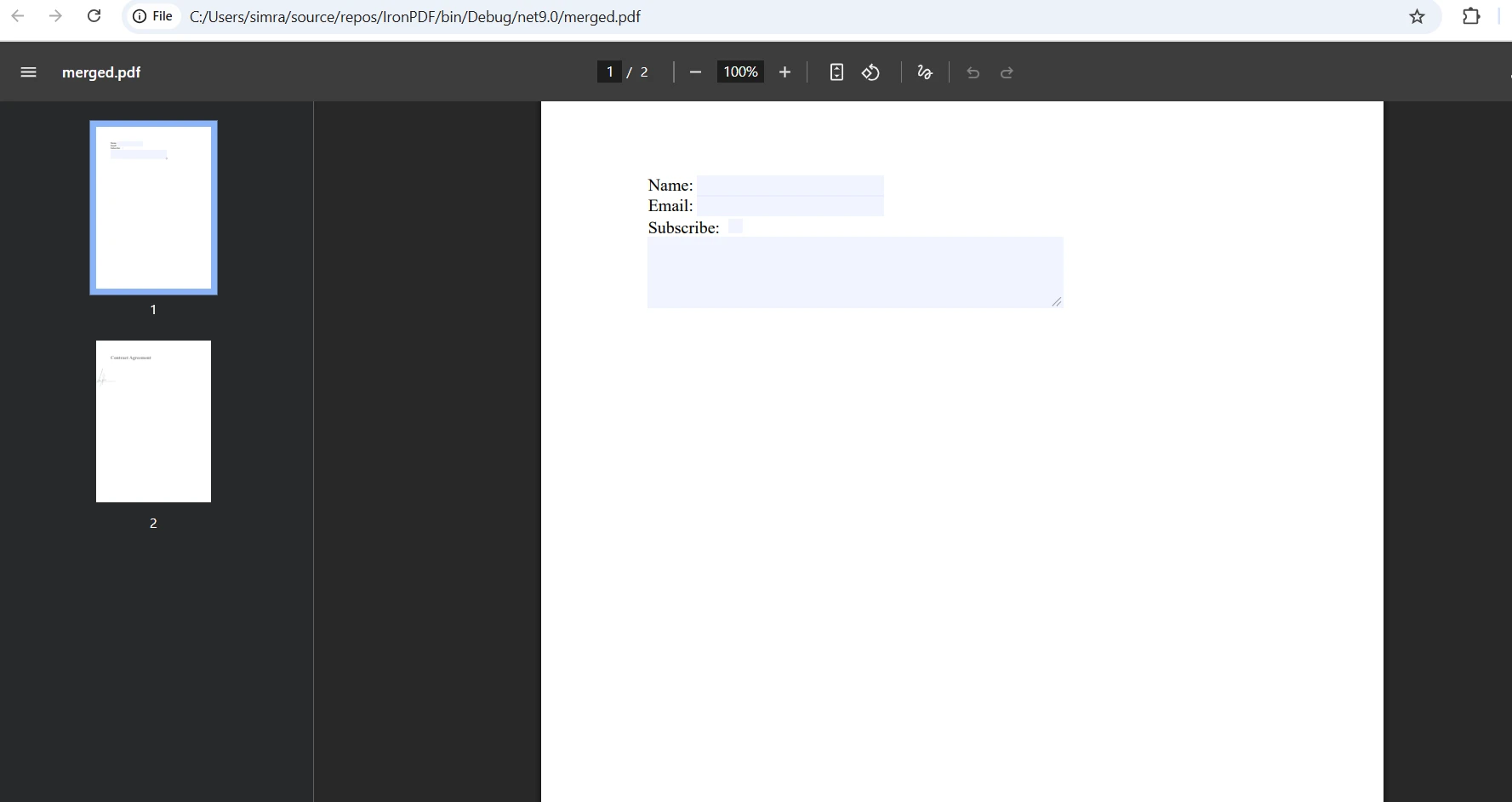
End Function此方法接受两个 PDF 字节数组作为输入参数。 PdfDocument对象中。 Merge()方法将两个PDF文档合并为一个新的PDF,保留所有内容、格式和表单字段。 对于更复杂的场景,您可以使用高级渲染选项来控制合并行为。
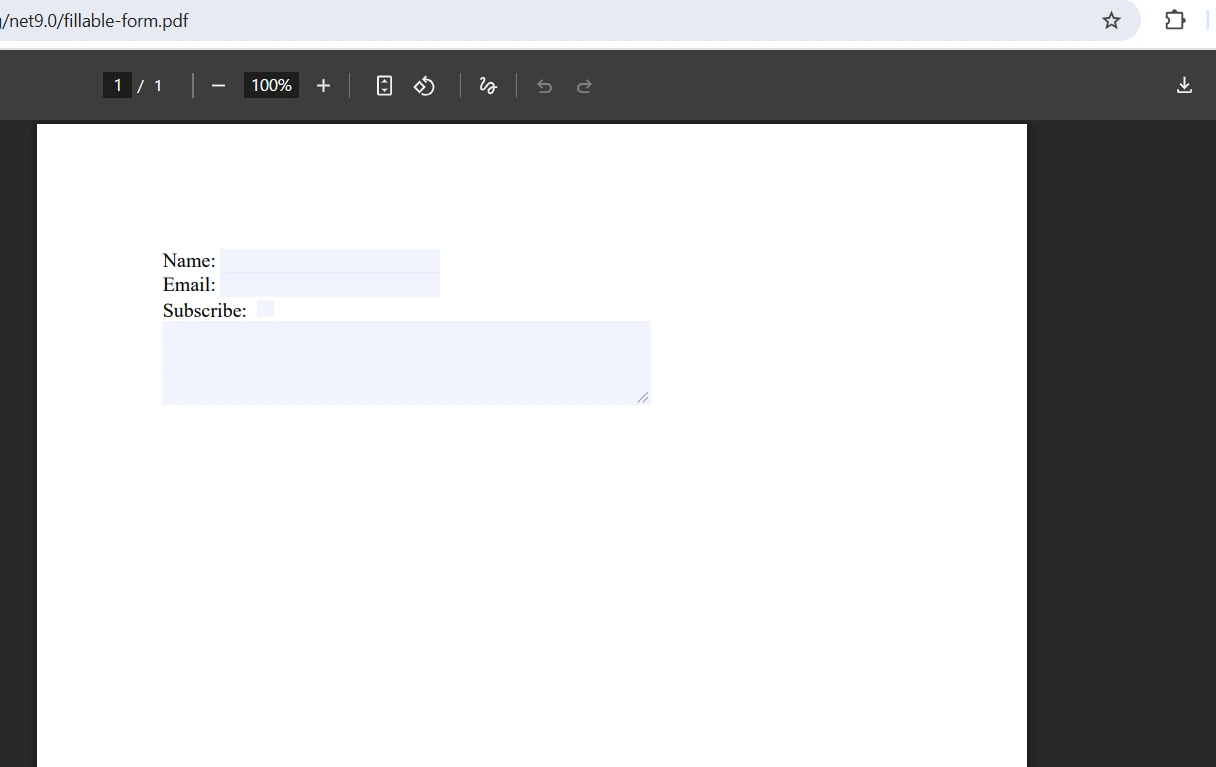
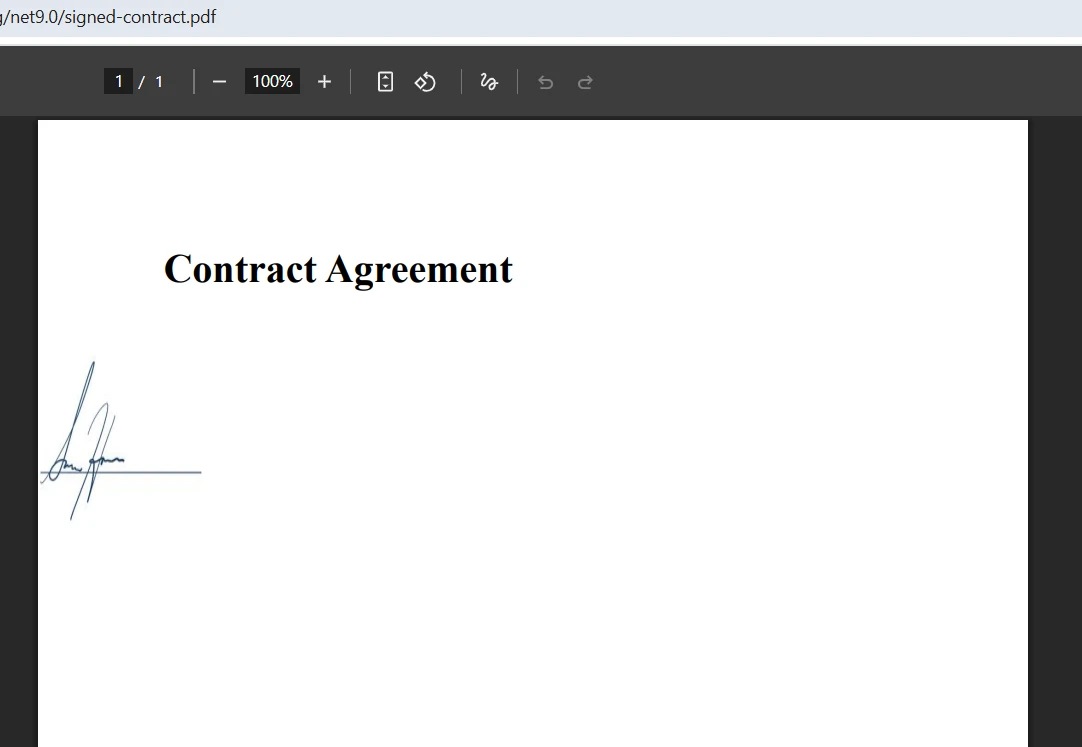
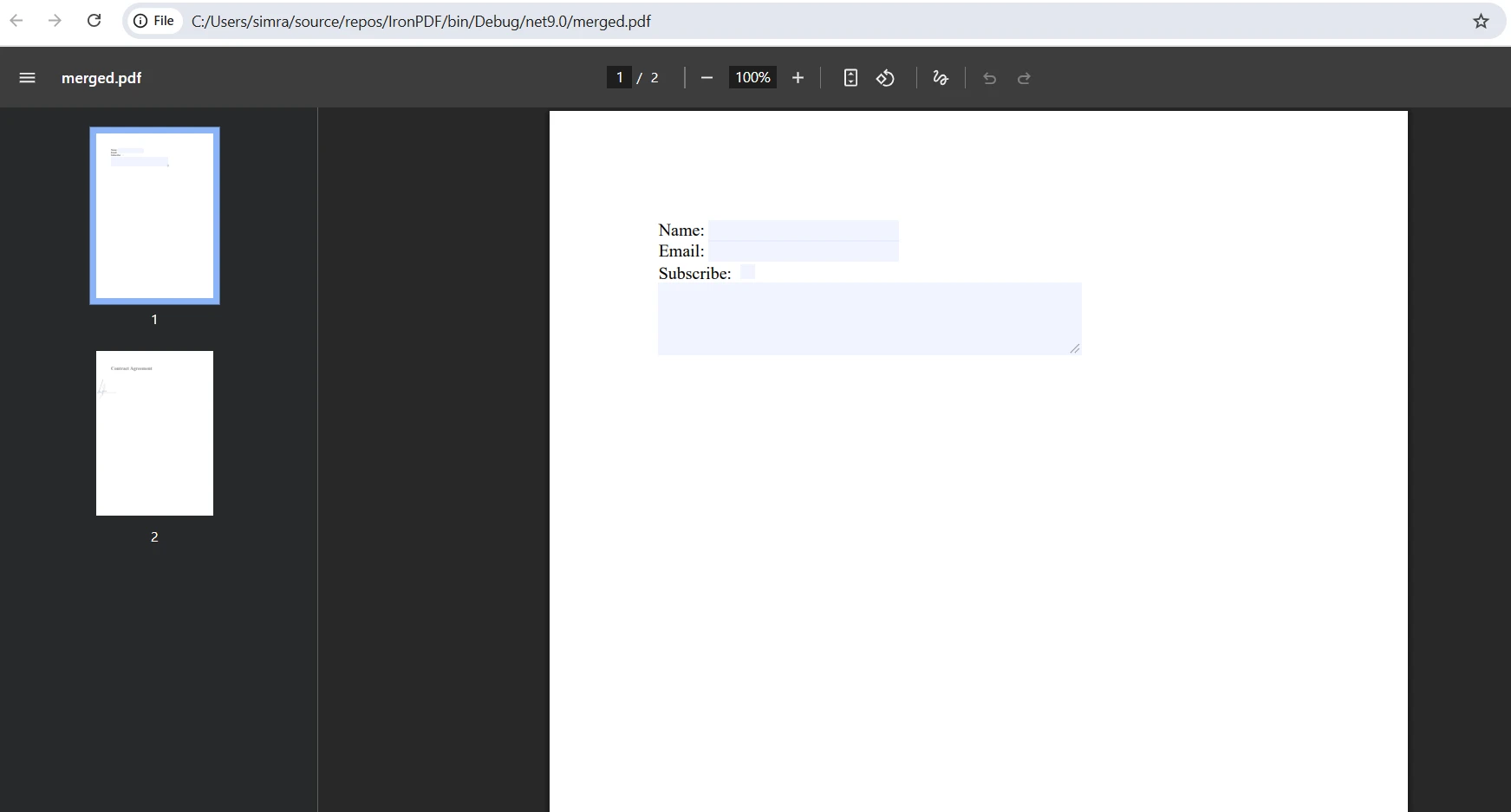
为获得更多控制,您还可以直接使用一个新的MemoryStream:
public byte[] MergePdfsWithStream(byte[] src1, byte[] src2)
{
    using (var stream = new MemoryStream())
    {
        var pdf1 = new PdfDocument(src1);
        var pdf2 = new PdfDocument(src2);
        var combined = PdfDocument.Merge(pdf1, pdf2);

        // Handle form field name conflicts
        if (combined.Form != null && combined.Form.Fields.Count > 0)
        {
            // Access and modify form fields if needed
            foreach (var field in combined.Form.Fields)
            {
                // Process form fields
                Console.WriteLine($"Field: {field.Name}");
            }
        }

        return combined.BinaryData;
    }
}Public Function MergePdfsWithStream(src1 As Byte(), src2 As Byte()) As Byte()
Using stream As New MemoryStream()
Dim pdf1 As New PdfDocument(src1)
Dim pdf2 As New PdfDocument(src2)
Dim combined As PdfDocument = PdfDocument.Merge(pdf1, pdf2)
' Handle form field name conflicts
If combined.Form IsNot Nothing AndAlso combined.Form.Fields.Count > 0 Then
' Access and modify form fields if needed
For Each field In combined.Form.Fields
' Process form fields
Console.WriteLine($"Field: {field.Name}")
Next
End If
Return combined.BinaryData
End Using
End Function如果两个 PDF 文件中包含具有相同名称的表单字段,IronPDF 会通过添加下划线自动处理命名冲突。 在处理可填写的 PDF 表单时,您可以在保存合并后的文档之前,通过编程方式访问和修改表单字段。 PDF DOM 对象模型提供了对表单元素的完全控制。 最后,BinaryData属性将合并后的PDF以字节数组格式返回为一个新文档。 要将结果传递给其他方法,只需返回此字节数组即可 - 除非需要,否则无需保存到磁盘。
对于处理大型 PDF 文件或服务器上高请求量的应用程序,异步操作可防止线程阻塞。 下面的代码展示了如何异步合并 PDF 文档:
public async Task<byte[]> MergePdfByteArraysAsync(byte[] firstPdf, byte[] secondPdf)
{
    return await Task.Run(() =>
    {
        var pdf1 = new PdfDocument(firstPdf);
        var pdf2 = new PdfDocument(secondPdf);
        var PDF = PdfDocument.Merge(pdf1, pdf2);
        return PDF.BinaryData;
    });
}Imports System.Threading.Tasks
Public Class PdfMerger
Public Async Function MergePdfByteArraysAsync(firstPdf As Byte(), secondPdf As Byte()) As Task(Of Byte())
Return Await Task.Run(Function()
Dim pdf1 = New PdfDocument(firstPdf)
Dim pdf2 = New PdfDocument(secondPdf)
Dim PDF = PdfDocument.Merge(pdf1, pdf2)
Return PDF.BinaryData
End Function)
End Function
End Class此异步实现将PDF合并操作包装在Task.Run()中,允许它在后台线程上执行。 此方法在 ASP.NET 网络应用程序中特别有价值,在处理多个 PDF 文档时您希望保持响应的请求处理。 该方法返回一个Task<byte[]>,使调用者能够等待结果而不阻塞主线程。 上面的代码保证了在处理大型 PDF 文件操作时的高效内存管理。 对于更复杂的场景,请探索 IronPDF 中的异步和多线程模式。
在处理大于 10MB 的 PDF 文件、处理多个并发请求或与异步 Web API 集成时,请使用异步合并。这可在高流量场景下防止线程池资源耗尽。 请考虑为涉及外部资源的操作设置渲染延迟和超时机制。 在微服务架构中,异步操作能够优化资源利用率,并在峰值负载期间防止级联故障。
在高并发场景下,异步操作可将内存压力降低多达 40%。 在严格限制 CPU 和内存的容器化环境中,这些工具能够实现更优的资源利用率。 结合并行 PDF 生成技术,您可以显著提升性能。 使用自定义日志监控性能,以识别 PDF 处理流程中的瓶颈。
处理多个 PDF 文件时,请使用列表进行批量处理。 此方法允许您将任意数量的 PDF 文档合并为一个 PDF:
public byte[] MergeMultiplePdfByteArrays(List<byte[]> pdfByteArrays)
{
    if (pdfByteArrays == null || pdfByteArrays.Count == 0)
        return null;

    // Convert all byte arrays to PdfDocument objects
    var pdfDocuments = pdfByteArrays
        .Select(bytes => new PdfDocument(bytes))
        .ToList();

    // Merge all PDFs in one operation
    var PDF = PdfDocument.Merge(pdfDocuments);

    // Clean up resources
    foreach (var pdfDoc in pdfDocuments)
    {
        pdfDoc.Dispose();
    }

    return PDF.BinaryData;
}Public Function MergeMultiplePdfByteArrays(pdfByteArrays As List(Of Byte())) As Byte()
If pdfByteArrays Is Nothing OrElse pdfByteArrays.Count = 0 Then
Return Nothing
End If
' Convert all byte arrays to PdfDocument objects
Dim pdfDocuments = pdfByteArrays _
.Select(Function(bytes) New PdfDocument(bytes)) _
.ToList()
' Merge all PDFs in one operation
Dim PDF = PdfDocument.Merge(pdfDocuments)
' Clean up resources
For Each pdfDoc In pdfDocuments
pdfDoc.Dispose()
Next
Return PDF.BinaryData
End Function此方法可有效处理任何数量的 PDF 字节数组。 它首先验证输入以确保列表中包含数据。 使用LINQ的PdfDocument对象。 Merge()方法接受一个PDFDocument对象的列表,并在一个操作中将它们全部合并以创建一个新文档。 资源清理很重要——在PDF合并后处置各个PdfDocument对象有助于有效管理内存和资源,尤其是在处理大量或大型PDF文件时。 结果字节数组的长度取决于所有源 PDF 文档中的页数。 您还可以拆分多页 PDF 或复制特定页面,以实现更精细的控制。
请以 10-20 个文档为一组批量处理 PDF,以保持内存使用量的可预测性。 对于大规模操作,请采用基于队列的方法,并支持配置并发限制。 使用 PDF 压缩功能以减少处理过程中的内存占用。 处理大型输出文件时,建议将结果直接流式传输至 Azure Blob 存储,而非保存在内存中。
实现健康检查端点,用于跟踪正在进行的合并操作、内存消耗以及处理队列深度。 这使得 Kubernetes 就绪探针能够正确管理 Pod 的缩放。 配置 IronPDF 日志记录以捕获性能指标并识别内存泄漏。 使用内存流 API 来追踪批处理操作期间的精确内存分配模式。
始终将 PDF 操作放在 try-catch 块中,以处理因 PDF 文件损坏或受密码保护而可能出现的异常。 使用using语句或显式处置PdfDocument对象以防止内存泄漏。 对于大规模操作,考虑实现分页或流方法而不是将整个文档同时加载到内存中。
public byte[] SafeMergePdfByteArrays(byte[] firstPdf, byte[] secondPdf)
{
    try
    {
        // Validate input PDFs
        if (firstPdf == null || firstPdf.Length == 0)
            throw new ArgumentException("First PDF is empty");
        if (secondPdf == null || secondPdf.Length == 0)
            throw new ArgumentException("Second PDF is empty");

        using (var pdf1 = new PdfDocument(firstPdf))
        using (var pdf2 = new PdfDocument(secondPdf))
        {
            // Check for password protection
            if (pdf1.IsPasswordProtected || pdf2.IsPasswordProtected)
                throw new InvalidOperationException("Password-protected PDFs require authentication");

            var mergedPdf = PdfDocument.Merge(pdf1, pdf2);

            // Apply security settings if needed
            mergedPdf.SecuritySettings.AllowUserPrinting = true;
            mergedPdf.SecuritySettings.AllowUserCopyPasteContent = false;

            return mergedPdf.BinaryData;
        }
    }
    catch (Exception ex)
    {
        // Log error details for debugging
        Console.WriteLine($"PDF merge failed: {ex.Message}");
        throw;
    }
}Public Function SafeMergePdfByteArrays(firstPdf As Byte(), secondPdf As Byte()) As Byte()
Try
' Validate input PDFs
If firstPdf Is Nothing OrElse firstPdf.Length = 0 Then
Throw New ArgumentException("First PDF is empty")
End If
If secondPdf Is Nothing OrElse secondPdf.Length = 0 Then
Throw New ArgumentException("Second PDF is empty")
End If
Using pdf1 As New PdfDocument(firstPdf), pdf2 As New PdfDocument(secondPdf)
' Check for password protection
If pdf1.IsPasswordProtected OrElse pdf2.IsPasswordProtected Then
Throw New InvalidOperationException("Password-protected PDFs require authentication")
End If
Dim mergedPdf = PdfDocument.Merge(pdf1, pdf2)
' Apply security settings if needed
mergedPdf.SecuritySettings.AllowUserPrinting = True
mergedPdf.SecuritySettings.AllowUserCopyPasteContent = False
Return mergedPdf.BinaryData
End Using
Catch ex As Exception
' Log error details for debugging
Console.WriteLine($"PDF merge failed: {ex.Message}")
Throw
End Try
End Function在处理来自多个PDF文档的选定页面时,您还可以在合并前提取特定的PdfPage实例。 IronPDF全面的错误处理机制确保了在测试环境和生产环境中都能实现稳健的生产部署。 如果您熟悉其他 PDF 库,您会发现 IronPDF 的 API 特别直观,可以导入并在您的项目中使用。 建议针对不可信的输入源实施 PDF 数据净化,并采用数字签名进行文档认证。
配置带相关性 ID 的结构化日志,以便在分布式系统中跟踪 PDF 操作。 为外部 PDF 源实施断路器机制,以防止连锁故障。 使用 Azure 日志文件或 AWS 日志文件进行集中式错误跟踪。 处理原生异常时,请确保捕获正确的错误上下文以便调试。
将 PDF 处理部署为独立的微服务,并设置专属的资源限制。 为获得最佳性能,请基于内存使用情况而非 CPU 负载进行水平 Pod 自动缩放。 为批处理操作实现基于队列的处理,并支持配置并发级别。 建议使用 IronPdf.Slim 包以减小容器镜像大小。 为保持一致性,请在服务级别配置自定义纸张尺寸和自定义页边距。
IronPDF 简化了从字节数组在 C# 中合并 PDF 文件的复杂任务,提供了一个干净的 API,自动处理 PDF 文档结构的复杂细节。 无论您是在构建文档管理系统、处理 API 响应、处理带附件的文件上传,还是进行数据库存储操作,IronPDF 的合并功能都能无缝集成到您的 .NET 应用程序中。
该库支持异步操作和内存高效处理,使其成为桌面和服务器应用程序的理想选择。 您可以编辑、转换和保存 PDF 文件,而无需将临时文件写入磁盘。 如需更多支持与解答,请访问我们的论坛或网站。API 参考文档提供了所有可用方法和属性的详细说明。
准备在您的应用程序中实现 PDF 合并功能了吗? 立即开始免费试用,或浏览全面的API 文档,了解 IronPDF 的全部功能,包括HTML 转 PDF 、PDF 表单处理和数字签名。 我们的网站提供了所有 System.IO 流操作的完整参考文档,以及针对高级 PDF 处理场景的详尽教程。

Curtis Chau 拥有卡尔顿大学的计算机科学学士学位,专注于前端开发,精通 Node.js、TypeScript、JavaScript 和 React。他热衷于打造直观且美观的用户界面,喜欢使用现代框架并创建结构良好、视觉吸引力强的手册。

IronPDF 是 IRONSUITE的一部分
10 个 .NET API 产品用于您的办公文档

当您需要PDF看起来像HTML时,速度快。




