using IronPdf;

// Disable local disk access or cross-origin requests
Installation.EnableWebSecurity = true;

// Instantiate Renderer
var renderer = new ChromePdfRenderer();

// Create a PDF from a HTML string using C#
var pdf = renderer.RenderHtmlAsPdf("<h1>Hello World</h1>");

// Export to a file or Stream
pdf.SaveAs("output.pdf");

// Advanced Example with HTML Assets
// Load external html assets: Images, CSS and JavaScript.
// An optional BasePath 'C:\site\assets\' is set as the file location to load assets from
var myAdvancedPdf = renderer.RenderHtmlAsPdf("<img src='icons/iron.png'>", @"C:\site\assets\");
myAdvancedPdf.SaveAs("html-with-assets.pdf");
using IronPdf;// Disable local disk access or cross-origin requestsInstallation.EnableWebSecurity = true;// Instantiate Renderervar renderer = new ChromePdfRenderer();// Create a PDF from a HTML string using C#var pdf = renderer.RenderHtmlAsPdf("<h1>Hello World</h1>");// Export to a file or Streampdf.SaveAs("output.pdf");// Advanced Example with HTML Assets// Load external html assets: Images, CSS and JavaScript.// An optional BasePath 'C:\site\assets\' is set as the file location to load assets fromvar myAdvancedPdf = renderer.RenderHtmlAsPdf("<img src='icons/iron.png'>", @"C:\site\assets\");myAdvancedPdf.SaveAs("html-with-assets.pdf");
IronPDF zapewnia profesjonalną konwersję HTML do PDF z pełnym renderowaniem Chrome i zaawansowanymi funkcjami, podczas gdy Report.NET oferuje podstawowe generowanie PDF oparte na współrzędnych jako darmową alternatywę.
Jakie są podstawowe możliwości każdej biblioteki?
W jaki sposób architektura Report.NET wspiera wymagania przedsiębiorstw?
Report.NET wdraża lekki framework do generowania PDF zaprojektowany wokół prostoty i minimalnych zależności. Biblioteka koncentruje się na programatycznym tworzeniu dokumentów z wykorzystaniem podejścia opartego na rysowaniu współrzędnym, podobnie jak tradycyjne API do druku. Ta filozofia projektowania priorytetuje bezpośrednią kontrolę nad elementami dokumentu, a nie warstwy abstrakcji.
Report.NET jest solidną biblioteką C# zaprojektowaną, aby pomóc deweloperom tworzyć, zarządzać i manipulować dokumentami PDF bezpośrednio w ich aplikacjach .NET. To narzędzie znane jest z prostego podejścia do generowania i manipulacji PDF, umożliwiając tworzenie złożonych dokumentów PDF od podstaw lub modyfikację istniejących. Jego możliwości obejmują od dodawania prostego tekstu po włączanie obrazów i kształtów, co czyni go wszechstronnym wyborem dla programistów chcących wdrożyć funkcje PDF w swoich projektach.
1.1 Kluczowe funkcje Report.NET
1.1.1 Tworzenie i edycja dokumentów
Report.NET wyróżnia się w tworzeniu nowych dokumentów PDF oraz edytowaniu istniejących. Programiści mogą łatwo dodawać tekst, obrazy i grafiki, umożliwiając produkcję szczegółowych i wizualnie atrakcyjnych dokumentów.
1.1.2 Elastyczność w zarządzaniu treścią
Ta biblioteka pozwala na precyzyjną kontrolę nad treścią dokumentu, w tym formatowaniem tekstu, rozmieszczeniem obrazów i elementów graficznych. Ten poziom kontroli zapewnia, że końcowy PDF wygląda dokładnie tak, jak zamierzono.
1.1.3 Łatwość użycia
Skupiając się na prostocie, Report.NET upraszcza proces generowania PDF, czyniąc go dostępnym nawet dla tych, którzy nie mają doświadczenia w pracy z PDF w kontekście programowania.
1.1.4 Kompatybilność na różnych platformach
Report.NET jest zaprojektowany do płynnej pracy na platformie .NET, w tym .NET Core, zapewniając, że aplikacje mogą generować i zarządzać PDFami bez względu na system operacyjny.
1.1.5 Dostosowanie i stylizacja
Biblioteka oferuje szerokie możliwości dostosowywania dokumentów PDF, pozwalając programistom dostosować układ, stylizację i ogólny wygląd do ich specyficznych potrzeb.
1.1.6 Open Source
Jako narzędzie open source, Report.NET korzysta z wkładu społeczności, zapewniając, że jest aktualizowany i otrzymuje nowe funkcje z biegiem czasu. To wsparcie społeczności oznacza również, że programiści mają dostęp do bogactwa wiedzy i zasobów.
2. Biblioteka IronPDF C#
IronPDF to wszechstronna biblioteka .NET stworzona, aby ułatwić tworzenie, manipulację i renderowanie dokumentów PDF w aplikacjach .NET. To narzędzie wyróżnia się zdolnością do obsługi zarówno generowania PDF z HTML, jak i bezpośredniej edycji istniejących plików PDF. Jest bardzo pomocne w tworzeniu raportów.IronPDF również płynnie integruje się z SQL Server Reporting Services. Możemy stworzyć projektanta raportów dla użytkowników końcowych z IronPDF, aby stworzyć narzędzie do raportowania i przeglądarkę raportów.
2.1 Kluczowe funkcje IronPDF
2.1.1 Konwersja HTML do PDF
Jedną z głównych zalet IronPDF jest jego zdolność do konwersji HTML i CSS do dokumentów PDF. Ta funkcja jest nieoceniona dla programistów chcących przekształcić treść sieciową w przenośny format, zachowując oryginalny design i układ.
2.1.2 Manipulacja PDF
IronPDF doskonale radzi sobie z dostarczaniem narzędzi do edycji i manipulacji dokumentami PDF. To obejmuje dodawanie lub usuwanie stron, modyfikowanie tekstu i osadzanie obrazów. Możemy również wyciągać dane raportu z raportów za pomocą IronPDF.
2.1.3 Obsługa Formularzy
Biblioteka wspiera tworzenie i edycję formularzy PDF, umożliwiając użytkownikom dynamiczną interakcję z dokumentami. Ta funkcjonalność jest kluczowa dla aplikacji wymagających danych wejściowych od użytkowników końcowych, takich jak ankiety czy formularze aplikacyjne.
2.1.4 Funkcje bezpieczeństwa
Dzięki IronPDF wprowadzenie środków bezpieczeństwa, takich jak szyfrowanie i ochrona hasłem, jest prostym zadaniem. Te funkcje zapewniają, że poufne informacje zawarte w dokumentach PDF pozostają zabezpieczone przed nieautoryzowanym dostępem.
2.1.5 Drukowanie i renderowanie
IronPDF pozwala programistom renderować PDFy zarówno do przeglądania na ekranie, jak i do druku fizycznego, zapewniając wysoką jakość wydruku w obu przypadkach. To ułatwia przygotowanie dokumentów do różnych potrzeb prezentacyjnych lub dystrybucyjnych.
2.1.6 Wsparcie między platformami
IronPDF działa na różnych platformach.NET, przestrzegając standardów kodowania .NET i ułatwiając rozwój w różnorodnych środowiskach bez problemów z kompatybilnością.
2.1.7 Wszechstronna dokumentacja i wsparcie
IronPDF jest wspierany przez szczegółową dokumentację i dedykowane wsparcie, pomagając programistom poruszać się po funkcjach biblioteki i efektywnie integrować jej funkcje w swoich aplikacjach.
2.1.8 Zaawansowana edycja PDF
IronPDF oferuje wiele zaawansowanych funkcji edycji. Obejmuje to możliwość łączenia i dzielenia dokumentów PDF, co jest szczególnie przydatne w organizacji dużej ilości informacji lub wyodrębnianiu konkretnych sekcji z dokumentu do osobnego użytku.
2.1.9 Własne nagłówki i stopki
Biblioteka pozwala na dostosowywanie nagłówków i stopek w dokumentach PDF. Ta funkcja jest niezbędna do dodawania spójnego brandingu, numerów stron lub tytułów dokumentów na wszystkich stronach, zwiększając profesjonalny wygląd wydruku.
3. Tworzenie projektu konsolowego w Visual Studio
Tworzenie aplikacji konsolowej w Visual Studio IDE to proces prosty, który obejmuje kilka kroków.
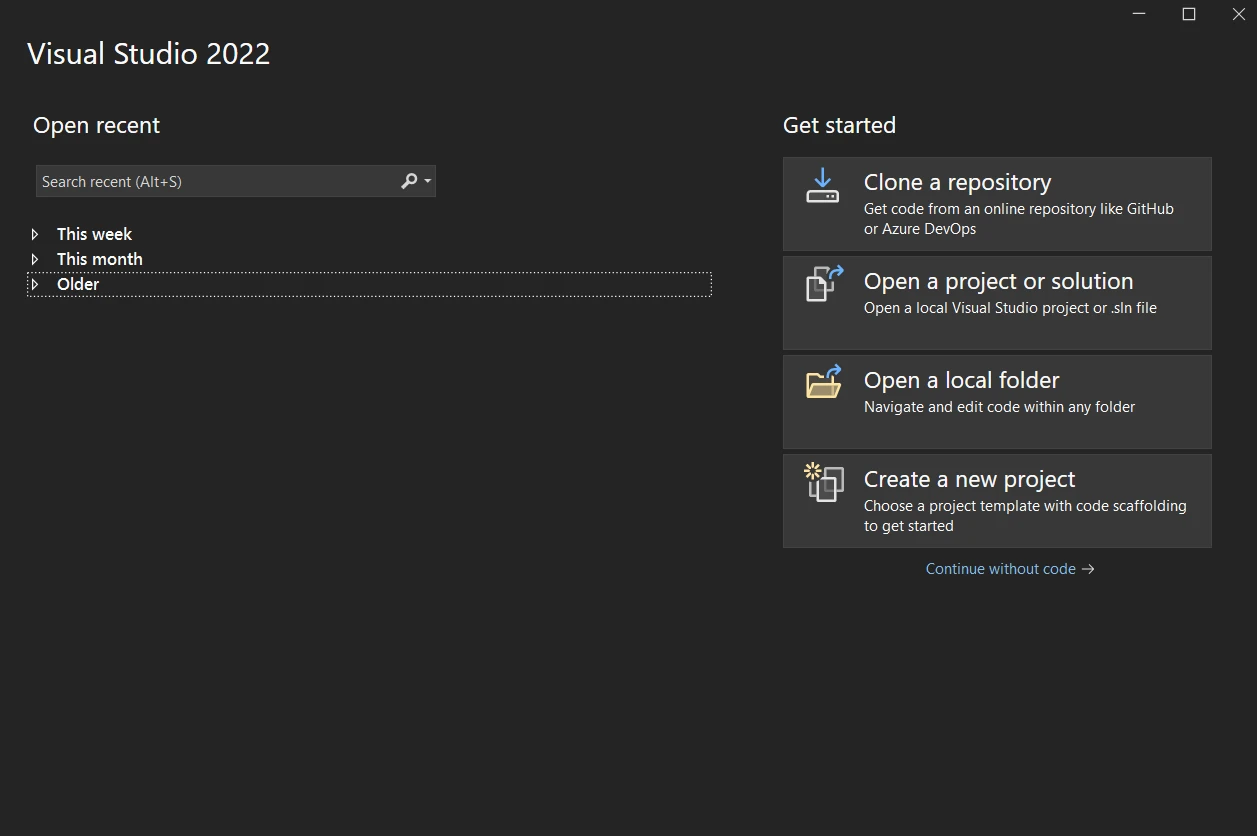
3.1 Uruchomienie Visual Studio
Rozpocznij od otwarcia Microsoft Visual Studio. Jeśli go nie masz zainstalowanego, musisz pobrać i zainstalować z oficjalnej strony Microsoft. Po zainstalowaniu, uruchom Visual Studio.
3.2 Stwórz nowy projekt
Po otwarciu Visual Studio zostaniesz przywitany oknem startowym. Tutaj wybierz opcję "Stwórz nowy projekt", aby rozpocząć proces tworzenia nowej aplikacji konsolowej.
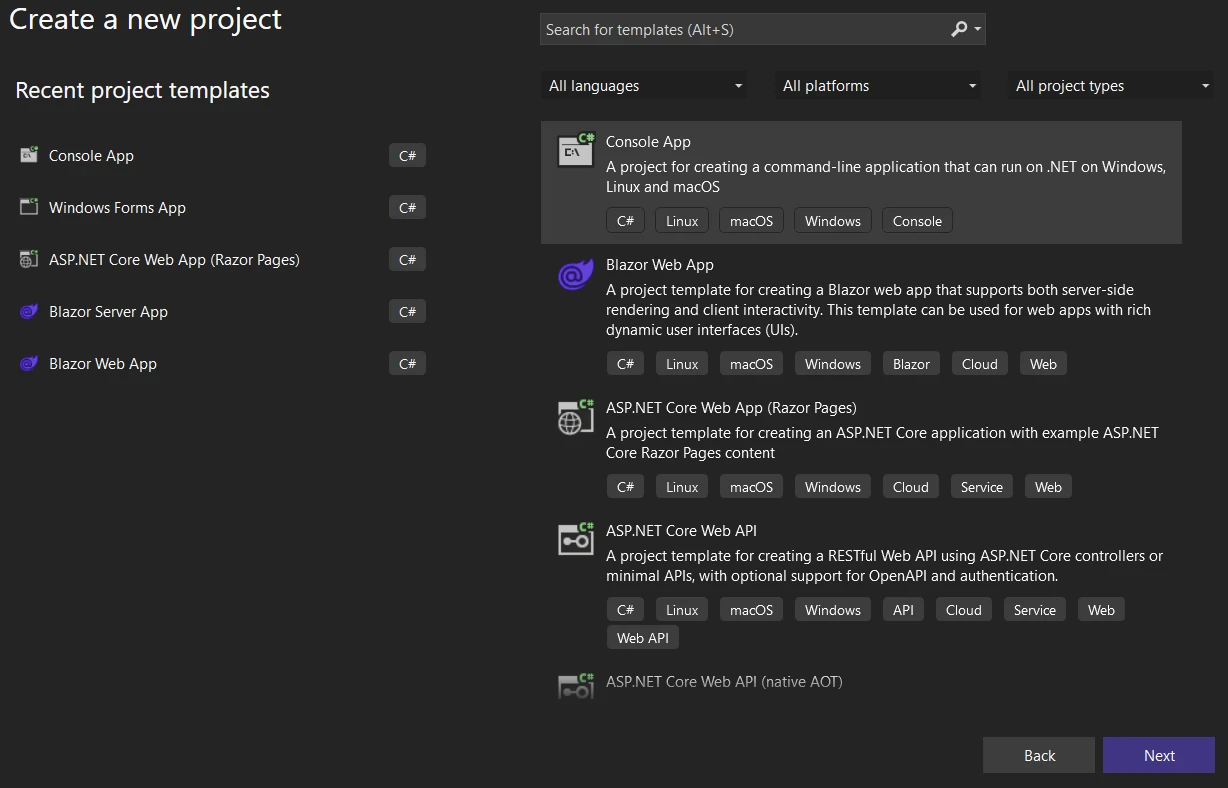
3.3 Wybierz typ projektu
W oknie "Stwórz nowy projekt" zostaniesz przedstawiony z różnorodnymi szablonami projektowymi. Wpisz "console" w pole wyszukiwania, aby przefiltrować opcje, a następnie wybierz "Console App" z listy. Upewnij się, że wybierasz szablon, który odpowiada językowi programowania, którego chcesz użyć, takim jak C#.
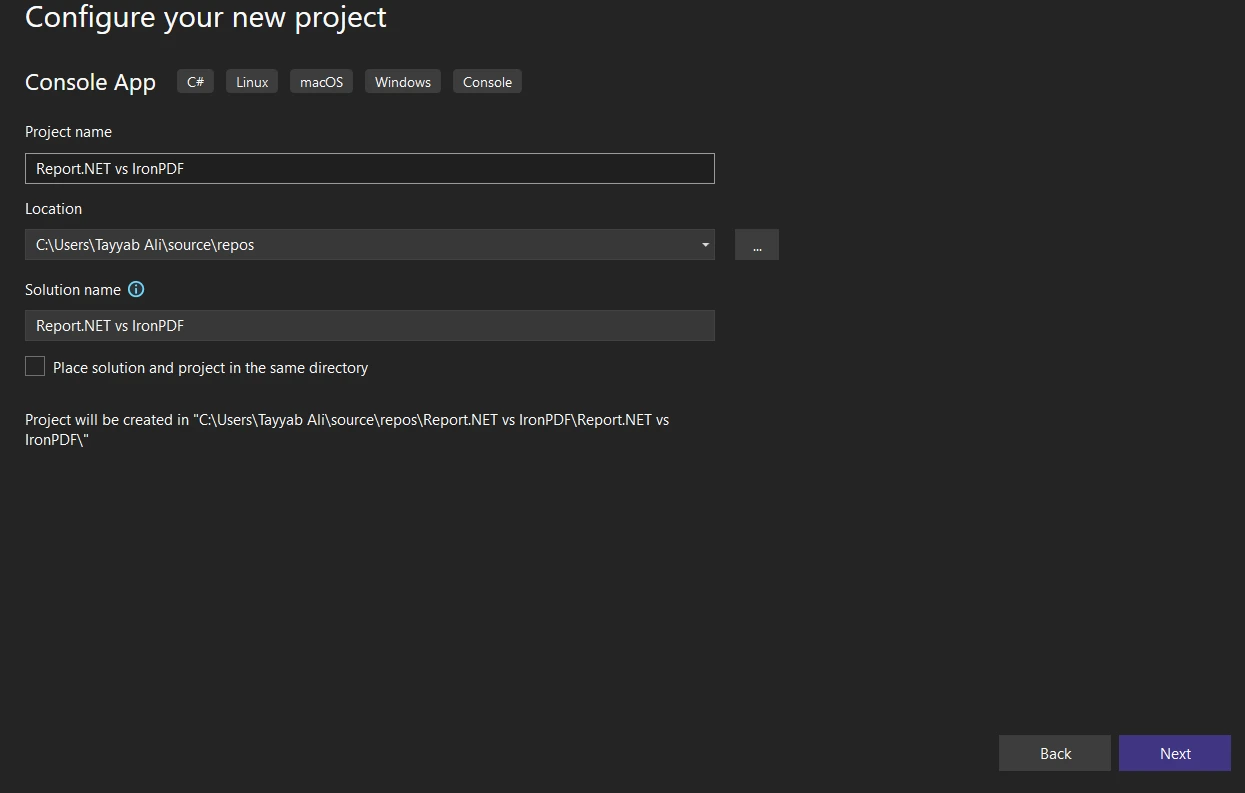
3.4 Skonfiguruj projekt
Po wybraniu szablonu aplikacji konsolowej, kliknij "Dalej", aby przejść do ekranu konfiguracji projektu. Tutaj musisz podać kilka szczegółów dotyczących Twojego projektu:
Nazwa projektu: Podaj swojej aplikacji sensowną nazwę, która odzwierciedla jej cel.
Lokalizacja: Wybierz, gdzie na swoim komputerze chcesz zapisać pliki projektu.
Nazwa Solution: Domyślnie jest taka sama jak nazwa projektu, ale możesz ją zmienić, jeśli planujesz dołączyć wiele projektów do tego samego rozwiązania.
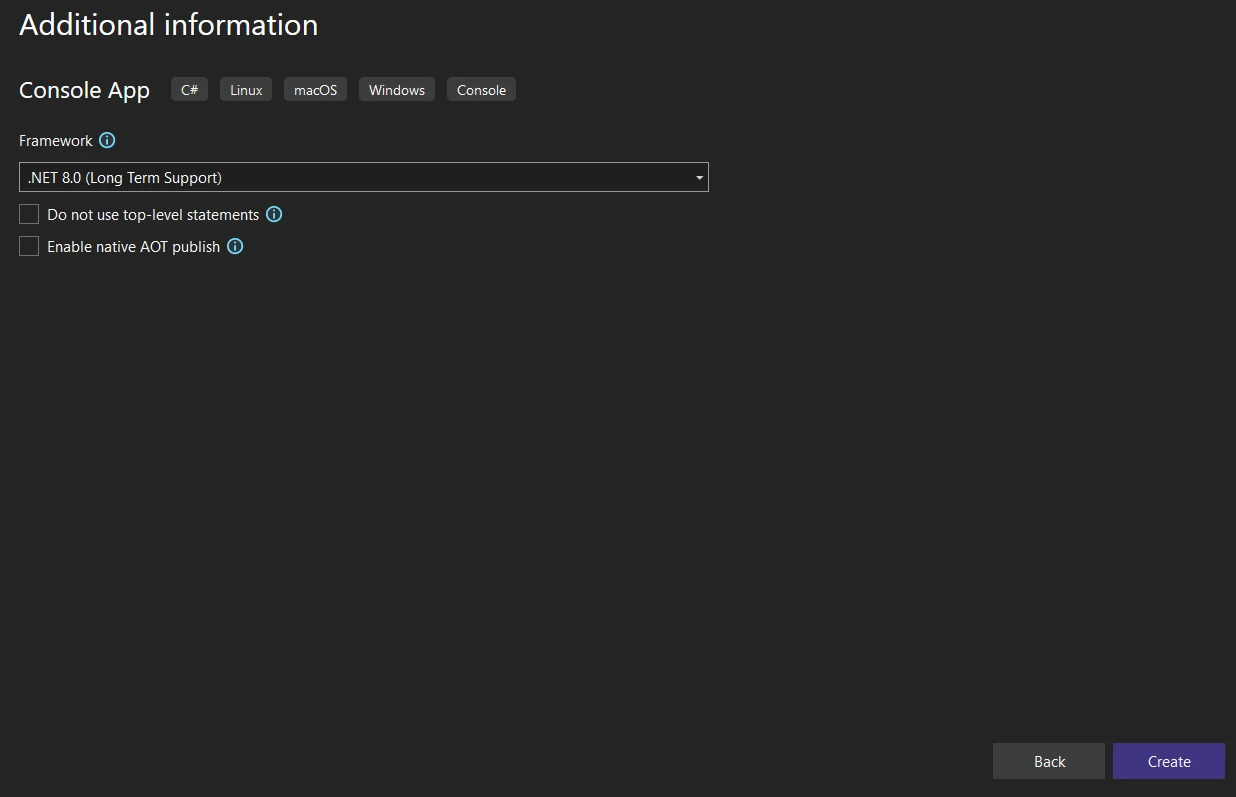
Framework: Wybierz wersję .NET Framework, którą chcesz celować. Jeśli nie jesteś pewny, wybierz najnowszą wersję.
3.5 Stwórz projekt
Po wypełnieniu wszystkich niezbędnych informacji kliknij przycisk "Stwórz". Visual Studio teraz wygeneruje nowy projekt aplikacji konsolowej na podstawie Twoich specyfikacji. Proces ten może potrwać kilka chwil.
4. Instalacja biblioteki IronPDF
Aby wykorzystać możliwości IronPDF w swoim projekcie, musisz najpierw zainstalować bibliotekę. Istnieje kilka metod, które można zastosować, każda z nich odpowiada innym przepływom pracy lub preferencjom deweloperskim. Poniżej przedstawiono trzy typowe metody instalacji biblioteki IronPDF w projekcie Visual Studio.
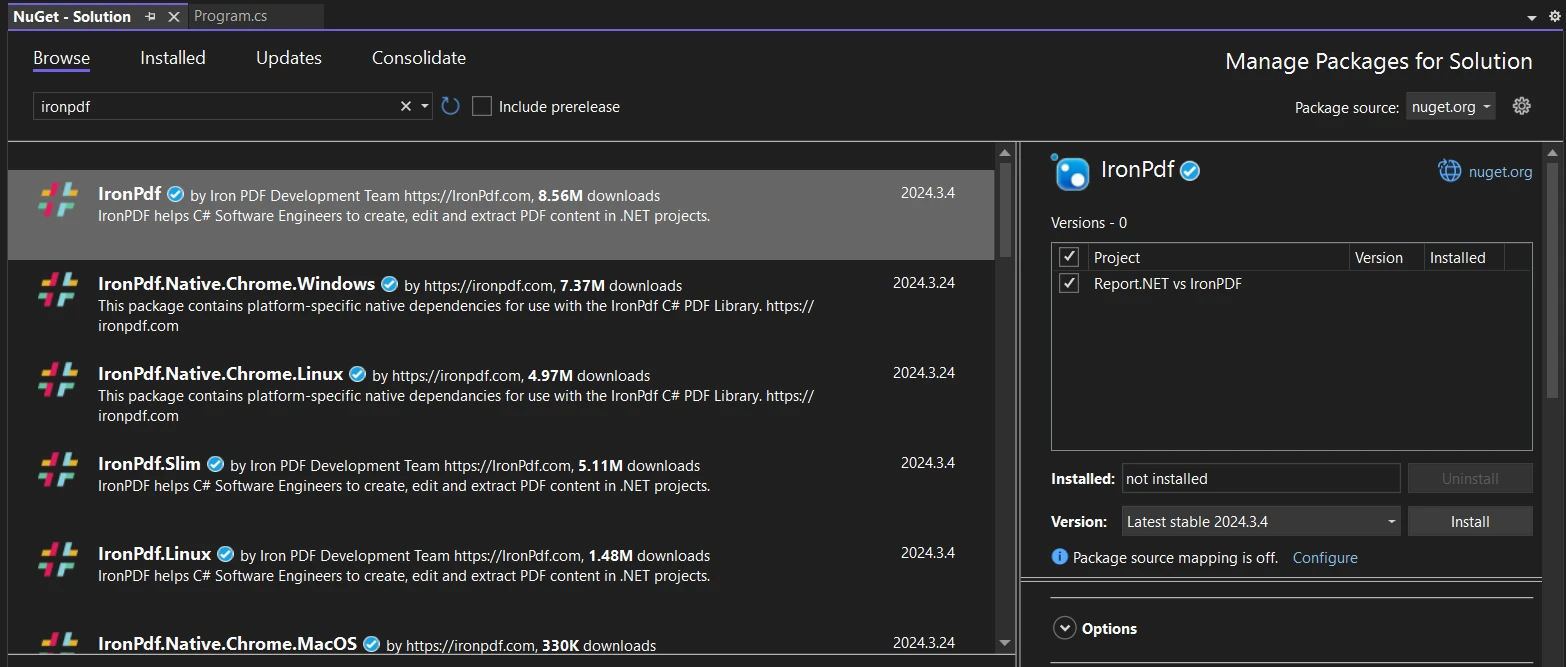
4.1 Instalacja za pomocą Menedżera Pakietów NuGet
Interfejs UI Menedżera Pakietów NuGet w Visual Studio dostarcza prosty sposób na przeglądanie, wybieranie i instalowanie pakietów.
W Visual Studio przejdź do swojego projektu w Eksploratorze Rozwiązań, kliknij go prawym przyciskiem myszy i wybierz opcję "Zarządzaj pakietami NuGet...".
Kliknij na zakładkę "Przeglądaj" i wpisz "IronPDF" w polu wyszukiwania.
Znajdź pakiet IronPDF w wynikach wyszukiwania, wybierz go, a następnie kliknij przycisk "Zainstaluj". Visual Studio automatycznie zajmie się pobraniem i instalacją.
4.2 Instalacja za pomocą Konsoli Menedżera Pakietów NuGet
Dla tych, którzy wolą używać narzędzi wiersza poleceń, Konsola Menedżera Pakietów NuGet jest potężną alternatywą.
Otwórz Konsolę: Przejdź do menu "Narzędzia" w Visual Studio, a następnie przejdź do "Menedżer Pakietów NuGet" > "Konsola Menedżera Pakietów".
Komenda Instalacyjna: W konsoli wpisz następującą komendę i naciśnij Enter:
PM > Install-Package IronPdf
Install-Package IronPdf
Ta komenda poleca NuGet pobrać i zainstalować najnowszą wersjęIronPDF w Twoim projekcie.
4.3 Instalacja za pomocą strony internetowej NuGet
Jeśli wolisz ręcznie pobrać pakiet lub potrzebujesz jego konkretnej wersji, strona internetowa NuGet jest dobrą opcją.
Odwiedź stronę NuGet: Przejdź do nuget.org i wyszukaj "IronPDF".
Pobierz Pakiet: Ze strony IronPDF, wybierz potrzebną wersję i pobierz plik .nupkg.
Instalacja Ręczna: Po pobraniu możesz ręcznie dodać pakiet do swojego projektu. W Visual Studio przejdź do menu "Narzędzia", a następnie "Opcje" > "Menedżer Pakietów NuGet" > "Źródła Pakietów". Dodaj nowe źródło wskazujące na folder, gdzie pobrałeś plik .nupkg. W końcu użyj interfejsu Menedżera Pakietów lub Konsoli w Visual Studio, aby zainstalować pakiet z lokalnego źródła.
Na stronie repozytorium, zlokalizuj przycisk "Kod" i kliknij go. W menu rozwijanym wybierz "Pobierz ZIP", aby pobrać całe repozytorium jako plik ZIP. Zapisz ten plik w dogodnej lokalizacji na swoim komputerze i rozpakuj jego zawartość.
5.2 Dodaj Report.NET do swojego projektu
Po rozpakowaniu pliku ZIP, wśród wypakowanych plików znajdziesz kod źródłowy biblioteki Report.NET. Aby użyć Report.NET w swoim projekcie Visual Studio, wykonaj następujące kroki:
Otwórz swój projekt: Uruchom Visual Studio i otwórz projekt, do którego chcesz dodać Report.NET.
Dodaj bibliotekę ręcznie: Istnieje kilka sposobów na włączenie biblioteki do swojego projektu:
Jako skompilowany zestaw: Jeśli repozytorium na GitHubie zawiera skompilowany plik DLL, możesz po prostu dodać referencję do tego DLL w swoim projekcie. Kliknij prawym przyciskiem myszy "Referencje" w Eksploratorze Rozwiązań swojego projektu, wybierz "Dodaj Referencję...", a następnie przeszukaj i wybierz plik DLL.
Poprzez dołączenie plików źródłowych: Jeśli wolisz dołączyć kod źródłowy bezpośrednio lub jeśli skompilowany DLL nie jest dostarczony, możesz dodać pliki kodu źródłowego do swojego projektu. Kliknij prawym przyciskiem myszy na swój projekt w Eksploratorze Rozwiązań, wybierz "Dodaj" > "Istniejący element...", następnie przejrzyj i wybierz pliki kodu źródłowego Report.NET, które rozpakowałeś z ZIP.
Upewnij się o kompatybilności: Upewnij się, że twój projekt celuje w wersję .NET Framework, która jest kompatybilna z wymaganiami Report.NET.
6. Advanced Features in IronPDF vs Report.NET C#
6.1 Advanced Features of IronPDF C#
IronPDF zawiera zestaw zaawansowanych funkcji zaprojektowanych do łatwej obsługi szerokiego zakresu zadań związanych z PDF.
6.1.1 Renderowanie HTML do PDF
IronPDF może przyjąć zawartość HTML, w tym CSS i JavaScript, i renderować ją bezpośrednio do dokumentu PDF. To oznacza, że strony internetowe lub szablony HTML mogą być konwertowane do PDF, które wyglądają tak samo jak w przeglądarce.
6.1.1.1 Ciąg HTML do PDF
IronPDF pozwala na bezpośrednią konwersję łańcuchów HTML do PDF. To oznacza, że programiści mogą wziąć kod HTML zapisany jako zmienna łańcuchowa i użyćIronPDF do renderowania go do pliku PDF. Ta funkcja jest szczególnie użyteczna, gdy zawartość HTML jest dynamicznie generowana lub modyfikowana przez aplikację przed konwersją.
// Report.NET coordinate-based approachvar report = new Report(new PdfFontHandler());var page = new Page(report);var fontDef = new FontDef(report, FontDef.StandardFont.Helvetica);page.AddMM(10, 20, new RepString(fontDef, "Hello World"));
// Report.NET coordinate-based approach
var report = new Report(new PdfFontHandler());
var page = new Page(report);
var fontDef = new FontDef(report, FontDef.StandardFont.Helvetica);
page.AddMM(10, 20, new RepString(fontDef, "Hello World"));
' Report.NET coordinate-based approachDim report = New Report(New PdfFontHandler())Dim page = New Page(report)Dim fontDef = New FontDef(report, FontDef.StandardFont.Helvetica)page.AddMM(10, 20, New RepString(fontDef, "Hello World"))
' Report.NET coordinate-based approach
Dim report = New Report(New PdfFontHandler())
Dim page = New Page(report)
Dim fontDef = New FontDef(report, FontDef.StandardFont.Helvetica)
page.AddMM(10, 20, New RepString(fontDef, "Hello World"))
Dlaczego system współrzędnych Report.NET ma znaczenie?
System współrzędnych Report.NET zapewnia precyzyjną kontrolę nad rozmieszczeniem elementów, co jest niezbędne dla dokumentów o ustalonym układzie, takich jak faktury czy certyfikaty. Określasz dokładne położenia dla tekstu, obrazów i grafik, zapewniając jednolitą produkcję w różnych środowiskach. Jednak takie podejście wymaga ręcznego obliczania pozycji elementów i ich rozmiarów, co zwiększa złożoność programowania dla dynamicznych układów.
W przeciwieństwie do responsywnych układów CSS, które automatycznie dostosowują się do treści, Report.NET wymaga ręcznego zarządzania logiką pozycji. To obejmuje zarządzanie podziałem stron, obliczanie granic zawijania tekstu oraz ręczne implementowanie funkcji, takich jak nagłówki i stopki. Dla złożonych dokumentów z różnorodną zawartością takie ręczne podejście znacznie zwiększa czas programowania.
Jakie są charakterystyki wydajnościowe Report.NET?
Jako lekka biblioteka, Report.NET wykazuje minimalny narzut pamięciowy oraz szybki czas inicjalizacji. Brak zewnętrznych silników renderujących zmniejsza zużycie zasobów, czyniąc go odpowiednim dla scenariuszy przetwarzania wsadowego o dużej objętości. Jednak ta prostota ogranicza wsparcie dla złożonych układów i nowoczesnych standardów sieciowych, których wymagają przedsiębiorstwa.
Testy wydajnościowe pokazują, że Report.NET generuje proste dokumenty tekstowe 2-3 razy szybciej niż rozwiązania bazujące na renderowaniu. Jednak ta przewaga maleje przy implementacji funkcji, takich jak czcionki niestandardowe, osadzanie obrazów czy pola formularzy, które wymagają dodatkowej logiki przetwarzania. Dla operacji asynchronicznych Report.NET brakuje wbudowanego wsparcia, wymagając ręcznego zarządzania wątkami.
Kiedy warto wybrać Report.NET?
Report.NET najlepiej sprawdza się w scenariuszach wymagających:
Prostej generacji dokumentów z przewidywalnymi układami
Minimalnych zależności zewnętrznych dla środowisk zorientowanych na bezpieczeństwo
Bezpośredniej kontroli nad strukturą PDF bez warstw abstrakcji
Małego śladu pamięciowego dla zasobów związanych z ograniczeniami sprzętowymi
Branże z rygorystyczną kontrolą zależności, takie jak usługi finansowe czy kontrahenci rządowi, mogą preferować minimalny ślad Report.NET. Jednak te same organizacje często wymagają funkcji, takich jak podpisy cyfrowe, zgodność z PDF/A oraz szyfrowanie, których Report.NET natywnie nie dostarcza.
Jak architektura IronPDF umożliwia zaawansowane funkcje?
IronPDF wdraża kompletny framework PDF zbudowany na silniku renderującym Chrome, zapewniając precyzyjną konwersję HTML do PDF. Ta decyzja architektoniczna umożliwia wsparcie dla nowoczesnych standardów internetowych przy jednoczesnym utrzymaniu zgodności z zachowaniem renderowania przeglądarek.
//IronPDF HTML-based approachvar renderer = new ChromePdfRenderer();renderer.RenderingOptions.MarginTop = 25;renderer.RenderingOptions.MarginBottom = 25;renderer.RenderingOptions.PaperOrientation = PdfPaperOrientation.Portrait;var pdf = renderer.RenderHtmlAsPdf("<h1>Hello World</h1>");pdf.SaveAs("output.pdf");
//IronPDF HTML-based approach
var renderer = new ChromePdfRenderer();
renderer.RenderingOptions.MarginTop = 25;
renderer.RenderingOptions.MarginBottom = 25;
renderer.RenderingOptions.PaperOrientation = PdfPaperOrientation.Portrait;

var pdf = renderer.RenderHtmlAsPdf("<h1>Hello World</h1>");
pdf.SaveAs("output.pdf");
'IronPDF HTML-based approachDim renderer = New ChromePdfRenderer()renderer.RenderingOptions.MarginTop = 25renderer.RenderingOptions.MarginBottom = 25renderer.RenderingOptions.PaperOrientation = PdfPaperOrientation.PortraitDim pdf = renderer.RenderHtmlAsPdf("<h1>Hello World</h1>")pdf.SaveAs("output.pdf")
'IronPDF HTML-based approach
Dim renderer = New ChromePdfRenderer()
renderer.RenderingOptions.MarginTop = 25
renderer.RenderingOptions.MarginBottom = 25
renderer.RenderingOptions.PaperOrientation = PdfPaperOrientation.Portrait

Dim pdf = renderer.RenderHtmlAsPdf("<h1>Hello World</h1>")
pdf.SaveAs("output.pdf")
Dlaczego renderring Chrome jest krytyczny dla aplikacji korporacyjnych?
Silnik Chrome IronPDF zapewnia, że Twoje PDFy będą wyglądały identycznie jak w przeglądarkach internetowych, co jest kluczowe dla dokumentów i raportów skierowanych do klientów. Silnik wspiera pełne CSS3, wykonanie JavaScriptu, i responsywne układy, umożliwiając ponowne użycie istniejących zasobów i szablonów sieciowych. To podejście znacznie skraca czas tworzenia, eliminując potrzebę kodu formatowania specyficznego dla PDF.
Przewodnik pomocy wydajnościowej biblioteki dostarcza szczegółowych strategii optymalizacji. Dla scenariuszy o dużej objętości przetwarzanie równoległe może zmniejszyć czas przetwarzania partii nawet o 65%. Funkcje kompresji zmniejszają rozmiar plików bez utraty jakości.
Jak biblioteki porównują się do typowych przypadków użycia?
Dlaczego obsługa HTML jest niezbędna w nowoczesnych aplikacjach?
Współczesne przedsiębiorstwa zarządzają rozbudowanymi zasobami internetowymi, w tym szablonami, arkuszami stylów i bibliotekami komponentów. Obsługa HTML przez IronPDF pozwala na bezpośrednie wykorzystanie tych zasobów do generowania plików PDF, co zmniejsza nakład pracy związany z programowaniem i zapewnia spójność we wszystkich kanałach. Brak obsługi HTML w Report.NET wymaga całkowitej reimplementacji układów przy użyciu rysowania opartego na współrzędnych, co znacznie wydłuża czas programowania.
//IronPDF converting complex HTML with CSS and JavaScriptvar renderer = new ChromePdfRenderer();renderer.RenderingOptions.EnableJavaScript = true;renderer.RenderingOptions.CssMediaType = PdfCssMediaType.Print;// Convert URL with authenticationrenderer.LoginCredentials = new ChromeHttpLoginCredentials() {Username = "user",Password = "pass"};var pdf = renderer.RenderUrlAsPdf("___PROTECTED_URL_188___");
//IronPDF converting complex HTML with CSS and JavaScript
var renderer = new ChromePdfRenderer();
renderer.RenderingOptions.EnableJavaScript = true;
renderer.RenderingOptions.CssMediaType = PdfCssMediaType.Print;

// Convert URL with authentication
renderer.LoginCredentials = new ChromeHttpLoginCredentials() {
    Username = "user",
    Password = "pass"
};
var pdf = renderer.RenderUrlAsPdf("___PROTECTED_URL_188___");
ImportsIronPdf' IronPDF converting complex HTML with CSS and JavaScriptDim renderer As New ChromePdfRenderer()renderer.RenderingOptions.EnableJavaScript = Truerenderer.RenderingOptions.CssMediaType = PdfCssMediaType.Print' Convert URL with authenticationrenderer.LoginCredentials = New ChromeHttpLoginCredentials() With { .Username = "user", .Password = "pass"}Dim pdf = renderer.RenderUrlAsPdf("___PROTECTED_URL_188___")
Imports IronPdf

' IronPDF converting complex HTML with CSS and JavaScript
Dim renderer As New ChromePdfRenderer()
renderer.RenderingOptions.EnableJavaScript = True
renderer.RenderingOptions.CssMediaType = PdfCssMediaType.Print

' Convert URL with authentication
renderer.LoginCredentials = New ChromeHttpLoginCredentials() With {
    .Username = "user",
    .Password = "pass"
}
Dim pdf = renderer.RenderUrlAsPdf("___PROTECTED_URL_188___")
Jakie są kompromisy w zakresie wydajności?
Silnik IronPDF dla przeglądarki Chrome powoduje większe obciążenie w porównaniu z lekkim podejściem Report.NET, wymagając zazwyczaj 50–100 MB dodatkowej pamięci na każdą instancję renderowania. Jednak to obciążenie umożliwia równoległe przetwarzanie złożonych układów, które w Report.NET wymagałyby rozległego ręcznego kodowania. W przypadku prostych dokumentów tekstowych minimalne obciążenie Report.NET zapewnia szybsze generowanie.
Badania porównawcze pokazują, że wstępne renderowanie w IronPDF może trwać dłużej ze względu na inicjalizację silnika, ale kolejne renderowania korzystają z buforowania. Opcje opóźnienia renderowania biblioteki zapewniają pełne załadowanie zasobów, a ustawienia okna wyświetlania poprawiają responsywność układów.
Dlaczego zaawansowane funkcje bezpieczeństwa mają znaczenie?
Aplikacje Enterprise przetwarzające poufne dane wymagają kompleksowych zabezpieczeń. Obsługa podpisów cyfrowych przez IronPDF z integracją HSM spełnia wymogi regulacyjne dotyczące autentyczności dokumentów. Funkcje redagowania biblioteki zapewniają trwałe usunięcie poufnych informacji, co ma kluczowe znaczenie dla zgodności z przepisami dotyczącymi prywatności.
Funkcje oczyszczaniaIronPDF usuwają potencjalnie szkodliwe treści, a historia zmian śledzi zmiany w dokumencie. W przypadku dokumentów finansowych formatPDF/A-3 z obsługą ZUGFeRD umożliwia tworzenie faktur hybrydowych, czytelnych zarówno dla ludzi, jak i dla maszyn.
Jaki jest wpływ na wydajność zabezpieczeń?
Szyfrowanie i podpisy cyfrowe dodają narzut przetwarzania, zazwyczaj 10-20% dla poprawionej implementacji IronPDF. Podstawowe funkcje bezpieczeństwa Report.NET mają minimalny wpływ na wydajność, ale nie zapewniają pełnej ochrony wymaganej w przypadku poufnych dokumentów. Weź pod uwagę te kompromisy podczas projektowania przepływów pracy w dokumentach.
Jakie są różnice w doświadczeniu programistycznym?
Jak projekty API wpływają na produktywność?
IronPDF wdraża płynny projekt API, poprawiony dla typowych zadań PDF, zmniejszając złożoność kodu i poprawiając utrzymanie. Report.NET stosuje bardziej tradycyjne podejście imperatywne, wymagające jawnego zarządzania strukturą dokumentu.
Biblioteki obsługują różne wzorce programowania.IronPDF integruje się z nowoczesnymi wzorcami wstrzykiwania zależności, podczas gdy Report.NET wymaga starannego zarządzania stanem. API IronPDF obsługuje łańcuchowanie metod, co zapewnia czytelność kodu:
Stworzenie prostej faktury ilustruje różnice w filozofii API:
Podejście IronPDF - wykorzystanie istniejącego kodu HTML/CSS:
var renderer = new ChromePdfRenderer();var invoiceHtml = File.ReadAllText("invoice-template.html");var pdf = renderer.RenderHtmlAsPdf(invoiceHtml);pdf.SaveAs("invoice.pdf");
var renderer = new ChromePdfRenderer();
var invoiceHtml = File.ReadAllText("invoice-template.html");
var pdf = renderer.RenderHtmlAsPdf(invoiceHtml);
pdf.SaveAs("invoice.pdf");
Dim renderer As New ChromePdfRenderer()Dim invoiceHtml AsString = File.ReadAllText("invoice-template.html")Dim pdf = renderer.RenderHtmlAsPdf(invoiceHtml)pdf.SaveAs("invoice.pdf")
Dim renderer As New ChromePdfRenderer()
Dim invoiceHtml As String = File.ReadAllText("invoice-template.html")
Dim pdf = renderer.RenderHtmlAsPdf(invoiceHtml)
pdf.SaveAs("invoice.pdf")
var report = new Report();var page = new Page(report);var fontDef = new FontDef(report, FontDef.StandardFont.Helvetica);page.AddMM(20, 30, new RepString(fontDef, "Invoice #12345"));page.AddMM(20, 40, new RepString(fontDef, "Customer: ACME Corp"));// Calculate positions for each line itemfor (int i = 0; i < items.Count; i++){ page.AddMM(20, 50 + (i * 10), new RepString(fontDef, items[i]));}
var report = new Report();
var page = new Page(report);
var fontDef = new FontDef(report, FontDef.StandardFont.Helvetica);
page.AddMM(20, 30, new RepString(fontDef, "Invoice #12345"));
page.AddMM(20, 40, new RepString(fontDef, "Customer: ACME Corp"));
// Calculate positions for each line item
for (int i = 0; i < items.Count; i++)
{
    page.AddMM(20, 50 + (i * 10), new RepString(fontDef, items[i]));
}
Dim report As New Report()Dim page As New Page(report)Dim fontDef As New FontDef(report, FontDef.StandardFont.Helvetica)page.AddMM(20, 30, New RepString(fontDef, "Invoice #12345"))page.AddMM(20, 40, New RepString(fontDef, "Customer: ACME Corp"))' Calculate positions for each line itemFor i AsInteger = 0 To items.Count - 1 page.AddMM(20, 50 + (i * 10), New RepString(fontDef, items(i)))Next
Dim report As New Report()
Dim page As New Page(report)
Dim fontDef As New FontDef(report, FontDef.StandardFont.Helvetica)
page.AddMM(20, 30, New RepString(fontDef, "Invoice #12345"))
page.AddMM(20, 40, New RepString(fontDef, "Customer: ACME Corp"))
' Calculate positions for each line item
For i As Integer = 0 To items.Count - 1
    page.AddMM(20, 50 + (i * 10), New RepString(fontDef, items(i)))
Next
Dlaczego projektowanie API ma znaczenie dla produktywności zespołu?
Podejście oparte na HTML firmy IronPDF umożliwia programistom front-endowym udział w generowaniu plików PDF bez konieczności nauki API specyficznych dla formatu PDF. Twój zespół może wykorzystać istniejące umiejętności i narzędzia do tworzenia stron internetowych, w tym preprocesory CSS i biblioteki komponentów. System oparty na współrzędnych Report.NET wymaga specjalistycznej wiedzy i wydłuża czas wdrażania nowych programistów.
Profesjonalne wsparcie ma kluczowe znaczenie w przypadku problemów produkcyjnych lub napiętych terminów. Wsparcie techniczne IronPDF zapewnia bezpośredni dostęp do ekspertów ds. produktów, którzy zazwyczaj rozwiązują problemy w ciągu 24–48 godzin. Wsparcie społecznościowe Report.NET może wymagać kilku dni lub tygodni w przypadku złożonych problemów, co może wpłynąć na harmonogram projektu.
W jaki sposób zasoby edukacyjne przyspieszają proces tworzenia oprogramowania?
Obszerne samouczki IronPDF obejmują rzeczywiste scenariusze, od podstawowej konwersji HTML po zaawansowane wdrożenia zabezpieczeń. Przykłady kodu zawarte w bibliotece ilustrują najlepsze praktyki i typowe wzorce. Ograniczona dokumentacja Report.NET wymaga więcej eksperymentów i rozwoju metodą prób i błędów.
Dlaczego obsługa wielu platform ma kluczowe znaczenie?
Współczesne przedsiębiorstwa wdrażają aplikacje w różnorodnych środowiskach, od lokalnych serwerówWindowspo natywne dla chmury kontenery Linux. Pełna obsługa platformy przez IronPDF zapewnia spójne działanie we wszystkich wdrożeniach, zmniejszając złożoność testowania i obciążenie związane ze wsparciem technicznym. Projekt Report.NET, skoncentrowany na systemie Windows, ogranicza elastyczność wdrażania.
IronPDF zapewnia optymalizacje specyficzne dla platformy, w tym obsługę Androida dla aplikacji mobilnych oraz kompatybilnośćz F# dla programowania funkcjonalnego. Przegląd instalacji biblioteki pomoże Ci w wyborze platformy.
Czym różnią się wdrożenia kontenerowe?
IronPDF dostarcza oficjalne obrazyDockerpoprawione dla środowisk kontenerowych, zawierając niezbędne zależności i konfiguracje. Biblioteka obsługuje zarówno architektury silników natywnych, jak i zdalnych, umożliwiając elastyczne strategie skalowania. Report.NET wymaga ręcznego zarządzania zależnościami w przypadku wdrożeń kontenerowych.
Opcja zdalnego wdrażania kontenerów oddziela generowanie plików PDF od logiki aplikacji, poprawiając bezpieczeństwo i skalowalność. Kompaktowy pakietIronPDF zmniejsza rozmiar kontenerów dlaAWSLambda i podobnych platform.
Jakie są kwestie, które należy wziąć pod uwagę przy wdrażaniu w chmurze?
Platformy chmurowe wprowadzają specyficzne ograniczenia dotyczące limitów zasobów, modeli skalowania i zarządzania zależnościami. Zrozumienie, w jaki sposób każda biblioteka obsługuje wdrażanie w chmurze, ma wpływ na decyzje dotyczące architektury.
Zgodność ze środowiskami sandboxowymi platformy Azure
Report.NET działa na platformie Azure, ale nie posiada optymalizacji specyficznych dla tej platformy, co może prowadzić do problemów z wydajnością lub niepowodzeń we wdrażaniu w środowiskach o ograniczonych możliwościach.
Wstępnie skompilowane pliki binarne dla systemuLinuxzapewniające szybsze uruchamianie z zimnego startu
Strategie optymalizacji pamięci dla ograniczonych zasobów Lambda
Mniejszy rozmiar Report.NET upraszcza wdrażanie Lambda, ale brakuje mu funkcji wymaganych do generowania złożonych dokumentów w środowiskach bezserwerowych.
Chociaż zerowy koszt licencji Report.NET wydaje się atrakcyjny, należy wziąć pod uwagę ukryte koszty:
Czas poświęcony przez programistów na wdrożenie brakujących funkcji
Rozszerzone możliwości debugowania bez profesjonalnego wsparcia
Potencjalne opóźnienia w projekcie spowodowane brakami w dokumentacji
Ryzyko porzucenia rozwoju (trwałość oprogramowania open source)
Struktura licencyjna IronPDF zapewnia przewidywalne koszty wraz z gwarantowanym wsparciem i aktualizacjami, co często skutkuje niższymi całkowitymi kosztami posiadania w przypadku projektów Enterprise. Rozszerzenialicencji zapewniają elastyczność w przypadku zmieniających się wymagań.
Jak obliczyć zwrot z inwestycji dla swojego zespołu?
Oblicz zwrot z inwestycji wykraczający poza początkowe koszty licencji:
Szybkość rozwoju: Kompletne funkcje IronPDF skracają czas wdrożenia o 60–80% w przypadku złożonych wymagań
Obciążenie związane z utrzymaniem: Professionalne wsparcie i regularne aktualizacje minimalizują długoterminowe koszty utrzymania
Ograniczanie ryzyka: wsparcie komercyjne zapewnia ciągły rozwój i aktualizacje zabezpieczeń
Charakterystyka wydajnościowa ma bezpośredni wpływ na wymagania infrastrukturalne i koszty operacyjne. Zrozumienie tych zależności pomaga ulepszyć architektury wdrożeniowe.
Jakie strategie skalowania sprawdzają się najlepiej?
Funkcje asynchroniczne i wielowątkowe IronPDF umożliwiają skalowanie pionowe na wydajnych instancjach, maksymalizując przepustowość na serwer. Opcja silnika zdalnego biblioteki obsługuje skalowanie horyzontalne z dedykowanymi węzłami renderowania.
Niewielkie obciążenie Report.NET sprzyja skalowaniu horyzontalnemu na wiele małych instancji, ale brakuje mu wbudowanego zarządzania współbieżnością, co wymaga starannej koordynacji na poziomie aplikacji.
W jaki sposób biblioteki integrują się z istniejącymi architekturami?
Jakie nowoczesne frameworki .NET Framework są obsługiwane?
Nowoczesne aplikacje wymagają bibliotek PDF, które płynnie integrują się z istniejącymi wzorcami i frameworkami. Filozofia projektowania każdej biblioteki ma wpływ na podejście do integracji.
IronPDF zapewnia pełną obsługę frameworków:
Wersja .NET 8.0 i Wersja .NET 7.0 (najnowsze wersje)
Report.NET głównie celuje w .NET Framework z ograniczonym testowaniem .NET Core/5+, co może powodować problemy z kompatybilnością w nowoczesnych aplikacjach.
// Startup.cs or Program.csservices.AddSingleton<ChromePdfRenderer>(provider => { var renderer = new ChromePdfRenderer(); renderer.RenderingOptions.MarginTop = 25; renderer.RenderingOptions.MarginBottom = 25; renderer.RenderingOptions.EnableJavaScript = true; renderer.RenderingOptions.RenderDelay = 500; // Wait for JS // Configure paper settings renderer.RenderingOptions.PaperSize = PdfPaperSize.A4; renderer.RenderingOptions.FitToPaperMode = FitToPaperModes.AutoFit; return renderer;});// In your servicepublic class InvoiceService{ private readonly ChromePdfRenderer _pdfRenderer; publicInvoiceService(ChromePdfRenderer pdfRenderer) { _pdfRenderer = pdfRenderer; } public async Task<byte[]> GenerateInvoiceAsync(string invoiceHtml) { var pdf = await _pdfRenderer.RenderHtmlAsPdfAsync(invoiceHtml); return pdf.BinaryData; }}
// Startup.cs or Program.cs
services.AddSingleton<ChromePdfRenderer>(provider =>
{
    var renderer = new ChromePdfRenderer();
    renderer.RenderingOptions.MarginTop = 25;
    renderer.RenderingOptions.MarginBottom = 25;
    renderer.RenderingOptions.EnableJavaScript = true;
    renderer.RenderingOptions.RenderDelay = 500; // Wait for JS

    // Configure paper settings
    renderer.RenderingOptions.PaperSize = PdfPaperSize.A4;
    renderer.RenderingOptions.FitToPaperMode = FitToPaperModes.AutoFit;

    return renderer;
});

// In your service
public class InvoiceService
{
    private readonly ChromePdfRenderer _pdfRenderer;

    public InvoiceService(ChromePdfRenderer pdfRenderer)
    {
        _pdfRenderer = pdfRenderer;
    }

    public async Task<byte[]> GenerateInvoiceAsync(string invoiceHtml)
    {
        var pdf = await _pdfRenderer.RenderHtmlAsPdfAsync(invoiceHtml);
        return pdf.BinaryData;
    }
}
' Startup.vb or Program.vbservices.AddSingleton(OfChromePdfRenderer)(Function(provider) Dim renderer As New ChromePdfRenderer() renderer.RenderingOptions.MarginTop = 25 renderer.RenderingOptions.MarginBottom = 25 renderer.RenderingOptions.EnableJavaScript = True renderer.RenderingOptions.RenderDelay = 500 ' Wait for JS ' Configure paper settings renderer.RenderingOptions.PaperSize = PdfPaperSize.A4 renderer.RenderingOptions.FitToPaperMode = FitToPaperModes.AutoFit Return rendererEnd Function)' In your servicePublic Class InvoiceService PrivateReadOnly _pdfRenderer AsChromePdfRenderer Public Sub New(pdfRenderer AsChromePdfRenderer) _pdfRenderer = pdfRenderer End Sub PublicAsync Function GenerateInvoiceAsync(invoiceHtml AsString) AsTask(OfByte()) Dim pdf = Await _pdfRenderer.RenderHtmlAsPdfAsync(invoiceHtml) Return pdf.BinaryData End FunctionEnd Class
' Startup.vb or Program.vb
services.AddSingleton(Of ChromePdfRenderer)(Function(provider)
    Dim renderer As New ChromePdfRenderer()
    renderer.RenderingOptions.MarginTop = 25
    renderer.RenderingOptions.MarginBottom = 25
    renderer.RenderingOptions.EnableJavaScript = True
    renderer.RenderingOptions.RenderDelay = 500 ' Wait for JS

    ' Configure paper settings
    renderer.RenderingOptions.PaperSize = PdfPaperSize.A4
    renderer.RenderingOptions.FitToPaperMode = FitToPaperModes.AutoFit

    Return renderer
End Function)

' In your service
Public Class InvoiceService
    Private ReadOnly _pdfRenderer As ChromePdfRenderer

    Public Sub New(pdfRenderer As ChromePdfRenderer)
        _pdfRenderer = pdfRenderer
    End Sub

    Public Async Function GenerateInvoiceAsync(invoiceHtml As String) As Task(Of Byte())
        Dim pdf = Await _pdfRenderer.RenderHtmlAsPdfAsync(invoiceHtml)
        Return pdf.BinaryData
    End Function
End Class
Projektowanie Report.NET wymaga starannego rozważenia zarządzania cyklem życia obiektów, ponieważ obiekty dokumentów utrzymują stan przez cały proces generowania.
Jakie istnieją funkcje obsługi błędów i diagnostyki?
Aplikacje produkcyjne wymagają pełnej obsługi błędów i zdolności diagnostycznych do rozwiązywania problemów.
Try Dim renderer = New ChromePdfRenderer() renderer.RenderingOptions.EnableJavaScript = True ' Set custom HTTP headers renderer.RenderingOptions.CustomHttpHeaders.Add("Authorization", "Bearer token") Dim pdf = Await renderer.RenderUrlAsPdfAsync("___PROTECTED_URL_189___")Await pdf.SaveAsAsync("output.pdf")Catch ex AsIronPdf.Exceptions.IronPdfNativeException ' Handle native engine errors logger.LogError($"Native error: {ex.Message}")Catch ex AsIronPdf.Exceptions.IronPdfLicensingException ' Handle licensing issues logger.LogError($"Licensing error: {ex.Message}")EndTry
Try
    Dim renderer = New ChromePdfRenderer()
    renderer.RenderingOptions.EnableJavaScript = True

    ' Set custom HTTP headers
    renderer.RenderingOptions.CustomHttpHeaders.Add("Authorization", "Bearer token")

    Dim pdf = Await renderer.RenderUrlAsPdfAsync("___PROTECTED_URL_189___")
    Await pdf.SaveAsAsync("output.pdf")
Catch ex As IronPdf.Exceptions.IronPdfNativeException
    ' Handle native engine errors
    logger.LogError($"Native error: {ex.Message}")
Catch ex As IronPdf.Exceptions.IronPdfLicensingException
    ' Handle licensing issues
    logger.LogError($"Licensing error: {ex.Message}")
End Try
Lite License ($999 USD): To najbardziej podstawowa opcja, odpowiednia dla indywidualnych deweloperów pracujących nad jednym projektem w jednej lokalizacji. Zawiera wsparcie email, ale nie obejmuje redystrybucji bez opłat licencyjnych.
Plus License ($1,499 USD): Skierowana do małych zespołów, ta licencja wspiera do trzech deweloperów pracujących nad trzema projektami w trzech lokalizacjach. Posiada rozszerzone wsparcie, które obejmuje 24-godzinne wsparcie przez e-mail i czat, a także wsparcie telefoniczne.
Professional License ($2,399 USD): Przeznaczona dla większych zespołów i projektów, obsługująca do 10 deweloperów w 10 lokalizacjach pracujących nad 10 projektami. Zawiera wszystkie opcje wsparcia Plus i dodaje wsparcie przez dzielenie ekranu dla bardziej interaktywnego rozwiązywania problemów.
Free Trial License: Idealna do celów oceny, ta licencja próbna pozwala na wypróbowanie IronPDF bez kosztów. Jednak jest przeznaczona do użytku prywatnego i wygenerowane PDFy nie powinny być publikowane na żadnych projektach internetowych lub intranetowych publicznych czy korporacyjnych.
Dla aplikacji korporacyjnych, pełne funkcje IronPDF, profesjonalne wsparcie i przewidywalny model licencjonowania zapewniają lepszą wartość pomimo początkowego kosztu. Zdolność biblioteki do wykorzystywania istniejących zasobów webowych, w połączeniu z rozległą dokumentacją i udowodnioną skalowalnością, redukuje ryzyko projektu i przyspiesza dostarczenie.
Redystrybucja bez opłat licencyjnych: Jeśli potrzebujesz uwzględnićIronPDF w produkcie oprogramowania, który będziesz dystrybuować lub sprzedawać, wymagane jest pokrycie redystrybucji bez opłat licencyjnych. Cena to $1,499 dla SaaS i redystrybucji OEM.
Rozszerzone wsparcie i aktualizacje: Ten dodatek zapewnia, że otrzymujesz bieżące aktualizacje produktu i wsparcie. Możesz wybrać pakiety wsparcia 1-roczny lub 5-letni, gdzie ten drugi oferuje oszczędności w porównaniu do opcji rocznej.
Rozważ następujący przykład kodu zaczynający się od bezpłatnej licencji próbnej IronPDF, aby zweryfikować możliwości względem swoich specyficznych wymagań. Licencja próbna zawiera pełną funkcjonalność, umożliwiając kompletną ocenę przed zobowiązaniem się. Dla zespołów wymagających natychmiastowej pomocy, profesjonalne wsparcie IronPDF zapewnia eksperckie doradztwo przez cały proces oceny.
Intuicyjny przepływ tworzenia projektu Visual Studio upraszcza początkową konfigurację zarówno przy integracji IronPDF, jak i Report.NET.
Nowoczesne szablony projektów .NET wspierają obie biblioteki, choćIronPDF oferuje szerszą kompatybilność dla frameworków.
Konfiguracja projektu pozostaje spójna niezależnie od wyboru biblioteki PDF, co upraszcza początkową konfigurację środowiska programistycznego.
IronPDF w pełni obsługuje .NET 8.0 LTS, zapewniając kompatybilność z nowoczesnymi architekturami aplikacji.
Integracja NuGet upraszcza instalacjęIronPDF z pakietami specyficznymi dla platform dla lepszych wdrożeń.
IronPDF renderuje złożone faktury z doskonałą wiernością przy użyciu istniejących szablonów HTML/CSS, co zmniejsza nakład pracy związany z programowaniem.
Powszechne stosowanie IronPDFświadczy o zaufaniu przedsiębiorstw i uznaniu społeczności.
Funkcje zamiany tekstu umożliwiają dynamiczną personalizację dokumentów bez konieczności ponownego generowania całych plików PDF.
Generowanie formularzy w IronPDF obsługuje złożone typy danych wejściowych, zachowując jednocześnie standardy dostępności.
Funkcje scałania dokumentów umożliwiają tworzenie zaawansowanych raportów z wielu źródeł.
Konwersja XML na PDF pokazuje wszechstronnośćIronPDF w zakresie prezentacji danych strukturalnych.
Funkcje testowania czcionek w Report.NET spełniają określone wymagania typograficzne, ale brakuje im obsługi nowoczesnych czcionek internetowych.
Porównanie obsługi obrazów pokazuje responsywne skalowanie w IronPDF w porównaniu ze stałymi wymiarami w Report.NET.
Menedżer list Report.NET zapewnia podstawowe układy tabelaryczne bez elastyczności tabel HTML.
Przejrzyste ceny umożliwiają dokładne planowanie budżetu na potrzeby związane z plikami PDF w Enterprise.
Zwróć uwagę: Report.NET jest zastrzeżonym znakiem towarowym odpowiedniego właściciela. Ta strona nie jest powiązana z Report.NET, nie jest przez nią promowana ani sponsorowana. Wszystkie nazwy produktów, logo i marki są własnością ich odpowiednich właścicieli. Porównania mają charakter wyłącznie informacyjny i odzwierciedlają informacje dostępne publicznie w momencie pisania.
Curtis Chau posiada tytuł licencjata z informatyki (Uniwersytet Carleton) i specjalizuje się w front-endowym rozwoju, z ekspertką w Node.js, TypeScript, JavaScript i React. Pasjonuje się tworzeniem intuicyjnych i estetycznie przyjemnych interfejsów użytkownika, Curtis cieszy się pracą z nowoczesnymi frameworkami i tworzeniem dobrze zorganizowanych, atrakcyjnych wizualnie podręczników.





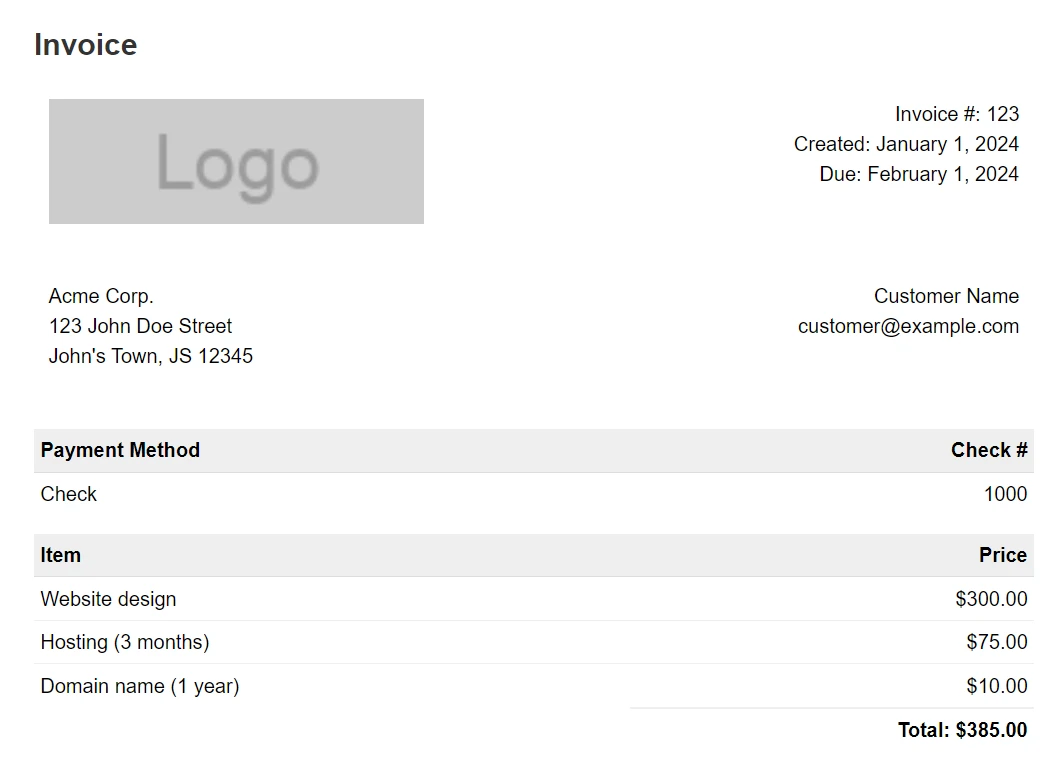 IronPDF renderuje złożone faktury z doskonałą wiernością przy użyciu istniejących szablonów HTML/CSS, co zmniejsza nakład pracy związany z programowaniem.
 Powszechne stosowanie IronPDFświadczy o zaufaniu przedsiębiorstw i uznaniu społeczności.
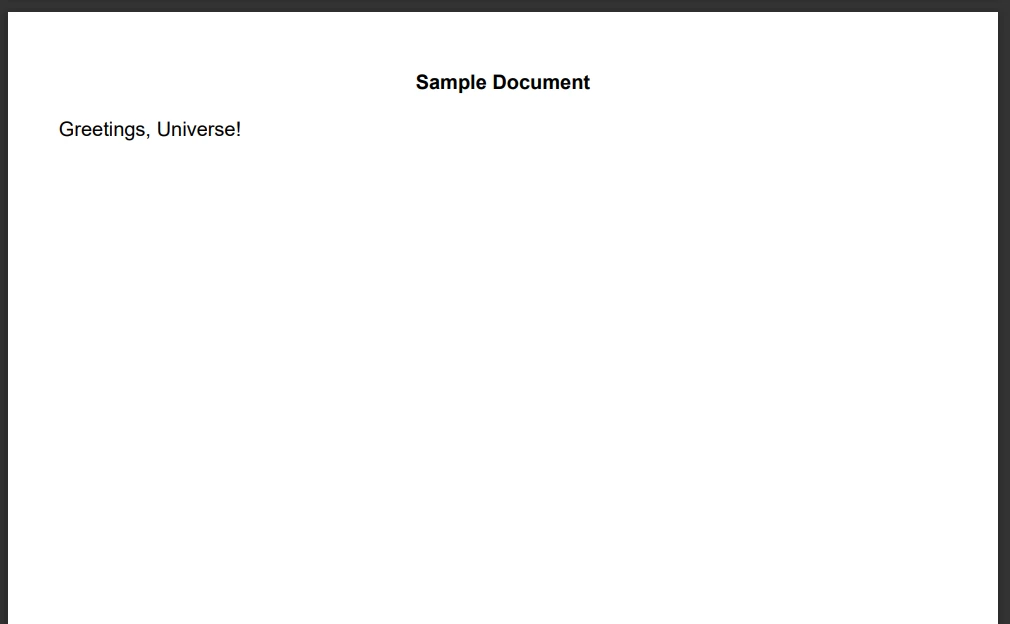 Funkcje zamiany tekstu umożliwiają dynamiczną personalizację dokumentów bez konieczności ponownego generowania całych plików PDF.
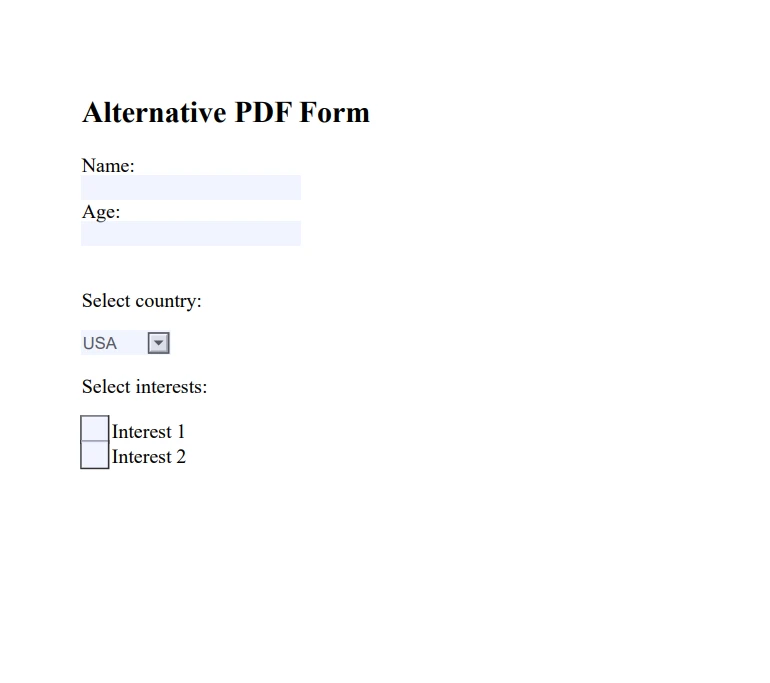 Generowanie formularzy w IronPDF obsługuje złożone typy danych wejściowych, zachowując jednocześnie standardy dostępności.
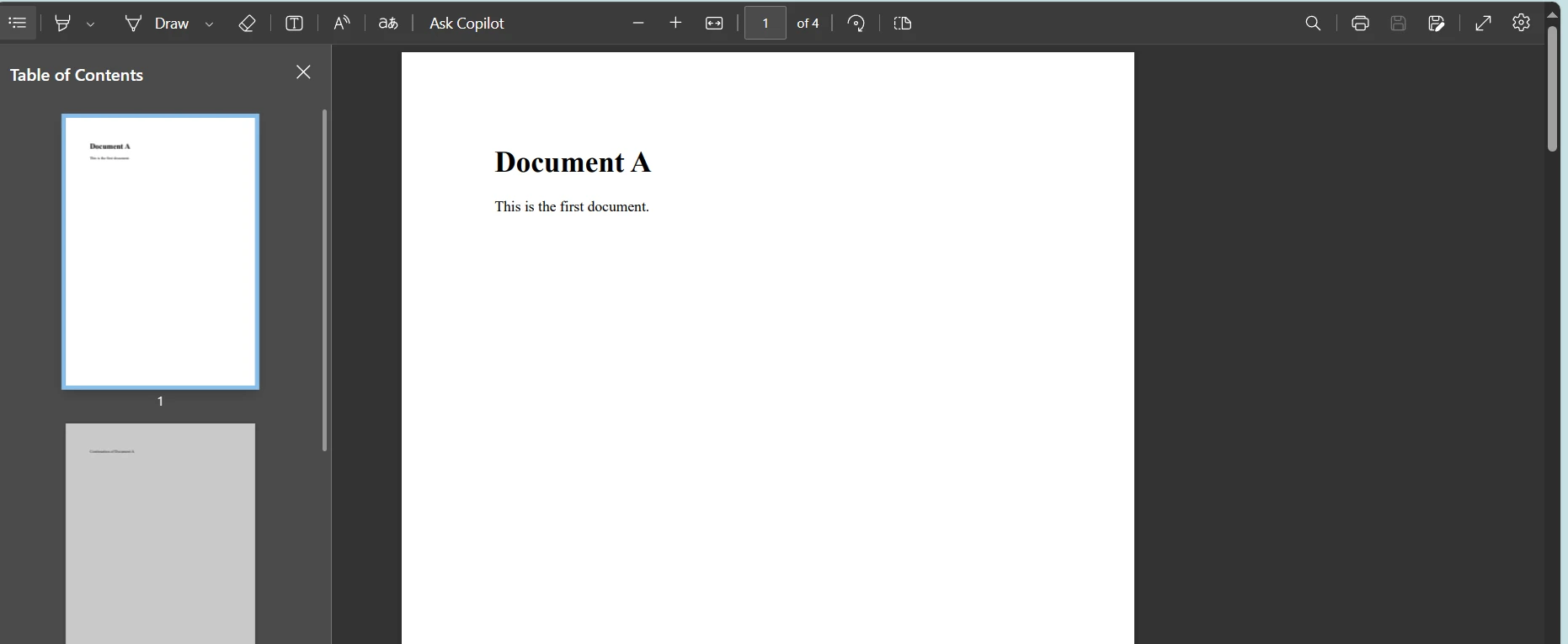 Funkcje scałania dokumentów umożliwiają tworzenie zaawansowanych raportów z wielu źródeł.
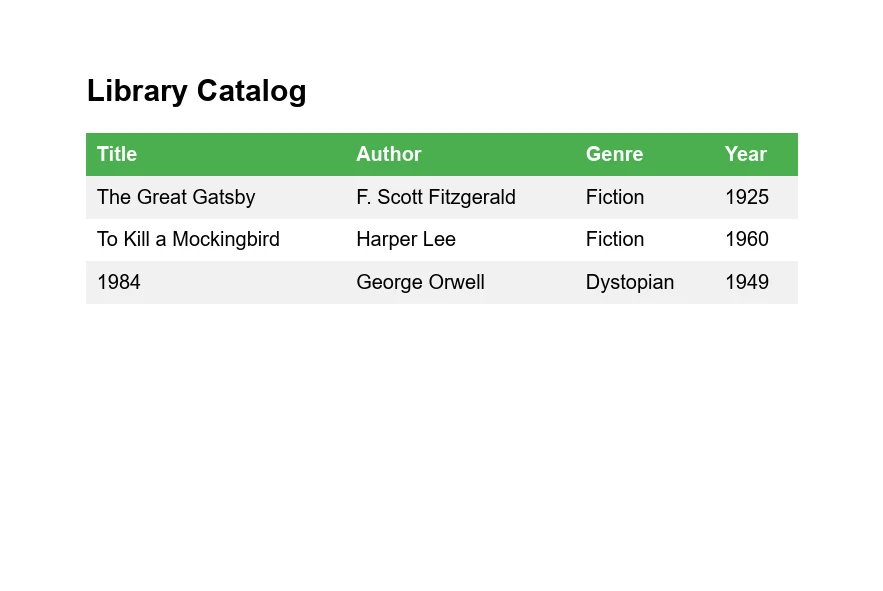 Konwersja XML na PDF pokazuje wszechstronnośćIronPDF w zakresie prezentacji danych strukturalnych.
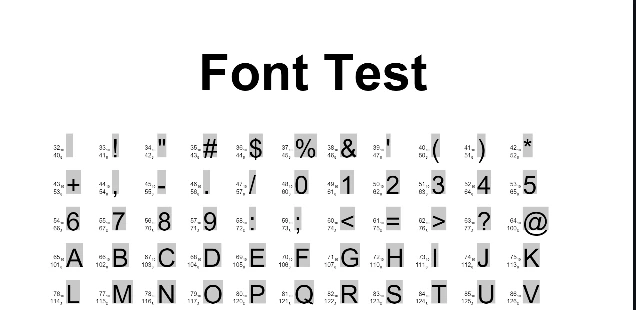 Funkcje testowania czcionek w Report.NET spełniają określone wymagania typograficzne, ale brakuje im obsługi nowoczesnych czcionek internetowych.
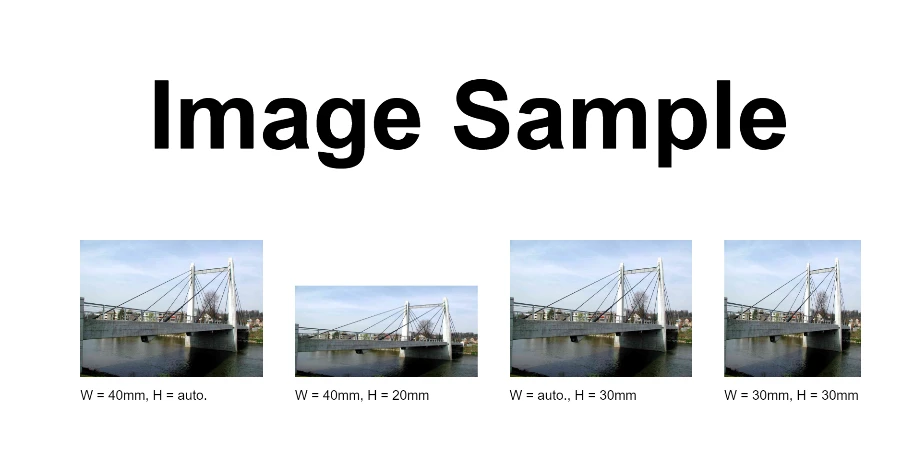 Porównanie obsługi obrazów pokazuje responsywne skalowanie w IronPDF w porównaniu ze stałymi wymiarami w Report.NET.
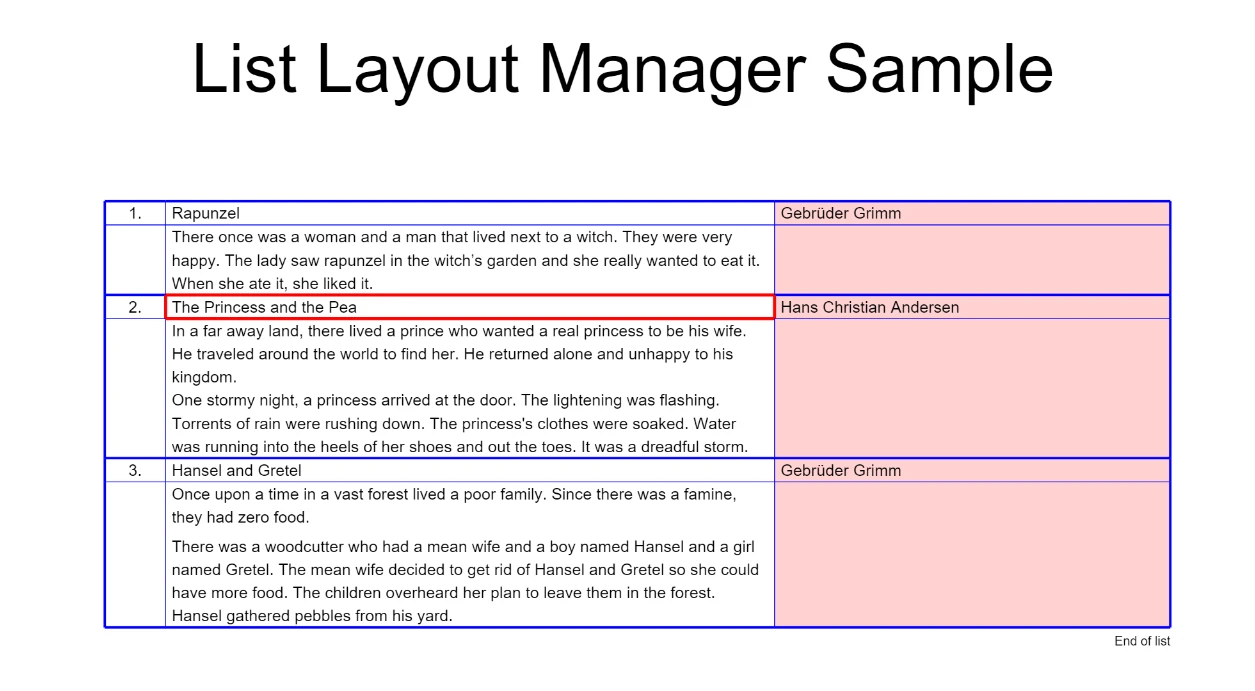 Menedżer list Report.NET zapewnia podstawowe układy tabelaryczne bez elastyczności tabel HTML.







