using IronPdf;

// Disable local disk access or cross-origin requests
Installation.EnableWebSecurity = true;

// Instantiate Renderer
var renderer = new ChromePdfRenderer();

// Create a PDF from a HTML string using C#
var pdf = renderer.RenderHtmlAsPdf("<h1>Hello World</h1>");

// Export to a file or Stream
pdf.SaveAs("output.pdf");

// Advanced Example with HTML Assets
// Load external html assets: Images, CSS and JavaScript.
// An optional BasePath 'C:\site\assets\' is set as the file location to load assets from
var myAdvancedPdf = renderer.RenderHtmlAsPdf("<img src='icons/iron.png'>", @"C:\site\assets\");
myAdvancedPdf.SaveAs("html-with-assets.pdf");
using IronPdf;// Disable local disk access or cross-origin requestsInstallation.EnableWebSecurity = true;// Instantiate Renderervar renderer = new ChromePdfRenderer();// Create a PDF from a HTML string using C#var pdf = renderer.RenderHtmlAsPdf("<h1>Hello World</h1>");// Export to a file or Streampdf.SaveAs("output.pdf");// Advanced Example with HTML Assets// Load external html assets: Images, CSS and JavaScript.// An optional BasePath 'C:\site\assets\' is set as the file location to load assets fromvar myAdvancedPdf = renderer.RenderHtmlAsPdf("<img src='icons/iron.png'>", @"C:\site\assets\");myAdvancedPdf.SaveAs("html-with-assets.pdf");
PM >Install-Package IronPdf
Install-Package IronPdf
USING IRONPDF
Discover the Key Features of the PDF .NET SDK Using IronPDF
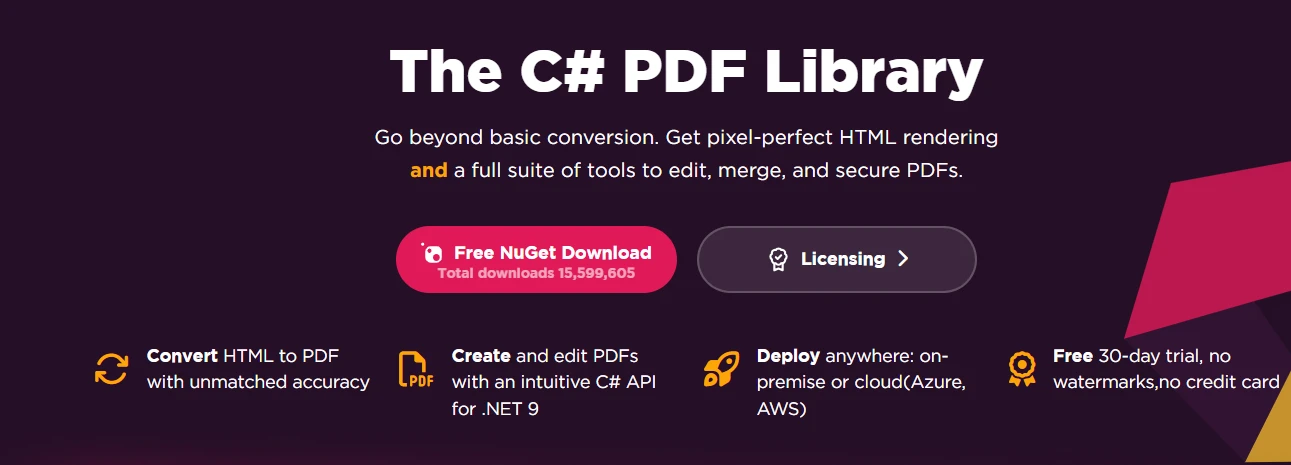
IronPDF delivers a complete PDF .NET SDK that automates document processing through HTML-to-PDF conversion, document manipulation, security encryption, and batch processing for .NET developers.
Manual PDF processing costs businesses thousands of hours annually. A PDF .NET SDK eliminates these inefficiencies by providing tools to programmatically create, manipulate, and manage PDF documents within your .NET projects. Automation turns error-prone manual processes into reliable, scalable solutions that deliver immediate ROI when handling large document volumes.
IronPDF stands out as a complete PDF .NET SDK and class library that transforms these challenges into competitive advantages. Built for .NET developers using Visual Studio, it provides an intuitive API that simplifies complex PDF processing into straightforward method calls. Whether you are building a web application that generates thousands of customer reports or an enterprise system requiring airtight document security, IronPDF delivers the features and reliability that professional development teams demand. The library handles everything from [creating new PDF documents](https://ironpdf.com/how-to/create-new-pdfs/) to [editing existing files](https://ironpdf.com/tutorials/csharp-edit-pdf-complete-tutorial/).
## How Does IronPDF Simplify PDF Document Workflows?
IronPDF's architecture prioritizes developer productivity and application performance. Its design philosophy centers on simplicity without sacrificing capability, so you can implement PDF processing functions quickly while maintaining full control over output. The library supports async operations and multi-threading to improve performance in production environments.
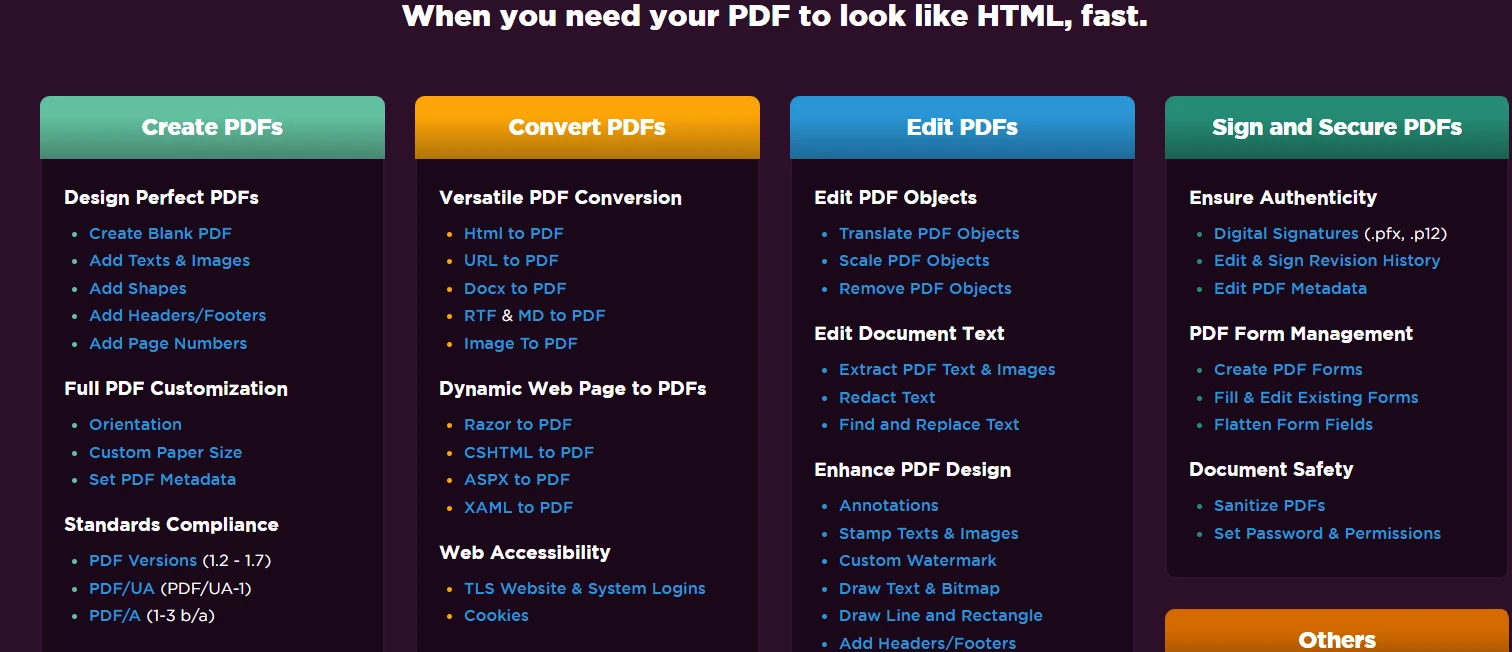
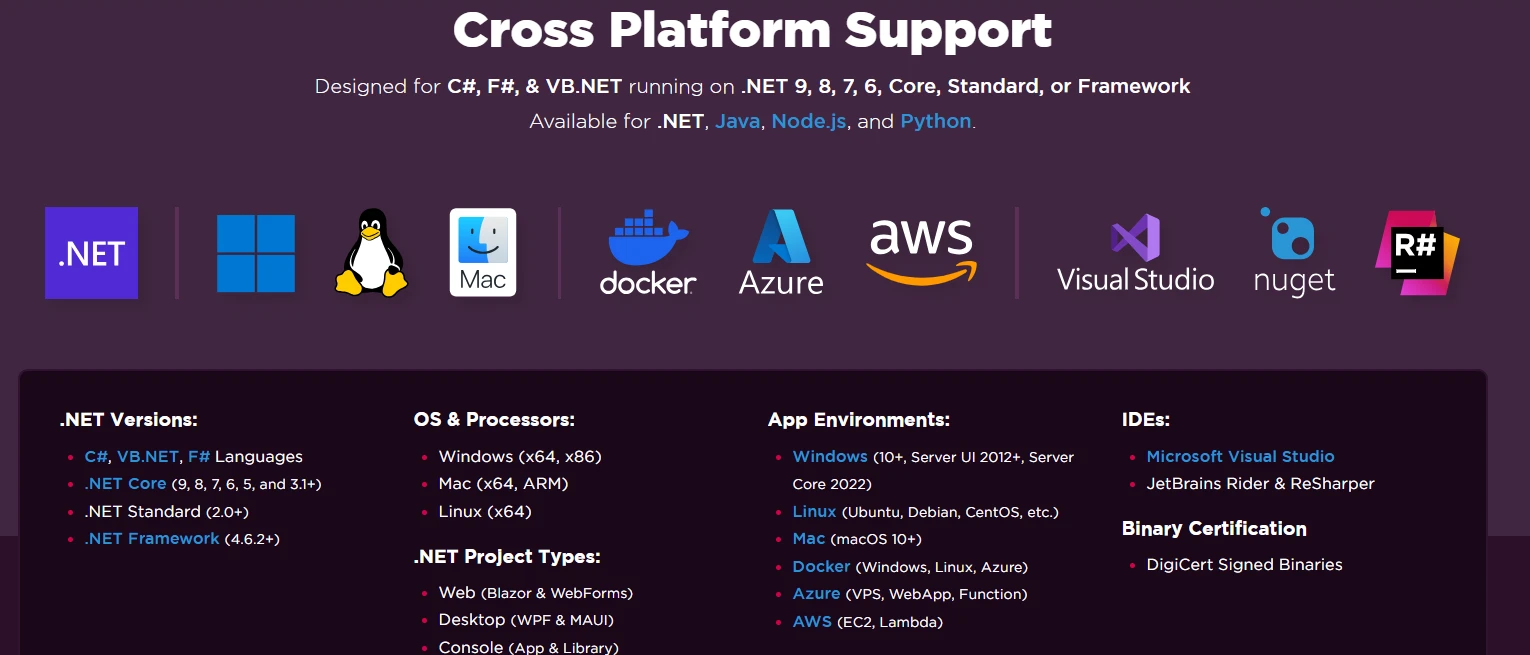
Integration requires minimal setup. A single [NuGet package installation](https://www.nuget.org/packages/IronPdf/) via the .NET Core CLI or Visual Studio gives you access to the full PDF capability set. IronPDF targets [.NET 10, 8, 7, 6, .NET Core, .NET Standard, and .NET Framework](https://ironpdf.com/get-started/installation-overview/), ensuring compatibility with both modern and legacy applications. Deployment extends to [Windows](https://ironpdf.com/how-to/windows/), [Linux](https://ironpdf.com/get-started/linux/), [macOS](https://ironpdf.com/how-to/macos/), [Docker containers](https://ironpdf.com/get-started/ironpdf-docker/), and cloud platforms including [Azure](https://ironpdf.com/how-to/azure/) and [AWS](https://ironpdf.com/get-started/aws/).
## How Do You Install IronPDF in Your .NET Project?
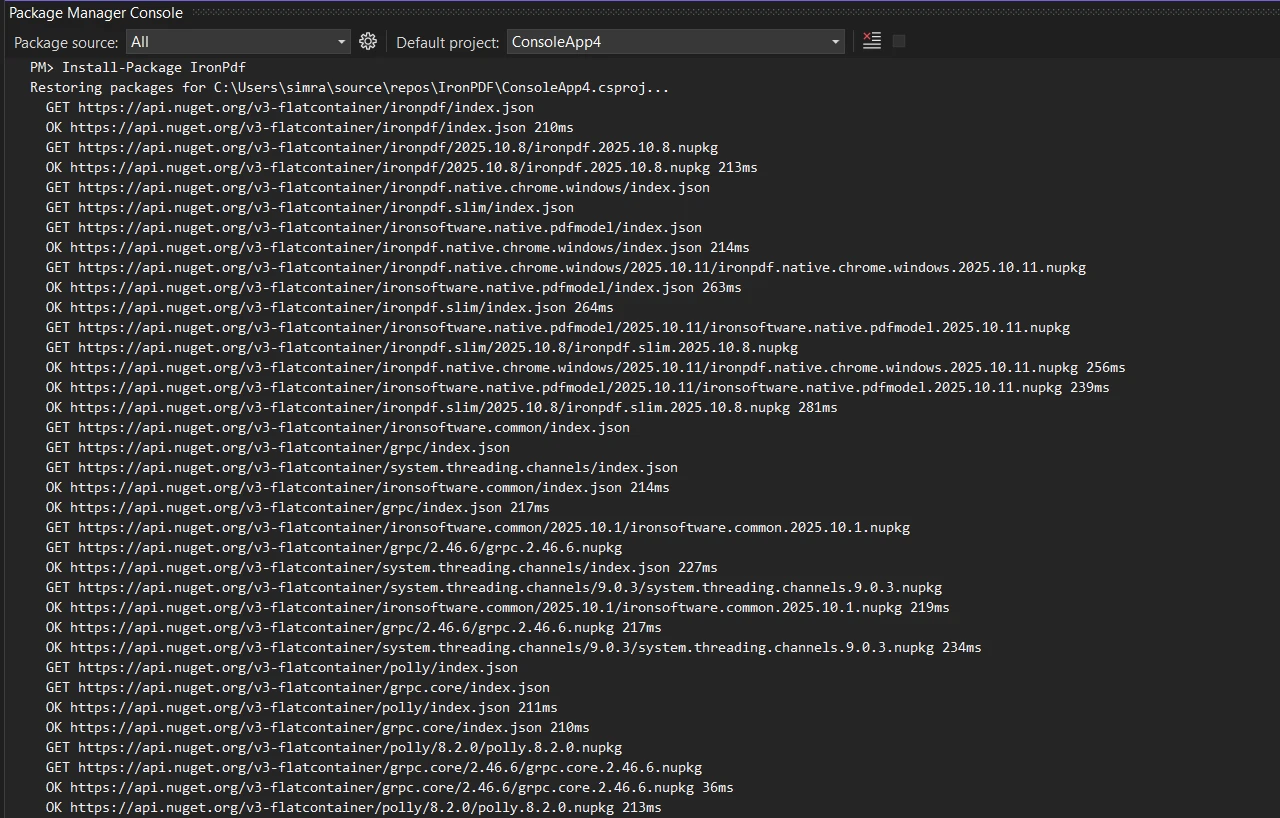
IronPDF simplifies PDF file generation through an intuitive API and a straightforward installation process. To add IronPDF to your [.NET project](https://ironpdf.com/get-started/quickstart/), install via the NuGet Package Manager in Visual Studio:
```bash
:ProductInstall
```
Or use the .NET Core CLI:
```bash
:InstallCmd dotnet add package IronPdf
```
Performance optimization is central to IronPDF's design. The library uses a [Chrome-based rendering engine](https://ironpdf.com/how-to/ironpdf-2021-chrome-rendering-engine-eap/) that delivers pixel-perfect accuracy when converting HTML to PDF. This approach eliminates the common frustration of inconsistent formatting across systems. Multi-threading and async support enable efficient batch processing -- crucial for applications handling high document volumes.
```csharp
using IronPdf;

// Initialize the PDF renderer
var renderer = new ChromePdfRenderer();

// Create a PDF from HTML
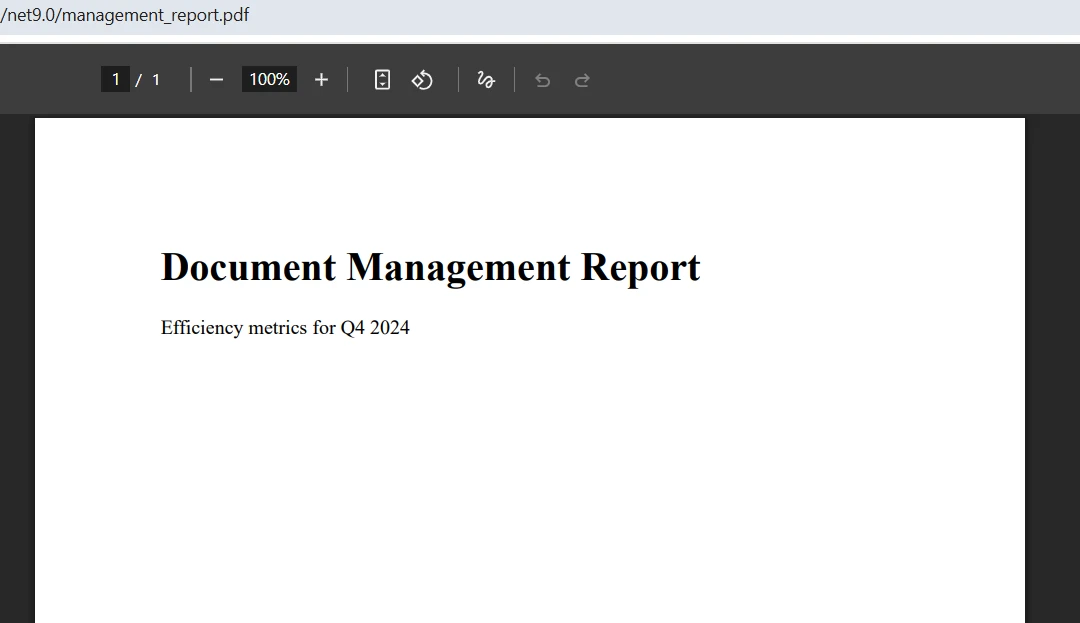
var doc = renderer.RenderHtmlAsPdf("<h1>Document Management Report</h1><p>Efficiency metrics for Q4 2025</p>");

// Save the output
doc.SaveAs("management_report.pdf");
```
The `ChromePdfRenderer` class handles all the complexity of HTML-to-PDF conversion while maintaining formatting consistency. The resulting document preserves fonts, layouts, and styling exactly as specified in the HTML -- eliminating guesswork typically associated with PDF generation in .NET projects.
### What Does the Generated PDF Look Like?
## What Essential PDF Features Does IronPDF Provide?
IronPDF's feature set covers the entire document lifecycle. From creation to archival, the SDK addresses real-world business requirements when working with PDF files. The library includes full PDF processing functions for every scenario, including [form creation](https://ironpdf.com/how-to/create-forms/), [digital signatures](https://ironpdf.com/how-to/signing/), and [metadata management](https://ironpdf.com/how-to/metadata/).
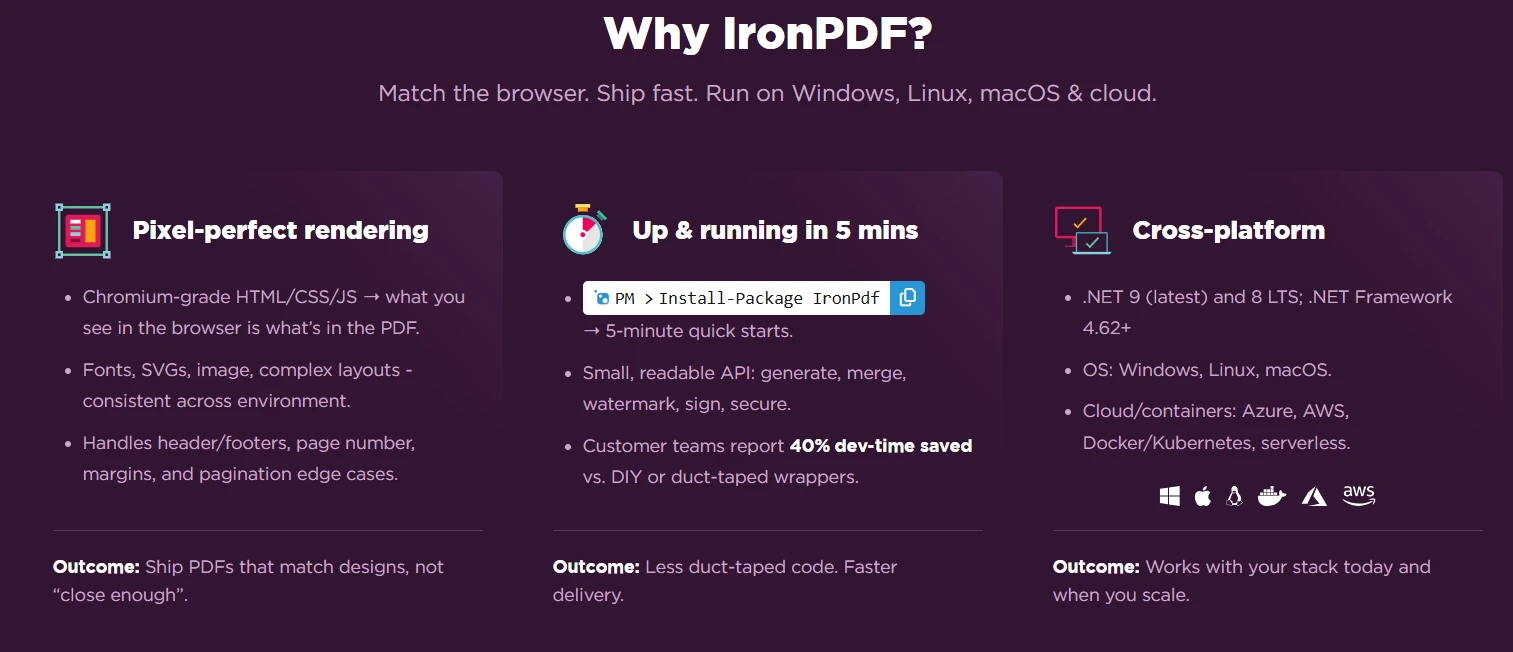
[HTML-to-PDF conversion](https://ironpdf.com/tutorials/html-to-pdf/) is one of IronPDF's most impactful capabilities. Unlike basic conversion tools, IronPDF fully supports modern web standards including HTML5, CSS3, and JavaScript. Your existing web content, reports, and templates convert to PDF without modification. The rendering engine handles complex layouts, responsive designs, and dynamic content generated by JavaScript -- ensuring accurate output every time.
Document manipulation features enable sophisticated PDF workflows. You can [merge multiple PDFs](https://ironpdf.com/examples/merge-pdfs/) into complete reports, split large documents for easier distribution, or extract specific pages for targeted sharing. These operations maintain document integrity -- preserving formatting, bookmarks, and metadata throughout the process.
Form handling capabilities transform static PDFs into interactive business documents. IronPDF can create fillable forms with text fields, checkboxes, dropdowns, and radio buttons. It also reads and processes submitted form data, enabling automated workflows for applications, registrations, and surveys. The ability to [flatten forms](https://ironpdf.com/how-to/pdf-image-flatten-csharp/) after completion ensures data permanence for archival purposes.
Text extraction reveals the content within existing PDF files. Whether parsing invoices for data entry or indexing documents for search, IronPDF provides precise extraction capabilities that maintain formatting context. This feature is invaluable for document digitization projects and automated content processing systems. For improved accuracy on scanned documents, consider using [OCR capabilities](https://ironsoftware.com/csharp/ocr/) from Iron Software's suite.
```csharp
using IronPdf;
var renderer = new ChromePdfRenderer();
// Configure rendering options for professional output
renderer.RenderingOptions.PaperSize = PdfPaperSize.A4;
renderer.RenderingOptions.MarginTop = 20;
renderer.RenderingOptions.MarginBottom = 20;
// Generate PDF from an existing web page
var websitePdf = renderer.RenderUrlAsPdf("https://example.com/annual-report");
// Merge with a cover page
var coverPage = renderer.RenderHtmlAsPdf("<h1>Annual Report 2025</h1>");
var mergedPdf = PdfDocument.Merge(coverPage, websitePdf);
// Save the final document
mergedPdf.SaveAs("complete_report.pdf");
```
The [RenderingOptions](https://ironpdf.com/how-to/rendering-options/) property allows fine-tuning of output characteristics like page size and margins, ensuring a professional appearance. The `Merge` method combines multiple PDF files cleanly -- perfect for creating complete documents from various sources. This modular approach lets you generate different sections independently and combine them as needed.
## How Can Security Features Protect Your PDF Documents?
Security remains critical in document management, particularly for industries handling sensitive information. IronPDF provides a full security layer that protects documents throughout their lifecycle, covering encryption, digital signatures, and advanced document sanitization.
### Why Do Encryption Capabilities Matter for Document Protection?
Encryption safeguards document content using industry-standard algorithms. IronPDF encrypts with 128-bit RC4 by default and supports selectable AES-128 and AES-256 encryption, meeting compliance requirements for various industries. Password protection adds an additional security layer, with separate user and owner passwords enabling granular access control. Organizations can restrict printing, copying, or editing while still allowing viewing -- ensuring PDF documents are used only as intended. For additional protection layers, consider integrating with [IronSecureDoc](https://ironsoftware.com/enterprise/securedoc/).
### How Do Digital Signatures Authenticate Documents?
Digital signatures authenticate documents and verify integrity. IronPDF supports X.509 certificates for creating legally binding electronic signatures. This functionality proves essential for contracts, agreements, and official documentation requiring proof of authenticity. The signature process embeds certificate information directly into the PDF, making tampering immediately detectable. IronPDF also supports [signing with Hardware Security Modules (HSM)](https://ironpdf.com/how-to/signing-pdf-with-hsm/) for high-security deployments.
### When Should You Use Document Sanitization?
[Document sanitization](https://ironpdf.com/how-to/sanitize-pdf/) removes potentially harmful elements from PDFs -- including JavaScript, embedded files, and metadata that might contain sensitive information. For organizations concerned about data leakage, sanitization ensures clean documents suitable for external distribution. According to [Microsoft's security best practices](https://learn.microsoft.com/en-us/security/), document sanitization is a critical component of enterprise security. The [redaction feature](https://ironpdf.com/how-to/redact-text/) provides additional protection by permanently removing sensitive text regions.
```csharp
using IronPdf;
using IronPdf.Security;
using System.Security.Cryptography.X509Certificates;
// Create the base PDF
var doc = new ChromePdfRenderer().RenderHtmlAsPdf("<h1>Confidential Report</h1>");
// Apply password protection
doc.SecuritySettings.UserPassword = "user_pass";
doc.SecuritySettings.OwnerPassword = "owner_pass";
// Configure permissions
doc.SecuritySettings.AllowUserPrinting = IronPdf.Security.PdfPrintSecurity.FullPrintRights;
doc.SecuritySettings.AllowUserCopyPasteContent = false;
doc.SecuritySettings.AllowUserAnnotations = false;
doc.SecuritySettings.AllowUserFormData = false;
// Load certificate and add digital signature
var cert = X509CertificateLoader.LoadPkcs12FromFile(
"certificate.pfx",
"password",
X509KeyStorageFlags.Exportable |
X509KeyStorageFlags.MachineKeySet |
X509KeyStorageFlags.EphemeralKeySet
);
var signature = new PdfSignature(cert)
{
ContactInformation = "you@example.com",
SigningLocation = "Office",
SigningReason = "Approval"
};
// Add a visible signature image
signature.SignatureImage = new PdfSignatureImage(
"signatureImage.png",
pageIndex: 0,
new IronSoftware.Drawing.Rectangle(x: 0, y: 600, width: 100, height: 100)
);
doc.Sign(signature);
doc.SaveAs("secured_document.pdf");
```
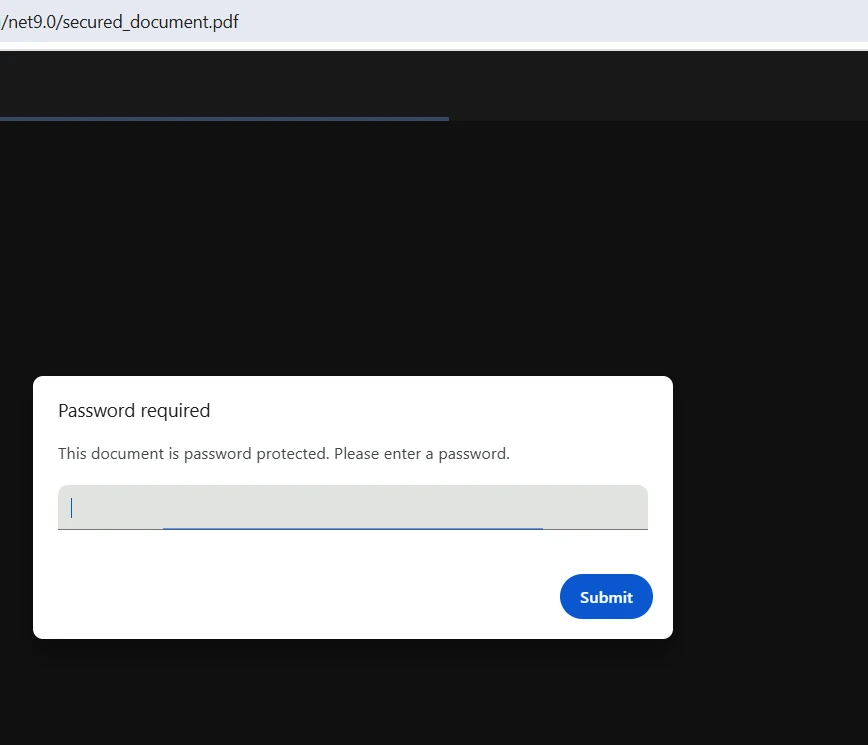
This security implementation creates a multi-layered protection scheme. User and owner passwords provide different access levels, while permission settings prevent unauthorized actions. The digital signature adds authenticity verification. These measures work together to create documents that meet regulatory compliance requirements while maintaining usability for authorized users. For tracking document changes over time, use the [revision history feature](https://ironpdf.com/how-to/revision-history/).
### What Does a Secured PDF Document Look Like?
## What Advanced Capabilities Improve Processing Efficiency?
Beyond core PDF operations, IronPDF offers advanced features that significantly improve document processing efficiency. These capabilities convert time-consuming manual tasks into automated workflows. The library supports advanced rendering options, [custom logging](https://ironpdf.com/how-to/custom-logging/), and [performance optimization techniques](https://ironpdf.com/tutorials/pdf-assets-and-performance-csharp/).
### How Does Batch Processing Handle Multiple Documents?
Batch processing capabilities allow handling many PDF files simultaneously. Whether generating thousands of invoices or converting an entire document library, IronPDF's multi-threading support ensures optimal performance. Memory management features prevent resource exhaustion even when processing large document sets, maintaining application stability under heavy load. For cloud deployments, the library offers specific optimizations for [AWS Lambda](https://ironpdf.com/troubleshooting/aws-lambda-amazon-linux-2/) and Azure Functions.
### Why Does Metadata Management Matter for Document Organization?
[Metadata management](https://ironpdf.com/how-to/metadata/) provides programmatic control over document properties. You can set author information, creation dates, keywords, and custom properties that improve document organization and searchability. This metadata is invaluable for document management systems, enabling sophisticated categorization and retrieval. The library also supports [PDF/A compliance](https://ironpdf.com/how-to/pdfa/) and [PDF/UA accessibility standards](https://ironpdf.com/how-to/pdfua/).
### When Should You Use Annotations and Watermarks?
Annotation and [watermarking](https://ironpdf.com/how-to/custom-watermark/) features add visual elements to existing PDFs. Watermarks protect intellectual property and indicate document status -- draft, confidential, or approved. Annotations enable collaborative workflows where reviewers can add comments, highlights, and notes without altering the original content. For complex watermarking needs, the [stamping functionality](https://ironpdf.com/how-to/stamp-text-image/) provides additional control.
### How Do Automated Workflows Improve Team Productivity?
Automated workflows use IronPDF's API to create self-managing document systems. Template-based generation, scheduled report creation, and event-driven document processing become straightforward to implement. The SDK even handles complex scenarios like [waiting for JavaScript execution](https://ironpdf.com/how-to/waitfor/) or managing authentication for secured web pages. Recent discussions on [Stack Overflow](https://stackoverflow.com/questions/tagged/ironpdf) highlight how developers are using these features to build sophisticated automation pipelines.
```csharp
using IronPdf;
using IronPdf.Editing;
using System;
using System.Collections.Generic;
using System.Threading.Tasks;
// Process a batch of HTML templates in parallel
var htmlTemplates = new List<string>
{
"<h1>Invoice #1001</h1><p>Amount due: $500</p>",
"<h1>Invoice #1002</h1><p>Amount due: $750</p>",
"<h1>Invoice #1003</h1><p>Amount due: $1200</p>"
};
var renderer = new ChromePdfRenderer();
var tasks = new List<Task>();
foreach (var template in htmlTemplates)
{
tasks.Add(Task.Run(() =>
{
var page = renderer.RenderHtmlAsPdf(template);
// Apply a draft watermark
page.ApplyWatermark(
"<h2 style='color:gray;'>DRAFT</h2>",
rotation: 45,
opacity: 50,
verticalAlignment: VerticalAlignment.Middle,
horizontalAlignment: HorizontalAlignment.Center
);
// Set metadata for organization
page.MetaData.Author = "Document Management System";
page.MetaData.CreationDate = DateTime.Now;
page.SaveAs($"processed_{Guid.NewGuid()}.pdf");
}));
}
await Task.WhenAll(tasks);
```
This batch processing example demonstrates efficient parallel document generation. The asynchronous approach processes multiple files concurrently, significantly reducing total processing time. Each document receives consistent watermarking and metadata -- ensuring uniformity across the batch. This pattern scales from dozens to thousands of documents without architectural changes.
When processing large batches, monitor memory usage and consider processing in chunks of 50 to 100 documents to maintain optimal performance. The [IronPDF documentation](https://ironpdf.com/docs/) provides additional guidance on improving batch operations.
## How Do You Follow Best Practices When Implementing IronPDF?
Successful implementation begins with proper setup and configuration in Visual Studio or your preferred IDE. Understanding best practices ensures optimal performance and maintainable code. Consider implementing custom logging for production deployments and following documented performance guidelines.
### What Is the Recommended Installation Approach?
Installation via NuGet provides the simplest integration path. The `Install-Package IronPdf` command adds all necessary dependencies automatically. For containerized deployments, IronPDF includes Docker support with no additional configuration required. The library automatically detects the runtime environment and adjusts accordingly. The [getting started guide](https://ironpdf.com/get-started/quickstart/) provides detailed setup instructions for various environments. For specialized deployments, [IronPDF.Slim](https://ironpdf.com/troubleshooting/ironpdf-slim/) reduces the package footprint.
### Where Can You Find Implementation Resources?
IronPDF provides [extensive documentation, code examples, and API references](https://ironpdf.com/docs/). The support team offers direct engineering assistance, helping resolve complex implementation challenges. Regular updates ensure compatibility with the latest .NET versions and security standards. Community discussions on [GitHub](https://github.com/topics/ironpdf) provide additional insights and solutions for .NET projects.
### How Do You Troubleshoot Common Setup Issues?
If you encounter rendering issues on Linux deployments, ensure required dependencies are installed:
```bash
apt-get install -y libgdiplus libc6-dev
```
For Docker containers, use the [official IronPDF base images](https://ironpdf.com/get-started/ironpdfengine-docker/) that include all necessary components pre-configured. When dealing with specific fonts or platform-specific rendering behavior, check the [troubleshooting guide](https://ironpdf.com/troubleshooting/) for detailed solutions. For AWS deployments, specific considerations apply for Lambda functions.
## Why Is IronPDF the Right Choice for Your PDF Processing Needs?
IronPDF's PDF .NET SDK transforms document management from a development challenge into a competitive advantage. Its complete feature set addresses every aspect of PDF handling -- from simple generation to complex security requirements. The intuitive API design means less time wrestling with PDF specifications and more time delivering business value. The library's [performance benchmarks](https://ironpdf.com/competitors/aspose-vs-ironpdf/) demonstrate superior efficiency compared to alternatives.
Getting started requires minimal investment. The [free trial](trial-license) provides full access to all features, enabling thorough evaluation before commitment. With complete documentation, responsive support from actual engineers, and [continuous updates](https://ironpdf.com/product-updates/milestones/), IronPDF represents a long-term solution for your PDF document management needs. Consider reviewing [how IronPDF compares to other solutions](https://ironpdf.com/blog/compare-to-other-components/) to understand its advantages in detail.
Ready to elevate your document management capabilities? [Purchase a license](https://ironpdf.com/licensing/) and join the growing community of developers who have transformed their PDF workflows with IronPDF. Need help choosing the right license? The support team is available to guide you toward the perfect solution for your requirements -- whether you are extracting data, creating forms, or managing pages across thousands of documents.
IronPDF delivers a complete PDF .NET SDK that automates document processing through HTML-to-PDF conversion, document manipulation, security encryption, and batch processing for .NET developers.
Manual PDF processing costs businesses thousands of hours annually. A PDF .NET SDK eliminates these inefficiencies by providing tools to programmatically create, manipulate, and manage PDF documents within your .NET projects. Automation turns error-prone manual processes into reliable, scalable solutions that deliver immediate ROI when handling large document volumes.
IronPDF stands out as a complete PDF .NET SDK and class library that transforms these challenges into competitive advantages. Built for .NET developers using Visual Studio, it provides an intuitive API that simplifies complex PDF processing into straightforward method calls. Whether you are building a web application that generates thousands of customer reports or an enterprise system requiring airtight document security, IronPDF delivers the features and reliability that professional development teams demand. The library handles everything from creating new PDF documents to editing existing files.
How Does IronPDF Simplify PDF Document Workflows?
IronPDF's architecture prioritizes developer productivity and application performance. Its design philosophy centers on simplicity without sacrificing capability, so you can implement PDF processing functions quickly while maintaining full control over output. The library supports async operations and multi-threading to improve performance in production environments.
IronPDF simplifies PDF file generation through an intuitive API and a straightforward installation process. To add IronPDF to your .NET project, install via the NuGet Package Manager in Visual Studio:
PM > Install-Package IronPdf
Install-Package IronPdf
Or use the .NET Core CLI:
> dotnet add package IronPdf
dotnet add package IronPdf
Performance optimization is central to IronPDF's design. The library uses a Chrome-based rendering engine that delivers pixel-perfect accuracy when converting HTML to PDF. This approach eliminates the common frustration of inconsistent formatting across systems. Multi-threading and async support enable efficient batch processing -- crucial for applications handling high document volumes.
using IronPdf;// Initialize the PDF renderervar renderer = new ChromePdfRenderer();// Create a PDF from HTMLvar doc = renderer.RenderHtmlAsPdf("<h1>Document Management Report</h1><p>Efficiency metrics for Q4 2025</p>");// Save the outputdoc.SaveAs("management_report.pdf");
using IronPdf;

// Initialize the PDF renderer
var renderer = new ChromePdfRenderer();

// Create a PDF from HTML
var doc = renderer.RenderHtmlAsPdf("<h1>Document Management Report</h1><p>Efficiency metrics for Q4 2025</p>");

// Save the output
doc.SaveAs("management_report.pdf");
ImportsIronPdf' Initialize the PDF rendererDim renderer As New ChromePdfRenderer()' Create a PDF from HTMLDim doc = renderer.RenderHtmlAsPdf("<h1>Document Management Report</h1><p>Efficiency metrics for Q4 2025</p>")' Save the outputdoc.SaveAs("management_report.pdf")
Imports IronPdf

' Initialize the PDF renderer
Dim renderer As New ChromePdfRenderer()

' Create a PDF from HTML
Dim doc = renderer.RenderHtmlAsPdf("<h1>Document Management Report</h1><p>Efficiency metrics for Q4 2025</p>")

' Save the output
doc.SaveAs("management_report.pdf")
The ChromePdfRenderer class handles all the complexity of HTML-to-PDF conversion while maintaining formatting consistency. The resulting document preserves fonts, layouts, and styling exactly as specified in the HTML -- eliminating guesswork typically associated with PDF generation in .NET projects.
What Does the Generated PDF Look Like?
What Essential PDF Features Does IronPDF Provide?
IronPDF's feature set covers the entire document lifecycle. From creation to archival, the SDK addresses real-world business requirements when working with PDF files. The library includes full PDF processing functions for every scenario, including form creation, digital signatures, and metadata management.
HTML-to-PDF conversion is one of IronPDF's most impactful capabilities. Unlike basic conversion tools, IronPDF fully supports modern web standards including HTML5, CSS3, and JavaScript. Your existing web content, reports, and templates convert to PDF without modification. The rendering engine handles complex layouts, responsive designs, and dynamic content generated by JavaScript -- ensuring accurate output every time.
Document manipulation features enable sophisticated PDF workflows. You can merge multiple PDFs into complete reports, split large documents for easier distribution, or extract specific pages for targeted sharing. These operations maintain document integrity -- preserving formatting, bookmarks, and metadata throughout the process.
Form handling capabilities transform static PDFs into interactive business documents. IronPDF can create fillable forms with text fields, checkboxes, dropdowns, and radio buttons. It also reads and processes submitted form data, enabling automated workflows for applications, registrations, and surveys. The ability to flatten forms after completion ensures data permanence for archival purposes.
Text extraction reveals the content within existing PDF files. Whether parsing invoices for data entry or indexing documents for search, IronPDF provides precise extraction capabilities that maintain formatting context. This feature is invaluable for document digitization projects and automated content processing systems. For improved accuracy on scanned documents, consider using OCR capabilities from Iron Software's suite.
using IronPdf;var renderer = new ChromePdfRenderer();// Configure rendering options for professional outputrenderer.RenderingOptions.PaperSize = PdfPaperSize.A4;renderer.RenderingOptions.MarginTop = 20;renderer.RenderingOptions.MarginBottom = 20;// Generate PDF from an existing web pagevar websitePdf = renderer.RenderUrlAsPdf("https://example.com/annual-report");// Merge with a cover pagevar coverPage = renderer.RenderHtmlAsPdf("<h1>Annual Report 2025</h1>");var mergedPdf = PdfDocument.Merge(coverPage, websitePdf);// Save the final documentmergedPdf.SaveAs("complete_report.pdf");
using IronPdf;

var renderer = new ChromePdfRenderer();

// Configure rendering options for professional output
renderer.RenderingOptions.PaperSize = PdfPaperSize.A4;
renderer.RenderingOptions.MarginTop = 20;
renderer.RenderingOptions.MarginBottom = 20;

// Generate PDF from an existing web page
var websitePdf = renderer.RenderUrlAsPdf("https://example.com/annual-report");

// Merge with a cover page
var coverPage = renderer.RenderHtmlAsPdf("<h1>Annual Report 2025</h1>");
var mergedPdf = PdfDocument.Merge(coverPage, websitePdf);

// Save the final document
mergedPdf.SaveAs("complete_report.pdf");
ImportsIronPdfDim renderer As New ChromePdfRenderer()' Configure rendering options for professional outputrenderer.RenderingOptions.PaperSize = PdfPaperSize.A4renderer.RenderingOptions.MarginTop = 20renderer.RenderingOptions.MarginBottom = 20' Generate PDF from an existing web pageDim websitePdf = renderer.RenderUrlAsPdf("https://example.com/annual-report")' Merge with a cover pageDim coverPage = renderer.RenderHtmlAsPdf("<h1>Annual Report 2025</h1>")Dim mergedPdf = PdfDocument.Merge(coverPage, websitePdf)' Save the final documentmergedPdf.SaveAs("complete_report.pdf")
Imports IronPdf

Dim renderer As New ChromePdfRenderer()

' Configure rendering options for professional output
renderer.RenderingOptions.PaperSize = PdfPaperSize.A4
renderer.RenderingOptions.MarginTop = 20
renderer.RenderingOptions.MarginBottom = 20

' Generate PDF from an existing web page
Dim websitePdf = renderer.RenderUrlAsPdf("https://example.com/annual-report")

' Merge with a cover page
Dim coverPage = renderer.RenderHtmlAsPdf("<h1>Annual Report 2025</h1>")
Dim mergedPdf = PdfDocument.Merge(coverPage, websitePdf)

' Save the final document
mergedPdf.SaveAs("complete_report.pdf")
The RenderingOptions property allows fine-tuning of output characteristics like page size and margins, ensuring a professional appearance. The Merge method combines multiple PDF files cleanly -- perfect for creating complete documents from various sources. This modular approach lets you generate different sections independently and combine them as needed.
How Can Security Features Protect Your PDF Documents?
Security remains critical in document management, particularly for industries handling sensitive information. IronPDF provides a full security layer that protects documents throughout their lifecycle, covering encryption, digital signatures, and advanced document sanitization.
Why Do Encryption Capabilities Matter for Document Protection?
Encryption safeguards document content using industry-standard algorithms. IronPDF encrypts with 128-bit RC4 by default and supports selectable AES-128 and AES-256 encryption, meeting compliance requirements for various industries. Password protection adds an additional security layer, with separate user and owner passwords enabling granular access control. Organizations can restrict printing, copying, or editing while still allowing viewing -- ensuring PDF documents are used only as intended. For additional protection layers, consider integrating with IronSecureDoc.
How Do Digital Signatures Authenticate Documents?
Digital signatures authenticate documents and verify integrity. IronPDF supports X.509 certificates for creating legally binding electronic signatures. This functionality proves essential for contracts, agreements, and official documentation requiring proof of authenticity. The signature process embeds certificate information directly into the PDF, making tampering immediately detectable. IronPDF also supports signing with Hardware Security Modules (HSM) for high-security deployments.
When Should You Use Document Sanitization?
Document sanitization removes potentially harmful elements from PDFs -- including JavaScript, embedded files, and metadata that might contain sensitive information. For organizations concerned about data leakage, sanitization ensures clean documents suitable for external distribution. According to Microsoft's security best practices, document sanitization is a critical component of enterprise security. The redaction feature provides additional protection by permanently removing sensitive text regions.
using IronPdf;using IronPdf.Security;using System.Security.Cryptography.X509Certificates;// Create the base PDFvar doc = new ChromePdfRenderer().RenderHtmlAsPdf("<h1>Confidential Report</h1>");// Apply password protectiondoc.SecuritySettings.UserPassword = "user_pass";doc.SecuritySettings.OwnerPassword = "owner_pass";// Configure permissionsdoc.SecuritySettings.AllowUserPrinting = IronPdf.Security.PdfPrintSecurity.FullPrintRights;doc.SecuritySettings.AllowUserCopyPasteContent = false;doc.SecuritySettings.AllowUserAnnotations = false;doc.SecuritySettings.AllowUserFormData = false;// Load certificate and add digital signaturevar cert = X509CertificateLoader.LoadPkcs12FromFile( "certificate.pfx", "password",X509KeyStorageFlags.Exportable |X509KeyStorageFlags.MachineKeySet |X509KeyStorageFlags.EphemeralKeySet);var signature = new PdfSignature(cert){ContactInformation = "you@example.com",SigningLocation = "Office",SigningReason = "Approval"};// Add a visible signature imagesignature.SignatureImage = new PdfSignatureImage( "signatureImage.png", pageIndex: 0, new IronSoftware.Drawing.Rectangle(x: 0, y: 600, width: 100, height: 100));doc.Sign(signature);doc.SaveAs("secured_document.pdf");
using IronPdf;
using IronPdf.Security;
using System.Security.Cryptography.X509Certificates;

// Create the base PDF
var doc = new ChromePdfRenderer().RenderHtmlAsPdf("<h1>Confidential Report</h1>");

// Apply password protection
doc.SecuritySettings.UserPassword = "user_pass";
doc.SecuritySettings.OwnerPassword = "owner_pass";

// Configure permissions
doc.SecuritySettings.AllowUserPrinting = IronPdf.Security.PdfPrintSecurity.FullPrintRights;
doc.SecuritySettings.AllowUserCopyPasteContent = false;
doc.SecuritySettings.AllowUserAnnotations = false;
doc.SecuritySettings.AllowUserFormData = false;

// Load certificate and add digital signature
var cert = X509CertificateLoader.LoadPkcs12FromFile(
    "certificate.pfx",
    "password",
    X509KeyStorageFlags.Exportable |
    X509KeyStorageFlags.MachineKeySet |
    X509KeyStorageFlags.EphemeralKeySet
);

var signature = new PdfSignature(cert)
{
    ContactInformation = "you@example.com",
    SigningLocation = "Office",
    SigningReason = "Approval"
};

// Add a visible signature image
signature.SignatureImage = new PdfSignatureImage(
    "signatureImage.png",
    pageIndex: 0,
    new IronSoftware.Drawing.Rectangle(x: 0, y: 600, width: 100, height: 100)
);

doc.Sign(signature);
doc.SaveAs("secured_document.pdf");
ImportsIronPdfImportsIronPdf.SecurityImportsSystem.Security.Cryptography.X509Certificates' Create the base PDFDim doc = New ChromePdfRenderer().RenderHtmlAsPdf("<h1>Confidential Report</h1>")' Apply password protectiondoc.SecuritySettings.UserPassword = "user_pass"doc.SecuritySettings.OwnerPassword = "owner_pass"' Configure permissionsdoc.SecuritySettings.AllowUserPrinting = IronPdf.Security.PdfPrintSecurity.FullPrintRightsdoc.SecuritySettings.AllowUserCopyPasteContent = Falsedoc.SecuritySettings.AllowUserAnnotations = Falsedoc.SecuritySettings.AllowUserFormData = False' Load certificate and add digital signatureDim cert = X509CertificateLoader.LoadPkcs12FromFile( "certificate.pfx", "password",X509KeyStorageFlags.ExportableOrX509KeyStorageFlags.MachineKeySetOrX509KeyStorageFlags.EphemeralKeySet)Dim signature = New PdfSignature(cert) With { .ContactInformation = "you@example.com", .SigningLocation = "Office", .SigningReason = "Approval"}' Add a visible signature imagesignature.SignatureImage = New PdfSignatureImage( "signatureImage.png", pageIndex:=0, New IronSoftware.Drawing.Rectangle(x:=0, y:=600, width:=100, height:=100))doc.Sign(signature)doc.SaveAs("secured_document.pdf")
Imports IronPdf
Imports IronPdf.Security
Imports System.Security.Cryptography.X509Certificates

' Create the base PDF
Dim doc = New ChromePdfRenderer().RenderHtmlAsPdf("<h1>Confidential Report</h1>")

' Apply password protection
doc.SecuritySettings.UserPassword = "user_pass"
doc.SecuritySettings.OwnerPassword = "owner_pass"

' Configure permissions
doc.SecuritySettings.AllowUserPrinting = IronPdf.Security.PdfPrintSecurity.FullPrintRights
doc.SecuritySettings.AllowUserCopyPasteContent = False
doc.SecuritySettings.AllowUserAnnotations = False
doc.SecuritySettings.AllowUserFormData = False

' Load certificate and add digital signature
Dim cert = X509CertificateLoader.LoadPkcs12FromFile(
    "certificate.pfx",
    "password",
    X509KeyStorageFlags.Exportable Or
    X509KeyStorageFlags.MachineKeySet Or
    X509KeyStorageFlags.EphemeralKeySet
)

Dim signature = New PdfSignature(cert) With {
    .ContactInformation = "you@example.com",
    .SigningLocation = "Office",
    .SigningReason = "Approval"
}

' Add a visible signature image
signature.SignatureImage = New PdfSignatureImage(
    "signatureImage.png",
    pageIndex:=0,
    New IronSoftware.Drawing.Rectangle(x:=0, y:=600, width:=100, height:=100)
)

doc.Sign(signature)
doc.SaveAs("secured_document.pdf")
This security implementation creates a multi-layered protection scheme. User and owner passwords provide different access levels, while permission settings prevent unauthorized actions. The digital signature adds authenticity verification. These measures work together to create documents that meet regulatory compliance requirements while maintaining usability for authorized users. For tracking document changes over time, use the revision history feature.
What Does a Secured PDF Document Look Like?
What Advanced Capabilities Improve Processing Efficiency?
Beyond core PDF operations, IronPDF offers advanced features that significantly improve document processing efficiency. These capabilities convert time-consuming manual tasks into automated workflows. The library supports advanced rendering options, custom logging, and performance optimization techniques.
How Does Batch Processing Handle Multiple Documents?
Batch processing capabilities allow handling many PDF files simultaneously. Whether generating thousands of invoices or converting an entire document library, IronPDF's multi-threading support ensures optimal performance. Memory management features prevent resource exhaustion even when processing large document sets, maintaining application stability under heavy load. For cloud deployments, the library offers specific optimizations for AWS Lambda and Azure Functions.
Why Does Metadata Management Matter for Document Organization?
Metadata management provides programmatic control over document properties. You can set author information, creation dates, keywords, and custom properties that improve document organization and searchability. This metadata is invaluable for document management systems, enabling sophisticated categorization and retrieval. The library also supports PDF/A compliance and PDF/UA accessibility standards.
When Should You Use Annotations and Watermarks?
Annotation and watermarking features add visual elements to existing PDFs. Watermarks protect intellectual property and indicate document status -- draft, confidential, or approved. Annotations enable collaborative workflows where reviewers can add comments, highlights, and notes without altering the original content. For complex watermarking needs, the stamping functionality provides additional control.
How Do Automated Workflows Improve Team Productivity?
Automated workflows use IronPDF's API to create self-managing document systems. Template-based generation, scheduled report creation, and event-driven document processing become straightforward to implement. The SDK even handles complex scenarios like waiting for JavaScript execution or managing authentication for secured web pages. Recent discussions on Stack Overflow highlight how developers are using these features to build sophisticated automation pipelines.
using IronPdf;using IronPdf.Editing;using System;using System.Collections.Generic;using System.Threading.Tasks;// Process a batch of HTML templates in parallelvar htmlTemplates = new List<string>{ "<h1>Invoice #1001</h1><p>Amount due: $500</p>", "<h1>Invoice #1002</h1><p>Amount due: $750</p>", "<h1>Invoice #1003</h1><p>Amount due: $1200</p>"};var renderer = new ChromePdfRenderer();var tasks = new List<Task>();foreach (var template in htmlTemplates){ tasks.Add(Task.Run(() => { var page = renderer.RenderHtmlAsPdf(template); // Apply a draft watermark page.ApplyWatermark( "<h2 style='color:gray;'>DRAFT</h2>", rotation: 45, opacity: 50, verticalAlignment: VerticalAlignment.Middle, horizontalAlignment: HorizontalAlignment.Center ); // Set metadata for organization page.MetaData.Author = "Document Management System"; page.MetaData.CreationDate = DateTime.Now; page.SaveAs($"processed_{Guid.NewGuid()}.pdf"); }));}awaitTask.WhenAll(tasks);
using IronPdf;
using IronPdf.Editing;
using System;
using System.Collections.Generic;
using System.Threading.Tasks;

// Process a batch of HTML templates in parallel
var htmlTemplates = new List<string>
{
    "<h1>Invoice #1001</h1><p>Amount due: $500</p>",
    "<h1>Invoice #1002</h1><p>Amount due: $750</p>",
    "<h1>Invoice #1003</h1><p>Amount due: $1200</p>"
};

var renderer = new ChromePdfRenderer();
var tasks = new List<Task>();

foreach (var template in htmlTemplates)
{
    tasks.Add(Task.Run(() =>
    {
        var page = renderer.RenderHtmlAsPdf(template);

        // Apply a draft watermark
        page.ApplyWatermark(
            "<h2 style='color:gray;'>DRAFT</h2>",
            rotation: 45,
            opacity: 50,
            verticalAlignment: VerticalAlignment.Middle,
            horizontalAlignment: HorizontalAlignment.Center
        );

        // Set metadata for organization
        page.MetaData.Author = "Document Management System";
        page.MetaData.CreationDate = DateTime.Now;

        page.SaveAs($"processed_{Guid.NewGuid()}.pdf");
    }));
}

await Task.WhenAll(tasks);
ImportsIronPdfImportsIronPdf.EditingImportsSystemImportsSystem.Collections.GenericImportsSystem.Threading.Tasks' Process a batch of HTML templates in parallelDim htmlTemplates As New List(OfString) From { "<h1>Invoice #1001</h1><p>Amount due: $500</p>", "<h1>Invoice #1002</h1><p>Amount due: $750</p>", "<h1>Invoice #1003</h1><p>Amount due: $1200</p>"}Dim renderer As New ChromePdfRenderer()Dim tasks As New List(OfTask)()For Each template In htmlTemplates tasks.Add(Task.Run(Sub() Dim page = renderer.RenderHtmlAsPdf(template) ' Apply a draft watermark page.ApplyWatermark( "<h2 style='color:gray;'>DRAFT</h2>", rotation:=45, opacity:=50, verticalAlignment:=VerticalAlignment.Middle, horizontalAlignment:=HorizontalAlignment.Center ) ' Set metadata for organization page.MetaData.Author = "Document Management System" page.MetaData.CreationDate = DateTime.Now page.SaveAs($"processed_{Guid.NewGuid()}.pdf") End Sub))NextAwaitTask.WhenAll(tasks)
Imports IronPdf
Imports IronPdf.Editing
Imports System
Imports System.Collections.Generic
Imports System.Threading.Tasks

' Process a batch of HTML templates in parallel
Dim htmlTemplates As New List(Of String) From {
    "<h1>Invoice #1001</h1><p>Amount due: $500</p>",
    "<h1>Invoice #1002</h1><p>Amount due: $750</p>",
    "<h1>Invoice #1003</h1><p>Amount due: $1200</p>"
}

Dim renderer As New ChromePdfRenderer()
Dim tasks As New List(Of Task)()

For Each template In htmlTemplates
    tasks.Add(Task.Run(Sub()
                           Dim page = renderer.RenderHtmlAsPdf(template)

                           ' Apply a draft watermark
                           page.ApplyWatermark(
                               "<h2 style='color:gray;'>DRAFT</h2>",
                               rotation:=45,
                               opacity:=50,
                               verticalAlignment:=VerticalAlignment.Middle,
                               horizontalAlignment:=HorizontalAlignment.Center
                           )

                           ' Set metadata for organization
                           page.MetaData.Author = "Document Management System"
                           page.MetaData.CreationDate = DateTime.Now

                           page.SaveAs($"processed_{Guid.NewGuid()}.pdf")
                       End Sub))
Next

Await Task.WhenAll(tasks)
This batch processing example demonstrates efficient parallel document generation. The asynchronous approach processes multiple files concurrently, significantly reducing total processing time. Each document receives consistent watermarking and metadata -- ensuring uniformity across the batch. This pattern scales from dozens to thousands of documents without architectural changes.
When processing large batches, monitor memory usage and consider processing in chunks of 50 to 100 documents to maintain optimal performance. The IronPDF documentation provides additional guidance on improving batch operations.
How Do You Follow Best Practices When Implementing IronPDF?
Successful implementation begins with proper setup and configuration in Visual Studio or your preferred IDE. Understanding best practices ensures optimal performance and maintainable code. Consider implementing custom logging for production deployments and following documented performance guidelines.
What Is the Recommended Installation Approach?
Installation via NuGet provides the simplest integration path. The Install-Package IronPdf command adds all necessary dependencies automatically. For containerized deployments, IronPDF includes Docker support with no additional configuration required. The library automatically detects the runtime environment and adjusts accordingly. The getting started guide provides detailed setup instructions for various environments. For specialized deployments, IronPDF.Slim reduces the package footprint.
Where Can You Find Implementation Resources?
IronPDF provides extensive documentation, code examples, and API references. The support team offers direct engineering assistance, helping resolve complex implementation challenges. Regular updates ensure compatibility with the latest .NET versions and security standards. Community discussions on GitHub provide additional insights and solutions for .NET projects.
How Do You Troubleshoot Common Setup Issues?
If you encounter rendering issues on Linux deployments, ensure required dependencies are installed:
apt-get install -y libgdiplus libc6-dev
apt-get install -y libgdiplus libc6-dev
SHELL
For Docker containers, use the official IronPDF base images that include all necessary components pre-configured. When dealing with specific fonts or platform-specific rendering behavior, check the troubleshooting guide for detailed solutions. For AWS deployments, specific considerations apply for Lambda functions.
Why Is IronPDF the Right Choice for Your PDF Processing Needs?
IronPDF's PDF .NET SDK transforms document management from a development challenge into a competitive advantage. Its complete feature set addresses every aspect of PDF handling -- from simple generation to complex security requirements. The intuitive API design means less time wrestling with PDF specifications and more time delivering business value. The library's performance benchmarks demonstrate superior efficiency compared to alternatives.
Getting started requires minimal investment. The free trial provides full access to all features, enabling thorough evaluation before commitment. With complete documentation, responsive support from actual engineers, and continuous updates, IronPDF represents a long-term solution for your PDF document management needs. Consider reviewing how IronPDF compares to other solutions to understand its advantages in detail.
Ready to elevate your document management capabilities? Purchase a license and join the growing community of developers who have transformed their PDF workflows with IronPDF. Need help choosing the right license? The support team is available to guide you toward the perfect solution for your requirements -- whether you are extracting data, creating forms, or managing pages across thousands of documents.
Curtis Chau holds a Bachelor’s degree in Computer Science (Carleton University) and specializes in front-end development with expertise in Node.js, TypeScript, JavaScript, and React. Passionate about crafting intuitive and aesthetically pleasing user interfaces, Curtis enjoys working with modern frameworks and creating well-structured, visually appealing manuals.






























