using IronPdf;// Create HTML content for the documentstring htmlContent = @"E html>le>body { font-family: Arial, sans-serif; margin: 40px; }h1 { color: #2c3e50; }.section { margin: 20px 0; }table { width: 100%; border-collapse: collapse; }th, td { border: 1px solid #ddd; padding: 10px; text-align: left; }th { background: #3498db; color: white; }yle>Quarterly Financial Report</h1>eport Period: Q4 2025</p> class='section'><table> <tr><th>Metric</th><th>Value</th></tr> <tr><td>Total Revenue</td><td>$4.2M</td></tr> <tr><td>Operating Expenses</td><td>$2.1M</td></tr> <tr><td>Net Income</td><td>$2.1M</td></tr></table>v>his document is archived in PDF/A-3b format for long-term preservation.</p>;// Render HTML to PDFvar renderer = new ChromePdfRenderer();using var pdf = renderer.RenderHtmlAsPdf(htmlContent);// Save as PDF/A-3b for archival compliancepdf.SaveAsPdfA("quarterly-report-archived.pdf", PdfAVersions.PdfA3b);
using IronPdf;

// Create HTML content for the document
string htmlContent = @"
E html>


le>
body { font-family: Arial, sans-serif; margin: 40px; }
h1 { color: #2c3e50; }
.section { margin: 20px 0; }
table { width: 100%; border-collapse: collapse; }
th, td { border: 1px solid #ddd; padding: 10px; text-align: left; }
th { background: #3498db; color: white; }
yle>


Quarterly Financial Report</h1>
eport Period: Q4 2025</p>
 class='section'>
<table>
    <tr><th>Metric</th><th>Value</th></tr>
    <tr><td>Total Revenue</td><td>$4.2M</td></tr>
    <tr><td>Operating Expenses</td><td>$2.1M</td></tr>
    <tr><td>Net Income</td><td>$2.1M</td></tr>
</table>
v>
his document is archived in PDF/A-3b format for long-term preservation.</p>

;

// Render HTML to PDF
var renderer = new ChromePdfRenderer();
using var pdf = renderer.RenderHtmlAsPdf(htmlContent);

// Save as PDF/A-3b for archival compliance
pdf.SaveAsPdfA("quarterly-report-archived.pdf", PdfAVersions.PdfA3b);
ImportsIronPdf' Create HTML content for the documentDim htmlContent AsString = "<!DOCTYPE html><html><head> <style> body { font-family: Arial, sans-serif; margin: 40px; } h1 { color: #2c3e50; } .section { margin: 20px 0; } table { width: 100%; border-collapse: collapse; } th, td { border: 1px solid #ddd; padding: 10px; text-align: left; } th { background: #3498db; color: white; } </style></head><body> <h1>Quarterly Financial Report</h1> <p>Report Period: Q4 2025</p> <div class='section'> <table> <tr><th>Metric</th><th>Value</th></tr> <tr><td>Total Revenue</td><td>$4.2M</td></tr> <tr><td>Operating Expenses</td><td>$2.1M</td></tr> <tr><td>Net Income</td><td>$2.1M</td></tr> </table> </div> <p>This document is archived in PDF/A-3b format for long-term preservation.</p></body></html>"' Render HTML to PDFDim renderer As New ChromePdfRenderer()Using pdf = renderer.RenderHtmlAsPdf(htmlContent) ' Save as PDF/A-3b for archival compliance pdf.SaveAsPdfA("quarterly-report-archived.pdf", PdfAVersions.PdfA3b)EndUsing
Imports IronPdf

' Create HTML content for the document
Dim htmlContent As String = "
<!DOCTYPE html>
<html>
<head>
    <style>
        body { font-family: Arial, sans-serif; margin: 40px; }
        h1 { color: #2c3e50; }
        .section { margin: 20px 0; }
        table { width: 100%; border-collapse: collapse; }
        th, td { border: 1px solid #ddd; padding: 10px; text-align: left; }
        th { background: #3498db; color: white; }
    </style>
</head>
<body>
    <h1>Quarterly Financial Report</h1>
    <p>Report Period: Q4 2025</p>
    <div class='section'>
        <table>
            <tr><th>Metric</th><th>Value</th></tr>
            <tr><td>Total Revenue</td><td>$4.2M</td></tr>
            <tr><td>Operating Expenses</td><td>$2.1M</td></tr>
            <tr><td>Net Income</td><td>$2.1M</td></tr>
        </table>
    </div>
    <p>This document is archived in PDF/A-3b format for long-term preservation.</p>
</body>
</html>
"

' Render HTML to PDF
Dim renderer As New ChromePdfRenderer()
Using pdf = renderer.RenderHtmlAsPdf(htmlContent)
    ' Save as PDF/A-3b for archival compliance
    pdf.SaveAsPdfA("quarterly-report-archived.pdf", PdfAVersions.PdfA3b)
End Using
using IronPdf;// Load an existing PDF fileusing var pdf = PdfDocument.FromFile("existing-document.pdf");// Convert and save as PDF/A-3b// IronPDF automatically embeds fonts, converts color spaces, adds XMP metadata,// and removes non-compliant features during conversionpdf.SaveAsPdfA("existing-document-archived.pdf", PdfAVersions.PdfA3b);// Alternative: Use ConvertToPdfA for in-memory conversionusing var pdf2 = PdfDocument.FromFile("another-document.pdf");using var pdfA = pdf2.ConvertToPdfA(PdfAVersions.PdfA2b);pdfA.SaveAs("another-document-archived.pdf");
using IronPdf;

// Load an existing PDF file
using var pdf = PdfDocument.FromFile("existing-document.pdf");

// Convert and save as PDF/A-3b
// IronPDF automatically embeds fonts, converts color spaces, adds XMP metadata,
// and removes non-compliant features during conversion
pdf.SaveAsPdfA("existing-document-archived.pdf", PdfAVersions.PdfA3b);

// Alternative: Use ConvertToPdfA for in-memory conversion
using var pdf2 = PdfDocument.FromFile("another-document.pdf");
using var pdfA = pdf2.ConvertToPdfA(PdfAVersions.PdfA2b);
pdfA.SaveAs("another-document-archived.pdf");
ImportsIronPdf' Load an existing PDF fileUsing pdf AsPdfDocument = PdfDocument.FromFile("existing-document.pdf") ' Convert and save as PDF/A-3b ' IronPDF automatically embeds fonts, converts color spaces, adds XMP metadata, ' and removes non-compliant features during conversion pdf.SaveAsPdfA("existing-document-archived.pdf", PdfAVersions.PdfA3b)EndUsing' Alternative: Use ConvertToPdfA for in-memory conversionUsing pdf2 AsPdfDocument = PdfDocument.FromFile("another-document.pdf")Using pdfA AsPdfDocument = pdf2.ConvertToPdfA(PdfAVersions.PdfA2b) pdfA.SaveAs("another-document-archived.pdf")EndUsingEndUsing
Imports IronPdf

' Load an existing PDF file
Using pdf As PdfDocument = PdfDocument.FromFile("existing-document.pdf")
    ' Convert and save as PDF/A-3b
    ' IronPDF automatically embeds fonts, converts color spaces, adds XMP metadata,
    ' and removes non-compliant features during conversion
    pdf.SaveAsPdfA("existing-document-archived.pdf", PdfAVersions.PdfA3b)
End Using

' Alternative: Use ConvertToPdfA for in-memory conversion
Using pdf2 As PdfDocument = PdfDocument.FromFile("another-document.pdf")
    Using pdfA As PdfDocument = pdf2.ConvertToPdfA(PdfAVersions.PdfA2b)
        pdfA.SaveAs("another-document-archived.pdf")
    End Using
End Using
using IronPdf;using System.Collections.Generic;// Load the visual PDF documentusing var pdf = PdfDocument.FromFile("financial-report.pdf");// Prepare XML source data to embedstring xmlData = @"<?xml version='1.0' encoding='UTF-8'?>alReport>iod>Q4 2025</Period>enue>4200000</Revenue>enses>2100000</Expenses>Income>2100000</NetIncome>ialReport>";byte[] xmlBytes = System.Text.Encoding.UTF8.GetBytes(xmlData);// Configure the embedded filevar xmlConfig = new EmbedFileConfiguration(EmbedFileType.xml){EmbedFileName = "financial-data.xml",AFDesc = "Source financial data in XML format",AFRelationship = AFRelationship.Data};// Create embed file collectionvar embedFiles = new List<EmbedFileByte>{ new EmbedFileByte(xmlBytes, xmlConfig)};// Convert to PDF/A-3b with embedded datausing var archivedPdf = pdf.ConvertToPdfA(embedFiles, PdfAVersions.PdfA3b);archivedPdf.SaveAs("financial-report-with-data.pdf");
using IronPdf;
using System.Collections.Generic;

// Load the visual PDF document
using var pdf = PdfDocument.FromFile("financial-report.pdf");

// Prepare XML source data to embed
string xmlData = @"<?xml version='1.0' encoding='UTF-8'?>
alReport>
iod>Q4 2025</Period>
enue>4200000</Revenue>
enses>2100000</Expenses>
Income>2100000</NetIncome>
ialReport>";

byte[] xmlBytes = System.Text.Encoding.UTF8.GetBytes(xmlData);

// Configure the embedded file
var xmlConfig = new EmbedFileConfiguration(EmbedFileType.xml)
{
    EmbedFileName = "financial-data.xml",
    AFDesc = "Source financial data in XML format",
    AFRelationship = AFRelationship.Data
};

// Create embed file collection
var embedFiles = new List<EmbedFileByte>
{
    new EmbedFileByte(xmlBytes, xmlConfig)
};

// Convert to PDF/A-3b with embedded data
using var archivedPdf = pdf.ConvertToPdfA(embedFiles, PdfAVersions.PdfA3b);
archivedPdf.SaveAs("financial-report-with-data.pdf");
ImportsIronPdfImportsSystem.Collections.GenericImportsSystem.Text' Load the visual PDF documentUsing pdf = PdfDocument.FromFile("financial-report.pdf") ' Prepare XML source data to embed Dim xmlData AsString = "<?xml version='1.0' encoding='UTF-8'?><FinancialReport><Period>Q4 2025</Period><Revenue>4200000</Revenue><Expenses>2100000</Expenses><NetIncome>2100000</NetIncome></FinancialReport>" Dim xmlBytes AsByte() = Encoding.UTF8.GetBytes(xmlData) ' Configure the embedded file Dim xmlConfig As New EmbedFileConfiguration(EmbedFileType.xml) With { .EmbedFileName = "financial-data.xml", .AFDesc = "Source financial data in XML format", .AFRelationship = AFRelationship.Data } ' Create embed file collection Dim embedFiles As New List(OfEmbedFileByte) From { New EmbedFileByte(xmlBytes, xmlConfig) } ' Convert to PDF/A-3b with embedded dataUsing archivedPdf = pdf.ConvertToPdfA(embedFiles, PdfAVersions.PdfA3b) archivedPdf.SaveAs("financial-report-with-data.pdf")EndUsingEndUsing
Imports IronPdf
Imports System.Collections.Generic
Imports System.Text

' Load the visual PDF document
Using pdf = PdfDocument.FromFile("financial-report.pdf")

    ' Prepare XML source data to embed
    Dim xmlData As String = "<?xml version='1.0' encoding='UTF-8'?>
<FinancialReport>
<Period>Q4 2025</Period>
<Revenue>4200000</Revenue>
<Expenses>2100000</Expenses>
<NetIncome>2100000</NetIncome>
</FinancialReport>"

    Dim xmlBytes As Byte() = Encoding.UTF8.GetBytes(xmlData)

    ' Configure the embedded file
    Dim xmlConfig As New EmbedFileConfiguration(EmbedFileType.xml) With {
        .EmbedFileName = "financial-data.xml",
        .AFDesc = "Source financial data in XML format",
        .AFRelationship = AFRelationship.Data
    }

    ' Create embed file collection
    Dim embedFiles As New List(Of EmbedFileByte) From {
        New EmbedFileByte(xmlBytes, xmlConfig)
    }

    ' Convert to PDF/A-3b with embedded data
    Using archivedPdf = pdf.ConvertToPdfA(embedFiles, PdfAVersions.PdfA3b)
        archivedPdf.SaveAs("financial-report-with-data.pdf")
    End Using

End Using
ZUGFeRD(Zentraler User Guide des Forums elektronische Rechnung Deutschland)及其國際對應Factur-X是指定如何在PDF/A-3文件中嵌入結構化發票資料的電子發票標準。 視覺PDF作為人類可讀的發票,而嵌入的XML文件(遵循跨行業發票,即CII格式)承載機器可處理資料。
using IronPdf;using System;using System.Collections.Generic;using System.Text.Json;// Load the final document to archiveusing var pdf = PdfDocument.FromFile("executed-contract.pdf");// Create audit trail datavar auditTrail = new{DocumentId = "CONTRACT-2026-00142",CreatedDate = "2026-01-15T09:30:00Z",FinalizedDate = "2026-02-07T14:22:00Z",Versions = new[] { new { Version = 1, Date = "2026-01-15", Action = "Draft created", User = "john.smith@company.com" }, new { Version = 2, Date = "2026-01-20", Action = "Legal review completed", User = "legal@company.com" }, new { Version = 3, Date = "2026-02-01", Action = "Client revisions incorporated", User = "john.smith@company.com" }, new { Version = 4, Date = "2026-02-07", Action = "Final execution", User = "ceo@company.com" } },Signatures = new[] { new { Signer = "Company CEO", SignedDate = "2026-02-07T14:20:00Z", IPAddress = "192.168.1.100" }, new { Signer = "Client Representative", SignedDate = "2026-02-07T14:22:00Z", IPAddress = "10.0.0.50" } },Checksum = "SHA256:a1b2c3d4e5f6..."};string auditJson = JsonSerializer.Serialize(auditTrail, new JsonSerializerOptions { WriteIndented = true });byte[] auditBytes = System.Text.Encoding.UTF8.GetBytes(auditJson);// Configure audit trail attachmentvar auditConfig = new EmbedFileConfiguration(EmbedFileType.xml){EmbedFileName = "audit-trail.json",AFDesc = "Complete document audit trail and version history",AFRelationship = AFRelationship.Supplement};// Create validation logstring validationLog = @"on Report=========: CONTRACT-2026-00142d: 2026-02-07T14:25:00Zerformed:ll required fields presentignature blocks completedate formats validurrency amounts verifiedegal clauses match template v2.1atus: APPROVED FOR ARCHIVALbyte[] validationBytes = System.Text.Encoding.UTF8.GetBytes(validationLog);var validationConfig = new EmbedFileConfiguration(EmbedFileType.xml){ EmbedFileName = "validation-report.txt",AFDesc = "Pre-archive validation report",AFRelationship = AFRelationship.Supplement};// Embed both filesvar embedFiles = new List<EmbedFileByte>{ new EmbedFileByte(auditBytes, auditConfig), new EmbedFileByte(validationBytes, validationConfig)};// Convert to PDF/A-3b with full audit trailusing var archivedContract = pdf.ConvertToPdfA(embedFiles, PdfAVersions.PdfA3b);// Set archival metadataarchivedContract.MetaData.Title = "Executed Contract - CONTRACT-2026-00142";archivedContract.MetaData.Author = "Contract Management System";archivedContract.MetaData.Subject = "Fully executed agreement with audit trail";archivedContract.MetaData.Keywords = "contract, executed, 2026, archived";archivedContract.SaveAs("contract-archived-with-audit.pdf");
using IronPdf;
using System;
using System.Collections.Generic;
using System.Text.Json;

// Load the final document to archive
using var pdf = PdfDocument.FromFile("executed-contract.pdf");

// Create audit trail data
var auditTrail = new
{
    DocumentId = "CONTRACT-2026-00142",
    CreatedDate = "2026-01-15T09:30:00Z",
    FinalizedDate = "2026-02-07T14:22:00Z",
    Versions = new[]
    {
        new { Version = 1, Date = "2026-01-15", Action = "Draft created", User = "john.smith@company.com" },
        new { Version = 2, Date = "2026-01-20", Action = "Legal review completed", User = "legal@company.com" },
        new { Version = 3, Date = "2026-02-01", Action = "Client revisions incorporated", User = "john.smith@company.com" },
        new { Version = 4, Date = "2026-02-07", Action = "Final execution", User = "ceo@company.com" }
    },
    Signatures = new[]
    {
        new { Signer = "Company CEO", SignedDate = "2026-02-07T14:20:00Z", IPAddress = "192.168.1.100" },
        new { Signer = "Client Representative", SignedDate = "2026-02-07T14:22:00Z", IPAddress = "10.0.0.50" }
    },
    Checksum = "SHA256:a1b2c3d4e5f6..."
};

string auditJson = JsonSerializer.Serialize(auditTrail, new JsonSerializerOptions { WriteIndented = true });
byte[] auditBytes = System.Text.Encoding.UTF8.GetBytes(auditJson);

// Configure audit trail attachment
var auditConfig = new EmbedFileConfiguration(EmbedFileType.xml)
{
    EmbedFileName = "audit-trail.json",
    AFDesc = "Complete document audit trail and version history",
    AFRelationship = AFRelationship.Supplement
};

// Create validation log
string validationLog = @"
on Report
=========
: CONTRACT-2026-00142
d: 2026-02-07T14:25:00Z

erformed:
ll required fields present
ignature blocks completed
ate formats valid
urrency amounts verified
egal clauses match template v2.1

atus: APPROVED FOR ARCHIVAL


byte[] validationBytes = System.Text.Encoding.UTF8.GetBytes(validationLog);

var validationConfig = new EmbedFileConfiguration(EmbedFileType.xml)
{
    EmbedFileName = "validation-report.txt",
    AFDesc = "Pre-archive validation report",
    AFRelationship = AFRelationship.Supplement
};

// Embed both files
var embedFiles = new List<EmbedFileByte>
{
    new EmbedFileByte(auditBytes, auditConfig),
    new EmbedFileByte(validationBytes, validationConfig)
};

// Convert to PDF/A-3b with full audit trail
using var archivedContract = pdf.ConvertToPdfA(embedFiles, PdfAVersions.PdfA3b);

// Set archival metadata
archivedContract.MetaData.Title = "Executed Contract - CONTRACT-2026-00142";
archivedContract.MetaData.Author = "Contract Management System";
archivedContract.MetaData.Subject = "Fully executed agreement with audit trail";
archivedContract.MetaData.Keywords = "contract, executed, 2026, archived";

archivedContract.SaveAs("contract-archived-with-audit.pdf");
ImportsIronPdfImportsSystemImportsSystem.Collections.GenericImportsSystem.Text.Json' Load the final document to archiveUsing pdf = PdfDocument.FromFile("executed-contract.pdf") ' Create audit trail data Dim auditTrail = New With { .DocumentId = "CONTRACT-2026-00142", .CreatedDate = "2026-01-15T09:30:00Z", .FinalizedDate = "2026-02-07T14:22:00Z", .Versions = New Object() { New With {.Version = 1, .Date = "2026-01-15", .Action = "Draft created", .User = "john.smith@company.com"}, New With {.Version = 2, .Date = "2026-01-20", .Action = "Legal review completed", .User = "legal@company.com"}, New With {.Version = 3, .Date = "2026-02-01", .Action = "Client revisions incorporated", .User = "john.smith@company.com"}, New With {.Version = 4, .Date = "2026-02-07", .Action = "Final execution", .User = "ceo@company.com"} }, .Signatures = New Object() { New With {.Signer = "Company CEO", .SignedDate = "2026-02-07T14:20:00Z", .IPAddress = "192.168.1.100"}, New With {.Signer = "Client Representative", .SignedDate = "2026-02-07T14:22:00Z", .IPAddress = "10.0.0.50"} }, .Checksum = "SHA256:a1b2c3d4e5f6..." } Dim auditJson AsString = JsonSerializer.Serialize(auditTrail, New JsonSerializerOptionsWith {.WriteIndented = True}) Dim auditBytes AsByte() = System.Text.Encoding.UTF8.GetBytes(auditJson) ' Configure audit trail attachment Dim auditConfig As New EmbedFileConfiguration(EmbedFileType.xml) With { .EmbedFileName = "audit-trail.json", .AFDesc = "Complete document audit trail and version history", .AFRelationship = AFRelationship.Supplement } ' Create validation log Dim validationLog AsString = "on Report=========: CONTRACT-2026-00142d: 2026-02-07T14:25:00Zerformed:ll required fields presentignature blocks completedate formats validurrency amounts verifiedegal clauses match template v2.1atus: APPROVED FOR ARCHIVAL" Dim validationBytes AsByte() = System.Text.Encoding.UTF8.GetBytes(validationLog) Dim validationConfig As New EmbedFileConfiguration(EmbedFileType.xml) With { .EmbedFileName = "validation-report.txt", .AFDesc = "Pre-archive validation report", .AFRelationship = AFRelationship.Supplement } ' Embed both files Dim embedFiles As New List(OfEmbedFileByte) From { New EmbedFileByte(auditBytes, auditConfig), New EmbedFileByte(validationBytes, validationConfig) } ' Convert to PDF/A-3b with full audit trailUsing archivedContract = pdf.ConvertToPdfA(embedFiles, PdfAVersions.PdfA3b) ' Set archival metadata archivedContract.MetaData.Title = "Executed Contract - CONTRACT-2026-00142" archivedContract.MetaData.Author = "Contract Management System" archivedContract.MetaData.Subject = "Fully executed agreement with audit trail" archivedContract.MetaData.Keywords = "contract, executed, 2026, archived" archivedContract.SaveAs("contract-archived-with-audit.pdf")EndUsingEndUsing
Imports IronPdf
Imports System
Imports System.Collections.Generic
Imports System.Text.Json

' Load the final document to archive
Using pdf = PdfDocument.FromFile("executed-contract.pdf")

    ' Create audit trail data
    Dim auditTrail = New With {
        .DocumentId = "CONTRACT-2026-00142",
        .CreatedDate = "2026-01-15T09:30:00Z",
        .FinalizedDate = "2026-02-07T14:22:00Z",
        .Versions = New Object() {
            New With {.Version = 1, .Date = "2026-01-15", .Action = "Draft created", .User = "john.smith@company.com"},
            New With {.Version = 2, .Date = "2026-01-20", .Action = "Legal review completed", .User = "legal@company.com"},
            New With {.Version = 3, .Date = "2026-02-01", .Action = "Client revisions incorporated", .User = "john.smith@company.com"},
            New With {.Version = 4, .Date = "2026-02-07", .Action = "Final execution", .User = "ceo@company.com"}
        },
        .Signatures = New Object() {
            New With {.Signer = "Company CEO", .SignedDate = "2026-02-07T14:20:00Z", .IPAddress = "192.168.1.100"},
            New With {.Signer = "Client Representative", .SignedDate = "2026-02-07T14:22:00Z", .IPAddress = "10.0.0.50"}
        },
        .Checksum = "SHA256:a1b2c3d4e5f6..."
    }

    Dim auditJson As String = JsonSerializer.Serialize(auditTrail, New JsonSerializerOptions With {.WriteIndented = True})
    Dim auditBytes As Byte() = System.Text.Encoding.UTF8.GetBytes(auditJson)

    ' Configure audit trail attachment
    Dim auditConfig As New EmbedFileConfiguration(EmbedFileType.xml) With {
        .EmbedFileName = "audit-trail.json",
        .AFDesc = "Complete document audit trail and version history",
        .AFRelationship = AFRelationship.Supplement
    }

    ' Create validation log
    Dim validationLog As String = "
on Report
=========
: CONTRACT-2026-00142
d: 2026-02-07T14:25:00Z

erformed:
ll required fields present
ignature blocks completed
ate formats valid
urrency amounts verified
egal clauses match template v2.1

atus: APPROVED FOR ARCHIVAL
"

    Dim validationBytes As Byte() = System.Text.Encoding.UTF8.GetBytes(validationLog)

    Dim validationConfig As New EmbedFileConfiguration(EmbedFileType.xml) With {
        .EmbedFileName = "validation-report.txt",
        .AFDesc = "Pre-archive validation report",
        .AFRelationship = AFRelationship.Supplement
    }

    ' Embed both files
    Dim embedFiles As New List(Of EmbedFileByte) From {
        New EmbedFileByte(auditBytes, auditConfig),
        New EmbedFileByte(validationBytes, validationConfig)
    }

    ' Convert to PDF/A-3b with full audit trail
    Using archivedContract = pdf.ConvertToPdfA(embedFiles, PdfAVersions.PdfA3b)

        ' Set archival metadata
        archivedContract.MetaData.Title = "Executed Contract - CONTRACT-2026-00142"
        archivedContract.MetaData.Author = "Contract Management System"
        archivedContract.MetaData.Subject = "Fully executed agreement with audit trail"
        archivedContract.MetaData.Keywords = "contract, executed, 2026, archived"

        archivedContract.SaveAs("contract-archived-with-audit.pdf")
    End Using
End Using
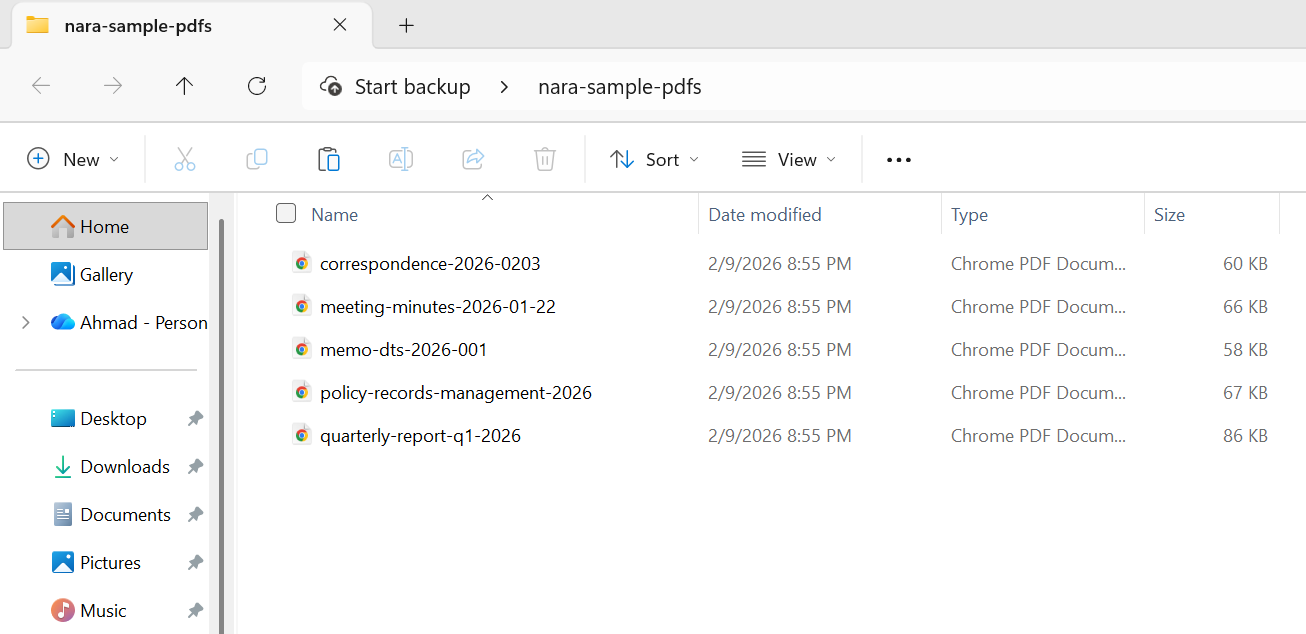
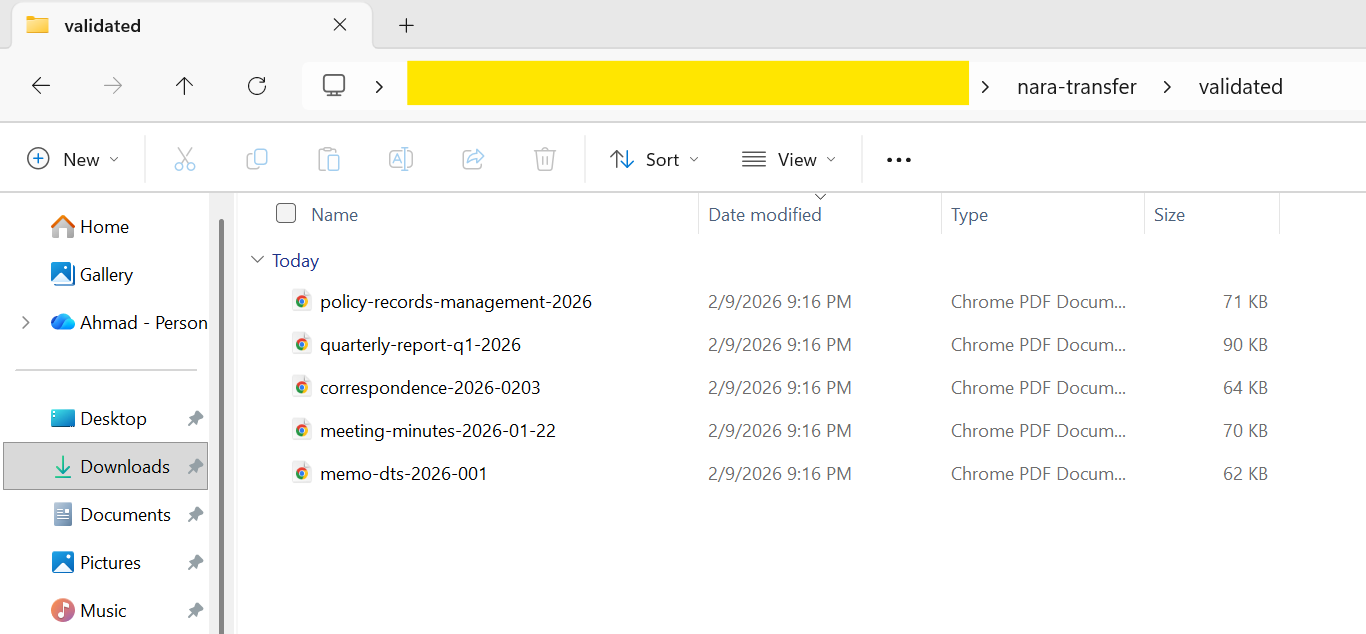
using IronPdf;using System;using System.IO;string inputFolder = "agency-records/";string validatedFolder = "nara-transfer/validated/";string rejectedFolder = "nara-transfer/rejected/";// Create output directoriesDirectory.CreateDirectory(validatedFolder);Directory.CreateDirectory(rejectedFolder);// NARA transfer metadata requirementsstring agencyName = "Department of Example";string recordSeries = "Administrative Correspondence";string dateRange = "2020-2025";// Process all PDF files in the input folderstring[] pdfFiles = Directory.GetFiles(inputFolder, "*.pdf");Console.WriteLine($"Preparing {pdfFiles.Length} records for NARA transfer");Console.WriteLine($"Agency: {agencyName}");Console.WriteLine($"Record Series: {recordSeries}");Console.WriteLine();int successCount = 0;int failCount = 0;foreach (string inputPath in pdfFiles){ string fileName = Path.GetFileName(inputPath); try { using var pdf = PdfDocument.FromFile(inputPath); // Set NARA-required metadata var metadata = new System.Collections.Generic.Dictionary<string, string> { { "Title", Path.GetFileNameWithoutExtension(inputPath) }, { "Author", agencyName }, { "Subject", recordSeries }, { "Keywords", $"NARA, {recordSeries}, {dateRange}" }, { "Agency", agencyName }, { "RecordSeries", recordSeries }, { "DateRange", dateRange }, { "TransferDate", DateTime.Now.ToString("yyyy-MM-dd") } }; pdf.MetaData.SetMetaDataDictionary(metadata); // Convert to PDF/A-2b (NARA preferred for digitized records) string outputPath = Path.Combine(validatedFolder, fileName); pdf.SaveAsPdfA(outputPath, PdfAVersions.PdfA2b); // Verify the output using var verifyPdf = PdfDocument.FromFile(outputPath); if (verifyPdf.PageCount > 0) { successCount++;Console.WriteLine($"[OK] {fileName}"); } else { throw new Exception("Output PDF has no pages"); } } catch (Exception ex) { failCount++;Console.WriteLine($"[FAILED] {fileName}: {ex.Message}"); // Move original to rejected folder for manual review try {File.Copy(inputPath, Path.Combine(rejectedFolder, fileName), overwrite: true); } catch { } }}Console.WriteLine();Console.WriteLine("=== NARA Transfer Preparation Complete ===");Console.WriteLine($"Successfully converted: {successCount}");Console.WriteLine($"Failed (requires review): {failCount}");Console.WriteLine($"Output location: {validatedFolder}");
using IronPdf;
using System;
using System.IO;

string inputFolder = "agency-records/";
string validatedFolder = "nara-transfer/validated/";
string rejectedFolder = "nara-transfer/rejected/";

// Create output directories
Directory.CreateDirectory(validatedFolder);
Directory.CreateDirectory(rejectedFolder);

// NARA transfer metadata requirements
string agencyName = "Department of Example";
string recordSeries = "Administrative Correspondence";
string dateRange = "2020-2025";

// Process all PDF files in the input folder
string[] pdfFiles = Directory.GetFiles(inputFolder, "*.pdf");

Console.WriteLine($"Preparing {pdfFiles.Length} records for NARA transfer");
Console.WriteLine($"Agency: {agencyName}");
Console.WriteLine($"Record Series: {recordSeries}");
Console.WriteLine();

int successCount = 0;
int failCount = 0;

foreach (string inputPath in pdfFiles)
{
    string fileName = Path.GetFileName(inputPath);

    try
    {
        using var pdf = PdfDocument.FromFile(inputPath);

        // Set NARA-required metadata
        var metadata = new System.Collections.Generic.Dictionary<string, string>
        {
            { "Title", Path.GetFileNameWithoutExtension(inputPath) },
            { "Author", agencyName },
            { "Subject", recordSeries },
            { "Keywords", $"NARA, {recordSeries}, {dateRange}" },
            { "Agency", agencyName },
            { "RecordSeries", recordSeries },
            { "DateRange", dateRange },
            { "TransferDate", DateTime.Now.ToString("yyyy-MM-dd") }
        };
        pdf.MetaData.SetMetaDataDictionary(metadata);

        // Convert to PDF/A-2b (NARA preferred for digitized records)
        string outputPath = Path.Combine(validatedFolder, fileName);
        pdf.SaveAsPdfA(outputPath, PdfAVersions.PdfA2b);

        // Verify the output
        using var verifyPdf = PdfDocument.FromFile(outputPath);
        if (verifyPdf.PageCount > 0)
        {
            successCount++;
            Console.WriteLine($"[OK] {fileName}");
        }
        else
        {
            throw new Exception("Output PDF has no pages");
        }
    }
    catch (Exception ex)
    {
        failCount++;
        Console.WriteLine($"[FAILED] {fileName}: {ex.Message}");

        // Move original to rejected folder for manual review
        try
        {
            File.Copy(inputPath, Path.Combine(rejectedFolder, fileName), overwrite: true);
        }
        catch { }
    }
}

Console.WriteLine();
Console.WriteLine("=== NARA Transfer Preparation Complete ===");
Console.WriteLine($"Successfully converted: {successCount}");
Console.WriteLine($"Failed (requires review): {failCount}");
Console.WriteLine($"Output location: {validatedFolder}");
ImportsIronPdfImportsSystemImportsSystem.IOModuleProgram Sub Main() Dim inputFolder AsString = "agency-records/" Dim validatedFolder AsString = "nara-transfer/validated/" Dim rejectedFolder AsString = "nara-transfer/rejected/" ' Create output directoriesDirectory.CreateDirectory(validatedFolder)Directory.CreateDirectory(rejectedFolder) ' NARA transfer metadata requirements Dim agencyName AsString = "Department of Example" Dim recordSeries AsString = "Administrative Correspondence" Dim dateRange AsString = "2020-2025" ' Process all PDF files in the input folder Dim pdfFiles AsString() = Directory.GetFiles(inputFolder, "*.pdf")Console.WriteLine($"Preparing {pdfFiles.Length} records for NARA transfer")Console.WriteLine($"Agency: {agencyName}")Console.WriteLine($"Record Series: {recordSeries}")Console.WriteLine() Dim successCount AsInteger = 0 Dim failCount AsInteger = 0 For Each inputPath AsStringIn pdfFiles Dim fileName AsString = Path.GetFileName(inputPath)TryUsing pdf = PdfDocument.FromFile(inputPath) ' Set NARA-required metadata Dim metadata As New System.Collections.Generic.Dictionary(OfString, String) From { {"Title", Path.GetFileNameWithoutExtension(inputPath)}, {"Author", agencyName}, {"Subject", recordSeries}, {"Keywords", $"NARA, {recordSeries}, {dateRange}"}, {"Agency", agencyName}, {"RecordSeries", recordSeries}, {"DateRange", dateRange}, {"TransferDate", DateTime.Now.ToString("yyyy-MM-dd")} } pdf.MetaData.SetMetaDataDictionary(metadata) ' Convert to PDF/A-2b (NARA preferred for digitized records) Dim outputPath AsString = Path.Combine(validatedFolder, fileName) pdf.SaveAsPdfA(outputPath, PdfAVersions.PdfA2b) ' Verify the outputUsing verifyPdf = PdfDocument.FromFile(outputPath) If verifyPdf.PageCount > 0 Then successCount += 1Console.WriteLine($"[OK] {fileName}") ElseThrow New Exception("Output PDF has no pages") End IfEndUsingEndUsingCatch ex AsException failCount += 1Console.WriteLine($"[FAILED] {fileName}: {ex.Message}") ' Move original to rejected folder for manual reviewTryFile.Copy(inputPath, Path.Combine(rejectedFolder, fileName), overwrite:=True)CatchEndTryEndTry NextConsole.WriteLine()Console.WriteLine("=== NARA Transfer Preparation Complete ===")Console.WriteLine($"Successfully converted: {successCount}")Console.WriteLine($"Failed (requires review): {failCount}")Console.WriteLine($"Output location: {validatedFolder}") End SubEndModule
Imports IronPdf
Imports System
Imports System.IO

Module Program
    Sub Main()
        Dim inputFolder As String = "agency-records/"
        Dim validatedFolder As String = "nara-transfer/validated/"
        Dim rejectedFolder As String = "nara-transfer/rejected/"

        ' Create output directories
        Directory.CreateDirectory(validatedFolder)
        Directory.CreateDirectory(rejectedFolder)

        ' NARA transfer metadata requirements
        Dim agencyName As String = "Department of Example"
        Dim recordSeries As String = "Administrative Correspondence"
        Dim dateRange As String = "2020-2025"

        ' Process all PDF files in the input folder
        Dim pdfFiles As String() = Directory.GetFiles(inputFolder, "*.pdf")

        Console.WriteLine($"Preparing {pdfFiles.Length} records for NARA transfer")
        Console.WriteLine($"Agency: {agencyName}")
        Console.WriteLine($"Record Series: {recordSeries}")
        Console.WriteLine()

        Dim successCount As Integer = 0
        Dim failCount As Integer = 0

        For Each inputPath As String In pdfFiles
            Dim fileName As String = Path.GetFileName(inputPath)

            Try
                Using pdf = PdfDocument.FromFile(inputPath)

                    ' Set NARA-required metadata
                    Dim metadata As New System.Collections.Generic.Dictionary(Of String, String) From {
                        {"Title", Path.GetFileNameWithoutExtension(inputPath)},
                        {"Author", agencyName},
                        {"Subject", recordSeries},
                        {"Keywords", $"NARA, {recordSeries}, {dateRange}"},
                        {"Agency", agencyName},
                        {"RecordSeries", recordSeries},
                        {"DateRange", dateRange},
                        {"TransferDate", DateTime.Now.ToString("yyyy-MM-dd")}
                    }
                    pdf.MetaData.SetMetaDataDictionary(metadata)

                    ' Convert to PDF/A-2b (NARA preferred for digitized records)
                    Dim outputPath As String = Path.Combine(validatedFolder, fileName)
                    pdf.SaveAsPdfA(outputPath, PdfAVersions.PdfA2b)

                    ' Verify the output
                    Using verifyPdf = PdfDocument.FromFile(outputPath)
                        If verifyPdf.PageCount > 0 Then
                            successCount += 1
                            Console.WriteLine($"[OK] {fileName}")
                        Else
                            Throw New Exception("Output PDF has no pages")
                        End If
                    End Using
                End Using
            Catch ex As Exception
                failCount += 1
                Console.WriteLine($"[FAILED] {fileName}: {ex.Message}")

                ' Move original to rejected folder for manual review
                Try
                    File.Copy(inputPath, Path.Combine(rejectedFolder, fileName), overwrite:=True)
                Catch
                End Try
            End Try
        Next

        Console.WriteLine()
        Console.WriteLine("=== NARA Transfer Preparation Complete ===")
        Console.WriteLine($"Successfully converted: {successCount}")
        Console.WriteLine($"Failed (requires review): {failCount}")
        Console.WriteLine($"Output location: {validatedFolder}")
    End Sub
End Module
using IronPdf;using System;using System.Collections.Generic;// Medical record metadatastring patientId = "MRN-2026-00847";string documentType = "Discharge Summary";string facility = "Metro General Hospital";string department = "Internal Medicine";DateTime encounterDate = new DateTime(2026, 2, 5);// Create clinical document HTMLstring clinicalDocumentHtml = $@"E html>ng='en'>le>body {{ font-family: Arial, sans-serif; margin: 40px; line-height: 1.6; }}.header {{ border-bottom: 2px solid #2c3e50; padding-bottom: 15px; margin-bottom: 20px; }}.patient-info {{ background: #ecf0f1; padding: 15px; margin: 15px 0; }}.section {{ margin: 20px 0; }}h1 {{ color: #2c3e50; }}h2 {{ color: #3498db; font-size: 14pt; }}.footer {{ margin-top: 40px; font-size: 10pt; color: #666; }}yle> class='header'><h1>{facility}</h1><p>{department} | {documentType}</p>v> class='patient-info'><p><strong>Patient ID:</strong> {patientId}</p><p><strong>Encounter Date:</strong> {encounterDate:MMMM d, yyyy}</p><p><strong>Attending Physician:</strong> Dr. Sarah Johnson, MD</p>v> class='section'><h2>Chief Complaint</h2><p>Patient presented with acute respiratory symptoms including shortness of breath and persistent cough.</p>v> class='section'><h2>Hospital Course</h2><p>Patient was admitted for observation and treatment. Symptoms improved with standard protocol...</p>v> class='section'><h2>Discharge Instructions</h2><ul> <li>Continue prescribed medications as directed</li> <li>Follow up with primary care physician within 7 days</li> <li>Return to ED if symptoms worsen</li></ul>v> class='footer'><p>Document generated: {DateTime.Now:yyyy-MM-dd HH:mm}</p><p>This document is archived in PDF/A-3a format for accessibility and long-term preservation.</p>v>;var renderer = new ChromePdfRenderer();using var pdf = renderer.RenderHtmlAsPdf(clinicalDocumentHtml);// Set comprehensive metadata for medical records managementvar metadata = new System.Collections.Generic.Dictionary<string, string>{ { "Title", $"{documentType} - {patientId}" }, { "Author", "Metro General Hospital EHR System" }, { "Subject", $"Clinical documentation for patient {patientId}" }, { "PatientMRN", patientId }, { "DocumentType", documentType }, { "Facility", facility }, { "Department", department }, { "EncounterDate", encounterDate.ToString("yyyy-MM-dd") }, { "RetentionCategory", "Medical Record - Adult" }, { "RetentionPeriod", "10 years from last encounter" }};pdf.MetaData.SetMetaDataDictionary(metadata);// Embed clinical data (HL7 FHIR format)string fhirData = @"{sourceType"": ""DocumentReference"",atus"": ""current"",pe"": { ""text"": ""DischargeSummary"" },bject"": { ""reference"": ""Patient/MRN-2026-00847"" }byte[] fhirBytes = System.Text.Encoding.UTF8.GetBytes(fhirData);var fhirConfig = new EmbedFileConfiguration(EmbedFileType.xml){EmbedFileName = "clinical-data.json",AFDesc = "FHIR DocumentReference metadata",AFRelationship = AFRelationship.Data};var embedFiles = new List<EmbedFileByte>{ new EmbedFileByte(fhirBytes, fhirConfig)};// Convert to PDF/A-3a (accessible archival with embedded data)using var archivedRecord = pdf.ConvertToPdfA(embedFiles, PdfAVersions.PdfA3a);string outputPath = $"medical-record-{patientId}-{encounterDate:yyyyMMdd}.pdf";archivedRecord.SaveAs(outputPath);
using IronPdf;
using System;
using System.Collections.Generic;

// Medical record metadata
string patientId = "MRN-2026-00847";
string documentType = "Discharge Summary";
string facility = "Metro General Hospital";
string department = "Internal Medicine";
DateTime encounterDate = new DateTime(2026, 2, 5);

// Create clinical document HTML
string clinicalDocumentHtml = $@"
E html>
ng='en'>

le>
body {{ font-family: Arial, sans-serif; margin: 40px; line-height: 1.6; }}
.header {{ border-bottom: 2px solid #2c3e50; padding-bottom: 15px; margin-bottom: 20px; }}
.patient-info {{ background: #ecf0f1; padding: 15px; margin: 15px 0; }}
.section {{ margin: 20px 0; }}
h1 {{ color: #2c3e50; }}
h2 {{ color: #3498db; font-size: 14pt; }}
.footer {{ margin-top: 40px; font-size: 10pt; color: #666; }}
yle>


 class='header'>
<h1>{facility}</h1>
<p>{department} | {documentType}</p>
v>

 class='patient-info'>
<p><strong>Patient ID:</strong> {patientId}</p>
<p><strong>Encounter Date:</strong> {encounterDate:MMMM d, yyyy}</p>
<p><strong>Attending Physician:</strong> Dr. Sarah Johnson, MD</p>
v>

 class='section'>
<h2>Chief Complaint</h2>
<p>Patient presented with acute respiratory symptoms including shortness of breath and persistent cough.</p>
v>

 class='section'>
<h2>Hospital Course</h2>
<p>Patient was admitted for observation and treatment. Symptoms improved with standard protocol...</p>
v>

 class='section'>
<h2>Discharge Instructions</h2>
<ul>
    <li>Continue prescribed medications as directed</li>
    <li>Follow up with primary care physician within 7 days</li>
    <li>Return to ED if symptoms worsen</li>
</ul>
v>

 class='footer'>
<p>Document generated: {DateTime.Now:yyyy-MM-dd HH:mm}</p>
<p>This document is archived in PDF/A-3a format for accessibility and long-term preservation.</p>
v>

;

var renderer = new ChromePdfRenderer();
using var pdf = renderer.RenderHtmlAsPdf(clinicalDocumentHtml);

// Set comprehensive metadata for medical records management
var metadata = new System.Collections.Generic.Dictionary<string, string>
{
    { "Title", $"{documentType} - {patientId}" },
    { "Author", "Metro General Hospital EHR System" },
    { "Subject", $"Clinical documentation for patient {patientId}" },
    { "PatientMRN", patientId },
    { "DocumentType", documentType },
    { "Facility", facility },
    { "Department", department },
    { "EncounterDate", encounterDate.ToString("yyyy-MM-dd") },
    { "RetentionCategory", "Medical Record - Adult" },
    { "RetentionPeriod", "10 years from last encounter" }
};
pdf.MetaData.SetMetaDataDictionary(metadata);

// Embed clinical data (HL7 FHIR format)
string fhirData = @"{
sourceType"": ""DocumentReference"",
atus"": ""current"",
pe"": { ""text"": ""Discharge Summary"" },
bject"": { ""reference"": ""Patient/MRN-2026-00847"" }


byte[] fhirBytes = System.Text.Encoding.UTF8.GetBytes(fhirData);

var fhirConfig = new EmbedFileConfiguration(EmbedFileType.xml)
{
    EmbedFileName = "clinical-data.json",
    AFDesc = "FHIR DocumentReference metadata",
    AFRelationship = AFRelationship.Data
};

var embedFiles = new List<EmbedFileByte>
{
    new EmbedFileByte(fhirBytes, fhirConfig)
};

// Convert to PDF/A-3a (accessible archival with embedded data)
using var archivedRecord = pdf.ConvertToPdfA(embedFiles, PdfAVersions.PdfA3a);

string outputPath = $"medical-record-{patientId}-{encounterDate:yyyyMMdd}.pdf";
archivedRecord.SaveAs(outputPath);
ImportsIronPdfImportsSystemImportsSystem.Collections.GenericImportsSystem.Text' Medical record metadataDim patientId AsString = "MRN-2026-00847"Dim documentType AsString = "Discharge Summary"Dim facility AsString = "Metro General Hospital"Dim department AsString = "Internal Medicine"Dim encounterDate AsDateTime = New DateTime(2026, 2, 5)' Create clinical document HTMLDim clinicalDocumentHtml AsString = $"<!DOCTYPE html><html lang='en'><head> <style> body {{ font-family: Arial, sans-serif; margin: 40px; line-height: 1.6; }} .header {{ border-bottom: 2px solid #2c3e50; padding-bottom: 15px; margin-bottom: 20px; }} .patient-info {{ background: #ecf0f1; padding: 15px; margin: 15px 0; }} .section {{ margin: 20px 0; }} h1 {{ color: #2c3e50; }} h2 {{ color: #3498db; font-size: 14pt; }} .footer {{ margin-top: 40px; font-size: 10pt; color: #666; }} </style></head><body> <div class='header'> <h1>{facility}</h1> <p>{department} | {documentType}</p> </div> <div class='patient-info'> <p><strong>Patient ID:</strong> {patientId}</p> <p><strong>Encounter Date:</strong> {encounterDate:MMMM d, yyyy}</p> <p><strong>Attending Physician:</strong> Dr. Sarah Johnson, MD</p> </div> <div class='section'> <h2>Chief Complaint</h2> <p>Patient presented with acute respiratory symptoms including shortness of breath and persistent cough.</p> </div> <div class='section'> <h2>Hospital Course</h2> <p>Patient was admitted for observation and treatment. Symptoms improved with standard protocol...</p> </div> <div class='section'> <h2>Discharge Instructions</h2> <ul> <li>Continue prescribed medications as directed</li> <li>Follow up with primary care physician within 7 days</li> <li>Return to ED if symptoms worsen</li> </ul> </div> <div class='footer'> <p>Document generated: {DateTime.Now:yyyy-MM-dd HH:mm}</p> <p>This document is archived in PDF/A-3a format for accessibility and long-term preservation.</p> </div></body></html>"Dim renderer As New ChromePdfRenderer()Using pdf = renderer.RenderHtmlAsPdf(clinicalDocumentHtml) ' Set comprehensive metadata for medical records management Dim metadata As New Dictionary(OfString, String) From { {"Title", $"{documentType} - {patientId}"}, {"Author", "Metro General Hospital EHR System"}, {"Subject", $"Clinical documentation for patient {patientId}"}, {"PatientMRN", patientId}, {"DocumentType", documentType}, {"Facility", facility}, {"Department", department}, {"EncounterDate", encounterDate.ToString("yyyy-MM-dd")}, {"RetentionCategory", "Medical Record - Adult"}, {"RetentionPeriod", "10 years from last encounter"} } pdf.MetaData.SetMetaDataDictionary(metadata) ' Embed clinical data (HL7 FHIR format) Dim fhirData AsString = "{ ""resourceType"": ""DocumentReference"", ""status"": ""current"", ""type"": { ""text"": ""Discharge Summary"" }, ""subject"": { ""reference"": ""Patient/MRN-2026-00847"" } }" Dim fhirBytes AsByte() = Encoding.UTF8.GetBytes(fhirData) Dim fhirConfig As New EmbedFileConfiguration(EmbedFileType.xml) With { .EmbedFileName = "clinical-data.json", .AFDesc = "FHIR DocumentReference metadata", .AFRelationship = AFRelationship.Data } Dim embedFiles As New List(OfEmbedFileByte) From { New EmbedFileByte(fhirBytes, fhirConfig) } ' Convert to PDF/A-3a (accessible archival with embedded data)Using archivedRecord = pdf.ConvertToPdfA(embedFiles, PdfAVersions.PdfA3a) Dim outputPath AsString = $"medical-record-{patientId}-{encounterDate:yyyyMMdd}.pdf" archivedRecord.SaveAs(outputPath)EndUsingEndUsing
Imports IronPdf
Imports System
Imports System.Collections.Generic
Imports System.Text

' Medical record metadata
Dim patientId As String = "MRN-2026-00847"
Dim documentType As String = "Discharge Summary"
Dim facility As String = "Metro General Hospital"
Dim department As String = "Internal Medicine"
Dim encounterDate As DateTime = New DateTime(2026, 2, 5)

' Create clinical document HTML
Dim clinicalDocumentHtml As String = $"
<!DOCTYPE html>
<html lang='en'>
<head>
    <style>
        body {{ font-family: Arial, sans-serif; margin: 40px; line-height: 1.6; }}
        .header {{ border-bottom: 2px solid #2c3e50; padding-bottom: 15px; margin-bottom: 20px; }}
        .patient-info {{ background: #ecf0f1; padding: 15px; margin: 15px 0; }}
        .section {{ margin: 20px 0; }}
        h1 {{ color: #2c3e50; }}
        h2 {{ color: #3498db; font-size: 14pt; }}
        .footer {{ margin-top: 40px; font-size: 10pt; color: #666; }}
    </style>
</head>
<body>
    <div class='header'>
        <h1>{facility}</h1>
        <p>{department} | {documentType}</p>
    </div>
    <div class='patient-info'>
        <p><strong>Patient ID:</strong> {patientId}</p>
        <p><strong>Encounter Date:</strong> {encounterDate:MMMM d, yyyy}</p>
        <p><strong>Attending Physician:</strong> Dr. Sarah Johnson, MD</p>
    </div>
    <div class='section'>
        <h2>Chief Complaint</h2>
        <p>Patient presented with acute respiratory symptoms including shortness of breath and persistent cough.</p>
    </div>
    <div class='section'>
        <h2>Hospital Course</h2>
        <p>Patient was admitted for observation and treatment. Symptoms improved with standard protocol...</p>
    </div>
    <div class='section'>
        <h2>Discharge Instructions</h2>
        <ul>
            <li>Continue prescribed medications as directed</li>
            <li>Follow up with primary care physician within 7 days</li>
            <li>Return to ED if symptoms worsen</li>
        </ul>
    </div>
    <div class='footer'>
        <p>Document generated: {DateTime.Now:yyyy-MM-dd HH:mm}</p>
        <p>This document is archived in PDF/A-3a format for accessibility and long-term preservation.</p>
    </div>
</body>
</html>"

Dim renderer As New ChromePdfRenderer()
Using pdf = renderer.RenderHtmlAsPdf(clinicalDocumentHtml)
    ' Set comprehensive metadata for medical records management
    Dim metadata As New Dictionary(Of String, String) From {
        {"Title", $"{documentType} - {patientId}"},
        {"Author", "Metro General Hospital EHR System"},
        {"Subject", $"Clinical documentation for patient {patientId}"},
        {"PatientMRN", patientId},
        {"DocumentType", documentType},
        {"Facility", facility},
        {"Department", department},
        {"EncounterDate", encounterDate.ToString("yyyy-MM-dd")},
        {"RetentionCategory", "Medical Record - Adult"},
        {"RetentionPeriod", "10 years from last encounter"}
    }
    pdf.MetaData.SetMetaDataDictionary(metadata)

    ' Embed clinical data (HL7 FHIR format)
    Dim fhirData As String = "{
    ""resourceType"": ""DocumentReference"",
    ""status"": ""current"",
    ""type"": { ""text"": ""Discharge Summary"" },
    ""subject"": { ""reference"": ""Patient/MRN-2026-00847"" }
    }"

    Dim fhirBytes As Byte() = Encoding.UTF8.GetBytes(fhirData)

    Dim fhirConfig As New EmbedFileConfiguration(EmbedFileType.xml) With {
        .EmbedFileName = "clinical-data.json",
        .AFDesc = "FHIR DocumentReference metadata",
        .AFRelationship = AFRelationship.Data
    }

    Dim embedFiles As New List(Of EmbedFileByte) From {
        New EmbedFileByte(fhirBytes, fhirConfig)
    }

    ' Convert to PDF/A-3a (accessible archival with embedded data)
    Using archivedRecord = pdf.ConvertToPdfA(embedFiles, PdfAVersions.PdfA3a)
        Dim outputPath As String = $"medical-record-{patientId}-{encounterDate:yyyyMMdd}.pdf"
        archivedRecord.SaveAs(outputPath)
    End Using
End Using


 使用NuGet安裝