


C# による PDF バッチ処理:ドキュメントワークフローを大規模に自動化する

C# で IronPDF を使った PDF バッチ処理により、.NET 開発者は並列 HTML → PDF 変換や PDF 結合・PDF 分割の一括操作から、エラー処理・再試行ロジック・チェックポイントを組み込んだ非同期 PDF パイプラインまで、ドキュメントワークフローを大規模に自動化できます。 IronPDF のスレッドセーフな Chromium エンジンと IDisposable ベースのメモリ管理により、オンプレミス、 Azure Functions 、 AWS Lambda 、 Kubernetesのいずれで実行している場合でも、高スループットの PDF 自動化専用に構築されています。
TL;DR:クイックスタートガイド
このチュートリアルでは、並列 PDF 変換や PDF 結合・分割の一括操作から、クラウド展開や弾力性のあるパイプラインパターンまで、C# によるスケーラブルな PDF 自動化について説明します。
- 対象者: .NET開発者およびアーキテクトで、ドキュメントの移行プロジェクト、日次レポート生成パイプライン、コンプライアンス修復スイープ、逐次処理が不可能なアーカイブのデジタル化など、ドキュメントを多用するワークフローを担当する人。
- 構築するもの:
Parallel.ForEachを使用した並列 HTML から PDF への変換、バッチのマージおよび分割操作、同時実行制御のためのSemaphoreSlimを使用した非同期パイプライン、失敗時のスキップおよび再試行ロジックを使用したエラー処理、クラッシュ回復のためのチェックポイント/再開パターン、Azure Functions、AWS Lambda、Kubernetes のクラウド デプロイ構成。 - 動作環境: .NET 6+、.NET Framework 4.6.2+、.NET Standard 2.0。すべてのレンダリングはIronPdfの組み込みChromiumエンジンを使用しています。ヘッドレスブラウザへの依存や外部サービスは必要ありません。
- このアプローチを使用する場合:シーケンシャルな実行が可能にするよりも多くのPDFを処理する必要がある場合 - 規模の大きなドキュメントの移行、厳しいタイムウィンドウでスケジュールされたバッチジョブ、またはドキュメントの負荷が変動するマルチテナント型プラットフォームなど。
- 技術的に重要な理由: IronPDF の
ChromePdfRendererは、レンダリングごとにスレッドセーフかつステートレスであるため、複数のスレッドが単一のレンダラー インスタンスを安全に共有できます。 .NET のタスク並列ライブラリとIDisposableおよびPdfDocumentを組み合わせることで、競合状態やメモリ リークのない予測可能なメモリ動作と CPU 飽和を実現できます。
わずか数行のコードで、HTMLファイルのディレクトリ全体をPDFにバッチ変換します:
-
IronPDF をNuGetパッケージマネージャでインストール
PM > Install-Package IronPdf -
このコード スニペットをコピーして実行します。
using IronPdf; using System.IO; using System.Threading.Tasks; var renderer = new ChromePdfRenderer(); var htmlFiles = Directory.GetFiles("input/", "*.html"); Parallel.ForEach(htmlFiles, htmlFile => { var pdf = renderer.RenderHtmlFileAsPdf(htmlFile); pdf.SaveAs($"output/{Path.GetFileNameWithoutExtension(htmlFile)}.pdf"); }); -
実際の環境でテストするためにデプロイする
今日プロジェクトで IronPDF を使い始めましょう無料トライアル

IronPDFを購入または30日間のトライアルにサインアップした後、アプリケーションの最初にライセンスキーを追加してください。
IronPdf.License.LicenseKey = "KEY";IronPdf.License.LicenseKey = "KEY";Imports IronPdf
IronPdf.License.LicenseKey = "KEY"今日あなたのプロジェクトでIronPDFを無料トライアルで使用開始。
 購入の準備ができていませんか?
目次
- 問題を理解する。
- 基礎
- コア業務
- レジリエンス
- パフォーマンス
- デプロイメント
- すべてをまとめる
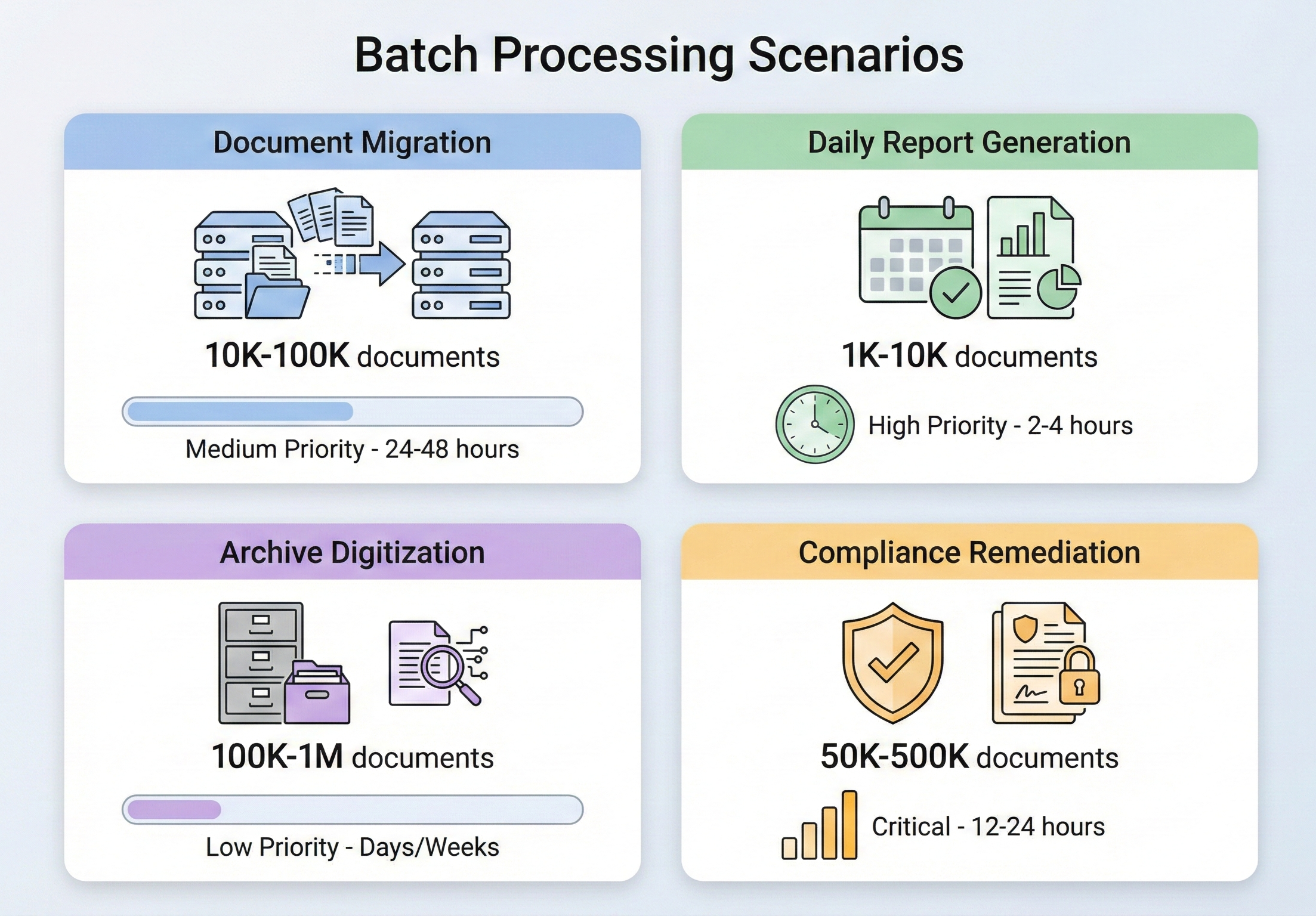
何千ものPDFを処理しなければならない場合
PDFのバッチ処理はニッチな要件ではなく、企業の文書管理の日常的な部分です。 翻訳を必要とするシナリオは、あらゆる業界で発生し、一度に1つのことを行うという選択肢はないという共通の特徴があります。
ドキュメント移行プロジェクトは、最も一般的なトリガーの1つです。 組織がある文書管理システムから別のシステムに移行する際には、何千(場合によっては何百万)もの文書を変換、再フォーマット、再タグ付けする必要があります。 レガシークレームシステムから移行する保険会社では、50万件のTIFFベースのクレーム文書を検索可能なPDFに変換する必要があるかもしれません。 新しいケース管理プラットフォームに移行する法律事務所では、散在する通信文書を統一されたケースファイルに統合する必要があるかもしれません。 これらは1回限りの仕事ですが、範囲が広く、ミスを許しません。
日報作成は、同じ問題の定常状態バージョンです。 何千ものクライアントのために1日終了時のポートフォリオレポートを作成する金融機関、すべての出荷コンテナの出荷明細書を作成する物流会社、何百もの部門にわたって毎日の患者サマリーを作成する医療システム - これらはすべて、逐次処理では許容可能なタイムウィンドウを過ぎてしまうような規模でPDF出力を生成します。 朝6時までに10,000件のレポートを作成する必要があり、データが最終的に完成するのは真夜中です。
アーカイブのデジタル化は、移行とコンプライアンスの交差点に位置します。 数十年にわたる紙の記録を持つ政府機関、大学、企業は、標準に準拠したフォーマット(通常はPDF/A)で文書をデジタル化し、アーカイブすることが義務付けられています。 その量は膨大で、NARAだけでも何百万ページもの連邦政府の記録を永久保存のために受け取っている。
コンプライアンスの是正は、しばしば最も緊急な引き金となります。 例えば、保存されている請求書が電子請求書発行規制の PDF/A-3 に準拠していない、あるいは医療記録に 508 条で要求されるアクセシビリティ・タギングがないなどです。 プレッシャーは高く、スケジュールはタイトで、ボリュームはアーカイブに含まれるものであれば何でも構いません。
これらのシナリオのいずれにおいても、核となる課題は同じです。それは、大量のPDF操作を確実かつ効率的に、しかもメモリ不足に陥ったり、何か問題が発生したときに中途半端な作業を残したりすることなく処理するにはどうすればいいか、ということです。
IronPDFバッチ処理アーキテクチャ
具体的な操作に入る前に、IronPdfがどのように並行ワークロードを処理するように設計されているのか、そしてその上にバッチパイプラインを構築する際にどのようなアーキテクチャ上の決定を下すべきなのかを理解することが重要です。
IronPDFのインストール
NuGet経由でIronPDFをインストールしてください:
Install-Package IronPdfInstall-Package IronPdfまたは.NET CLIを使用して:
dotnet add package IronPdfdotnet add package IronPdfIronPDFは.NET Framework 4.6.2+, .NET Core, .NET 5 through .NET 10, .NET Standard 2.0をサポートしています。Windows、Linux、macOS、Dockerコンテナ上で動作するため、オンプレミスのバッチジョブとクラウドネイティブなデプロイの両方に適しています。
生産バッチ処理の場合、PDF 操作を開始する前に、アプリケーションの起動時にライセンス キーを License.LicenseKey で設定します。 これにより、すべてのスレッドのすべてのレンダリング呼び出しが、ファイルごとの透かしなしで全機能セットにアクセスできるようになります。
並行性制御とスレッドの安全性
IronPdfのChromiumベースのレンダリングエンジンはスレッドセーフです。 スレッド間で複数の ChromePdfRenderer インスタンスを作成することも、単一のインスタンスを共有することもできます。IronPDFが内部同期を処理します。 バッチ処理の公式推奨事項は、利用可能なすべての CPU コアに作業を自動的に分散する .NET の組み込み Parallel.ForEach を使用することです。
ただし、"スレッドセーフ"とは"無制限のスレッドを使用する"という意味ではありません。同時実行される PDF レンダリング操作はそれぞれメモリを消費します(Chromium エンジンは DOM 解析、CSS レイアウト、画像のラスタライズに作業領域を必要とします)。メモリが制限されたシステムで並列操作を過度に実行すると、パフォーマンスが低下したり、OutOfMemoryException が発生したりします。 適切な並行処理のレベルは、ハードウェアに依存します。64 GBのRAMを搭載した16コアのサーバーであれば、8~12個の並行レンダリングを快適に処理できます; 8GBのメモリを搭載した4コアVMの場合、メモリ使用量は2~4に制限される可能性があります。ParallelOptions.MaxDegreeOfParallelism でこれを制御します。まずは利用可能なCPUコア数の約半分に設定し、メモリ不足の状況に応じて調整してください。
スケールでのメモリ管理
メモリ管理は、PDFのバッチ処理において最も重要な問題です。 すべての PdfDocument オブジェクトはメモリ内に PDF の完全なバイナリ コンテンツを保持しており、これらのオブジェクトを破棄しないと、処理されるファイルの数に応じてメモリが直線的に増加します。
重要なルール:常に using ステートメントを使用するか、PdfDocument オブジェクトで Dispose() を明示的に呼び出します。 IronPDF の PdfDocument は IDisposable を実装しており、破棄に失敗することがバッチ シナリオでのメモリ問題の最も一般的な原因です。 処理ループの各反復では、PdfDocument を作成し、その作業を実行して破棄する必要があります。特別な理由があり、それを処理するために十分なメモリがない限り、リストまたはコレクションに PdfDocument オブジェクトを蓄積しないでください。
廃棄だけでなく、大規模バッチのメモリ管理戦略も検討してください:
一度にすべてを読み込むのではなく、塊で処理する。 50,000のファイルを処理する必要がある場合、それらをすべてリストに列挙してから反復処理するのではなく、100または500のバッチで処理し、ガベージ・コレクタがチャンク間でメモリを回収できるようにします。
非常に大きなバッチに対して、チャンク間で強制的にガベージコレクションを行います。 通常は GC 自身に管理させるべきですが、バッチ処理は、チャンク境界間で GC.Collect() を呼び出すことによってメモリ圧力が高まるのを防ぐことができるまれなシナリオの 1 つです。
GC.GetTotalMemory() またはプロセス レベルのメトリックを使用してメモリ消費を監視します。 メモリ使用量がしきい値(たとえば、利用可能なRAMの80%)を超えた場合、GCが追いつくまで処理を一時停止します。
進捗レポートとログ
バッチジョブの完了に数時間を要する場合、その進捗状況の可視化はオプションではなく、不可欠です。 最低限、各ファイルの開始と完了を記録し、成功/失敗のカウントを追跡し、残りの推定時間を提供する必要があります。 並列操作を実行するときは、スレッドセーフなカウンターに Interlocked.Increment を使用し、出力が溢れるのを避けるために、ファイルごとにではなく、一定の間隔 (50 または 100 ファイルごと) でログに記録します。 System.Diagnostics.Stopwatch を使用して経過時間を追跡し、1 秒あたりの実行ファイル レートを計算して、意味のある ETA を提供します。
本番のバッチジョブの場合、バッチプロセスに直接接続しなくても監視ダッシュボードがリアルタイムのステータスを表示できるように、永続的なストア(データベース、ファイル、メッセージキュー)に進捗を書き込むことを検討してください。
一般的なバッチ操作
アーキテクチャー基盤が整ったところで、最も一般的なバッチ操作とIronPDFの実装について説明しましょう。
HTMLからPDFへの一括変換
HTMLからPDFへの変換は、最も一般的なバッチ作業です。 テンプレートから請求書を生成する場合でも、HTMLドキュメントのライブラリをPDFに変換する場合でも、Webアプリケーションから動的なレポートをレンダリングする場合でも、パターンは同じです。
入力 (5 HTML ファイル)
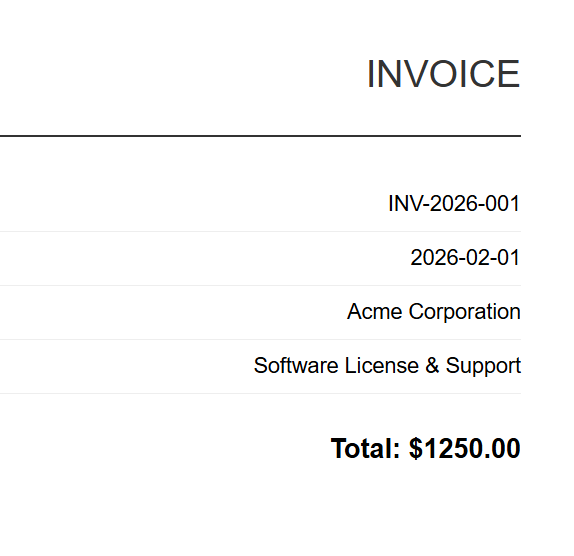
INV-2026-001
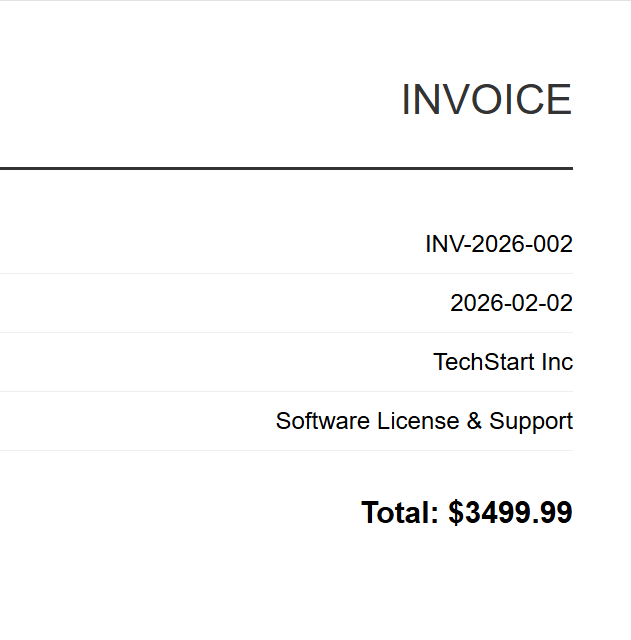
INV-2026-002
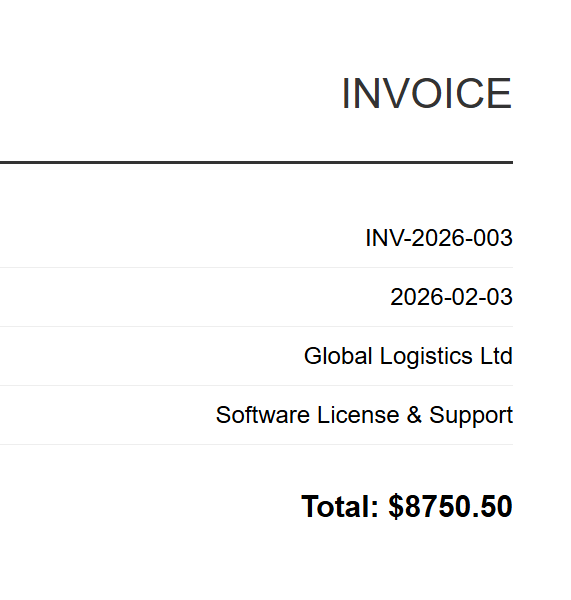
INV-2026-003
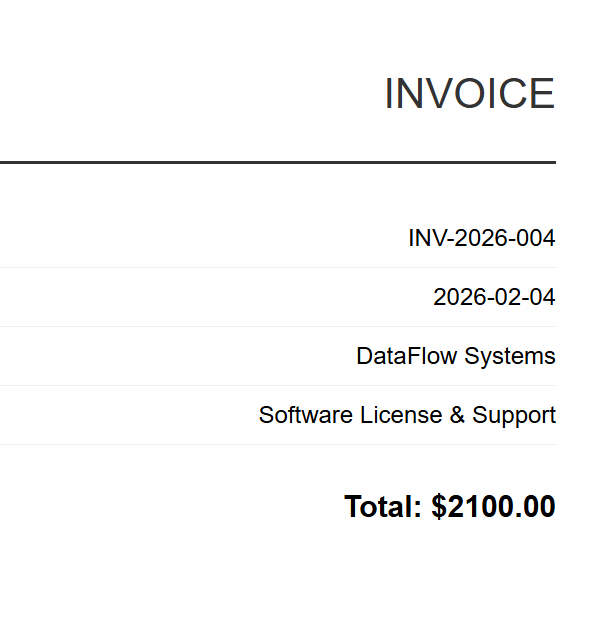
INV-2026-004
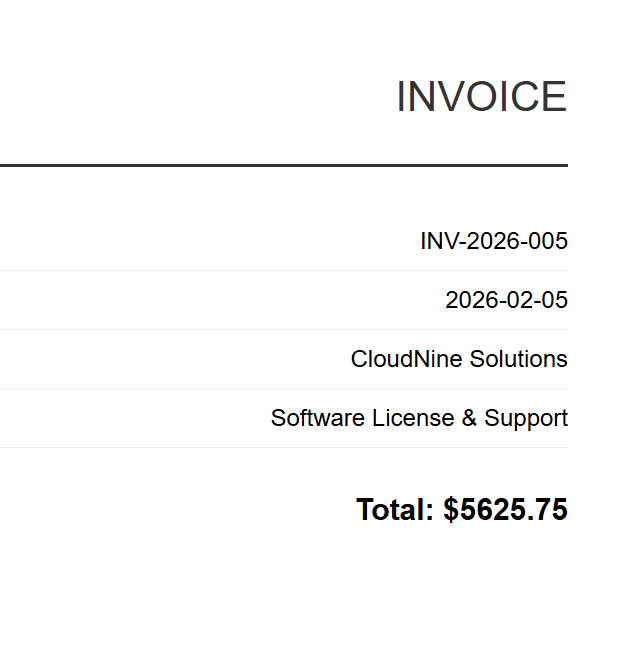
INV-2026-005
実装では、ChromePdfRenderer と Parallel.ForEach を使用してすべての HTML ファイルを同時に処理し、MaxDegreeOfParallelism を通じて並列処理を制御して、スループットとメモリ消費のバランスをとります。 各ファイルは RenderHtmlFileAsPdf でレンダリングされ、出力ディレクトリに保存されます。進行状況はスレッドセーフな Interlocked カウンターによって追跡されます。
:path=/static-assets/pdf/content-code-examples/tutorials/batch-pdf-processing-csharp/batch-processing-html-to-pdf.csusing IronPdf;
using System;
using System.IO;
using System.Threading.Tasks;
using System.Threading;
// Configure paths
string inputFolder = "input/";
string outputFolder = "output/";
Directory.CreateDirectory(outputFolder);
string[] htmlFiles = Directory.GetFiles(inputFolder, "*.html");
Console.WriteLine($"Found {htmlFiles.Length} HTML files to convert");
// Create renderer instance (thread-safe, can be shared)
var renderer = new ChromePdfRenderer();
// Track progress
int processed = 0;
int failed = 0;
// Process in parallel with controlled concurrency
var options = new ParallelOptions
{
MaxDegreeOfParallelism = Environment.ProcessorCount / 2
};
Parallel.ForEach(htmlFiles, options, htmlFile =>
{
try
{
string fileName = Path.GetFileNameWithoutExtension(htmlFile);
string outputPath = Path.Combine(outputFolder, $"{fileName}.pdf");
using var pdf = renderer.RenderHtmlFileAsPdf(htmlFile);
pdf.SaveAs(outputPath);
Interlocked.Increment(ref processed);
Console.WriteLine($"[OK] {fileName}.pdf");
}
catch (Exception ex)
{
Interlocked.Increment(ref failed);
Console.WriteLine($"[ERROR] {Path.GetFileName(htmlFile)}: {ex.Message}");
}
});
Console.WriteLine($"\nComplete: {processed} succeeded, {failed} failed");Imports IronPdf
Imports System
Imports System.IO
Imports System.Threading.Tasks
Imports System.Threading
' Configure paths
Dim inputFolder As String = "input/"
Dim outputFolder As String = "output/"
Directory.CreateDirectory(outputFolder)
Dim htmlFiles As String() = Directory.GetFiles(inputFolder, "*.html")
Console.WriteLine($"Found {htmlFiles.Length} HTML files to convert")
' Create renderer instance (thread-safe, can be shared)
Dim renderer As New ChromePdfRenderer()
' Track progress
Dim processed As Integer = 0
Dim failed As Integer = 0
' Process in parallel with controlled concurrency
Dim options As New ParallelOptions With {
.MaxDegreeOfParallelism = Environment.ProcessorCount \ 2
}
Parallel.ForEach(htmlFiles, options, Sub(htmlFile)
Try
Dim fileName As String = Path.GetFileNameWithoutExtension(htmlFile)
Dim outputPath As String = Path.Combine(outputFolder, $"{fileName}.pdf")
Using pdf = renderer.RenderHtmlFileAsPdf(htmlFile)
pdf.SaveAs(outputPath)
End Using
Interlocked.Increment(processed)
Console.WriteLine($"[OK] {fileName}.pdf")
Catch ex As Exception
Interlocked.Increment(failed)
Console.WriteLine($"[ERROR] {Path.GetFileName(htmlFile)}: {ex.Message}")
End Try
End Sub)
Console.WriteLine($"\nComplete: {processed} succeeded, {failed} failed")出力
各HTML請求書は、対応するPDFにレンダリングされます。 上記は、INV-2026-001.pdf(5つのバッチ出力のうちの1つ)です。
テンプレートベースの生成(請求書やレポートなど)では、通常、データをHTMLテンプレートにマージしてからレンダリングします。 アプローチはシンプルです。HTMLテンプレートを一度読み込み、string.Replace を使用してレコードごとのデータ(顧客名、合計、日付)を挿入し、入力されたHTMLを並列ループ内のRenderHtmlAsPdfAsyncも提供しています。非同期パターンについては、後のセクションで詳しく説明します。
バッチ PDF マージ
PDFのグループを結合ドキュメントにマージすることは、法務(ケースファイルのドキュメントをマージする)、財務(月次明細書を四半期報告書に結合する)、出版のワークフローでは一般的です。
:path=/static-assets/pdf/content-code-examples/tutorials/batch-pdf-processing-csharp/batch-processing-merge.csusing IronPdf;
using System;
using System.IO;
using System.Linq;
using System.Collections.Generic;
string inputFolder = "documents/";
string outputFolder = "merged/";
Directory.CreateDirectory(outputFolder);
// Group PDFs by prefix (e.g., "invoice-2026-01-*.pdf" -> one merged file)
var pdfFiles = Directory.GetFiles(inputFolder, "*.pdf");
var groups = pdfFiles
.GroupBy(f => Path.GetFileName(f).Split('-').Take(3).Aggregate((a, b) => $"{a}-{b}"))
.Where(g => g.Count() > 1);
Console.WriteLine($"Found {groups.Count()} groups to merge");
foreach (var group in groups)
{
string groupName = group.Key;
var filesToMerge = group.OrderBy(f => f).ToList();
Console.WriteLine($"Merging {filesToMerge.Count} files into {groupName}.pdf");
try
{
// Load all PDFs for this group
var pdfDocs = new List<PdfDocument>();
foreach (string filePath in filesToMerge)
{
pdfDocs.Add(PdfDocument.FromFile(filePath));
}
// Merge all documents
using var merged = PdfDocument.Merge(pdfDocs);
merged.SaveAs(Path.Combine(outputFolder, $"{groupName}-merged.pdf"));
// Dispose source documents
foreach (var doc in pdfDocs)
{
doc.Dispose();
}
Console.WriteLine($" [OK] Created {groupName}-merged.pdf ({merged.PageCount} pages)");
}
catch (Exception ex)
{
Console.WriteLine($" [ERROR] {groupName}: {ex.Message}");
}
}
Console.WriteLine("\nMerge complete");Imports IronPdf
Imports System
Imports System.IO
Imports System.Linq
Imports System.Collections.Generic
Module Program
Sub Main()
Dim inputFolder As String = "documents/"
Dim outputFolder As String = "merged/"
Directory.CreateDirectory(outputFolder)
' Group PDFs by prefix (e.g., "invoice-2026-01-*.pdf" -> one merged file)
Dim pdfFiles = Directory.GetFiles(inputFolder, "*.pdf")
Dim groups = pdfFiles _
.GroupBy(Function(f) Path.GetFileName(f).Split("-"c).Take(3).Aggregate(Function(a, b) $"{a}-{b}")) _
.Where(Function(g) g.Count() > 1)
Console.WriteLine($"Found {groups.Count()} groups to merge")
For Each group In groups
Dim groupName As String = group.Key
Dim filesToMerge = group.OrderBy(Function(f) f).ToList()
Console.WriteLine($"Merging {filesToMerge.Count} files into {groupName}.pdf")
Try
' Load all PDFs for this group
Dim pdfDocs As New List(Of PdfDocument)()
For Each filePath As String In filesToMerge
pdfDocs.Add(PdfDocument.FromFile(filePath))
Next
' Merge all documents
Using merged = PdfDocument.Merge(pdfDocs)
merged.SaveAs(Path.Combine(outputFolder, $"{groupName}-merged.pdf"))
End Using
' Dispose source documents
For Each doc In pdfDocs
doc.Dispose()
Next
Console.WriteLine($" [OK] Created {groupName}-merged.pdf ({merged.PageCount} pages)")
Catch ex As Exception
Console.WriteLine($" [ERROR] {groupName}: {ex.Message}")
End Try
Next
Console.WriteLine(vbCrLf & "Merge complete")
End Sub
End Module多数のファイルをマージする場合は、メモリに注意してください。PdfDocument.Merge メソッドは、すべてのソース ドキュメントを同時にメモリに読み込みます。 何百もの大きなPDFをマージする場合は、段階的にマージすることを検討してください。10~20ファイルのグループを中間ドキュメントに結合し、次に中間ドキュメントをマージします。
バッチ PDF 分割
複数ページのPDFを個々のページ(またはページ範囲)に分割することは、結合の逆です。 スキャンした文書のバッチを個々のレコードに分割する必要があるメールルーム処理や、複合文書を分割する必要がある印刷ワークフローで一般的です。
入力
以下のコードは、並列ループで CopyPage を使用して個々のページを抽出し、ページごとに個別の PDF ファイルを作成する方法を示しています。 代替の SplitByRange ヘルパー関数は、個々のページではなくページ範囲を抽出する方法を示しています。これは、大きなドキュメントを小さなセグメントに分割するのに役立ちます。
:path=/static-assets/pdf/content-code-examples/tutorials/batch-pdf-processing-csharp/batch-processing-split.csusing IronPdf;
using System;
using System.IO;
using System.Threading.Tasks;
string inputFolder = "multipage/";
string outputFolder = "split/";
Directory.CreateDirectory(outputFolder);
string[] pdfFiles = Directory.GetFiles(inputFolder, "*.pdf");
Console.WriteLine($"Found {pdfFiles.Length} PDFs to split");
var options = new ParallelOptions
{
MaxDegreeOfParallelism = Environment.ProcessorCount / 2
};
Parallel.ForEach(pdfFiles, options, pdfFile =>
{
string baseName = Path.GetFileNameWithoutExtension(pdfFile);
try
{
using var pdf = PdfDocument.FromFile(pdfFile);
int pageCount = pdf.PageCount;
Console.WriteLine($"Splitting {baseName}.pdf ({pageCount} pages)");
// Extract each page as a separate PDF
for (int i = 0; i < pageCount; i++)
{
using var singlePage = pdf.CopyPage(i);
string outputPath = Path.Combine(outputFolder, $"{baseName}-page-{i + 1:D3}.pdf");
singlePage.SaveAs(outputPath);
}
Console.WriteLine($" [OK] Created {pageCount} files from {baseName}.pdf");
}
catch (Exception ex)
{
Console.WriteLine($" [ERROR] {baseName}: {ex.Message}");
}
});
// Alternative: Extract page ranges instead of individual pages
void SplitByRange(string inputFile, string outputFolder, int pagesPerChunk)
{
using var pdf = PdfDocument.FromFile(inputFile);
string baseName = Path.GetFileNameWithoutExtension(inputFile);
int totalPages = pdf.PageCount;
int chunkNumber = 1;
for (int startPage = 0; startPage < totalPages; startPage += pagesPerChunk)
{
int endPage = Math.Min(startPage + pagesPerChunk - 1, totalPages - 1);
using var chunk = pdf.CopyPages(startPage, endPage);
chunk.SaveAs(Path.Combine(outputFolder, $"{baseName}-chunk-{chunkNumber:D3}.pdf"));
chunkNumber++;
}
}
Console.WriteLine("\nSplit complete");Imports IronPdf
Imports System
Imports System.IO
Imports System.Threading.Tasks
Module Program
Sub Main()
Dim inputFolder As String = "multipage/"
Dim outputFolder As String = "split/"
Directory.CreateDirectory(outputFolder)
Dim pdfFiles As String() = Directory.GetFiles(inputFolder, "*.pdf")
Console.WriteLine($"Found {pdfFiles.Length} PDFs to split")
Dim options As New ParallelOptions With {
.MaxDegreeOfParallelism = Environment.ProcessorCount \ 2
}
Parallel.ForEach(pdfFiles, options, Sub(pdfFile)
Dim baseName As String = Path.GetFileNameWithoutExtension(pdfFile)
Try
Using pdf = PdfDocument.FromFile(pdfFile)
Dim pageCount As Integer = pdf.PageCount
Console.WriteLine($"Splitting {baseName}.pdf ({pageCount} pages)")
' Extract each page as a separate PDF
For i As Integer = 0 To pageCount - 1
Using singlePage = pdf.CopyPage(i)
Dim outputPath As String = Path.Combine(outputFolder, $"{baseName}-page-{i + 1:D3}.pdf")
singlePage.SaveAs(outputPath)
End Using
Next
Console.WriteLine($" [OK] Created {pageCount} files from {baseName}.pdf")
End Using
Catch ex As Exception
Console.WriteLine($" [ERROR] {baseName}: {ex.Message}")
End Try
End Sub)
' Alternative: Extract page ranges instead of individual pages
Sub SplitByRange(inputFile As String, outputFolder As String, pagesPerChunk As Integer)
Using pdf = PdfDocument.FromFile(inputFile)
Dim baseName As String = Path.GetFileNameWithoutExtension(inputFile)
Dim totalPages As Integer = pdf.PageCount
Dim chunkNumber As Integer = 1
For startPage As Integer = 0 To totalPages - 1 Step pagesPerChunk
Dim endPage As Integer = Math.Min(startPage + pagesPerChunk - 1, totalPages - 1)
Using chunk = pdf.CopyPages(startPage, endPage)
chunk.SaveAs(Path.Combine(outputFolder, $"{baseName}-chunk-{chunkNumber:D3}.pdf"))
chunkNumber += 1
End Using
Next
End Using
End Sub
Console.WriteLine(vbCrLf & "Split complete")
End Sub
End Module出力
2ページ目をスタンドアロンPDFとして抽出 (annual-report-page-2.pdf)
IronPDF の CopyPage および CopyPages メソッドは、指定されたページを含む新しい PdfDocument オブジェクトを作成します。 保存後、ソース文書と抽出された各ページ文書の両方を処分することを忘れないでください。
バッチ圧縮
ストレージコストが重要な場合や、帯域幅が制限された接続でPDFを送信する必要がある場合、バッチ圧縮を使用すると、アーカイブのフットプリントを劇的に削減できます。 IronPDF には、画像の品質/サイズを削減する CompressImages と、構造メタデータを削除する CompressStructTree という 2 つの圧縮アプローチがあります。 新しい CompressAndSaveAs API (バージョン 2025.12 で導入) は、複数の最適化手法を組み合わせることで優れた圧縮を実現します。
:path=/static-assets/pdf/content-code-examples/tutorials/batch-pdf-processing-csharp/batch-processing-compression.csusing IronPdf;
using System;
using System.IO;
using System.Threading.Tasks;
using System.Threading;
string inputFolder = "originals/";
string outputFolder = "compressed/";
Directory.CreateDirectory(outputFolder);
string[] pdfFiles = Directory.GetFiles(inputFolder, "*.pdf");
Console.WriteLine($"Found {pdfFiles.Length} PDFs to compress");
long totalOriginalSize = 0;
long totalCompressedSize = 0;
int processed = 0;
var options = new ParallelOptions
{
MaxDegreeOfParallelism = Environment.ProcessorCount / 2
};
Parallel.ForEach(pdfFiles, options, pdfFile =>
{
string fileName = Path.GetFileName(pdfFile);
string outputPath = Path.Combine(outputFolder, fileName);
try
{
long originalSize = new FileInfo(pdfFile).Length;
Interlocked.Add(ref totalOriginalSize, originalSize);
using var pdf = PdfDocument.FromFile(pdfFile);
// Apply compression with JPEG quality setting (0-100, lower = more compression)
pdf.CompressAndSaveAs(outputPath, 60);
long compressedSize = new FileInfo(outputPath).Length;
Interlocked.Add(ref totalCompressedSize, compressedSize);
Interlocked.Increment(ref processed);
double reduction = (1 - (double)compressedSize / originalSize) * 100;
Console.WriteLine($"[OK] {fileName}: {originalSize / 1024}KB → {compressedSize / 1024}KB ({reduction:F1}% reduction)");
}
catch (Exception ex)
{
Console.WriteLine($"[ERROR] {fileName}: {ex.Message}");
}
});
double totalReduction = (1 - (double)totalCompressedSize / totalOriginalSize) * 100;
Console.WriteLine($"\nCompression complete:");
Console.WriteLine($" Files processed: {processed}");
Console.WriteLine($" Total original: {totalOriginalSize / 1024 / 1024}MB");
Console.WriteLine($" Total compressed: {totalCompressedSize / 1024 / 1024}MB");
Console.WriteLine($" Overall reduction: {totalReduction:F1}%");Imports IronPdf
Imports System
Imports System.IO
Imports System.Threading.Tasks
Imports System.Threading
Module Program
Sub Main()
Dim inputFolder As String = "originals/"
Dim outputFolder As String = "compressed/"
Directory.CreateDirectory(outputFolder)
Dim pdfFiles As String() = Directory.GetFiles(inputFolder, "*.pdf")
Console.WriteLine($"Found {pdfFiles.Length} PDFs to compress")
Dim totalOriginalSize As Long = 0
Dim totalCompressedSize As Long = 0
Dim processed As Integer = 0
Dim options As New ParallelOptions With {
.MaxDegreeOfParallelism = Environment.ProcessorCount \ 2
}
Parallel.ForEach(pdfFiles, options, Sub(pdfFile)
Dim fileName As String = Path.GetFileName(pdfFile)
Dim outputPath As String = Path.Combine(outputFolder, fileName)
Try
Dim originalSize As Long = New FileInfo(pdfFile).Length
Interlocked.Add(totalOriginalSize, originalSize)
Using pdf = PdfDocument.FromFile(pdfFile)
' Apply compression with JPEG quality setting (0-100, lower = more compression)
pdf.CompressAndSaveAs(outputPath, 60)
End Using
Dim compressedSize As Long = New FileInfo(outputPath).Length
Interlocked.Add(totalCompressedSize, compressedSize)
Interlocked.Increment(processed)
Dim reduction As Double = (1 - CDbl(compressedSize) / originalSize) * 100
Console.WriteLine($"[OK] {fileName}: {originalSize \ 1024}KB → {compressedSize \ 1024}KB ({reduction:F1}% reduction)")
Catch ex As Exception
Console.WriteLine($"[ERROR] {fileName}: {ex.Message}")
End Try
End Sub)
Dim totalReduction As Double = (1 - CDbl(totalCompressedSize) / totalOriginalSize) * 100
Console.WriteLine(vbCrLf & "Compression complete:")
Console.WriteLine($" Files processed: {processed}")
Console.WriteLine($" Total original: {totalOriginalSize \ 1024 \ 1024}MB")
Console.WriteLine($" Total compressed: {totalCompressedSize \ 1024 \ 1024}MB")
Console.WriteLine($" Overall reduction: {totalReduction:F1}%")
End Sub
End Module圧縮についての注意点:JPEGの画質を60以下に設定すると、ほとんどの画像で目に見えるアーチファクトが発生します。 ShrinkImage オプションは、一部の構成で歪みを引き起こす可能性があります。完全なバッチを実行する前に、代表的なサンプルでテストしてください。 また、構造ツリーを削除すると (CompressStructTree)、圧縮された PDF 内のテキスト選択と検索に影響するため、これらの機能が必要ない場合にのみ使用してください。
バッチフォーマット変換(PDF/A、PDF/UA)
既存のアーカイブを標準に準拠した形式(長期アーカイブの場合はPDF/A、アクセシビリティの場合はPDF/UA)に変換することは、最も価値の高いバッチ処理の1つです。 IronPDFはPDF/Aの全バージョン(バージョン2025.11で追加されたPDF/A-4を含む)とPDF/UAコンプライアンス(バージョン2025.12で追加されたPDF/UA-2を含む)をサポートしています。
入力
この例では、各 PDF を PdfDocument.FromFile を使用して読み込み、SaveAsPdfA と PdfAVersions.PdfA3b パラメータを使用して PDF/A-3b に変換します。 代替の ConvertToPdfUA 関数は、SaveAsPdfUA を使用したアクセシビリティ準拠の変換を示しますが、PDF/UA では適切な構造タグ付けが施されたソース ドキュメントが必要です。
:path=/static-assets/pdf/content-code-examples/tutorials/batch-pdf-processing-csharp/batch-processing-format-conversion.csusing IronPdf;
using System;
using System.IO;
using System.Threading.Tasks;
using System.Threading;
string inputFolder = "originals/";
string outputFolder = "pdfa-archive/";
Directory.CreateDirectory(outputFolder);
string[] pdfFiles = Directory.GetFiles(inputFolder, "*.pdf");
Console.WriteLine($"Found {pdfFiles.Length} PDFs to convert to PDF/A-3b");
int converted = 0;
int failed = 0;
var options = new ParallelOptions
{
MaxDegreeOfParallelism = Environment.ProcessorCount / 2
};
Parallel.ForEach(pdfFiles, options, pdfFile =>
{
string fileName = Path.GetFileName(pdfFile);
string outputPath = Path.Combine(outputFolder, fileName);
try
{
using var pdf = PdfDocument.FromFile(pdfFile);
// Convert to PDF/A-3b for long-term archival
pdf.SaveAsPdfA(outputPath, PdfAVersions.PdfA3b);
Interlocked.Increment(ref converted);
Console.WriteLine($"[OK] {fileName} → PDF/A-3b");
}
catch (Exception ex)
{
Interlocked.Increment(ref failed);
Console.WriteLine($"[ERROR] {fileName}: {ex.Message}");
}
});
Console.WriteLine($"\nConversion complete: {converted} succeeded, {failed} failed");
// Alternative: Convert to PDF/UA for accessibility compliance
void ConvertToPdfUA(string inputFolder, string outputFolder)
{
Directory.CreateDirectory(outputFolder);
string[] files = Directory.GetFiles(inputFolder, "*.pdf");
Parallel.ForEach(files, pdfFile =>
{
string fileName = Path.GetFileName(pdfFile);
try
{
using var pdf = PdfDocument.FromFile(pdfFile);
// PDF/UA requires proper tagging - ensure source is well-structured
pdf.SaveAsPdfUA(Path.Combine(outputFolder, fileName));
Console.WriteLine($"[OK] {fileName} → PDF/UA");
}
catch (Exception ex)
{
Console.WriteLine($"[ERROR] {fileName}: {ex.Message}");
}
});
}Imports IronPdf
Imports System
Imports System.IO
Imports System.Threading.Tasks
Imports System.Threading
Module Program
Sub Main()
Dim inputFolder As String = "originals/"
Dim outputFolder As String = "pdfa-archive/"
Directory.CreateDirectory(outputFolder)
Dim pdfFiles As String() = Directory.GetFiles(inputFolder, "*.pdf")
Console.WriteLine($"Found {pdfFiles.Length} PDFs to convert to PDF/A-3b")
Dim converted As Integer = 0
Dim failed As Integer = 0
Dim options As New ParallelOptions With {
.MaxDegreeOfParallelism = Environment.ProcessorCount \ 2
}
Parallel.ForEach(pdfFiles, options, Sub(pdfFile)
Dim fileName As String = Path.GetFileName(pdfFile)
Dim outputPath As String = Path.Combine(outputFolder, fileName)
Try
Using pdf = PdfDocument.FromFile(pdfFile)
' Convert to PDF/A-3b for long-term archival
pdf.SaveAsPdfA(outputPath, PdfAVersions.PdfA3b)
Interlocked.Increment(converted)
Console.WriteLine($"[OK] {fileName} → PDF/A-3b")
End Using
Catch ex As Exception
Interlocked.Increment(failed)
Console.WriteLine($"[ERROR] {fileName}: {ex.Message}")
End Try
End Sub)
Console.WriteLine($"{vbCrLf}Conversion complete: {converted} succeeded, {failed} failed")
End Sub
' Alternative: Convert to PDF/UA for accessibility compliance
Sub ConvertToPdfUA(inputFolder As String, outputFolder As String)
Directory.CreateDirectory(outputFolder)
Dim files As String() = Directory.GetFiles(inputFolder, "*.pdf")
Parallel.ForEach(files, Sub(pdfFile)
Dim fileName As String = Path.GetFileName(pdfFile)
Try
Using pdf = PdfDocument.FromFile(pdfFile)
' PDF/UA requires proper tagging - ensure source is well-structured
pdf.SaveAsPdfUA(Path.Combine(outputFolder, fileName))
Console.WriteLine($"[OK] {fileName} → PDF/UA")
End Using
Catch ex As Exception
Console.WriteLine($"[ERROR] {fileName}: {ex.Message}")
End Try
End Sub)
End Sub
End Module出力

出力されるPDFは、見た目はバイト単位で同じですが、アーカイブシステム用にPDF/A-3b準拠のメタデータが追加されています。
フォーマット変換は、組織が既存のアーカイブが規制基準を満たしていないことを発見する、コンプライアンス改善プロジェクトにおいて特に重要です。 バッチパターンは簡単ですが、検証ステップは非常に重要です。変換された各ファイルがコンプライアンスチェックを実際に通過していることを常に確認してから、完成とみなします。 検証については、以下の回復力のセクションで詳しく説明します。
レジリエントなバッチパイプラインを構築する
100ファイルでは完璧に動作し、50,000ファイル中4,327ファイルでクラッシュするバッチパイプラインは役に立ちません。 弾力性 - エラーを優雅に処理し、一時的な障害を再試行し、クラッシュ後に再開する能力 - は、プロダクショングレードのパイプラインとプロトタイプを分けるものです。
エラー処理とスキップオンフェイル
最も基本的なレジリエンス・パターンは、スキップ・オン・フェイルです。1つのファイルが処理に失敗した場合、バッチ全体を中止するのではなく、エラーをログに記録して次のファイルを続行します。 これは明白なことのように思えますが、Parallel.ForEach を使用しているときに驚くほど見逃しがちです。並列タスクで処理されない例外は、AggregateException として伝播し、ループを終了します。
次の例は、失敗時のスキップと再試行ロジックの両方を一緒に示しています。各ファイルを try-catch でラップしてエラーを適切に処理し、内部の再試行ループで IOException や OutOfMemoryException などの一時的な例外に対して指数バックオフを使用しています。
:path=/static-assets/pdf/content-code-examples/tutorials/batch-pdf-processing-csharp/batch-processing-error-handling-retry.csusing IronPdf;
using System;
using System.IO;
using System.Threading.Tasks;
using System.Threading;
using System.Collections.Concurrent;
string inputFolder = "input/";
string outputFolder = "output/";
string errorLogPath = "error-log.txt";
Directory.CreateDirectory(outputFolder);
string[] htmlFiles = Directory.GetFiles(inputFolder, "*.html");
var renderer = new ChromePdfRenderer();
var errorLog = new ConcurrentBag<string>();
int processed = 0;
int failed = 0;
int retried = 0;
const int maxRetries = 3;
var options = new ParallelOptions
{
MaxDegreeOfParallelism = Environment.ProcessorCount / 2
};
Parallel.ForEach(htmlFiles, options, htmlFile =>
{
string fileName = Path.GetFileNameWithoutExtension(htmlFile);
string outputPath = Path.Combine(outputFolder, $"{fileName}.pdf");
int attempt = 0;
bool success = false;
while (attempt < maxRetries && !success)
{
attempt++;
try
{
using var pdf = renderer.RenderHtmlFileAsPdf(htmlFile);
pdf.SaveAs(outputPath);
success = true;
Interlocked.Increment(ref processed);
if (attempt > 1)
{
Interlocked.Increment(ref retried);
Console.WriteLine($"[OK] {fileName}.pdf (succeeded on attempt {attempt})");
}
else
{
Console.WriteLine($"[OK] {fileName}.pdf");
}
}
catch (Exception ex) when (IsTransientException(ex) && attempt < maxRetries)
{
// Transient error - wait and retry with exponential backoff
int delayMs = (int)Math.Pow(2, attempt) * 500;
Console.WriteLine($"[RETRY] {fileName}: {ex.Message} (attempt {attempt}, waiting {delayMs}ms)");
Thread.Sleep(delayMs);
}
catch (Exception ex)
{
// Non-transient error or max retries exceeded
Interlocked.Increment(ref failed);
string errorMessage = $"{DateTime.Now:yyyy-MM-dd HH:mm:ss} | {fileName} | {ex.GetType().Name} | {ex.Message}";
errorLog.Add(errorMessage);
Console.WriteLine($"[ERROR] {fileName}: {ex.Message}");
}
}
});
// Write error log
if (errorLog.Count > 0)
{
File.WriteAllLines(errorLogPath, errorLog);
}
Console.WriteLine($"\nBatch complete:");
Console.WriteLine($" Processed: {processed}");
Console.WriteLine($" Failed: {failed}");
Console.WriteLine($" Retried: {retried}");
if (failed > 0)
{
Console.WriteLine($" Error log: {errorLogPath}");
}
// Helper to identify transient exceptions worth retrying
bool IsTransientException(Exception ex)
{
return ex is IOException ||
ex is OutOfMemoryException ||
ex.Message.Contains("timeout", StringComparison.OrdinalIgnoreCase) ||
ex.Message.Contains("locked", StringComparison.OrdinalIgnoreCase);
}Imports IronPdf
Imports System
Imports System.IO
Imports System.Threading
Imports System.Collections.Concurrent
Module Program
Sub Main()
Dim inputFolder As String = "input/"
Dim outputFolder As String = "output/"
Dim errorLogPath As String = "error-log.txt"
Directory.CreateDirectory(outputFolder)
Dim htmlFiles As String() = Directory.GetFiles(inputFolder, "*.html")
Dim renderer As New ChromePdfRenderer()
Dim errorLog As New ConcurrentBag(Of String)()
Dim processed As Integer = 0
Dim failed As Integer = 0
Dim retried As Integer = 0
Const maxRetries As Integer = 3
Dim options As New ParallelOptions With {
.MaxDegreeOfParallelism = Environment.ProcessorCount \ 2
}
Parallel.ForEach(htmlFiles, options, Sub(htmlFile)
Dim fileName As String = Path.GetFileNameWithoutExtension(htmlFile)
Dim outputPath As String = Path.Combine(outputFolder, $"{fileName}.pdf")
Dim attempt As Integer = 0
Dim success As Boolean = False
While attempt < maxRetries AndAlso Not success
attempt += 1
Try
Using pdf = renderer.RenderHtmlFileAsPdf(htmlFile)
pdf.SaveAs(outputPath)
success = True
Interlocked.Increment(processed)
If attempt > 1 Then
Interlocked.Increment(retried)
Console.WriteLine($"[OK] {fileName}.pdf (succeeded on attempt {attempt})")
Else
Console.WriteLine($"[OK] {fileName}.pdf")
End If
End Using
Catch ex As Exception When IsTransientException(ex) AndAlso attempt < maxRetries
' Transient error - wait and retry with exponential backoff
Dim delayMs As Integer = CInt(Math.Pow(2, attempt)) * 500
Console.WriteLine($"[RETRY] {fileName}: {ex.Message} (attempt {attempt}, waiting {delayMs}ms)")
Thread.Sleep(delayMs)
Catch ex As Exception
' Non-transient error or max retries exceeded
Interlocked.Increment(failed)
Dim errorMessage As String = $"{DateTime.Now:yyyy-MM-dd HH:mm:ss} | {fileName} | {ex.GetType().Name} | {ex.Message}"
errorLog.Add(errorMessage)
Console.WriteLine($"[ERROR] {fileName}: {ex.Message}")
End Try
End While
End Sub)
' Write error log
If errorLog.Count > 0 Then
File.WriteAllLines(errorLogPath, errorLog)
End If
Console.WriteLine($"{vbCrLf}Batch complete:")
Console.WriteLine($" Processed: {processed}")
Console.WriteLine($" Failed: {failed}")
Console.WriteLine($" Retried: {retried}")
If failed > 0 Then
Console.WriteLine($" Error log: {errorLogPath}")
End If
End Sub
' Helper to identify transient exceptions worth retrying
Function IsTransientException(ex As Exception) As Boolean
Return TypeOf ex Is IOException OrElse
TypeOf ex Is OutOfMemoryException OrElse
ex.Message.Contains("timeout", StringComparison.OrdinalIgnoreCase) OrElse
ex.Message.Contains("locked", StringComparison.OrdinalIgnoreCase)
End Function
End Moduleバッチが完了したら、エラーログを確認して、どのファイルがなぜ失敗したかを理解します。 よくある失敗の原因としては、破損したソースファイル、パスワードで保護されたPDF、ソースコンテンツでサポートされていない機能、非常に大きなドキュメントでのメモリ不足などがあります。
過渡故障のための再試行ロジック
いくつかの失敗は一過性のもので、再挑戦すれば成功します。 例えば、ファイルシステムの競合(別のプロセスがファイルをロックしている)、一時的なメモリの圧迫(GCがまだ追いついていない)、HTMLコンテンツで外部リソースを読み込む際のネットワークのタイムアウトなどです。 上記のコード例では、指数関数的バックオフ(短い遅延から開始し、再試行するたびにそれを倍増させ、最大再試行回数(通常は3回)を上限とする)を使用して、これらの処理を行います。
重要なのは、リトライ可能な障害とリトライ不可能な障害を区別することです。 IOException (ファイルがロックされています) または OutOfMemoryException (一時的な圧力) は再試行する価値があります。 ArgumentException (無効な入力) または一貫したレンダリング エラーの場合は再試行しても役に立たず、時間とリソースが無駄になります。
クラッシュ後の再開のためのチェックポイント
バッチジョブが数時間かけて50,000ファイルを処理する場合、ファイル番号35,000でクラッシュが発生しても、最初からやり直しということにはなりません。 チェックポイント(どのファイルが正常に処理されたかを記録すること)により、中断したところから再開することができます。
:path=/static-assets/pdf/content-code-examples/tutorials/batch-pdf-processing-csharp/batch-processing-checkpointing.csusing IronPdf;
using System;
using System.IO;
using System.Linq;
using System.Threading.Tasks;
using System.Threading;
using System.Collections.Generic;
string inputFolder = "input/";
string outputFolder = "output/";
string checkpointPath = "checkpoint.txt";
string errorLogPath = "errors.txt";
Directory.CreateDirectory(outputFolder);
// Load checkpoint - files already processed successfully
var completedFiles = new HashSet<string>();
if (File.Exists(checkpointPath))
{
completedFiles = new HashSet<string>(File.ReadAllLines(checkpointPath));
Console.WriteLine($"Resuming from checkpoint: {completedFiles.Count} files already processed");
}
// Get files to process (excluding already completed)
string[] allFiles = Directory.GetFiles(inputFolder, "*.html");
string[] filesToProcess = allFiles
.Where(f => !completedFiles.Contains(Path.GetFileName(f)))
.ToArray();
Console.WriteLine($"Files to process: {filesToProcess.Length} (skipping {completedFiles.Count} already done)");
var renderer = new ChromePdfRenderer();
var checkpointLock = new object();
int processed = 0;
int failed = 0;
var options = new ParallelOptions
{
MaxDegreeOfParallelism = Environment.ProcessorCount / 2
};
Parallel.ForEach(filesToProcess, options, htmlFile =>
{
string fileName = Path.GetFileName(htmlFile);
string baseName = Path.GetFileNameWithoutExtension(htmlFile);
string outputPath = Path.Combine(outputFolder, $"{baseName}.pdf");
try
{
using var pdf = renderer.RenderHtmlFileAsPdf(htmlFile);
pdf.SaveAs(outputPath);
// Record success in checkpoint (thread-safe)
lock (checkpointLock)
{
File.AppendAllText(checkpointPath, fileName + Environment.NewLine);
}
Interlocked.Increment(ref processed);
Console.WriteLine($"[OK] {baseName}.pdf");
}
catch (Exception ex)
{
Interlocked.Increment(ref failed);
// Log error for review
lock (checkpointLock)
{
File.AppendAllText(errorLogPath,
$"{DateTime.Now:yyyy-MM-dd HH:mm:ss} | {fileName} | {ex.Message}{Environment.NewLine}");
}
Console.WriteLine($"[ERROR] {fileName}: {ex.Message}");
}
});
Console.WriteLine($"\nBatch complete:");
Console.WriteLine($" Newly processed: {processed}");
Console.WriteLine($" Failed: {failed}");
Console.WriteLine($" Total completed: {completedFiles.Count + processed}");
Console.WriteLine($" Checkpoint saved to: {checkpointPath}");Imports IronPdf
Imports System
Imports System.IO
Imports System.Linq
Imports System.Threading.Tasks
Imports System.Threading
Imports System.Collections.Generic
Module Program
Sub Main()
Dim inputFolder As String = "input/"
Dim outputFolder As String = "output/"
Dim checkpointPath As String = "checkpoint.txt"
Dim errorLogPath As String = "errors.txt"
Directory.CreateDirectory(outputFolder)
' Load checkpoint - files already processed successfully
Dim completedFiles As New HashSet(Of String)()
If File.Exists(checkpointPath) Then
completedFiles = New HashSet(Of String)(File.ReadAllLines(checkpointPath))
Console.WriteLine($"Resuming from checkpoint: {completedFiles.Count} files already processed")
End If
' Get files to process (excluding already completed)
Dim allFiles As String() = Directory.GetFiles(inputFolder, "*.html")
Dim filesToProcess As String() = allFiles _
.Where(Function(f) Not completedFiles.Contains(Path.GetFileName(f))) _
.ToArray()
Console.WriteLine($"Files to process: {filesToProcess.Length} (skipping {completedFiles.Count} already done)")
Dim renderer As New ChromePdfRenderer()
Dim checkpointLock As New Object()
Dim processed As Integer = 0
Dim failed As Integer = 0
Dim options As New ParallelOptions With {
.MaxDegreeOfParallelism = Environment.ProcessorCount \ 2
}
Parallel.ForEach(filesToProcess, options, Sub(htmlFile)
Dim fileName As String = Path.GetFileName(htmlFile)
Dim baseName As String = Path.GetFileNameWithoutExtension(htmlFile)
Dim outputPath As String = Path.Combine(outputFolder, $"{baseName}.pdf")
Try
Using pdf = renderer.RenderHtmlFileAsPdf(htmlFile)
pdf.SaveAs(outputPath)
End Using
' Record success in checkpoint (thread-safe)
SyncLock checkpointLock
File.AppendAllText(checkpointPath, fileName & Environment.NewLine)
End SyncLock
Interlocked.Increment(processed)
Console.WriteLine($"[OK] {baseName}.pdf")
Catch ex As Exception
Interlocked.Increment(failed)
' Log error for review
SyncLock checkpointLock
File.AppendAllText(errorLogPath,
$"{DateTime.Now:yyyy-MM-dd HH:mm:ss} | {fileName} | {ex.Message}{Environment.NewLine}")
End SyncLock
Console.WriteLine($"[ERROR] {fileName}: {ex.Message}")
End Try
End Sub)
Console.WriteLine(vbCrLf & "Batch complete:")
Console.WriteLine($" Newly processed: {processed}")
Console.WriteLine($" Failed: {failed}")
Console.WriteLine($" Total completed: {completedFiles.Count + processed}")
Console.WriteLine($" Checkpoint saved to: {checkpointPath}")
End Sub
End Moduleチェックポイントファイルは、完了した作業の永続的な記録として機能します。 パイプラインが起動すると、チェックポイントファイルを読み、すでに正常に処理されたファイルはスキップします。 ファイルの処理が完了すると、そのパスがチェックポイント・ファイルに追加されます。このアプローチはシンプルで、ファイルベースで、外部依存を必要としません。
より洗練されたシナリオでは、チェックポイントストアとしてデータベーステーブルや分散キャッシュ(Redisなど)を使用することを検討してください。
処理前後の検証
バリデーションは、回復力のあるパイプラインのブックエンドです。プリプロセスのバリデーションは、処理時間を無駄にする前に問題のある入力を検出します。ポストプロセスのバリデーションは、出力が品質要件とコンプライアンス要件を満たしていることを確認します。
入力
この実装では、処理ループを PreValidate と PostValidate の両方のヘルパー関数でラップします。 事前検証では、処理前にファイルサイズ、コンテンツタイプ、基本的なHTML構造をチェックします。 ポストバリデーションは、出力PDFが有効なページ数と妥当なファイルサイズを持っていることを検証し、有効なファイルを別のフォルダに移動し、手動レビューのために失敗したファイルを拒否フォルダにルーティングします。
:path=/static-assets/pdf/content-code-examples/tutorials/batch-pdf-processing-csharp/batch-processing-validation.csusing IronPdf;
using System;
using System.IO;
using System.Threading.Tasks;
using System.Threading;
using System.Collections.Concurrent;
string inputFolder = "input/";
string outputFolder = "output/";
string validatedFolder = "validated/";
string rejectedFolder = "rejected/";
Directory.CreateDirectory(outputFolder);
Directory.CreateDirectory(validatedFolder);
Directory.CreateDirectory(rejectedFolder);
string[] inputFiles = Directory.GetFiles(inputFolder, "*.html");
var renderer = new ChromePdfRenderer();
int preValidationFailed = 0;
int processingFailed = 0;
int postValidationFailed = 0;
int succeeded = 0;
var options = new ParallelOptions
{
MaxDegreeOfParallelism = Environment.ProcessorCount / 2
};
Parallel.ForEach(inputFiles, options, inputFile =>
{
string fileName = Path.GetFileNameWithoutExtension(inputFile);
string outputPath = Path.Combine(outputFolder, $"{fileName}.pdf");
// Pre-validation: Check input file
if (!PreValidate(inputFile))
{
Interlocked.Increment(ref preValidationFailed);
Console.WriteLine($"[SKIP] {fileName}: Failed pre-validation");
return;
}
try
{
// Process
using var pdf = renderer.RenderHtmlFileAsPdf(inputFile);
pdf.SaveAs(outputPath);
// Post-validation: Check output file
if (PostValidate(outputPath))
{
// Move to validated folder
string validatedPath = Path.Combine(validatedFolder, $"{fileName}.pdf");
File.Move(outputPath, validatedPath, overwrite: true);
Interlocked.Increment(ref succeeded);
Console.WriteLine($"[OK] {fileName}.pdf (validated)");
}
else
{
// Move to rejected folder for manual review
string rejectedPath = Path.Combine(rejectedFolder, $"{fileName}.pdf");
File.Move(outputPath, rejectedPath, overwrite: true);
Interlocked.Increment(ref postValidationFailed);
Console.WriteLine($"[REJECT] {fileName}.pdf: Failed post-validation");
}
}
catch (Exception ex)
{
Interlocked.Increment(ref processingFailed);
Console.WriteLine($"[ERROR] {fileName}: {ex.Message}");
}
});
Console.WriteLine($"\nValidation summary:");
Console.WriteLine($" Succeeded: {succeeded}");
Console.WriteLine($" Pre-validation failed: {preValidationFailed}");
Console.WriteLine($" Processing failed: {processingFailed}");
Console.WriteLine($" Post-validation failed: {postValidationFailed}");
// Pre-validation: Quick checks on input file
bool PreValidate(string filePath)
{
try
{
var fileInfo = new FileInfo(filePath);
// Check file exists and is readable
if (!fileInfo.Exists) return false;
// Check file is not empty
if (fileInfo.Length == 0) return false;
// Check file is not too large (e.g., 50MB limit)
if (fileInfo.Length > 50 * 1024 * 1024) return false;
// Quick content check - must be valid HTML
string content = File.ReadAllText(filePath);
if (string.IsNullOrWhiteSpace(content)) return false;
if (!content.Contains("<html", StringComparison.OrdinalIgnoreCase) &&
!content.Contains("<!DOCTYPE", StringComparison.OrdinalIgnoreCase))
{
return false;
}
return true;
}
catch
{
return false;
}
}
// Post-validation: Verify output PDF meets requirements
bool PostValidate(string pdfPath)
{
try
{
using var pdf = PdfDocument.FromFile(pdfPath);
// Check PDF has at least one page
if (pdf.PageCount < 1) return false;
// Check file size is reasonable (not just header, not corrupted)
var fileInfo = new FileInfo(pdfPath);
if (fileInfo.Length < 1024) return false;
return true;
}
catch
{
return false;
}
}Imports IronPdf
Imports System
Imports System.IO
Imports System.Threading.Tasks
Imports System.Threading
Imports System.Collections.Concurrent
Module Program
Sub Main()
Dim inputFolder As String = "input/"
Dim outputFolder As String = "output/"
Dim validatedFolder As String = "validated/"
Dim rejectedFolder As String = "rejected/"
Directory.CreateDirectory(outputFolder)
Directory.CreateDirectory(validatedFolder)
Directory.CreateDirectory(rejectedFolder)
Dim inputFiles As String() = Directory.GetFiles(inputFolder, "*.html")
Dim renderer As New ChromePdfRenderer()
Dim preValidationFailed As Integer = 0
Dim processingFailed As Integer = 0
Dim postValidationFailed As Integer = 0
Dim succeeded As Integer = 0
Dim options As New ParallelOptions With {
.MaxDegreeOfParallelism = Environment.ProcessorCount \ 2
}
Parallel.ForEach(inputFiles, options, Sub(inputFile)
Dim fileName As String = Path.GetFileNameWithoutExtension(inputFile)
Dim outputPath As String = Path.Combine(outputFolder, $"{fileName}.pdf")
' Pre-validation: Check input file
If Not PreValidate(inputFile) Then
Interlocked.Increment(preValidationFailed)
Console.WriteLine($"[SKIP] {fileName}: Failed pre-validation")
Return
End If
Try
' Process
Using pdf = renderer.RenderHtmlFileAsPdf(inputFile)
pdf.SaveAs(outputPath)
' Post-validation: Check output file
If PostValidate(outputPath) Then
' Move to validated folder
Dim validatedPath As String = Path.Combine(validatedFolder, $"{fileName}.pdf")
File.Move(outputPath, validatedPath, overwrite:=True)
Interlocked.Increment(succeeded)
Console.WriteLine($"[OK] {fileName}.pdf (validated)")
Else
' Move to rejected folder for manual review
Dim rejectedPath As String = Path.Combine(rejectedFolder, $"{fileName}.pdf")
File.Move(outputPath, rejectedPath, overwrite:=True)
Interlocked.Increment(postValidationFailed)
Console.WriteLine($"[REJECT] {fileName}.pdf: Failed post-validation")
End If
End Using
Catch ex As Exception
Interlocked.Increment(processingFailed)
Console.WriteLine($"[ERROR] {fileName}: {ex.Message}")
End Try
End Sub)
Console.WriteLine(vbCrLf & "Validation summary:")
Console.WriteLine($" Succeeded: {succeeded}")
Console.WriteLine($" Pre-validation failed: {preValidationFailed}")
Console.WriteLine($" Processing failed: {processingFailed}")
Console.WriteLine($" Post-validation failed: {postValidationFailed}")
End Sub
' Pre-validation: Quick checks on input file
Function PreValidate(filePath As String) As Boolean
Try
Dim fileInfo As New FileInfo(filePath)
' Check file exists and is readable
If Not fileInfo.Exists Then Return False
' Check file is not empty
If fileInfo.Length = 0 Then Return False
' Check file is not too large (e.g., 50MB limit)
If fileInfo.Length > 50 * 1024 * 1024 Then Return False
' Quick content check - must be valid HTML
Dim content As String = File.ReadAllText(filePath)
If String.IsNullOrWhiteSpace(content) Then Return False
If Not content.Contains("<html", StringComparison.OrdinalIgnoreCase) AndAlso
Not content.Contains("<!DOCTYPE", StringComparison.OrdinalIgnoreCase) Then
Return False
End If
Return True
Catch
Return False
End Try
End Function
' Post-validation: Verify output PDF meets requirements
Function PostValidate(pdfPath As String) As Boolean
Try
Using pdf = PdfDocument.FromFile(pdfPath)
' Check PDF has at least one page
If pdf.PageCount < 1 Then Return False
' Check file size is reasonable (not just header, not corrupted)
Dim fileInfo As New FileInfo(pdfPath)
If fileInfo.Length < 1024 Then Return False
Return True
End Using
Catch
Return False
End Try
End Function
End Module出力
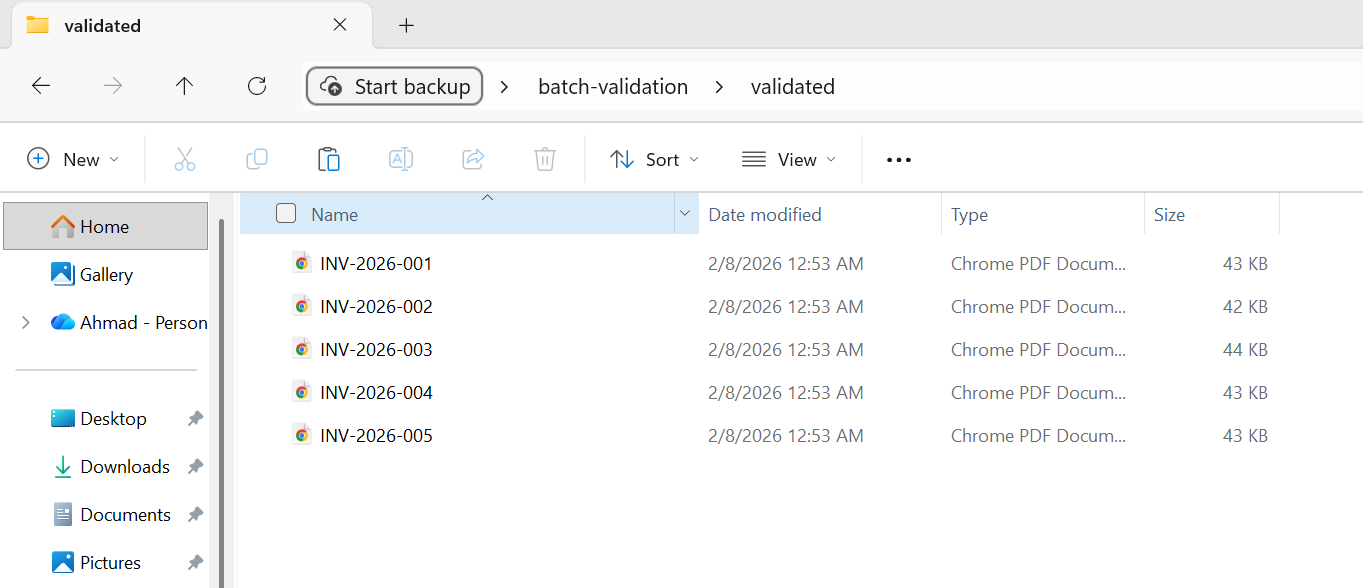
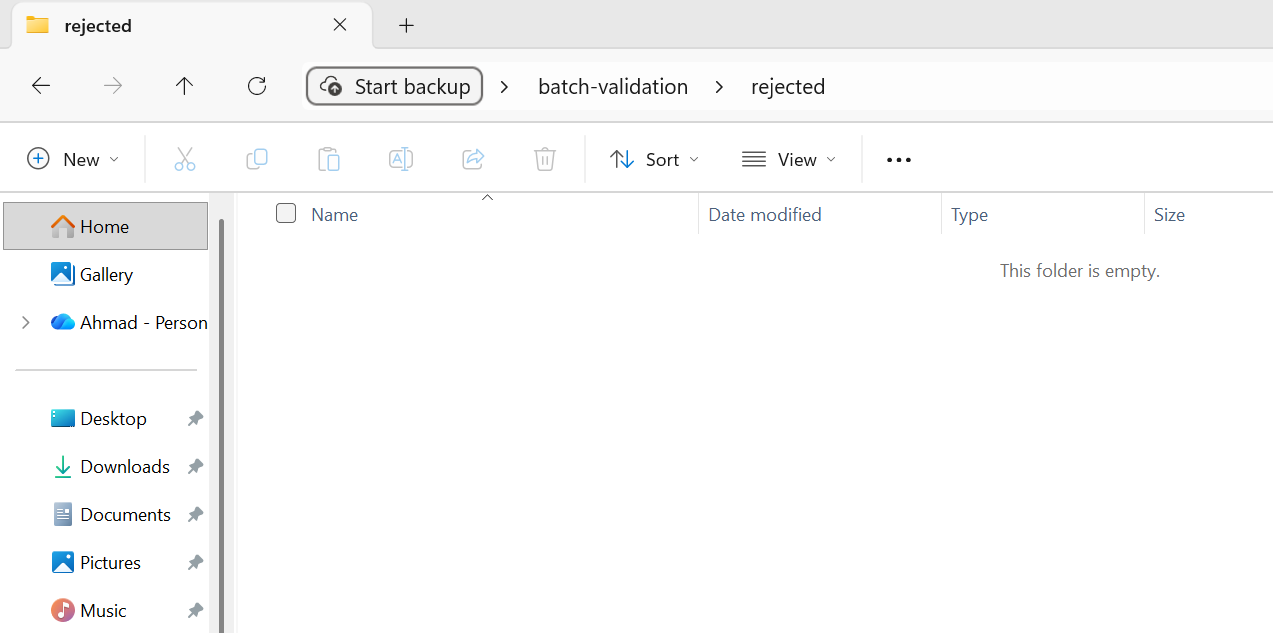
5つのファイルすべてが検証に合格し、検証済みフォルダに移動しました。
前処理の検証は高速であるべきです。明らかに壊れた入力をチェックするのであって、完全な処理をするわけではありません。 特に、出力が特定の規格(PDF/A、PDF/UA)に合格する必要があるコンプライアンス変換では、後処理の検証をより徹底することができます。 処理後の検証に失敗したファイルには、黙って受け入れるのではなく、手動レビューのためのフラグを付ける必要があります。
非同期および並列処理パターン
IronPDF は、Parallel.ForEach (スレッドベースの並列処理) と async/await (非同期 I/O) の両方をサポートしています。 それぞれのツールの使用タイミングや効果的な組み合わせ方を理解することが、スループットを最大化する鍵です。
タスク並列ライブラリの統合
Parallel.ForEach は、CPU バインドされたバッチ操作に対する最もシンプルで効果的なアプローチです。 IronPDF のレンダリング エンジンは CPU を大量に消費します (HTML 解析、CSS レイアウト、画像のラスタライズ)。Parallel.ForEach は、この作業を利用可能なすべてのコアに自動的に分散します。
:path=/static-assets/pdf/content-code-examples/tutorials/batch-pdf-processing-csharp/batch-processing-tpl.csusing IronPdf;
using System;
using System.IO;
using System.Threading.Tasks;
using System.Threading;
using System.Diagnostics;
string inputFolder = "input/";
string outputFolder = "output/";
Directory.CreateDirectory(outputFolder);
string[] htmlFiles = Directory.GetFiles(inputFolder, "*.html");
var renderer = new ChromePdfRenderer();
Console.WriteLine($"Processing {htmlFiles.Length} files with {Environment.ProcessorCount} CPU cores");
int processed = 0;
var stopwatch = Stopwatch.StartNew();
// Configure parallelism based on system resources
// Rule of thumb: ProcessorCount / 2 for memory-intensive operations
var options = new ParallelOptions
{
MaxDegreeOfParallelism = Math.Max(1, Environment.ProcessorCount / 2)
};
Console.WriteLine($"Max parallelism: {options.MaxDegreeOfParallelism}");
// Use Parallel.ForEach for CPU-bound batch operations
Parallel.ForEach(htmlFiles, options, htmlFile =>
{
string fileName = Path.GetFileNameWithoutExtension(htmlFile);
string outputPath = Path.Combine(outputFolder, $"{fileName}.pdf");
try
{
// Render HTML to PDF
using var pdf = renderer.RenderHtmlFileAsPdf(htmlFile);
pdf.SaveAs(outputPath);
int current = Interlocked.Increment(ref processed);
// Progress reporting every 10 files
if (current % 10 == 0)
{
double elapsed = stopwatch.Elapsed.TotalSeconds;
double rate = current / elapsed;
double remaining = (htmlFiles.Length - current) / rate;
Console.WriteLine($"Progress: {current}/{htmlFiles.Length} ({rate:F1} files/sec, ~{remaining:F0}s remaining)");
}
}
catch (Exception ex)
{
Console.WriteLine($"[ERROR] {fileName}: {ex.Message}");
}
});
stopwatch.Stop();
double totalRate = processed / stopwatch.Elapsed.TotalSeconds;
Console.WriteLine($"\nComplete:");
Console.WriteLine($" Files processed: {processed}/{htmlFiles.Length}");
Console.WriteLine($" Total time: {stopwatch.Elapsed.TotalSeconds:F1}s");
Console.WriteLine($" Average rate: {totalRate:F1} files/sec");
Console.WriteLine($" Time per file: {stopwatch.Elapsed.TotalMilliseconds / processed:F0}ms");
// Memory monitoring helper (call between chunks for large batches)
void CheckMemoryPressure()
{
const long memoryThreshold = 4L * 1024 * 1024 * 1024; // 4 GB
long currentMemory = GC.GetTotalMemory(forceFullCollection: false);
if (currentMemory > memoryThreshold)
{
Console.WriteLine($"Memory pressure detected ({currentMemory / 1024 / 1024}MB), forcing GC...");
GC.Collect();
GC.WaitForPendingFinalizers();
GC.Collect();
}
}Imports IronPdf
Imports System
Imports System.IO
Imports System.Threading.Tasks
Imports System.Threading
Imports System.Diagnostics
Module Program
Sub Main()
Dim inputFolder As String = "input/"
Dim outputFolder As String = "output/"
Directory.CreateDirectory(outputFolder)
Dim htmlFiles As String() = Directory.GetFiles(inputFolder, "*.html")
Dim renderer As New ChromePdfRenderer()
Console.WriteLine($"Processing {htmlFiles.Length} files with {Environment.ProcessorCount} CPU cores")
Dim processed As Integer = 0
Dim stopwatch As Stopwatch = Stopwatch.StartNew()
' Configure parallelism based on system resources
' Rule of thumb: ProcessorCount / 2 for memory-intensive operations
Dim options As New ParallelOptions With {
.MaxDegreeOfParallelism = Math.Max(1, Environment.ProcessorCount \ 2)
}
Console.WriteLine($"Max parallelism: {options.MaxDegreeOfParallelism}")
' Use Parallel.ForEach for CPU-bound batch operations
Parallel.ForEach(htmlFiles, options, Sub(htmlFile)
Dim fileName As String = Path.GetFileNameWithoutExtension(htmlFile)
Dim outputPath As String = Path.Combine(outputFolder, $"{fileName}.pdf")
Try
' Render HTML to PDF
Using pdf = renderer.RenderHtmlFileAsPdf(htmlFile)
pdf.SaveAs(outputPath)
End Using
Dim current As Integer = Interlocked.Increment(processed)
' Progress reporting every 10 files
If current Mod 10 = 0 Then
Dim elapsed As Double = stopwatch.Elapsed.TotalSeconds
Dim rate As Double = current / elapsed
Dim remaining As Double = (htmlFiles.Length - current) / rate
Console.WriteLine($"Progress: {current}/{htmlFiles.Length} ({rate:F1} files/sec, ~{remaining:F0}s remaining)")
End If
Catch ex As Exception
Console.WriteLine($"[ERROR] {fileName}: {ex.Message}")
End Try
End Sub)
stopwatch.Stop()
Dim totalRate As Double = processed / stopwatch.Elapsed.TotalSeconds
Console.WriteLine(vbCrLf & "Complete:")
Console.WriteLine($" Files processed: {processed}/{htmlFiles.Length}")
Console.WriteLine($" Total time: {stopwatch.Elapsed.TotalSeconds:F1}s")
Console.WriteLine($" Average rate: {totalRate:F1} files/sec")
Console.WriteLine($" Time per file: {stopwatch.Elapsed.TotalMilliseconds / processed:F0}ms")
' Memory monitoring helper (call between chunks for large batches)
CheckMemoryPressure()
End Sub
Sub CheckMemoryPressure()
Const memoryThreshold As Long = 4L * 1024 * 1024 * 1024 ' 4 GB
Dim currentMemory As Long = GC.GetTotalMemory(forceFullCollection:=False)
If currentMemory > memoryThreshold Then
Console.WriteLine($"Memory pressure detected ({currentMemory \ 1024 \ 1024}MB), forcing GC...")
GC.Collect()
GC.WaitForPendingFinalizers()
GC.Collect()
End If
End Sub
End ModuleMaxDegreeOfParallelism オプションは重要です。 これがないと、TPLは利用可能なすべてのコアを使用しようとするため、各レンダリングにリソースが集中する場合、メモリを圧迫する可能性があります。システムの使用可能なRAMを、レンダリングごとの一般的なメモリ消費量(複雑なHTMLの場合、同時レンダリングごとに通常100~300 MB)で割った値に基づいて設定してください。
同時実行の制御 (SemaphoreSlim)
Parallel.ForEach が提供するよりも細かい同時実行制御が必要な場合 (たとえば、非同期 I/O と CPU バウンド レンダリングを混在させる場合)、SemaphoreSlim を使用すると、同時に実行される操作の数を明示的に制御できます。 パターンは簡単です。必要な同時実行制限 (例: 4 つの同時レンダリング) を設定した SemaphoreSlim を作成し、各レンダリングの前に WaitAsync を呼び出し、その後に finally ブロックで Release を呼び出します。 次に、すべてのタスクを Task.WhenAll で起動します。
このパターンは、パイプラインにI/Oバウンドのステップ(ブロブストレージからのファイルの読み取り、データベースへの結果の書き込み)とCPUバウンドのステップ(PDFのレンダリング)の両方が含まれる場合に特に便利です。 セマフォは、CPUバウンドのレンダリング同時実行を制限する一方で、I/Oバウンドのステップをスロットルなしで進行できるようにします。
非同期/待機のベストプラクティス
IronPDF は、RenderHtmlFileAsPdfAsync などのレンダリング メソッドの非同期バリアントを提供します。 これらは、(リクエストスレッドをブロックすることが受け入れられない)Webアプリケーションや、PDFレンダリングと非同期I/O操作を混在させるパイプラインに最適です。
バッチ処理のためのいくつかの重要な非同期ベストプラクティス:
同期IronPDFメソッドをラップするために Task.Run を使用しないでください。代わりにネイティブの非同期バリアントを使用してください。 同期メソッドを Task.Run でラップすると、スレッド プールのスレッドが無駄になり、メリットがないままオーバーヘッドが追加されます。
非同期タスクでは .Result または .Wait() を使用しないでください。これにより呼び出しスレッドがブロックされ、UI またはASP.NETコンテキストでデッドロックが発生する可能性があります。 常にawaitを使用してください。
すべてのタスクを一度に待機するのではなく、 Task.WhenAll 呼び出しをバッチ処理します。 10,000 個のタスクがあり、それらすべてに対して同時に Task.WhenAll を呼び出すと、10,000 個の同時操作が開始されます。 代わりに、.Chunk(10) または同様の方法を使用してグループごとに処理し、各グループを順番に待機します。
メモリの枯渇を避ける
メモリの枯渇は、PDFのバッチ処理で最も一般的な障害モードです。 防御的なアプローチとしては、各レンダリングの前に GC.GetTotalMemory() を使用してメモリ使用量を監視し、消費量がしきい値 (例: 4 GB または使用可能な RAM の 80%) を超えたときにコレクションをトリガーします。 続行する前に、GC.Collect() に続いて GC.WaitForPendingFinalizers()、2 番目の GC.Collect() を呼び出して、可能な限り多くのメモリを再利用します。 これにより、短い一時停止が追加されますが、ファイル #30,000 でバッチ全体がクラッシュするという、OutOfMemoryException という壊滅的な事態は回避されます。
これを、TPL セクションの MaxDegreeOfParallelism スロットルとメモリ管理セクションの using 破棄パターンと組み合わせると、同時実行の制限、積極的な破棄、安全弁による監視という、メモリの問題に対する 3 層の防御が実現します。
バッチジョブのためのクラウドデプロイメント
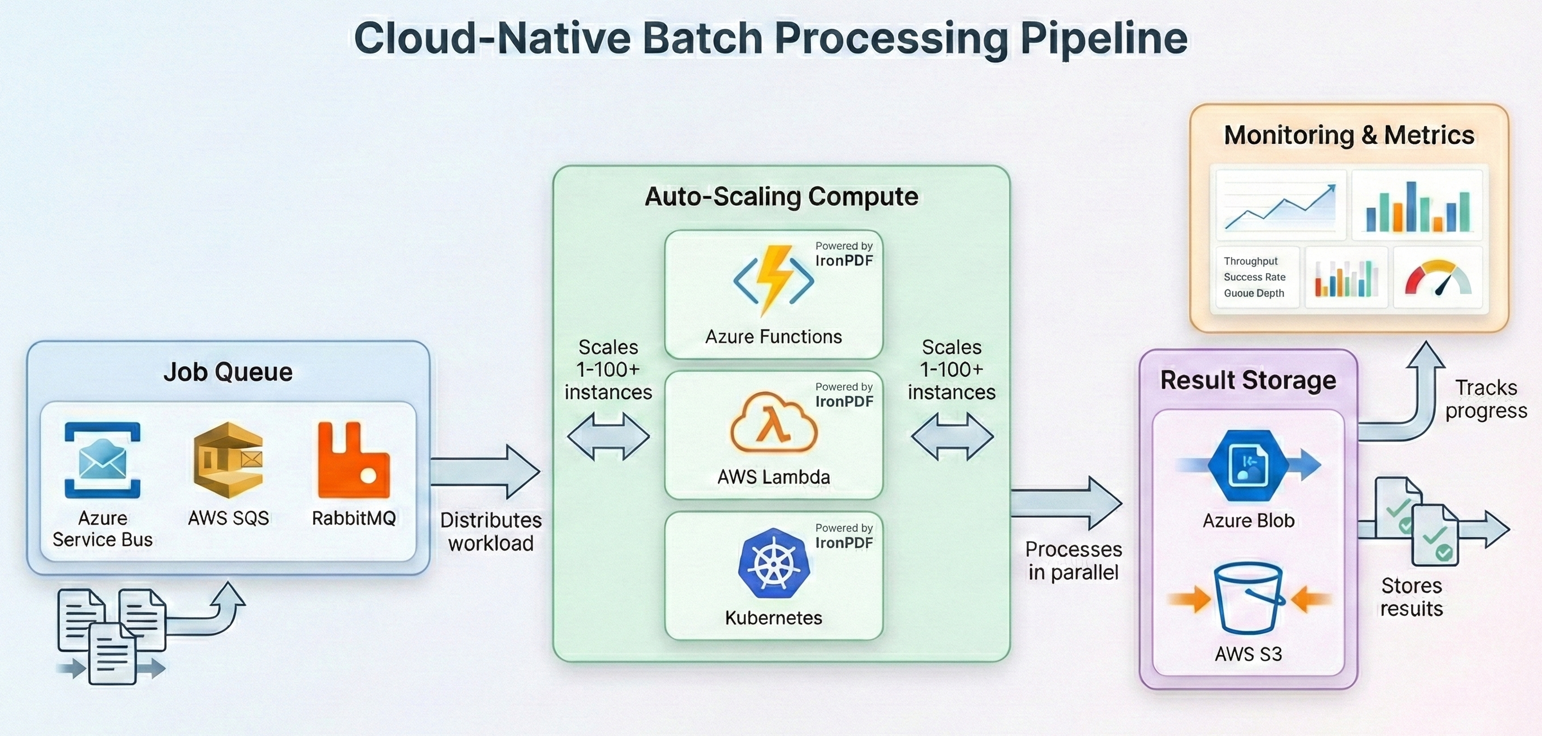
最新のバッチ処理は、ワークロードの需要に合わせて計算リソースを拡張でき、使用した分だけ料金を支払うことができるクラウドで実行されることが多くなっています。 IronPDFはすべての主要なクラウドプラットフォーム上で動作します - それぞれのバッチパイプラインを構築する方法はこちらです。
Durable Functions を使った Azure Functions
Azure Durable Functionsは、ファンアウト/ファンインパターンのための組み込みオーケストレーションを提供し、バッチPDF処理に自然に適合します。 オーケストレーター機能は、複数のアクティビティ機能インスタンスに作業を分散し、それぞれがファイルのサブセットを処理します。 オーケストレーターはファンアウト ループで CallActivityAsync を呼び出し、各アクティビティ関数は ChromePdfRenderer をインスタンス化し、ファイルのチャンクを処理して、オーケストレーターが結果を収集します。
Azure Functionsの主な考慮事項:デフォルトの消費プランでは、関数の呼び出しごとに5分間のタイムアウトがあり、メモリに制限があります。 バッチ処理には、より長いタイムアウトとより多くのメモリをサポートするPremiumまたはDedicatedプランを使用してください。 IronPDFは完全な.NETランタイムを必要とします(トリミングされていません)ので、あなたのファンクションアプリが適切なランタイム識別子で.NET 8+用に設定されていることを確認してください。
AWS Lambda と Step Functions
AWS Step Functions は、Azure Durable Functions と同様のオーケストレーション機能を提供します。 ステートマシンの各ステップは、ファイルのチャンクを処理するLambda関数を呼び出します。 Lambda ハンドラーは、一連の S3 オブジェクト キーを受け取り、各 PDF を PdfDocument.FromFile で読み込み、処理パイプライン (圧縮、形式変換など) を適用して、結果を出力 S3 バケットに書き戻します。
AWS Lambda には最大 15 分の実行時間と制限されたストレージ (デフォルトでは 512 MB、最大 10 GB まで構成可能) があります。 大規模なバッチジョブでは、ステップ関数を使用してワークロードをチャンクし、各チャンクを個別のLambda呼び出しで処理します。 中間結果はローカルストレージではなく、S3に保存してください。
Kubernetesジョブスケジューリング
独自のKubernetesクラスタを実行している組織の場合、バッチPDF処理はKubernetesジョブやCronJobsにうまく対応します。 各ポッドはバッチワーカーを実行し、キュー(Azure Service Bus、RabbitMQ、またはSQS)からファイルを取得し、IronPDFで処理し、結果をオブジェクトストレージに書き込みます。 ワーカー ループは、前のセクションで説明したのと同じパターンに従います。つまり、メッセージをキューから取り出し、ChromePdfRenderer.RenderHtmlAsPdf() または PdfDocument.FromFile() を使用してドキュメントを処理し、結果をアップロードし、メッセージを確認します。 復元パターンからの再試行ロジックを使用して、同じ try-catch で処理をラップし、 SemaphoreSlim を使用してポッドごとの同時実行性を制御します。
IronPdfは公式のDockerサポートを提供し、Linuxコンテナ上で動作します。 コンテナーの OS に適したネイティブ ランタイム パッケージを含む IronPdf NuGetパッケージを使用します (例: Linux ベースのイメージの場合は IronPdf.Linux)。 Kubernetesについては、IronPDFのメモリ要件(通常、同時実行数に応じてポッドごとに512 MB~2 GB)に一致するリソースの要求と制限を定義してください。 Horizontal Pod Autoscalerは、キューの深さに基づいてワーカーをスケールすることができ、チェックポイントパターンにより、ポッドが追い出されても作業が失われることはありません。
コスト最適化戦略
クラウドのバッチ処理は、リソースの割り当てをよく考えないと高くつくことがあります。 ここでは、最もインパクトのある戦略をご紹介します:
Right-size your compute.PDFレンダリングは、GPUではなく、CPUとメモリを多用します。汎用インスタンスやメモリ最適化インスタンスではなく、コンピュート最適化インスタンス(AzureではC#シリーズ、AWSではCタイプ)を使用してください。 レンダリング単価が向上します。
中断に耐えられるバッチ作業負荷には、スポット/プリエンプティブ・インスタンスを使用してください。 バッチPDF処理は(チェックポイントのおかげで)本質的に再開可能であるため、通常オンデマンドよりも60~90%の割引を提供するスポット価格の理想的な候補となります。
オフピーク時間に処理してください。 多くのクラウドプロバイダーは、夜間や週末に、より安い価格設定や高いスポット可用性を提供しています。
早めに圧縮し、一旦保存する 圧縮を別のステップとしてではなく、処理パイプラインの一部として実行します。最初から圧縮されたPDFを保存することで、アーカイブの存続期間中の継続的な保存コストを削減できます。
ストレージを階層化する 頻繁にアクセスされる処理済みのPDFは、ホットストレージに置くべきです; めったにアクセスされないアーカイブされたPDFは、クールまたはアーカイブ層(Azure Cool/Archive、AWS S3 Glacier)に移動する必要があります。 これだけで、保管コストを50~80%削減できます。
実世界のパイプラインの例
完全なワークフローを示す、プロダクショングレードのバッチパイプラインですべてを結びつけましょう:検査 → 検証 → 処理 → アーカイブ → レポート。
この例では、HTML請求書テンプレートのディレクトリを処理し、PDFにレンダリングし、出力を圧縮し、アーカイブコンプライアンスのためにPDF/A-3bに変換し、結果を検証し、最後に要約レポートを作成します。
上記のバッチ変換の例と同じ5つのHTML請求書を使用して...
:path=/static-assets/pdf/content-code-examples/tutorials/batch-pdf-processing-csharp/batch-processing-full-pipeline.csusing IronPdf;
using System;
using System.Collections.Generic;
using System.IO;
using System.Linq;
using System.Threading.Tasks;
using System.Threading;
using System.Collections.Concurrent;
using System.Diagnostics;
using System.Text.Json;
// Configuration
var config = new PipelineConfig
{
InputFolder = "input/",
OutputFolder = "output/",
ArchiveFolder = "archive/",
ErrorFolder = "errors/",
CheckpointPath = "pipeline-checkpoint.json",
ReportPath = "pipeline-report.json",
MaxConcurrency = Math.Max(1, Environment.ProcessorCount / 2),
MaxRetries = 3,
JpegQuality = 70
};
// Initialize folders
Directory.CreateDirectory(config.OutputFolder);
Directory.CreateDirectory(config.ArchiveFolder);
Directory.CreateDirectory(config.ErrorFolder);
// Load checkpoint for resume capability
var checkpoint = LoadCheckpoint(config.CheckpointPath);
var results = new ConcurrentBag<ProcessingResult>();
var stopwatch = Stopwatch.StartNew();
// Get files to process
string[] allFiles = Directory.GetFiles(config.InputFolder, "*.html");
string[] filesToProcess = allFiles
.Where(f => !checkpoint.CompletedFiles.Contains(Path.GetFileName(f)))
.ToArray();
Console.WriteLine($"Pipeline starting:");
Console.WriteLine($" Total files: {allFiles.Length}");
Console.WriteLine($" Already processed: {checkpoint.CompletedFiles.Count}");
Console.WriteLine($" To process: {filesToProcess.Length}");
Console.WriteLine($" Concurrency: {config.MaxConcurrency}");
var renderer = new ChromePdfRenderer();
var checkpointLock = new object();
var options = new ParallelOptions
{
MaxDegreeOfParallelism = config.MaxConcurrency
};
Parallel.ForEach(filesToProcess, options, inputFile =>
{
var result = new ProcessingResult
{
FileName = Path.GetFileName(inputFile),
StartTime = DateTime.UtcNow
};
try
{
// Stage: Pre-validation
if (!ValidateInput(inputFile))
{
result.Status = "PreValidationFailed";
result.Error = "Input file failed validation";
results.Add(result);
return;
}
string baseName = Path.GetFileNameWithoutExtension(inputFile);
string tempPath = Path.Combine(config.OutputFolder, $"{baseName}.pdf");
string archivePath = Path.Combine(config.ArchiveFolder, $"{baseName}.pdf");
// Stage: Process with retry
PdfDocument pdf = null;
int attempt = 0;
bool success = false;
while (attempt < config.MaxRetries && !success)
{
attempt++;
try
{
pdf = renderer.RenderHtmlFileAsPdf(inputFile);
success = true;
}
catch (Exception ex) when (IsTransient(ex) && attempt < config.MaxRetries)
{
Thread.Sleep((int)Math.Pow(2, attempt) * 500);
}
}
if (!success || pdf == null)
{
result.Status = "ProcessingFailed";
result.Error = "Max retries exceeded";
results.Add(result);
return;
}
using (pdf)
{
// Stage: Compress and convert to PDF/A-3b for archival
pdf.SaveAsPdfA(tempPath, PdfAVersions.PdfA3b);
}
// Stage: Post-validation
if (!ValidateOutput(tempPath))
{
File.Move(tempPath, Path.Combine(config.ErrorFolder, $"{baseName}.pdf"), overwrite: true);
result.Status = "PostValidationFailed";
result.Error = "Output file failed validation";
results.Add(result);
return;
}
// Stage: Archive
File.Move(tempPath, archivePath, overwrite: true);
// Update checkpoint
lock (checkpointLock)
{
checkpoint.CompletedFiles.Add(result.FileName);
SaveCheckpoint(config.CheckpointPath, checkpoint);
}
result.Status = "Success";
result.OutputSize = new FileInfo(archivePath).Length;
result.EndTime = DateTime.UtcNow;
results.Add(result);
Console.WriteLine($"[OK] {baseName}.pdf ({result.OutputSize / 1024}KB)");
}
catch (Exception ex)
{
result.Status = "Error";
result.Error = ex.Message;
result.EndTime = DateTime.UtcNow;
results.Add(result);
Console.WriteLine($"[ERROR] {result.FileName}: {ex.Message}");
}
});
stopwatch.Stop();
// Generate report
var report = new PipelineReport
{
TotalFiles = allFiles.Length,
ProcessedThisRun = results.Count,
Succeeded = results.Count(r => r.Status == "Success"),
PreValidationFailed = results.Count(r => r.Status == "PreValidationFailed"),
ProcessingFailed = results.Count(r => r.Status == "ProcessingFailed"),
PostValidationFailed = results.Count(r => r.Status == "PostValidationFailed"),
Errors = results.Count(r => r.Status == "Error"),
TotalDuration = stopwatch.Elapsed,
AverageFileTime = results.Any() ? TimeSpan.FromMilliseconds(stopwatch.Elapsed.TotalMilliseconds / results.Count) : TimeSpan.Zero
};
string reportJson = JsonSerializer.Serialize(report, new JsonSerializerOptions { WriteIndented = true });
File.WriteAllText(config.ReportPath, reportJson);
Console.WriteLine($"\n=== Pipeline Complete ===");
Console.WriteLine($"Succeeded: {report.Succeeded}");
Console.WriteLine($"Failed: {report.PreValidationFailed + report.ProcessingFailed + report.PostValidationFailed + report.Errors}");
Console.WriteLine($"Duration: {report.TotalDuration.TotalMinutes:F1} minutes");
Console.WriteLine($"Report: {config.ReportPath}");
// Helper methods
bool ValidateInput(string path)
{
try
{
var info = new FileInfo(path);
if (!info.Exists || info.Length == 0 || info.Length > 50 * 1024 * 1024) return false;
string content = File.ReadAllText(path);
return content.Contains("<html", StringComparison.OrdinalIgnoreCase) ||
content.Contains("<!DOCTYPE", StringComparison.OrdinalIgnoreCase);
}
catch { return false; }
}
bool ValidateOutput(string path)
{
try
{
using var pdf = PdfDocument.FromFile(path);
return pdf.PageCount > 0 && new FileInfo(path).Length > 1024;
}
catch { return false; }
}
bool IsTransient(Exception ex) =>
ex is IOException || ex is OutOfMemoryException ||
ex.Message.Contains("timeout", StringComparison.OrdinalIgnoreCase);
Checkpoint LoadCheckpoint(string path)
{
if (File.Exists(path))
{
string json = File.ReadAllText(path);
return JsonSerializer.Deserialize<Checkpoint>(json) ?? new Checkpoint();
}
return new Checkpoint();
}
void SaveCheckpoint(string path, Checkpoint cp) =>
File.WriteAllText(path, JsonSerializer.Serialize(cp));
ata classes
s PipelineConfig
public string InputFolder { get; set; } = "";
public string OutputFolder { get; set; } = "";
public string ArchiveFolder { get; set; } = "";
public string ErrorFolder { get; set; } = "";
public string CheckpointPath { get; set; } = "";
public string ReportPath { get; set; } = "";
public int MaxConcurrency { get; set; }
public int MaxRetries { get; set; }
public int JpegQuality { get; set; }
s Checkpoint
public HashSet<string> CompletedFiles { get; set; } = new();
s ProcessingResult
public string FileName { get; set; } = "";
public string Status { get; set; } = "";
public string Error { get; set; } = "";
public long OutputSize { get; set; }
public DateTime StartTime { get; set; }
public DateTime EndTime { get; set; }
s PipelineReport
public int TotalFiles { get; set; }
public int ProcessedThisRun { get; set; }
public int Succeeded { get; set; }
public int PreValidationFailed { get; set; }
public int ProcessingFailed { get; set; }
public int PostValidationFailed { get; set; }
public int Errors { get; set; }
public TimeSpan TotalDuration { get; set; }
public TimeSpan AverageFileTime { get; set; }Imports IronPdf
Imports System
Imports System.Collections.Generic
Imports System.IO
Imports System.Linq
Imports System.Threading.Tasks
Imports System.Threading
Imports System.Collections.Concurrent
Imports System.Diagnostics
Imports System.Text.Json
' Configuration
Dim config As New PipelineConfig With {
.InputFolder = "input/",
.OutputFolder = "output/",
.ArchiveFolder = "archive/",
.ErrorFolder = "errors/",
.CheckpointPath = "pipeline-checkpoint.json",
.ReportPath = "pipeline-report.json",
.MaxConcurrency = Math.Max(1, Environment.ProcessorCount \ 2),
.MaxRetries = 3,
.JpegQuality = 70
}
' Initialize folders
Directory.CreateDirectory(config.OutputFolder)
Directory.CreateDirectory(config.ArchiveFolder)
Directory.CreateDirectory(config.ErrorFolder)
' Load checkpoint for resume capability
Dim checkpoint As Checkpoint = LoadCheckpoint(config.CheckpointPath)
Dim results As New ConcurrentBag(Of ProcessingResult)()
Dim stopwatch As Stopwatch = Stopwatch.StartNew()
' Get files to process
Dim allFiles As String() = Directory.GetFiles(config.InputFolder, "*.html")
Dim filesToProcess As String() = allFiles.
Where(Function(f) Not checkpoint.CompletedFiles.Contains(Path.GetFileName(f))).
ToArray()
Console.WriteLine("Pipeline starting:")
Console.WriteLine($" Total files: {allFiles.Length}")
Console.WriteLine($" Already processed: {checkpoint.CompletedFiles.Count}")
Console.WriteLine($" To process: {filesToProcess.Length}")
Console.WriteLine($" Concurrency: {config.MaxConcurrency}")
Dim renderer As New ChromePdfRenderer()
Dim checkpointLock As New Object()
Dim options As New ParallelOptions With {
.MaxDegreeOfParallelism = config.MaxConcurrency
}
Parallel.ForEach(filesToProcess, options, Sub(inputFile)
Dim result As New ProcessingResult With {
.FileName = Path.GetFileName(inputFile),
.StartTime = DateTime.UtcNow
}
Try
' Stage: Pre-validation
If Not ValidateInput(inputFile) Then
result.Status = "PreValidationFailed"
result.Error = "Input file failed validation"
results.Add(result)
Return
End If
Dim baseName As String = Path.GetFileNameWithoutExtension(inputFile)
Dim tempPath As String = Path.Combine(config.OutputFolder, $"{baseName}.pdf")
Dim archivePath As String = Path.Combine(config.ArchiveFolder, $"{baseName}.pdf")
' Stage: Process with retry
Dim pdf As PdfDocument = Nothing
Dim attempt As Integer = 0
Dim success As Boolean = False
While attempt < config.MaxRetries AndAlso Not success
attempt += 1
Try
pdf = renderer.RenderHtmlFileAsPdf(inputFile)
success = True
Catch ex As Exception When IsTransient(ex) AndAlso attempt < config.MaxRetries
Thread.Sleep(CInt(Math.Pow(2, attempt)) * 500)
End Try
End While
If Not success OrElse pdf Is Nothing Then
result.Status = "ProcessingFailed"
result.Error = "Max retries exceeded"
results.Add(result)
Return
End If
Using pdf
' Stage: Compress and convert to PDF/A-3b for archival
pdf.SaveAsPdfA(tempPath, PdfAVersions.PdfA3b)
End Using
' Stage: Post-validation
If Not ValidateOutput(tempPath) Then
File.Move(tempPath, Path.Combine(config.ErrorFolder, $"{baseName}.pdf"), overwrite:=True)
result.Status = "PostValidationFailed"
result.Error = "Output file failed validation"
results.Add(result)
Return
End If
' Stage: Archive
File.Move(tempPath, archivePath, overwrite:=True)
' Update checkpoint
SyncLock checkpointLock
checkpoint.CompletedFiles.Add(result.FileName)
SaveCheckpoint(config.CheckpointPath, checkpoint)
End SyncLock
result.Status = "Success"
result.OutputSize = New FileInfo(archivePath).Length
result.EndTime = DateTime.UtcNow
results.Add(result)
Console.WriteLine($"[OK] {baseName}.pdf ({result.OutputSize \ 1024}KB)")
Catch ex As Exception
result.Status = "Error"
result.Error = ex.Message
result.EndTime = DateTime.UtcNow
results.Add(result)
Console.WriteLine($"[ERROR] {result.FileName}: {ex.Message}")
End Try
End Sub)
stopwatch.Stop()
' Generate report
Dim report As New PipelineReport With {
.TotalFiles = allFiles.Length,
.ProcessedThisRun = results.Count,
.Succeeded = results.Count(Function(r) r.Status = "Success"),
.PreValidationFailed = results.Count(Function(r) r.Status = "PreValidationFailed"),
.ProcessingFailed = results.Count(Function(r) r.Status = "ProcessingFailed"),
.PostValidationFailed = results.Count(Function(r) r.Status = "PostValidationFailed"),
.Errors = results.Count(Function(r) r.Status = "Error"),
.TotalDuration = stopwatch.Elapsed,
.AverageFileTime = If(results.Any(), TimeSpan.FromMilliseconds(stopwatch.Elapsed.TotalMilliseconds / results.Count), TimeSpan.Zero)
}
Dim reportJson As String = JsonSerializer.Serialize(report, New JsonSerializerOptions With {.WriteIndented = True})
File.WriteAllText(config.ReportPath, reportJson)
Console.WriteLine(vbCrLf & "=== Pipeline Complete ===")
Console.WriteLine($"Succeeded: {report.Succeeded}")
Console.WriteLine($"Failed: {report.PreValidationFailed + report.ProcessingFailed + report.PostValidationFailed + report.Errors}")
Console.WriteLine($"Duration: {report.TotalDuration.TotalMinutes:F1} minutes")
Console.WriteLine($"Report: {config.ReportPath}")
' Helper methods
Function ValidateInput(path As String) As Boolean
Try
Dim info As New FileInfo(path)
If Not info.Exists OrElse info.Length = 0 OrElse info.Length > 50 * 1024 * 1024 Then Return False
Dim content As String = File.ReadAllText(path)
Return content.Contains("<html", StringComparison.OrdinalIgnoreCase) OrElse
content.Contains("<!DOCTYPE", StringComparison.OrdinalIgnoreCase)
Catch
Return False
End Try
End Function
Function ValidateOutput(path As String) As Boolean
Try
Using pdf = PdfDocument.FromFile(path)
Return pdf.PageCount > 0 AndAlso New FileInfo(path).Length > 1024
End Using
Catch
Return False
End Try
End Function
Function IsTransient(ex As Exception) As Boolean
Return TypeOf ex Is IOException OrElse TypeOf ex Is OutOfMemoryException OrElse
ex.Message.Contains("timeout", StringComparison.OrdinalIgnoreCase)
End Function
Function LoadCheckpoint(path As String) As Checkpoint
If File.Exists(path) Then
Dim json As String = File.ReadAllText(path)
Return JsonSerializer.Deserialize(Of Checkpoint)(json) OrElse New Checkpoint()
End If
Return New Checkpoint()
End Function
Sub SaveCheckpoint(path As String, cp As Checkpoint)
File.WriteAllText(path, JsonSerializer.Serialize(cp))
End Sub
' Data classes
Class PipelineConfig
Public Property InputFolder As String = ""
Public Property OutputFolder As String = ""
Public Property ArchiveFolder As String = ""
Public Property ErrorFolder As String = ""
Public Property CheckpointPath As String = ""
Public Property ReportPath As String = ""
Public Property MaxConcurrency As Integer
Public Property MaxRetries As Integer
Public Property JpegQuality As Integer
End Class
Class Checkpoint
Public Property CompletedFiles As HashSet(Of String) = New HashSet(Of String)()
End Class
Class ProcessingResult
Public Property FileName As String = ""
Public Property Status As String = ""
Public Property Error As String = ""
Public Property OutputSize As Long
Public Property StartTime As DateTime
Public Property EndTime As DateTime
End Class
Class PipelineReport
Public Property TotalFiles As Integer
Public Property ProcessedThisRun As Integer
Public Property Succeeded As Integer
Public Property PreValidationFailed As Integer
Public Property ProcessingFailed As Integer
Public Property PostValidationFailed As Integer
Public Property Errors As Integer
Public Property TotalDuration As TimeSpan
Public Property AverageFileTime As TimeSpan
End Class出力
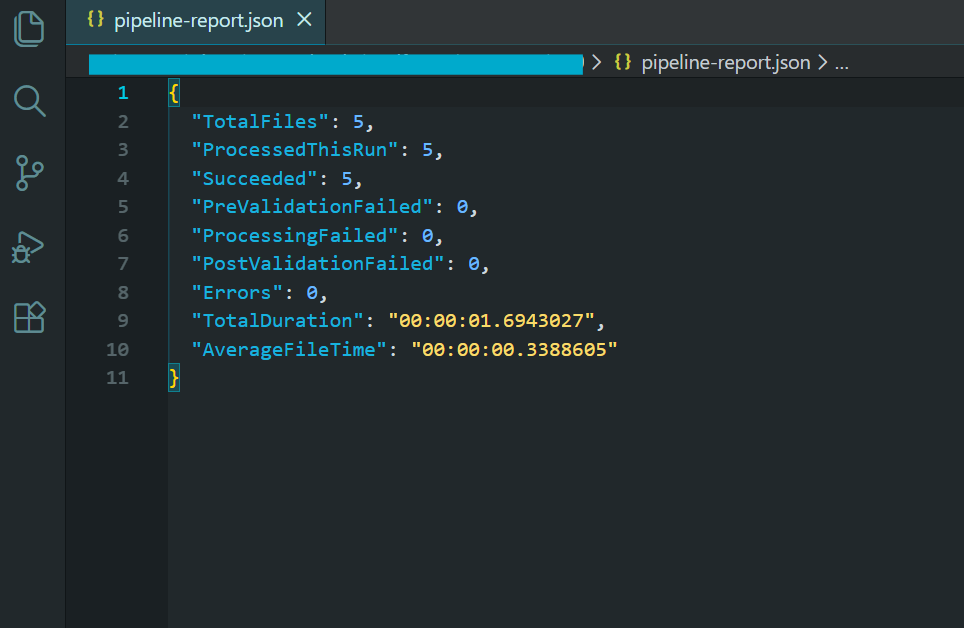
バッチ処理結果を示すパイプラインレポート。
このパイプラインは、このチュートリアルで取り上げたすべてのパターンを組み込んでいます:制御された並列処理、skip-on-failureによるファイルごとのエラー処理、一過性のエラーに対する再試行ロジック、クラッシュ後の再開のためのチェックポイント処理、処理前後の検証、明示的な廃棄によるメモリ管理、最終サマリーレポートによる包括的なロギング。
このパイプラインの出力は、圧縮されたPDF/A-3b準拠のアーカイブファイルのディレクトリ、レジューム機能のためのチェックポイントファイル、処理できなかったファイルのエラーログ、処理統計のサマリーレポートです。 これは、本格的なバッチPDF処理の作業負荷に必要なパターンです。
次のステップ
スケールの大きなPDFバッチ処理は、レンダリングメソッドをループで呼び出すだけではありません。並行処理、メモリ管理、エラー処理、デプロイメントなど、考え抜かれたアーキテクチャと、それをすべて機能させるための適切なライブラリが必要です。 IronPDFは、スレッドセーフなレンダリングエンジン、非同期APIサーフェス、圧縮ツール、フォーマット変換機能を提供し、.NETバッチPDFパイプラインの基礎を形成します。
日の出前に何千もの PDF を生成する夜間レポート ジェネレーターを構築する場合でも、レガシー ドキュメント アーカイブを PDF/A 準拠 に移行する場合でも、Kubernetes 上でクラウド ネイティブ処理サービスを立ち上げる場合でも、このチュートリアルのパターンは、構築するための実証済みのフレームワークを提供します。 並列処理を制御することで、高いスループットを維持します。 スキップオンフェイルとリトライロジックは、個々のファイルが問題を起こした場合でも、パイプラインを動かし続けます。 チェックポイント機能により、進捗が失われることはありません。 また、クラウドのデプロイメントパターンによって、ワークロードに合わせてコンピューティングを拡張することができます。
構築開始の準備はできましたか? IronPdfをダウンロードして無料トライアルでお試しください - 同じライブラリで単一ファイルのレンダリングから数十万ファイルのバッチパイプラインまで処理できます。 特定のユースケースのスケーリング、デプロイ、またはアーキテクチャについて質問がある場合は、当社のエンジニアリング サポート チームにお問い合わせください。
よくある質問
C# での PDF バッチ処理とは?
C# での PDF バ ッ チ処理 と は、 C# プ ロ グ ラ ミ ン グ言語を使用 し て、 多数の PDF 文書を同時に自動処理す る こ と を指 し ます。こ の方式は、 文書の ワー ク フ ロ ーを大規模に自動化す る のに最適です。
IronPDFはPDFのバッチ処理をどのように支援できますか?
IronPDFはC#でのバッチPDF処理を効率化する堅牢なツールとライブラリを提供します。並列処理をサポートし、同時に何千ものPDFを効率的に処理することができます。
IronPDFで並列処理を使う利点は何ですか?
IronPDFによる並列処理により、PDFのバッチ処理をより高速かつ効率的に行うことができます。このアプローチはリソースの利用率を最大化し、処理時間を大幅に短縮します。
IronPDFはバッチ処理のためにクラウドプラットフォームにデプロイできますか?
はい、IronPDFはAzure Functions、AWS Lambda、Kubernetesなどのクラウドプラットフォームにデプロイすることができ、スケーラブルで柔軟なバッチPDF処理を可能にします。
IronPDFはPDFバッチ処理中のエラーをどのように処理しますか?
IronPDFはバッチPDF処理の信頼性を保証するエラー処理とリトライロジックの機能を含んでいます。これらの機能は手作業による介入なしにエラーを管理、修正するのに役立ちます。
IronPDFでのPDF処理におけるリトライロジックの役割は何ですか?
IronPDFのリトライロジックは、一時的な問題がバッチ処理のワークフローを中断させないようにします。エラーが発生した場合、IronPDFは自動的に失敗したドキュメントの再処理を試みます。
なぜC#はPDFバッチ処理に適した言語なのか?
C#は強力なプログラミング言語であり、豊富なライブラリとフレームワークを備えているため、PDFのバッチ処理に最適です。効率的なドキュメントの自動化のためにIronPDFとシームレスに統合されています。
IronPDFはどのようにしてPDFドキュメントのセキュリティを確保しているのですか?
IronPDFは暗号化とパスワード保護機能によってPDFドキュメントの安全な取り扱いをサポートし、処理されたドキュメントの機密性と安全性を確保します。
ビジネスにおけるPDFバッチ処理の使用例にはどのようなものがありますか?
請求書の一括作成、ドキュメントのデジタル化、大規模なレポート配布など、ビジネスではPDFのバッチ処理が利用されています。IronPDFはドキュメントのワークフローを自動化し合理化することで、これらのユースケースを促進します。
IronPDFは異なるPDFフォーマットやバージョンを扱うことができますか?
IronPDFは様々なPDFフォーマットやバージョンを扱えるように設計されており、バッチ処理タスクにおける互換性と柔軟性を保証します。

まだスクロールしていますか?
すぐに証拠が欲しいですか? PM > Install-Package IronPdf
サンプルを実行するHTML が PDF に変換されるのを確認します。






 無料で始めましょう
 無料で始めましょう
 無料ライブデモを予約





 クレジットカードやアカウントの作成は不要です。










