
Adobe Fonts Embed as Type 3 Instead of TrueType

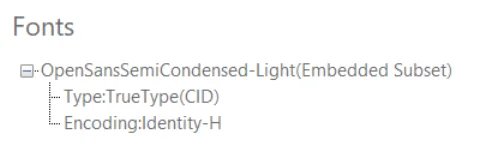
When you render HTML with Adobe Fonts (formerly Typekit), the font type properties of the generated PDF can show Type 3 instead of TrueType, even when the source is a .ttf file. The font still renders correctly on screen, but the embedded type differs from what most viewers expect.
IronPDF runs on a Chromium-based rendering engine, so it embeds web fonts straight from your HTML: system fonts, Google Fonts, and self-hosted .ttf files all flow into the output PDF. Google Fonts and most .ttf files embed as TrueType, and you can tune render timing with RenderDelay and related settings. Adobe Fonts are the exception, because their .ttf files carry PostScript outlines that Chromium embeds as Type 3.
Solution
1. Repackage the font with FontForge
Regenerate the Adobe font with FontForge, an open-source font editor, to strip the PostScript outlines that trigger Type 3 embedding.
- Open the Adobe Fonts
.ttffile in FontForge. - Run Generate Fonts.
- Save it back as
.ttf, stripping out PostScript outlines if prompted.
2. Render with the regenerated font
Point your web or HTML template at the regenerated .ttf, then render as usual. The output PDF now embeds the font as TrueType, clearing the viewer compatibility issue.

Curtis Chau holds a Bachelor’s degree in Computer Science (Carleton University) and specializes in front-end development with expertise in Node.js, TypeScript, JavaScript, and React. Passionate about crafting intuitive and aesthetically pleasing user interfaces, Curtis enjoys working with modern frameworks and creating well-structured, visually appealing manuals.













