# PDF Page Resize, Extend, and Transform
When you adjust PDF layout programmatically, the result depends on whether you change the page itself or the content inside it. IronPDF gives you three distinct methods for this: `Resize`, `Extend`, and `Transform`. Choosing the right one comes down to whether you want to change page size, add margins, or move content.
## Resize
Use `Resize` when you want to change the page dimensions, enlarging or shrinking the page.
```csharp
public void Resize(double PageWidth, double PageHeight, MeasurementUnit Units)
```
`Resize` changes the physical size of the page and scales the content to fit the new dimensions, so everything stays visible. A page originally 210mm x 297mm resized to 148mm x 210mm becomes A5, with its content fitted into the smaller page.
[[w:(Resizing scales content to fit. Watch for clipping when you shrink a page significantly.)]]
## Extend
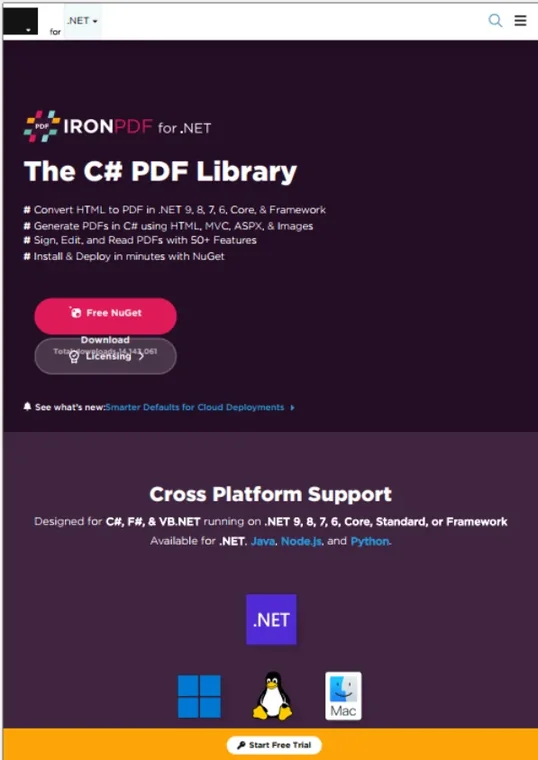
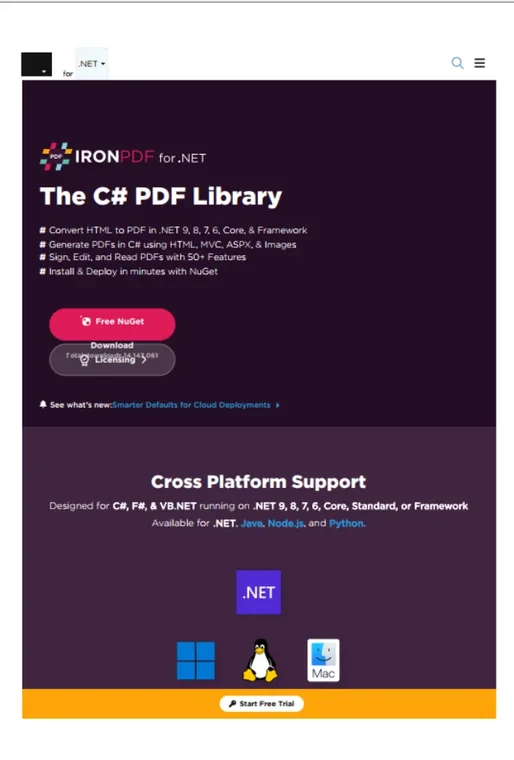
Use `Extend` when you want whitespace or margins around existing content without touching the content's layout, scale, or position.
```csharp
public void Extend(double ExtendLeft, double ExtendRight, double ExtendTop, double ExtendBottom, MeasurementUnit Units)
```
This method adds space to the page, increasing its overall size, but leaves existing content exactly where it was. Starting from a 210mm x 297mm A4 page, adding 10mm left and right plus 20mm top and bottom yields a 230mm x 337mm page with the original content centered in its old space. It is handy for preparing a PDF for printing or binding where extra margins are needed.
#### Sample Input
#### Sample Output
## Transform
Use `Transform` to move or scale the actual content on the page while keeping the physical page size fixed.
```csharp
public void Transform(double MoveX, double MoveY, double ScaleX, double ScaleY)
```
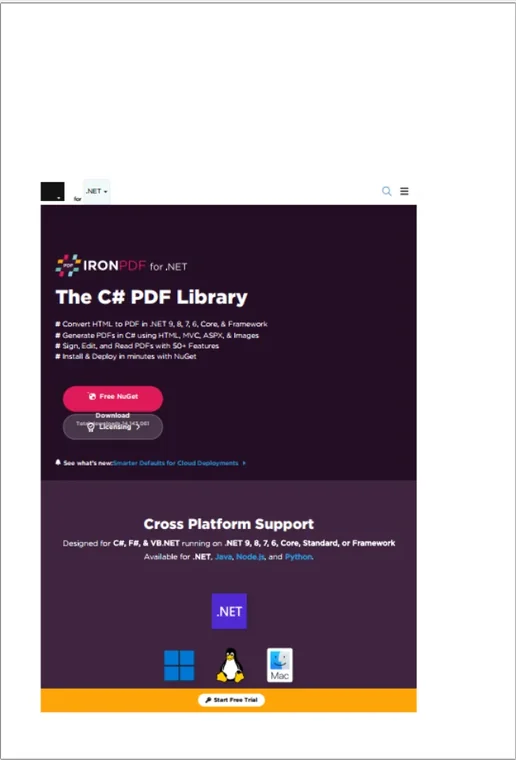
The page dimensions stay the same; only how the content appears changes. Passing values that move content right 10mm and down 5mm, then scale it to 80% in both directions, shifts and shrinks the content in place. Reach for this when correcting layouts, aligning content, or applying a zoom-out effect.
#### Sample Output
## Choosing Between Them
- **Resize:** changes page size and scales content with it; mind potential clipping.
- **Extend:** grows the canvas with whitespace and leaves content untouched.
- **Transform:** moves or scales content while page dimensions stay fixed.
These methods also combine. A common pattern is resizing the page and then transforming the content to fit the new dimensions.
When you adjust PDF layout programmatically, the result depends on whether you change the page itself or the content inside it. IronPDF gives you three distinct methods for this: Resize, Extend, and Transform. Choosing the right one comes down to whether you want to change page size, add margins, or move content.
Resize
Use Resize when you want to change the page dimensions, enlarging or shrinking the page.
public voidResize(doublePageWidth, doublePageHeight, MeasurementUnitUnits)
public void Resize(double PageWidth, double PageHeight, MeasurementUnit Units)
C#
Resize changes the physical size of the page and scales the content to fit the new dimensions, so everything stays visible. A page originally 210mm x 297mm resized to 148mm x 210mm becomes A5, with its content fitted into the smaller page.
Warning: Resizing scales content to fit. Watch for clipping when you shrink a page significantly.
Extend
Use Extend when you want whitespace or margins around existing content without touching the content's layout, scale, or position.
public voidExtend(doubleExtendLeft, doubleExtendRight, doubleExtendTop, doubleExtendBottom, MeasurementUnitUnits)
This method adds space to the page, increasing its overall size, but leaves existing content exactly where it was. Starting from a 210mm x 297mm A4 page, adding 10mm left and right plus 20mm top and bottom yields a 230mm x 337mm page with the original content centered in its old space. It is handy for preparing a PDF for printing or binding where extra margins are needed.
Sample Input
Sample Output
Transform
Use Transform to move or scale the actual content on the page while keeping the physical page size fixed.
public voidTransform(doubleMoveX, doubleMoveY, doubleScaleX, doubleScaleY)
public void Transform(double MoveX, double MoveY, double ScaleX, double ScaleY)
C#
The page dimensions stay the same; only how the content appears changes. Passing values that move content right 10mm and down 5mm, then scale it to 80% in both directions, shifts and shrinks the content in place. Reach for this when correcting layouts, aligning content, or applying a zoom-out effect.
Sample Output
Choosing Between Them
Resize: changes page size and scales content with it; mind potential clipping.
Extend: grows the canvas with whitespace and leaves content untouched.
Transform: moves or scales content while page dimensions stay fixed.
These methods also combine. A common pattern is resizing the page and then transforming the content to fit the new dimensions.
Curtis Chau holds a Bachelor’s degree in Computer Science (Carleton University) and specializes in front-end development with expertise in Node.js, TypeScript, JavaScript, and React. Passionate about crafting intuitive and aesthetically pleasing user interfaces, Curtis enjoys working with modern frameworks and creating well-structured, visually appealing manuals.


















